Integrations
Works with the tools you already use.
Freesbe brings your CRM, help desk, bank, repositories and monitoring into the channels where your team already talks, answers customers from web chat, email, texts, WhatsApp and Telegram, and connects everything else through Zapier, Make, n8n, AI agents, webhooks and the API. Each one below says which plan has it and links to a step-by-step how-to.
45 integrations · 29 live today · 16 coming soon
Customer inbox
Every customer message, answered from a channel.
A chat on your website, your support address, texts to your numbers, WhatsApp and Telegram all land as threads in a channel you pick. Hand a conversation to a colleague, keep internal notes beside it, answer with a saved reply or the one AI suggests, and see every message in the Admin Center's log.
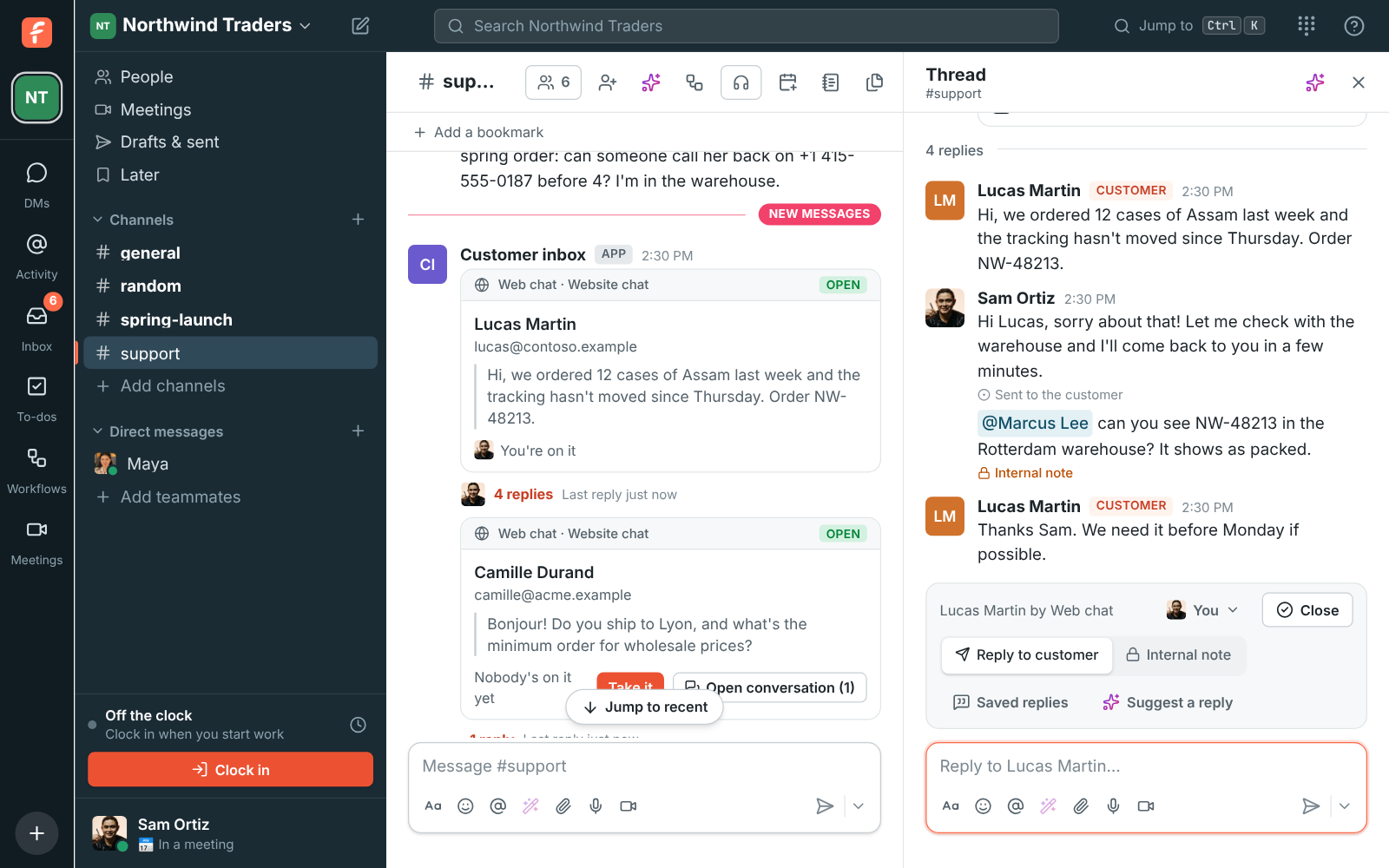
- Web chatA chat on your website, answered from a channel.Learn more
- Call us linkCustomers call you from a link, free for them.Learn more
- Support emailYour support address, answered in a channel.Learn more
- TextsTexts to your number, answered in a channel.Learn more
- WhatsAppWhatsApp, answered by the whole team.Learn more
- TelegramTelegram customers and followers, in your channels.Learn more
CRM
Your CRM, in the conversation.
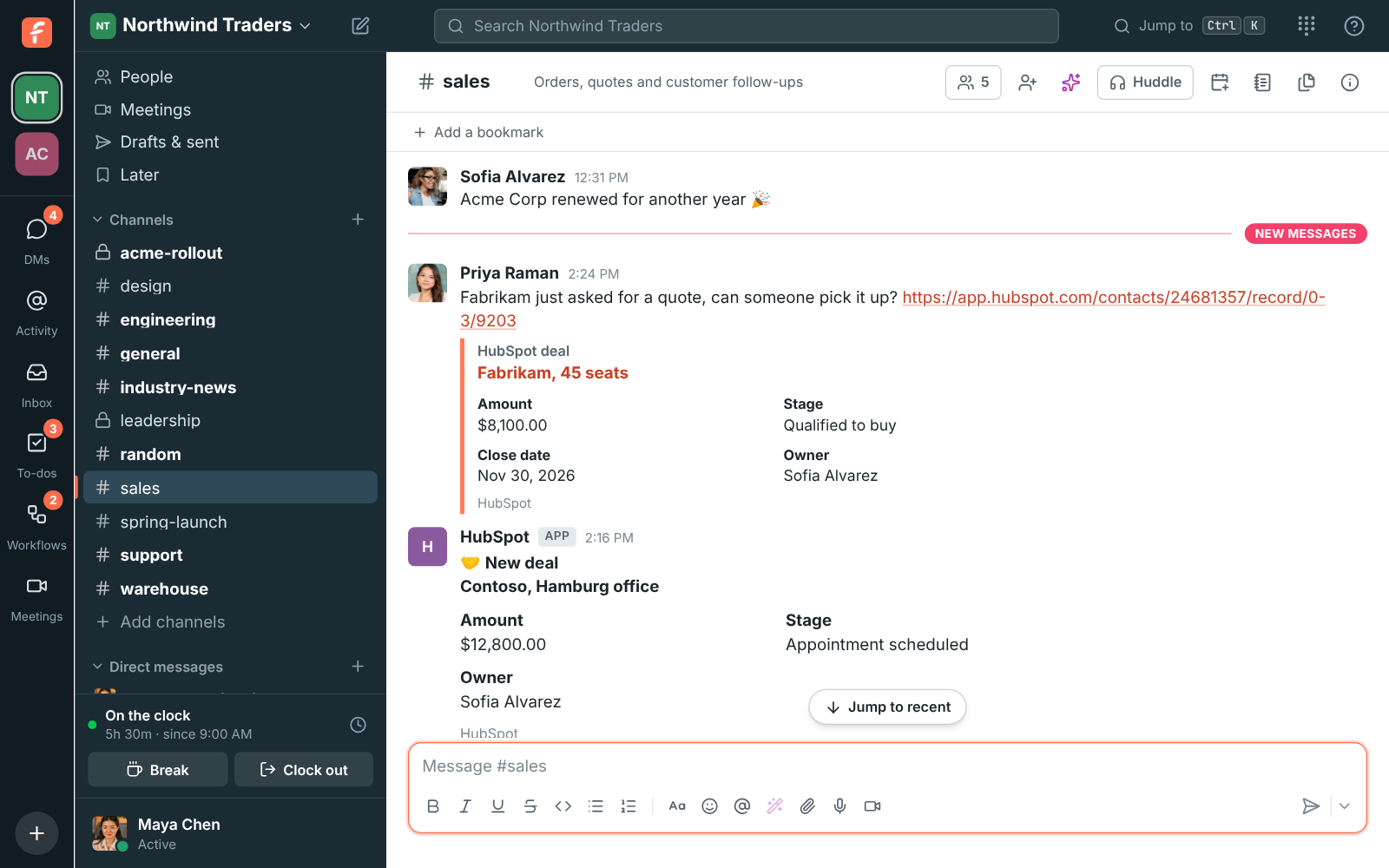
New deals, stage changes and wins post into the channels you pick, with a minimum amount so #leadership sees only the big ones. Paste a record's link and everyone sees the amount, stage and owner. Look records up with a slash command, and log any message to a contact's timeline.
Support
Work your tickets from the conversation.
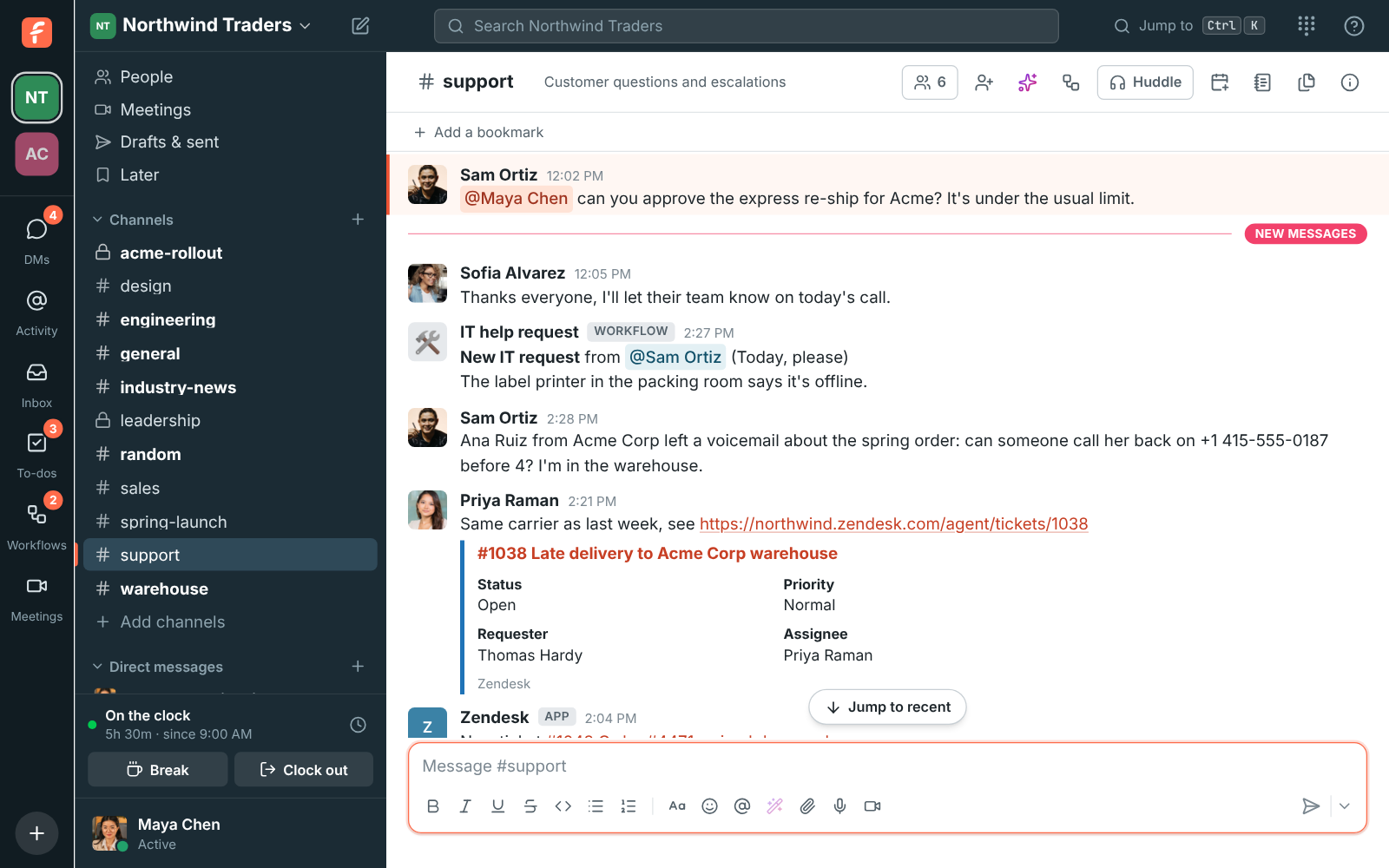
New tickets, status changes and customer replies post into the channels you pick, with Assign to me and Solve buttons on the card. Paste a ticket link and everyone sees its subject, status and assignee. Turn any message into a ticket without leaving the chat.
Finance
See money move, in the channel your finance team reads.
A customer's wire landing in Mercury, a Stripe payout, a deposit into an Airwallex account, USDC arriving on Kraken, bitcoin leaving the cold wallet, an overdue Zoho Books invoice: each one a card with the amount and a button to the transaction, with a smallest amount so only what matters posts.
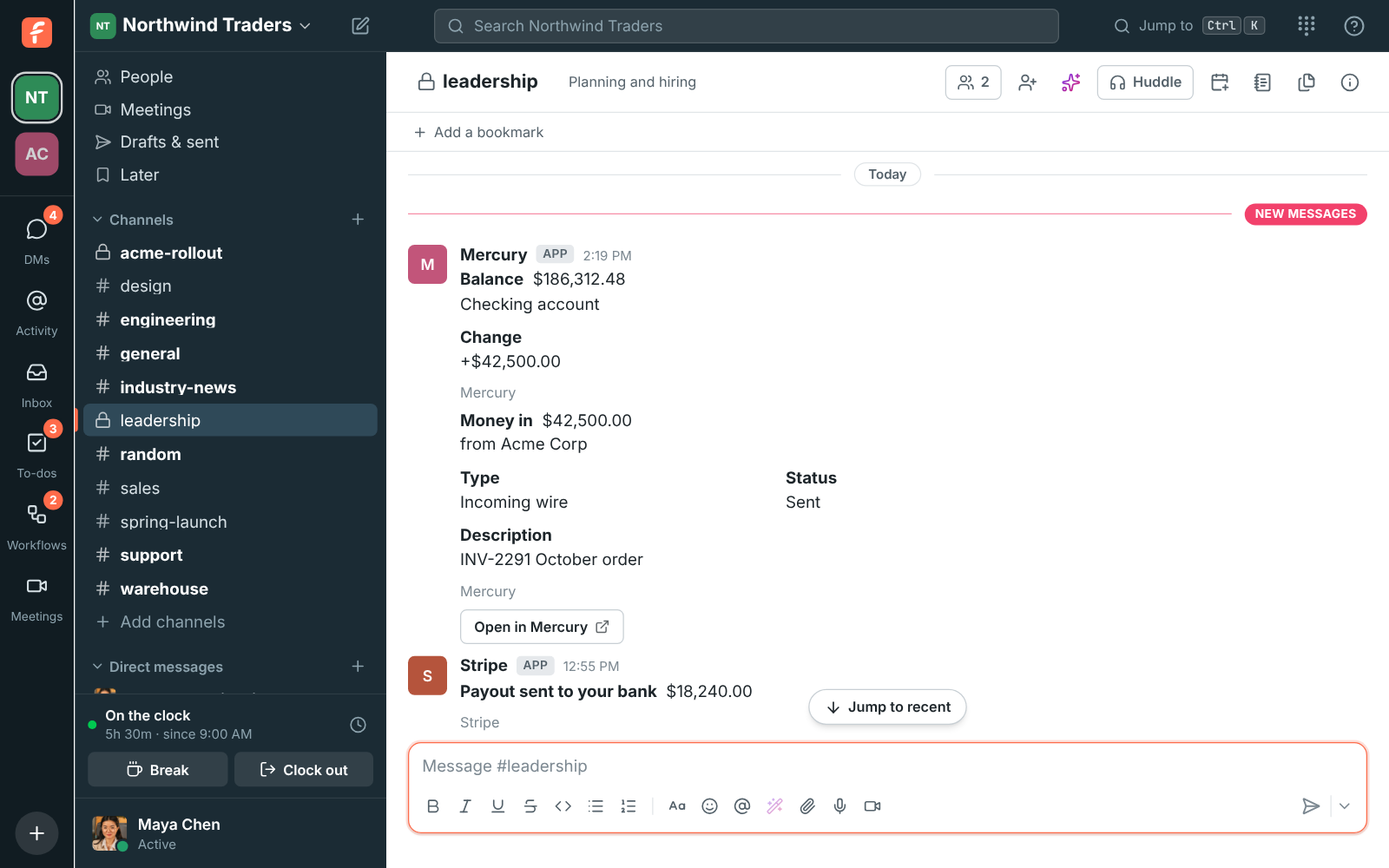
- Payment alertsSee money move, in the channel your finance team reads.Learn more
- StripeStripe payments, posted the moment they land.Learn more
- MercuryEvery Mercury transaction, in your finance channel.Learn more
- AirwallexAirwallex money moves, where your team sees them.Learn more
- KrakenYour Kraken account, in the channel, within a minute.Learn more
- Crypto walletsEvery payment in or out of your wallets, in a channel.Learn more
- Zoho BooksZoho Books invoices and payments, in the conversation.Learn more
Hiring
Hiring news, in the conversation.
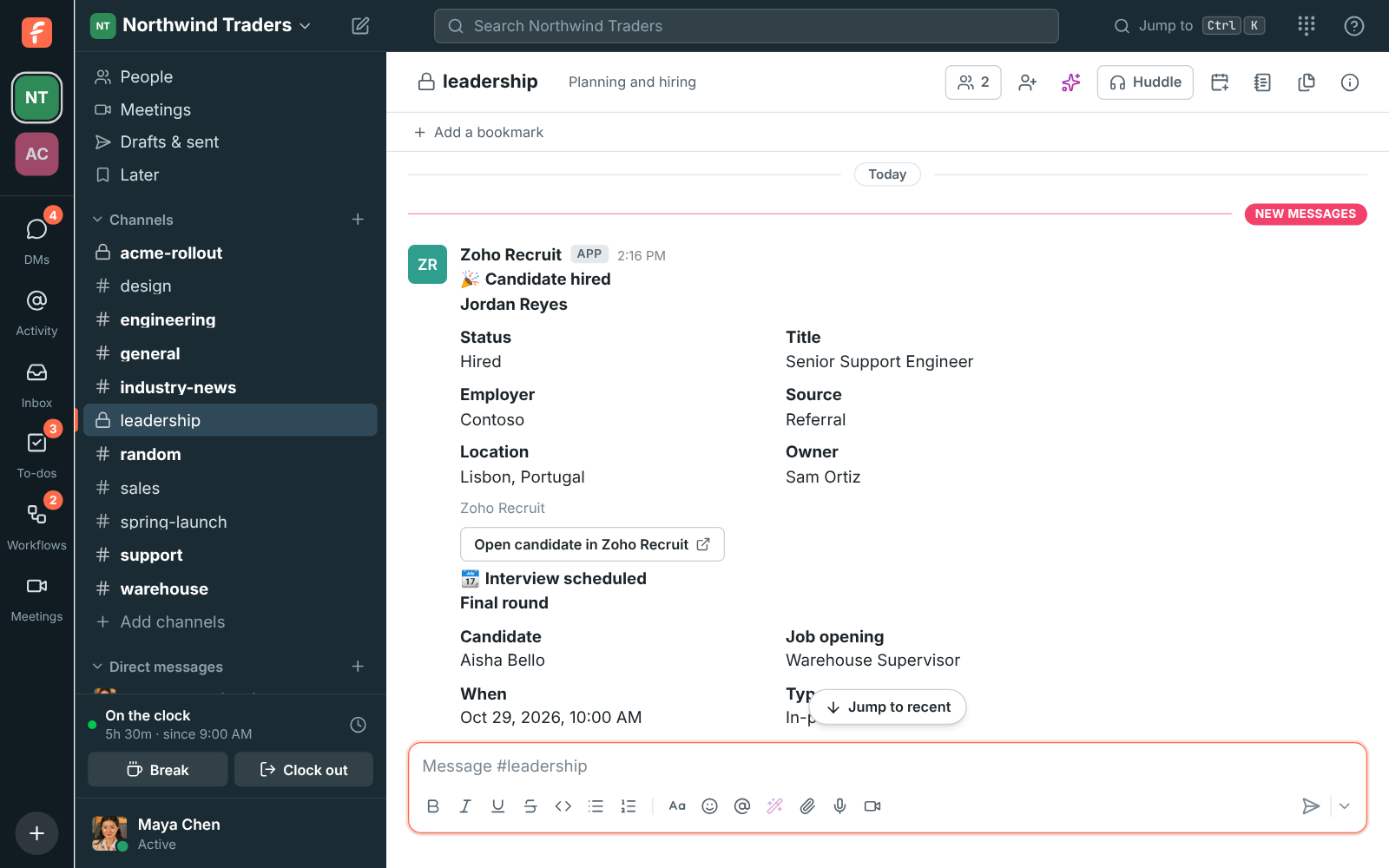
New candidates, status changes, hires, job openings and scheduled interviews post into the channels you pick, seconds after they happen. Keep candidates in a private #hiring channel and celebrate hires in #general.
Monitoring
Alerts your whole team can see, and act on.
Each problem, alert, incident or outage is one card that keeps up with the tool and turns green when it's over, with how long it lasted. Acknowledge, silence or resolve from the card, keep a live problems board pinned at the top of the channel, and get daily or weekly reports.
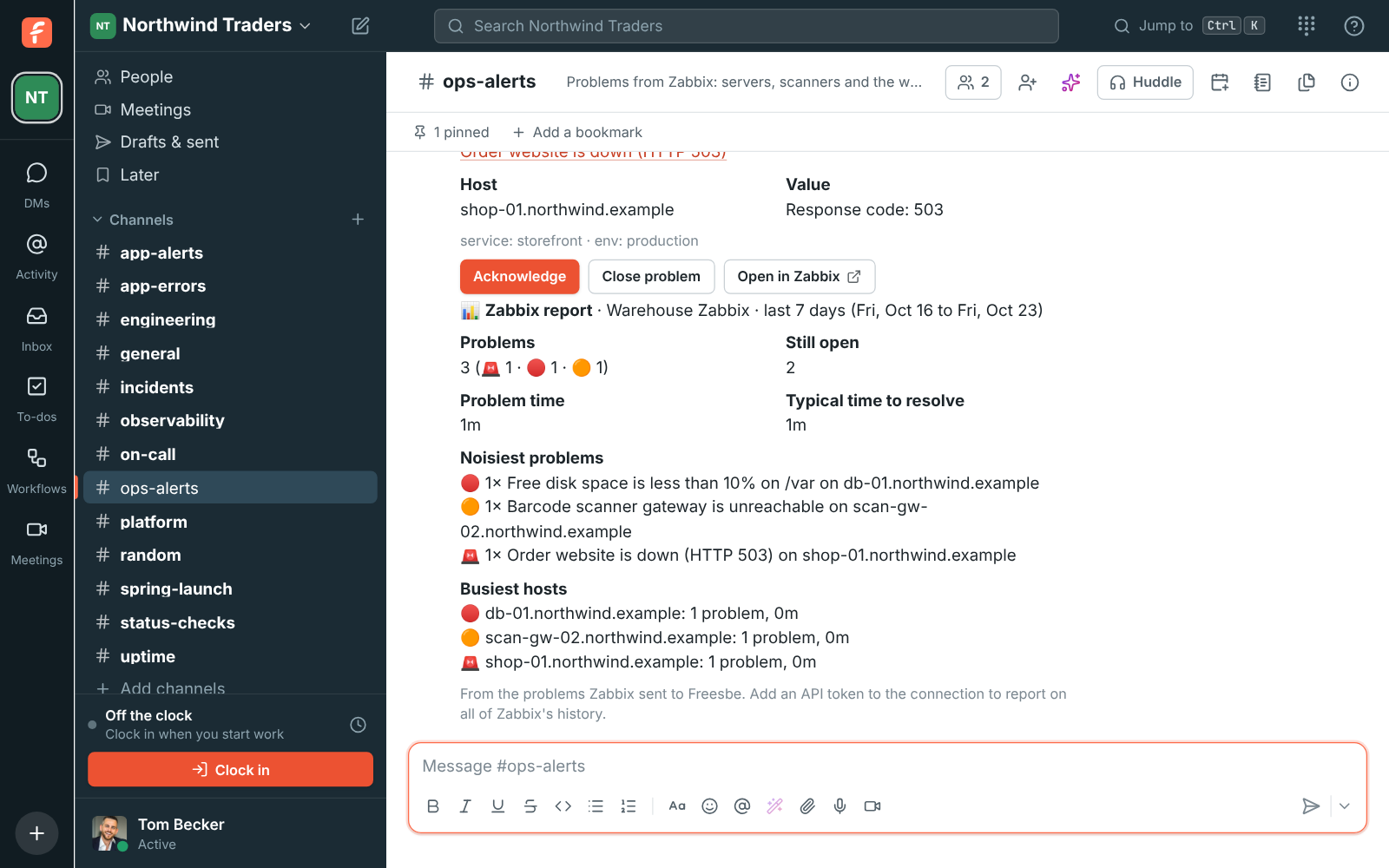
- ZabbixZabbix problems, where your team already talks.Learn more
- GrafanaGrafana alerts, where your team already talks.Learn more
- Prometheus AlertmanagerPrometheus alerts, where your team already talks.Learn more
- PagerDutyPagerDuty incidents, where your whole team can see them.Learn more
- OpsgenieOpsgenie alerts, where your whole team can see them.Learn more
- DatadogDatadog alerts, where your team already talks.Learn more
- SentrySentry issues, where your developers already talk.Learn more
- Better StackBetter Stack incidents, where your team already talks.Learn more
- New RelicNew Relic issues, where your team already talks.Learn more
- Uptime KumaUptime Kuma alerts, where your team already talks.Learn more
- UptimeRobotUptimeRobot alerts, where your team already talks.Learn more
Dev tools and projects
Your repositories and boards, in the conversation.
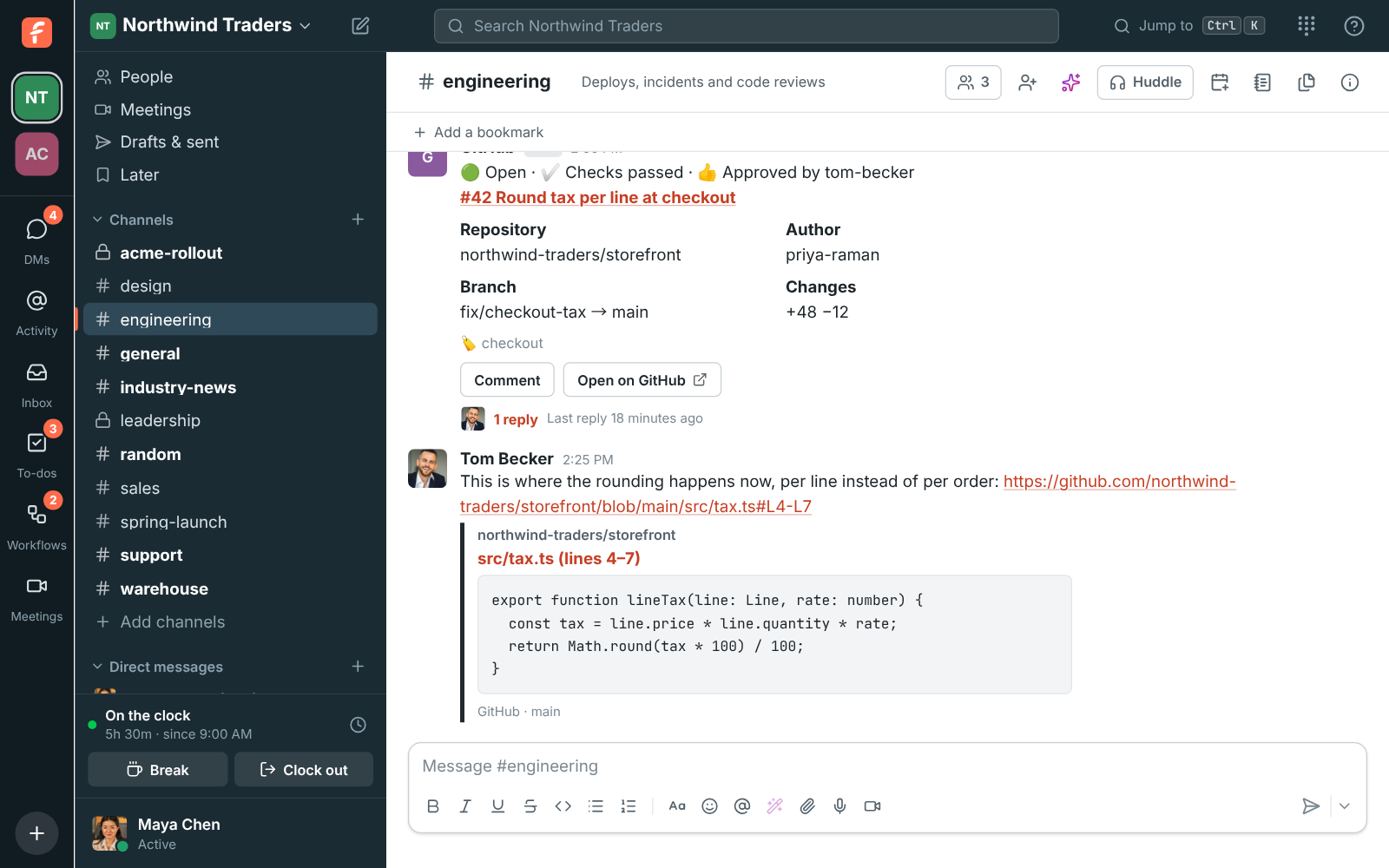
Channels subscribe to repositories, projects and boards and get one card per pull request, issue, deployment or item that changes in place as checks pass, reviews land and work moves. Close, move and comment from the card, paste a link for a preview, and turn any message into an issue or an item.
Calendars
Your calendar, working for you in Freesbe.
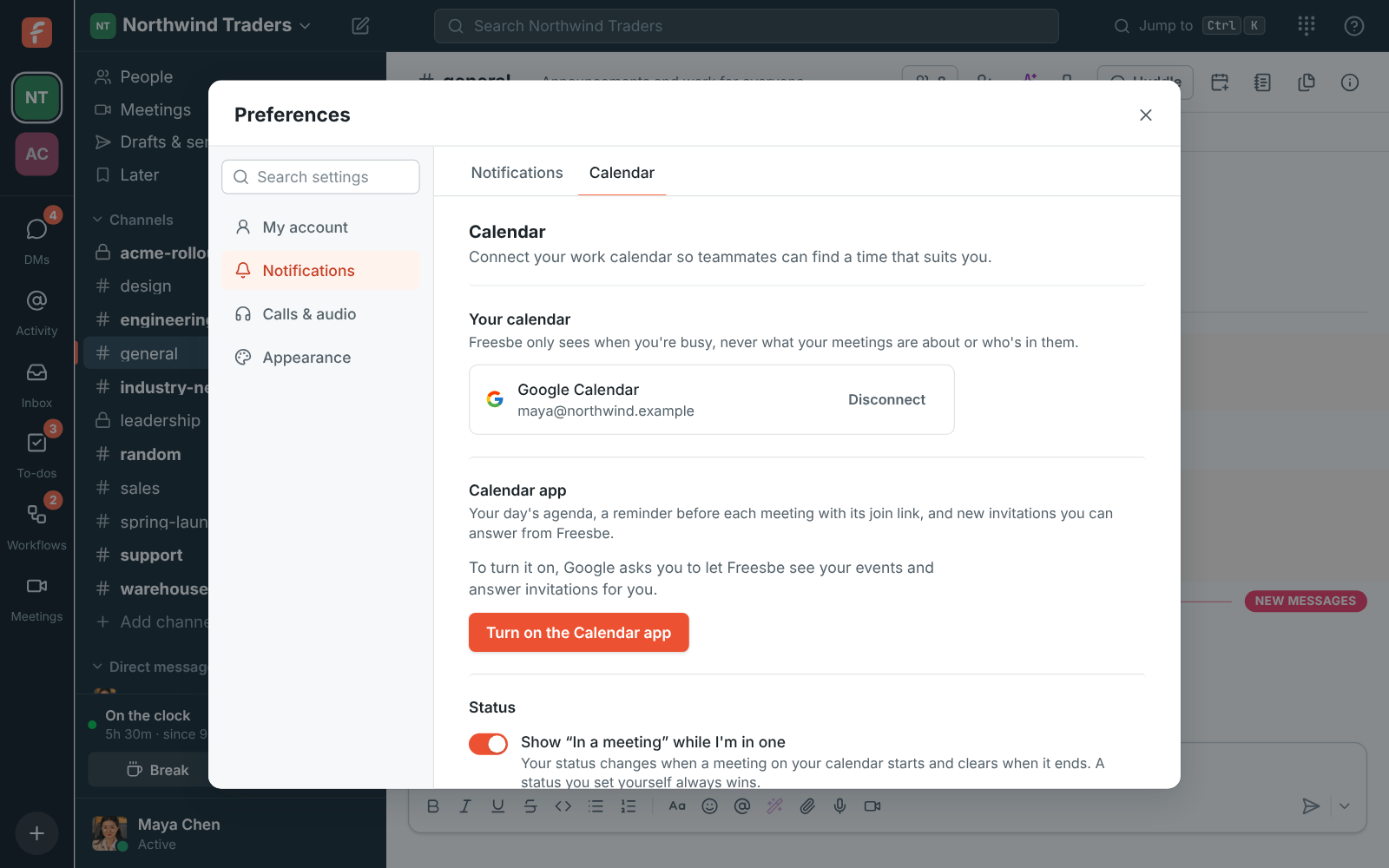
Connect Google Calendar, Outlook or Zoho Calendar and teammates see when you're busy as they find a time or book you, while your status says In a meeting on its own. The Calendar app adds a morning agenda, a reminder before each meeting and invitations you answer in Freesbe.
- Zoho CalendarZoho Calendar, for busy times and your day's agenda.Learn more
- Calendar appYour day's meetings, where you already are.Learn more
See all featuresSee more on this topic: Bookings and calendars
Automation and webhooks
Connect everything else, with or without code.
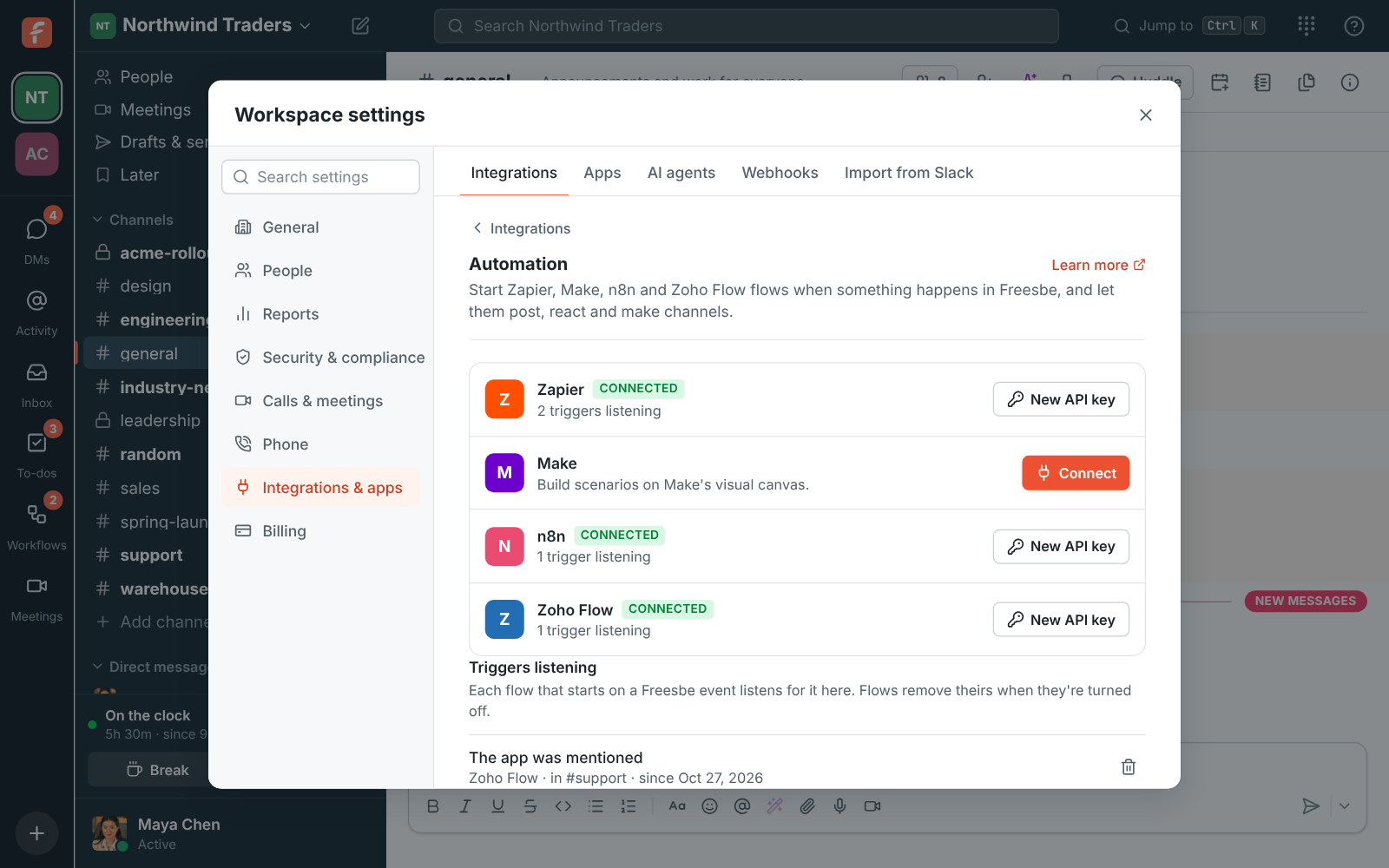
Zapier, Make, n8n and Zoho Flow start from a new message, a mention or a new teammate and post back into any channel. Incoming webhooks accept Slack's format, outgoing webhooks send signed events to your server, and the REST API does whatever the app does.
AI agents
Bring the AI agent you already use.
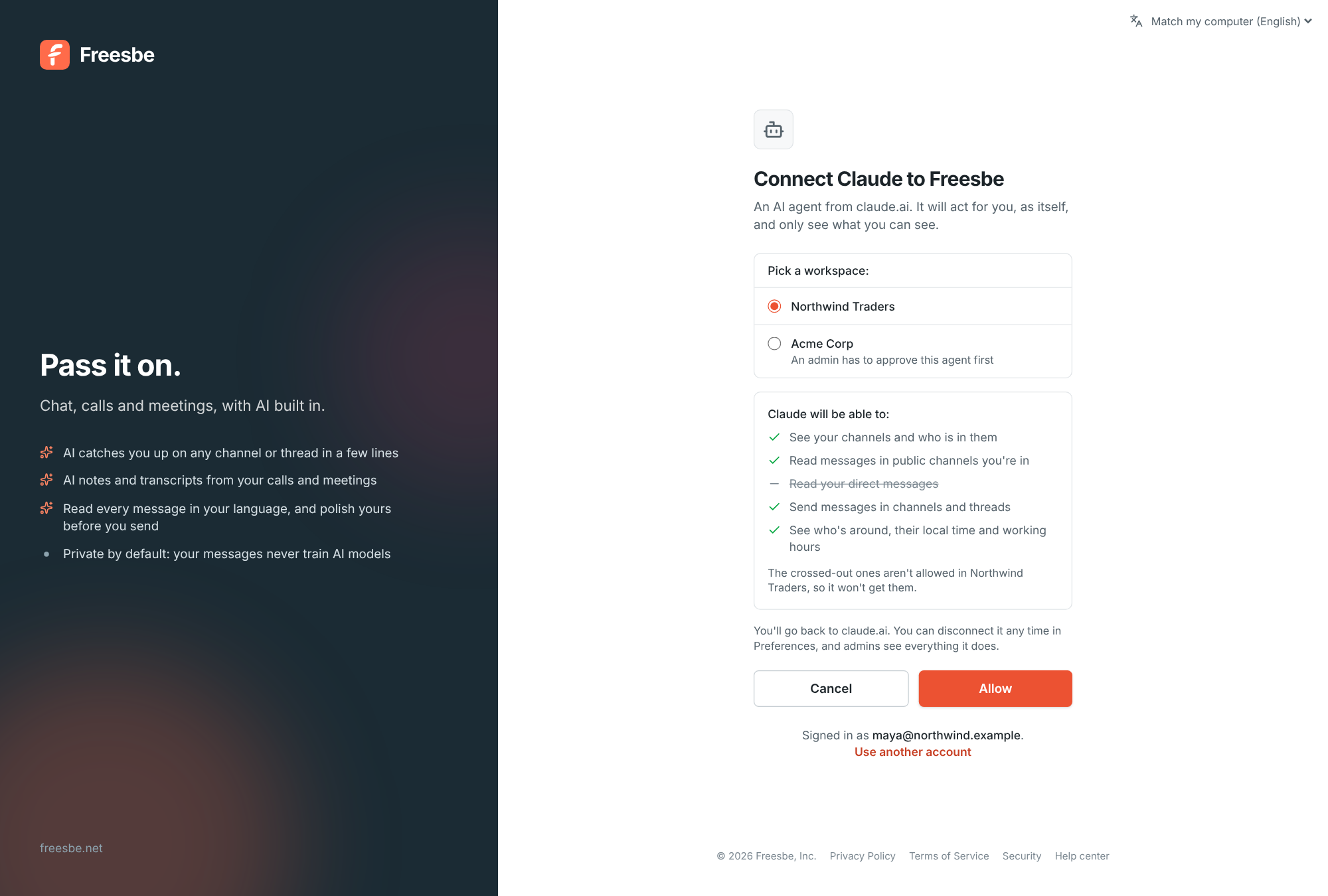
Freesbe is an MCP server, so Claude, ChatGPT, code editors and your own agents connect with no app to install. Each agent signs in with your account, sees only what you allow, posts as its own bot marked AI agent, and admins approve, limit or block every one.
Identity
One account for chat, calendar and sign-in.
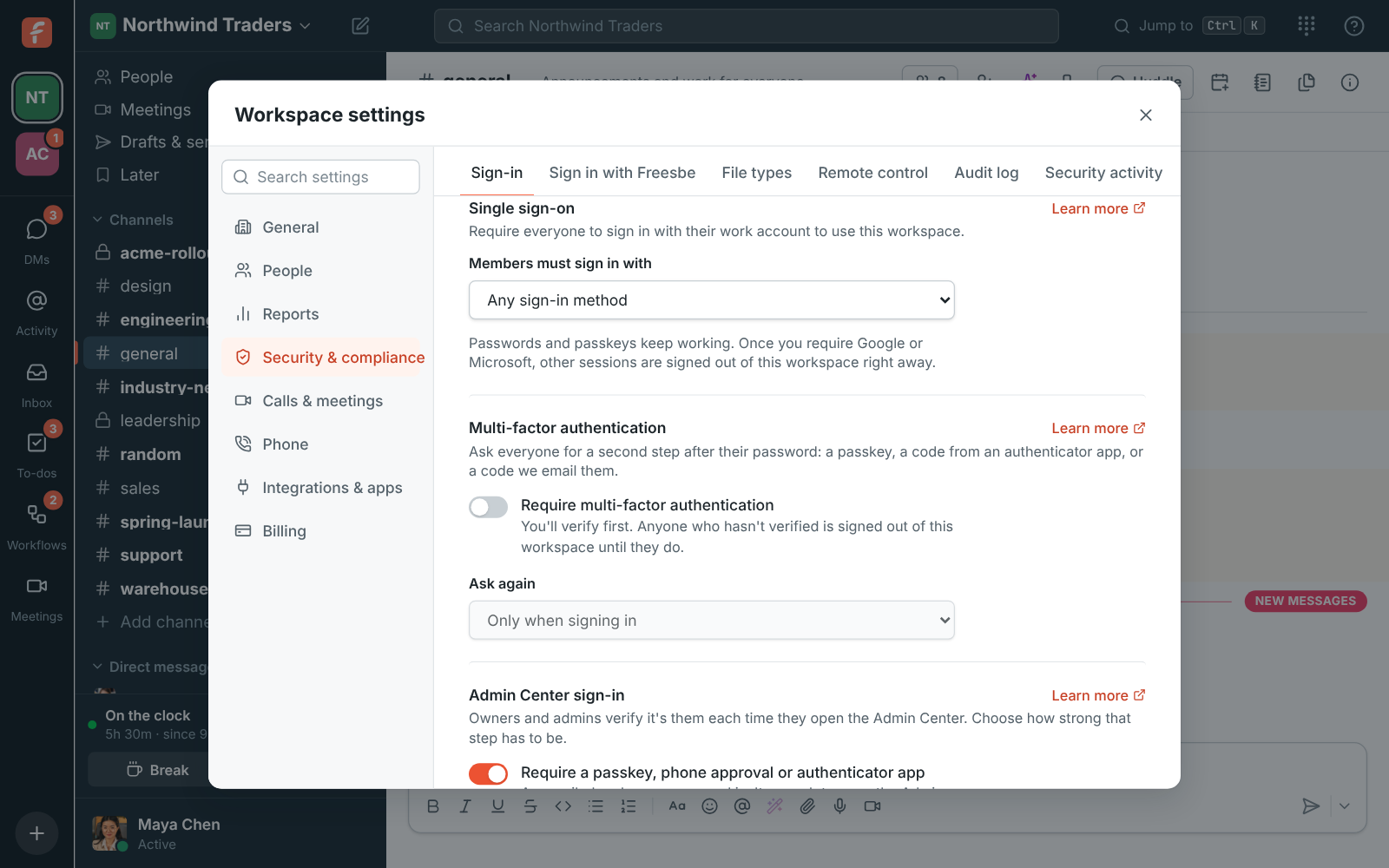
People sign in with Google or Microsoft, and admins on the bigger plans can require it for the whole workspace. The same accounts connect their calendars for busy times, and meeting invites land in Google Calendar and Outlook as calendar files.
News feeds
The news your team follows, in the channel.
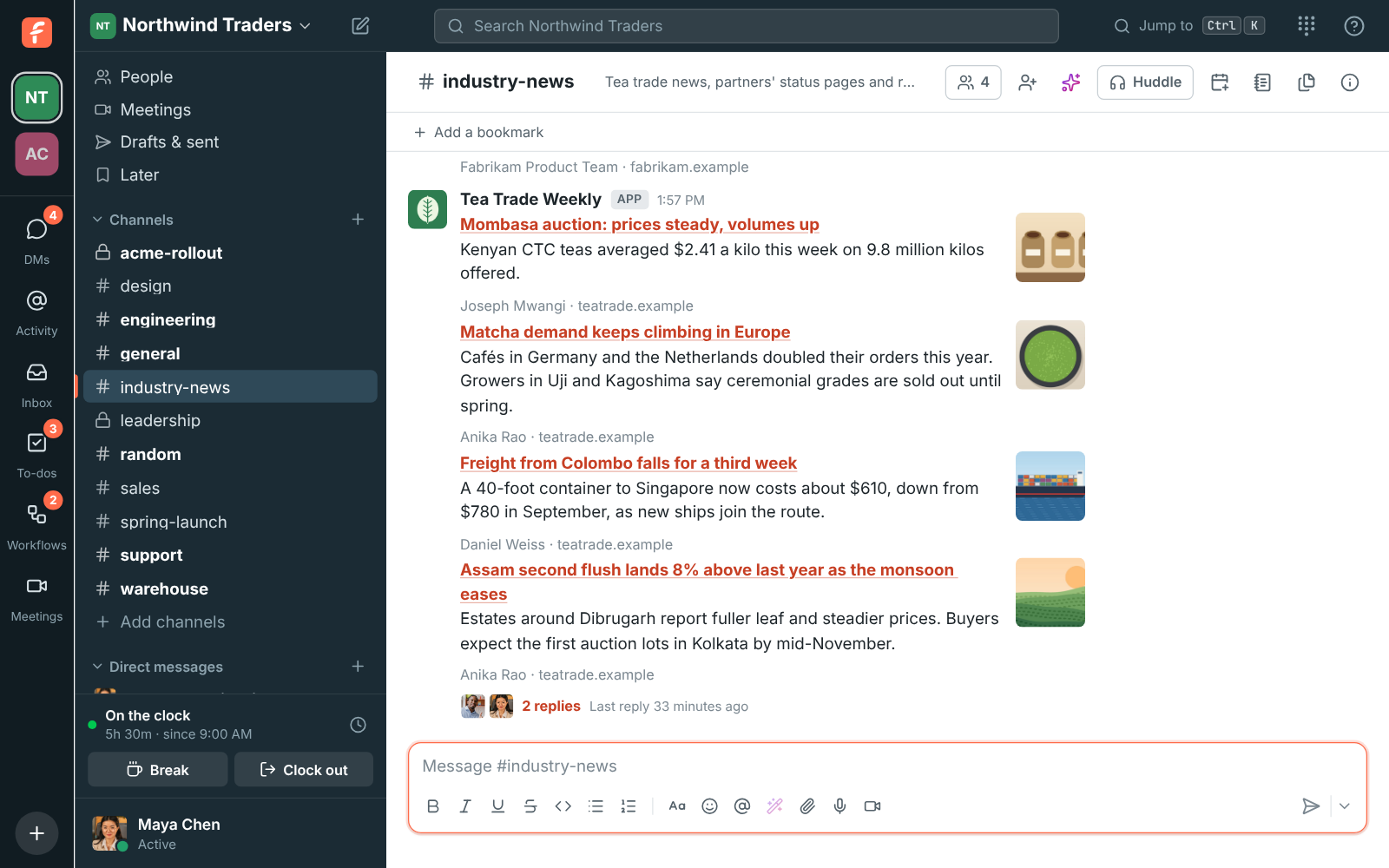
Blogs, news sites, status pages and release notes post into a channel as cards with the headline, a summary and the picture, from RSS, Atom and JSON feeds, filtered by keywords and checked every 15 minutes.
Phone
Already on sip.io? Bring it into Freesbe.
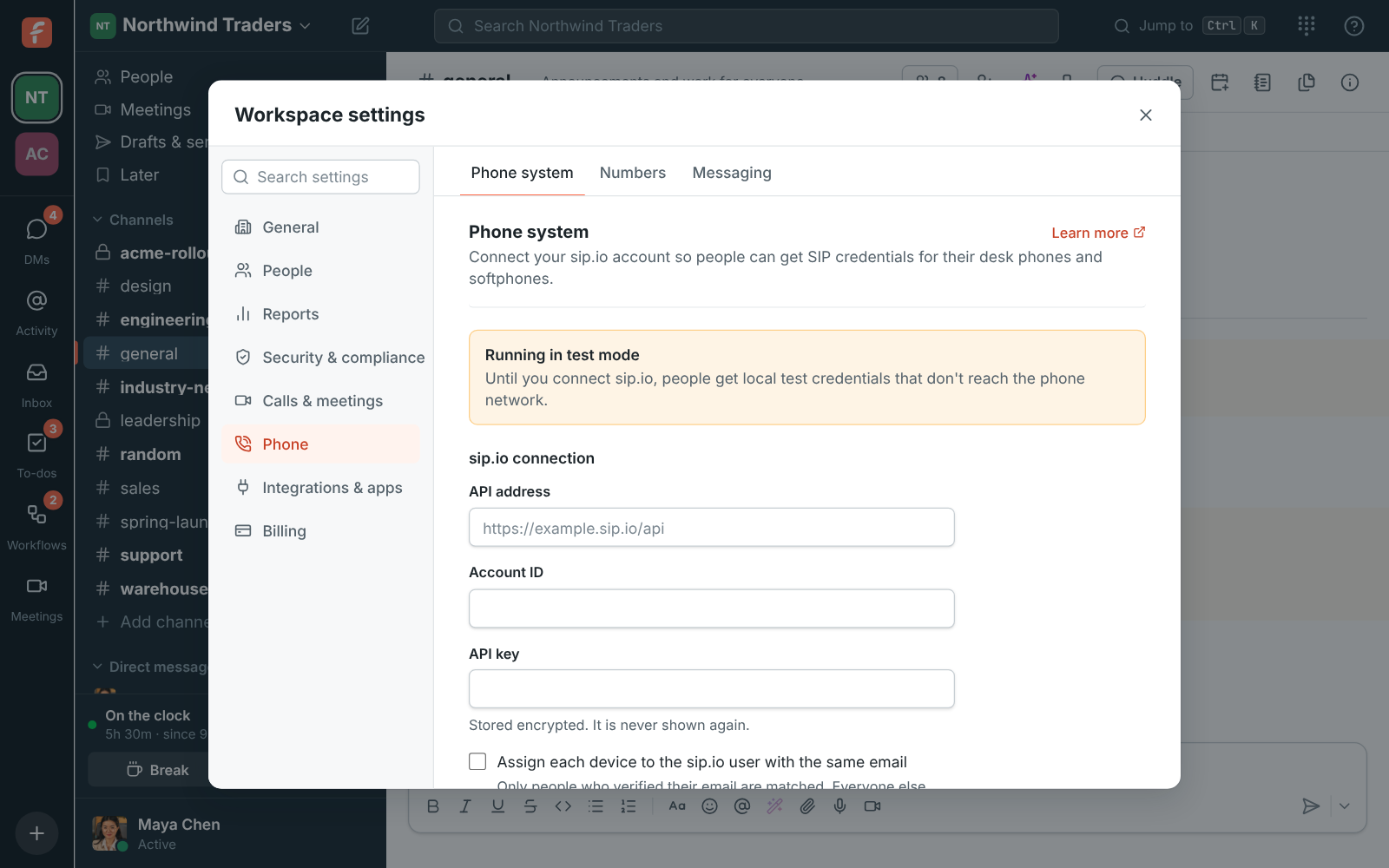
Connect your sip.io account once and each person gets SIP credentials for a desk phone or softphone, calls and the dialpad work inside Freesbe, and leavers' devices are turned off on their own. No sip.io account? Freesbe sells a phone system of its own.
Don't see your tool?
Zapier, Make and n8n reach thousands of apps, incoming webhooks post from anything that can send one, and the REST API does whatever the app does.
Zapier, Make, n8n and Zoho FlowWebhooks and APIAI agents over MCP
Bring your tools, and your team.
Free for up to 10 people, no card and no time limit. Connect what you already use in an afternoon.