Freesbe
All plans

Work your Zendesk tickets from the conversation.

Freesbe's Zendesk app brings tickets into chat. Alerts post new tickets, status changes, public replies, priority and assignee changes into the channels you pick, with Assign to me and Solve buttons. Ticket links show as cards, and Create Zendesk ticket turns any message into a ticket.

  • New tickets, status changes and public replies in the channels you pick; internal notes never.
  • Assign to me and Solve right on the card, which updates so the channel knows who took it.
  • Each Zendesk group to its own channel, like Billing to #billing.
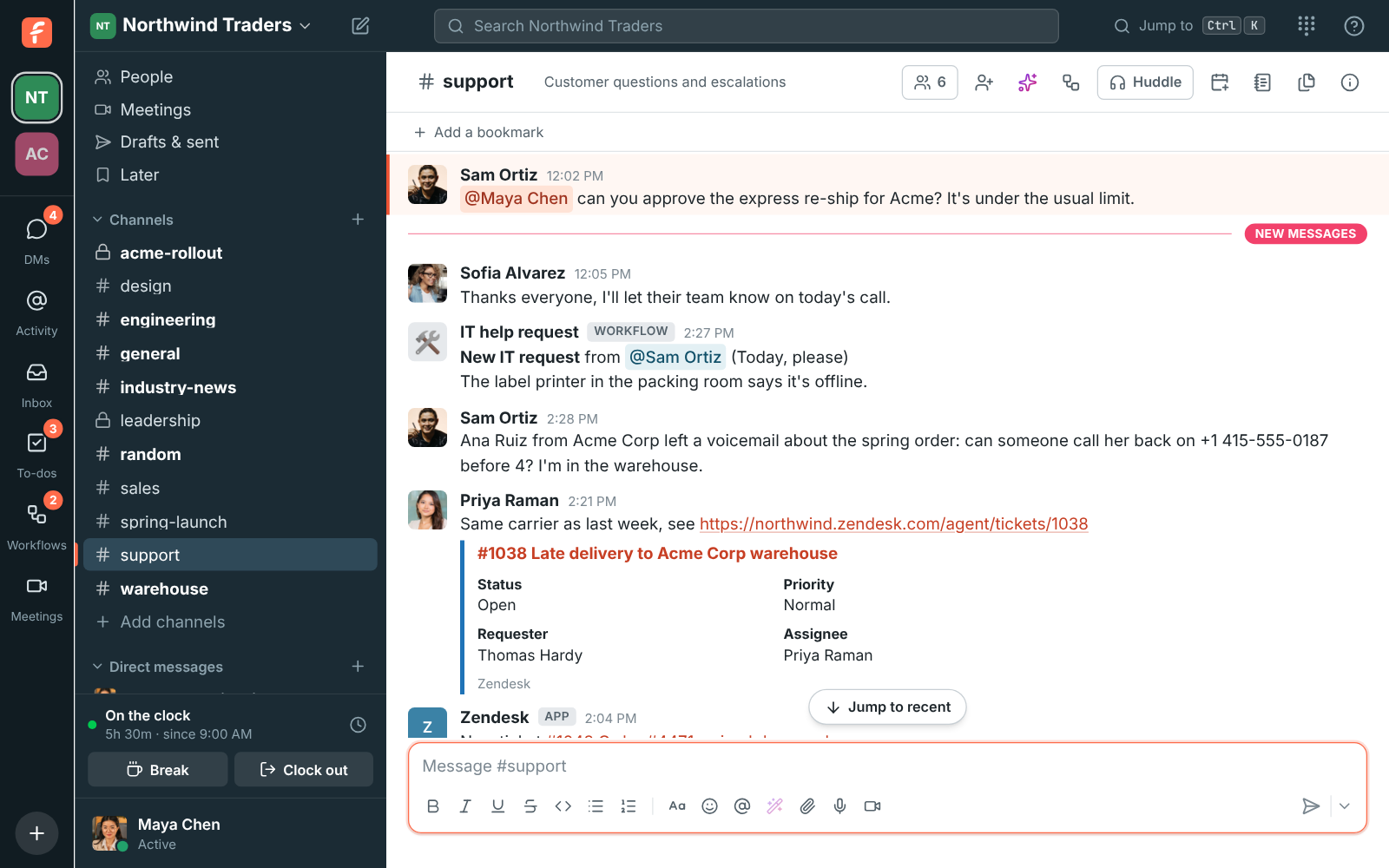
  • Ticket links become cards with the subject, status, priority, requester and assignee.
  • Create Zendesk ticket turns any message into a ticket, with a reply in the thread linking to it.

For Support teams on Zendesk who talk about tickets in Freesbe.

Zendesk in #support: a new high-priority ticket with Assign to me and Solve, a pasted ticket link shown as a card, and a solved ticket

Ticket alerts in the right channel

Pick a channel and what to post: new tickets, status changes, public replies, priority changes and new assignees. Send each Zendesk group to its own channel, like Billing to #billing and Shipping to #shipping. Internal notes are never sent.

  • Assign to me and Solve right on the card
  • The card updates so the channel knows who took it
  • Send a test alert to see how alerts look

Ticket links become cards

Paste a link to a ticket and everyone sees its subject, status, priority, requester and assignee under the message, without opening Zendesk. Links to help center requests work too.

See it on your own team's data.

Start free with up to 10 people and try it today, or book a 20-minute demo with the people who make Freesbe.

Turn a message into a ticket

Choose Create Zendesk ticket from any message's menu. The subject and description come from the message, you pick the requester, priority and type, and a reply in the thread links to the new ticket.

Plans and pricing

Zendesk is included in every plan, including Free.

  • FreeUp to 10 people
  • BusinessUp to 500 people
  • CorporateUp to 2,500 people
  • EnterpriseOver 2,500 people

Questions

How do we connect Zendesk?
An owner or admin types your Zendesk address in Workspace settings, Integrations, Support, and signs in with Zendesk. An API token works too, for teams that prefer one.
Do we need to set up a webhook in Zendesk?
No. Connecting as a Zendesk admin adds the webhook Freesbe needs, and disconnecting removes it.
Whose account do Freesbe's posts use?
Alerts and cards come from the Zendesk app, so nobody's Freesbe account is borrowed. Tickets made from messages are created by the person who connected Zendesk, with the requester you pick.

Bring your tools, and your team.

Free for up to 10 people, no card and no time limit. Connect what you already use in an afternoon.