Freesbe
Coming soon

Your repositories, in the conversation.

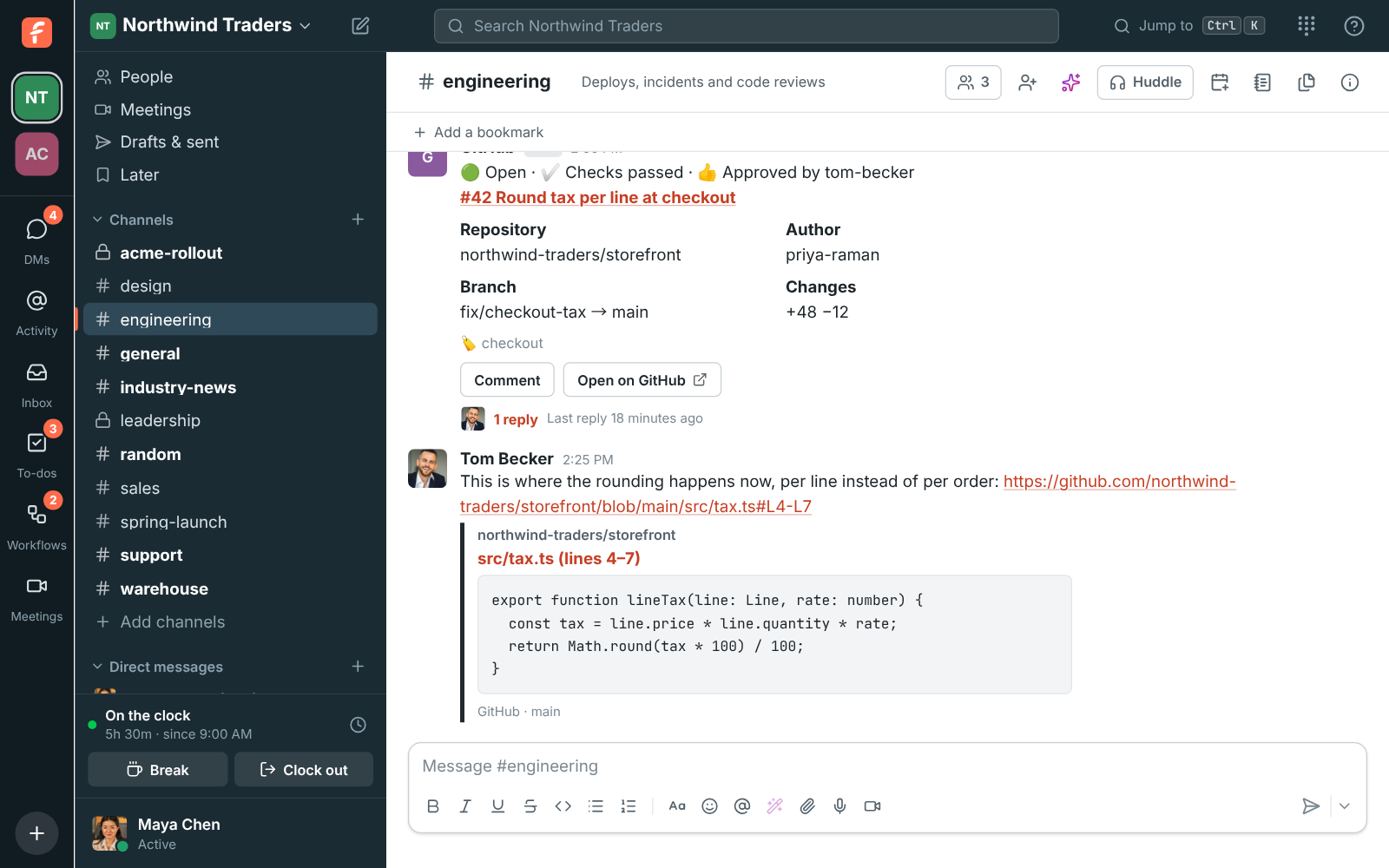
Install the Freesbe app on your GitHub organization and channels subscribe to repositories. Each pull request, issue, release and deployment gets one card that changes in place as checks pass, reviews land and it's merged. Close, reopen and comment from the card, paste a link for a preview, and turn any message into an issue.

  • One card per pull request, from opened to merged, with checks and reviews on it.
  • Close, reopen and comment on issues from the card, signed with your name, without a GitHub account.
  • Previews of pull requests, issues, commits and lines of code, even in private repositories.
  • Label and branch filters keep a busy repository quiet.
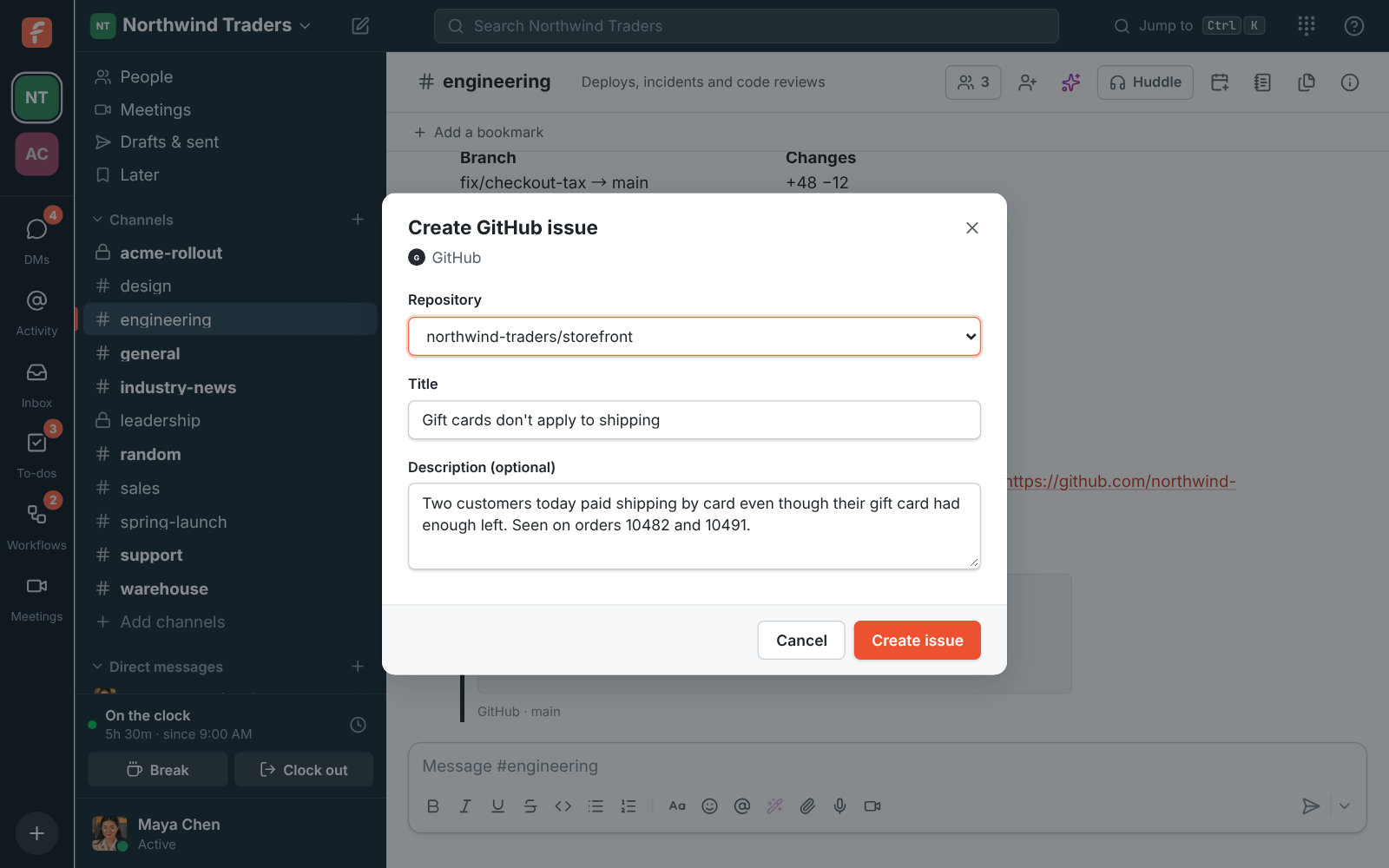
  • Create GitHub issue turns a message into an issue, with its card in the thread.

For Engineering teams who discuss pull requests in chat and want the chat to keep up.

#engineering with a GitHub pull request card, open with checks passed and Tom's approval and a reply under it, and a preview of the lines of code Tom linked

Install on your organization

An owner or admin clicks Connect GitHub in Workspace settings, Integrations, Dev tools. GitHub asks where to install the Freesbe app: pick your organization, then All repositories or Only select repositories. Freesbe only sees the repositories you pick, and you can change them in GitHub later. A workspace connects one GitHub organization or account, and GitHub posts as its own member so its cards are easy to tell apart from people.
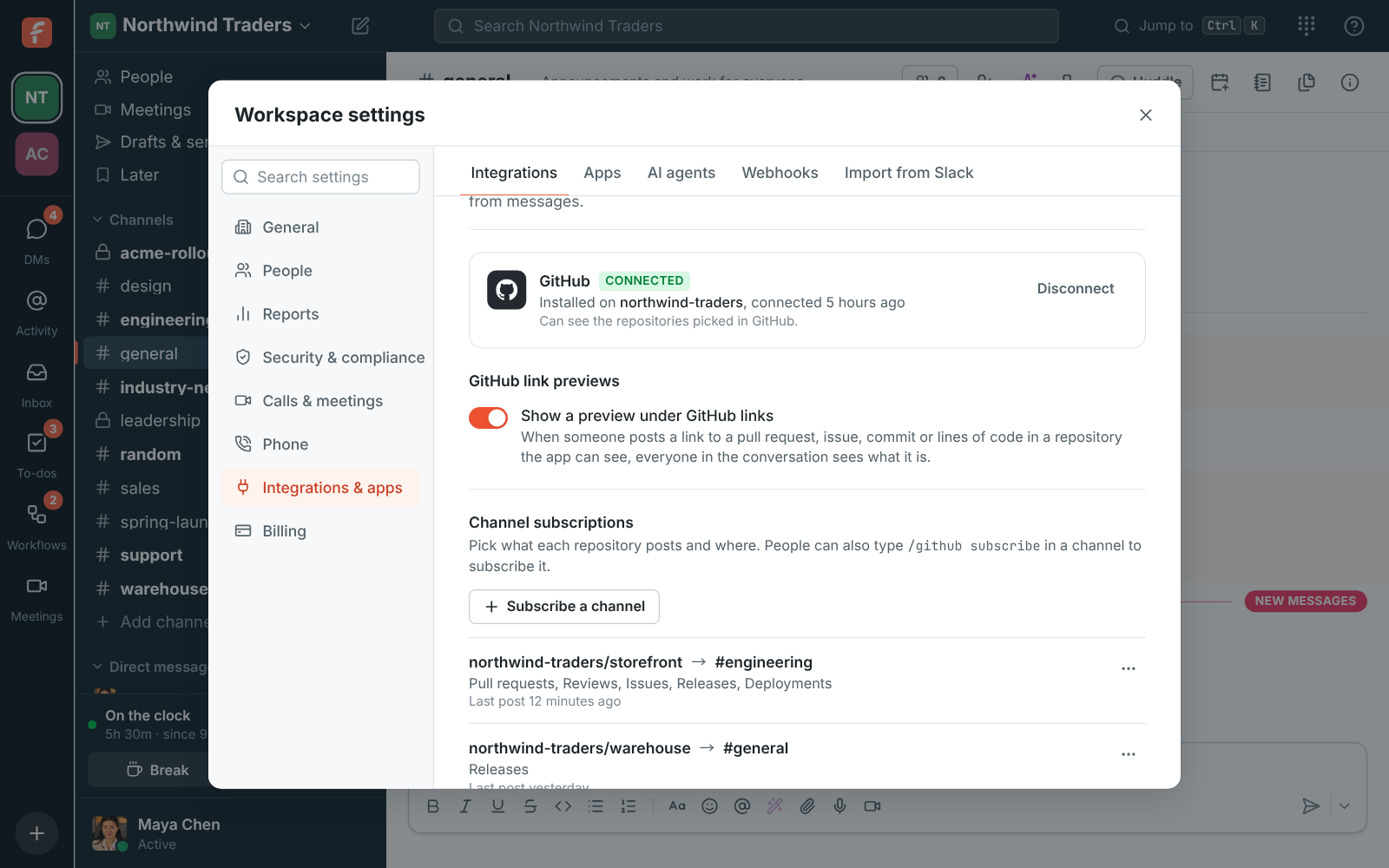
Workspace settings, Integrations, Dev tools: GitHub installed on northwind-traders with two channel subscriptions

Subscribe channels to repositories

Under Channel subscriptions, pick the repository, the channel and what to post, or type /github subscribe northwind-traders/storefront in the channel. A new subscription posts pull requests, issues, releases and deployments; add reviews, comments, commits and workflow runs if you want them. Only these labels and a branch keep a busy repository quiet, and draft pull requests wait until they're ready for review.

  • label:bug and branch:release in the command do the same as the filters in settings
  • Post a sample card to see how cards look
  • Turn a subscription off for a while, or delete it

See it on your own team's data.

Start free with up to 10 people and try it today, or book a 20-minute demo with the people who make Freesbe.

Cards that stay current

A pull request's card shows its title, number and author, the branches, how many lines it adds and removes, its labels and who's asked to review. As GitHub tells Freesbe more, it adds the checks running, passed or failed, who approved or asked for changes, and who merged it or closed it. Issue cards turn grey when closed, and deployment cards go from pending to success or failure. Cards stay current for 90 days.

A GitHub pull request card with checks passed and an approval, and a code preview

Act from the card, and from any message

Close issue and Reopen change the issue in GitHub with a comment saying who pressed it, like Closed from Freesbe by Maya Chen. Comment adds a comment signed with your name. Anyone in the channel can use them without a GitHub account. Create GitHub issue in any message's menu picks a repository and fills in the title and description from the message, and the new issue's card lands in the thread.

Create GitHub issue: the storefront repository, a title and a description filled in from the message

Plans and pricing

GitHub is built and on its way. When it's on, it comes with every plan, including Free.

  • FreeUp to 10 people
  • BusinessUp to 500 people
  • CorporateUp to 2,500 people
  • EnterpriseOver 2,500 people

Questions

Which plans include GitHub?
Every plan, including Free. It's built and coming soon.
Does Freesbe copy our code?
No. It reads pull requests, issues, commits and file lines only to show cards and previews, and doesn't copy your code anywhere else. GitHub's access token is kept encrypted and lasts an hour at a time.
Does it work with a personal account?
Yes. It works with organizations and personal accounts on github.com.
Can people without a GitHub account use the buttons?
Yes. GitHub records the actions as the Freesbe app, with the person's name in the comment.

Bring your tools, and your team.

Free for up to 10 people, no card and no time limit. Connect what you already use in an afternoon.