Your day, each morning
The agenda arrives at the time you pick, in your own time zone, with a Join button for every video call: Freesbe meetings, Google Meet, Microsoft Teams, Zoom and Webex. Days with nothing on get no message.
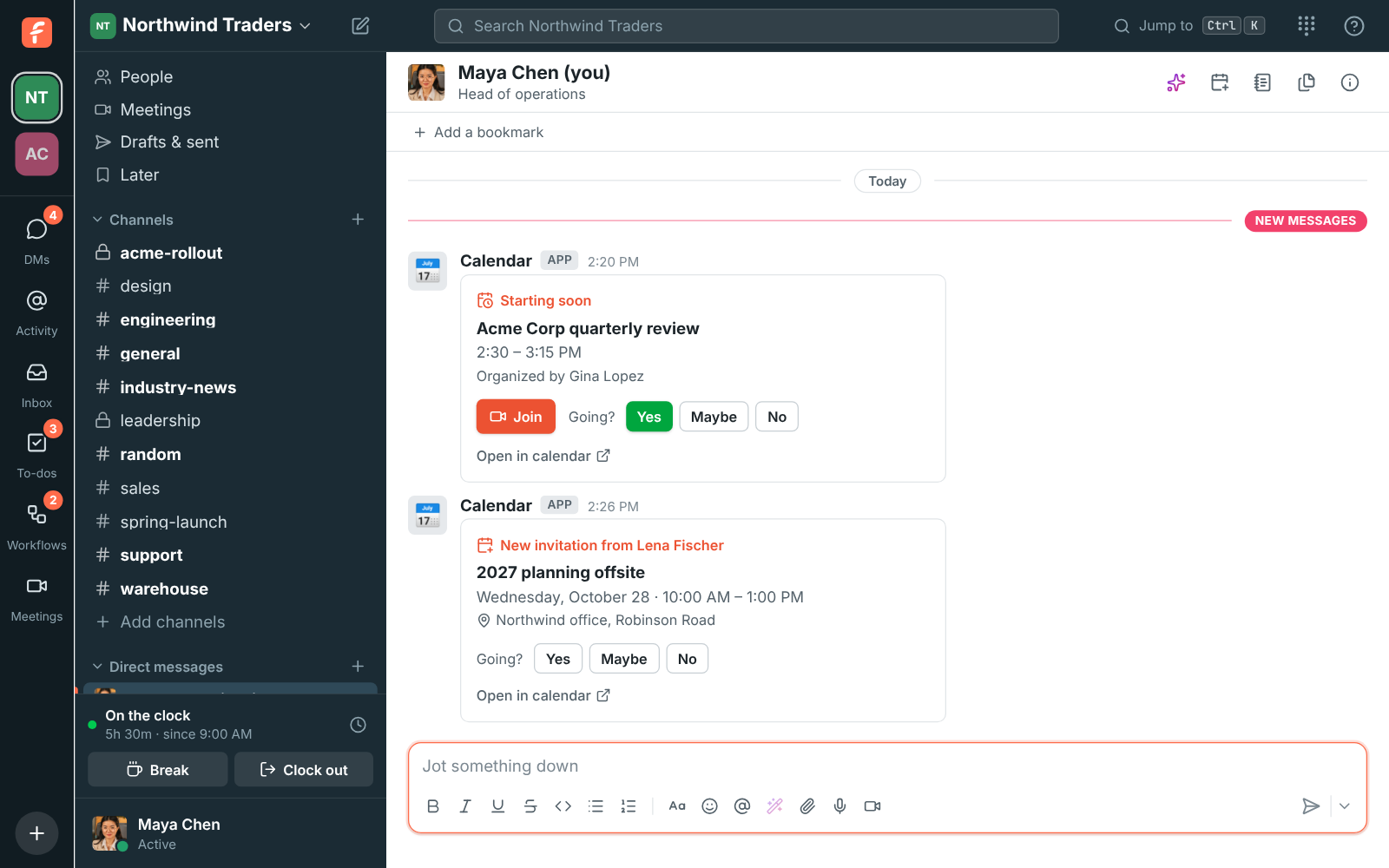
The Calendar app brings your Google Calendar, Outlook or Zoho Calendar into Freesbe. Each morning you get the day's meetings with Join buttons, a reminder with the join link a few minutes before each one, and a message for every new invitation, which you answer Yes, Maybe or No right there.
For Anyone with a day full of meetings who'd rather not keep the calendar open.
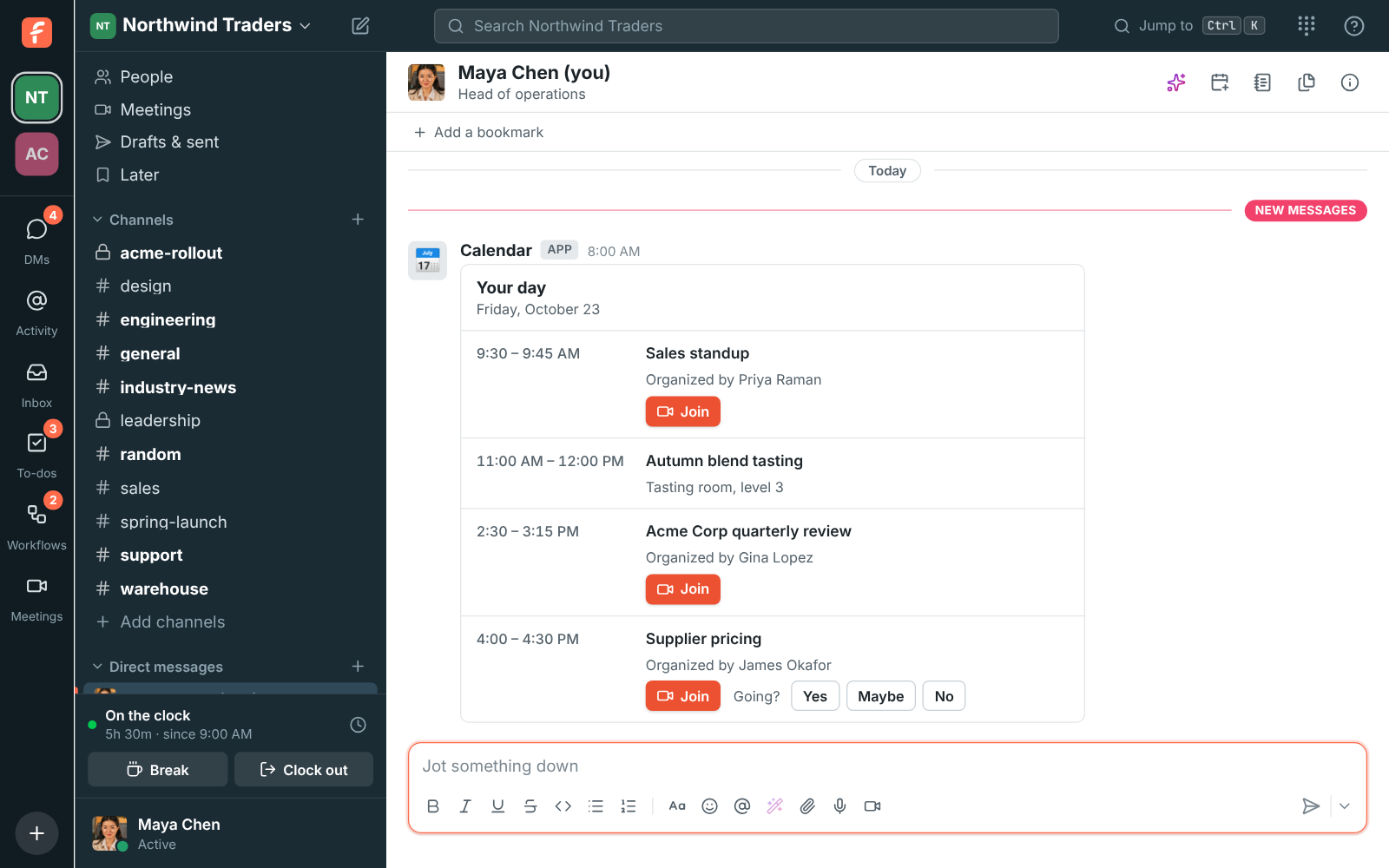
The agenda arrives at the time you pick, in your own time zone, with a Join button for every video call: Freesbe meetings, Google Meet, Microsoft Teams, Zoom and Webex. Days with nothing on get no message.
A reminder comes 1 to 30 minutes before each meeting, skipping all-day events and ones you declined. New invitations, moved meetings and cancellations show up too, and Yes, Maybe or No answers in your own calendar.
Start free with up to 10 people and try it today, or book a 20-minute demo with the people who make Freesbe.
The messages arrive in your DM with yourself, in one workspace you pick. Freesbe doesn't keep your events, only what it needs so each reminder goes out once.
Calendar app is built and on its way. When it's on, it comes with Business, Corporate and Enterprise.
The help guide shows every screen and setting. Calendar app
Free for up to 10 people, no card and no time limit. Connect what you already use in an afternoon.