Freesbe

For customer support

Help customers in one call, not ten emails.

Freesbe gives support teams a shared inbox where every customer gets a thread, support sessions a customer joins from a one-hour link or a code, screen control with their permission every time, Zendesk and Zoho Desk tickets as cards with buttons, and a phone line per agent that rings in the app.

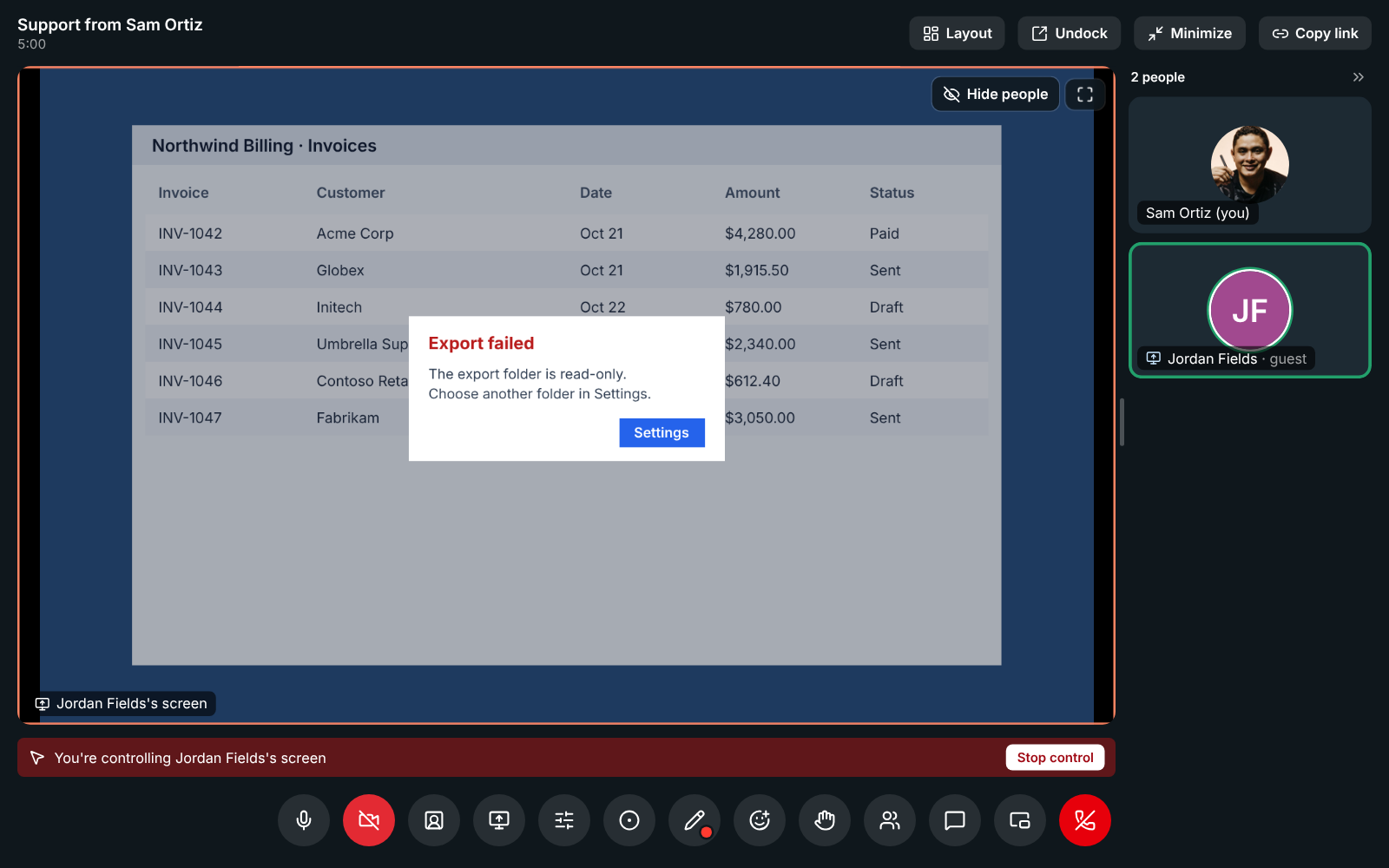
An agent controlling a customer's shared screen during a support session

One inbox for chat, email, texts and WhatsApp

A chat button on your website, your support@ address, texts to your Freesbe number and your WhatsApp Business number all land in a channel, one thread per customer. Take a conversation, hand it off in a click, add internal notes the customer never sees, and close it when you're done. The Inbox page lists what's open, what's yours and what's waiting on a reply.

  • Saved replies for the answers you give every day
  • Suggest a reply drafts an answer with AI from the conversation and your saved replies
  • Replies show Sent, Delivered or Failed, with the reason
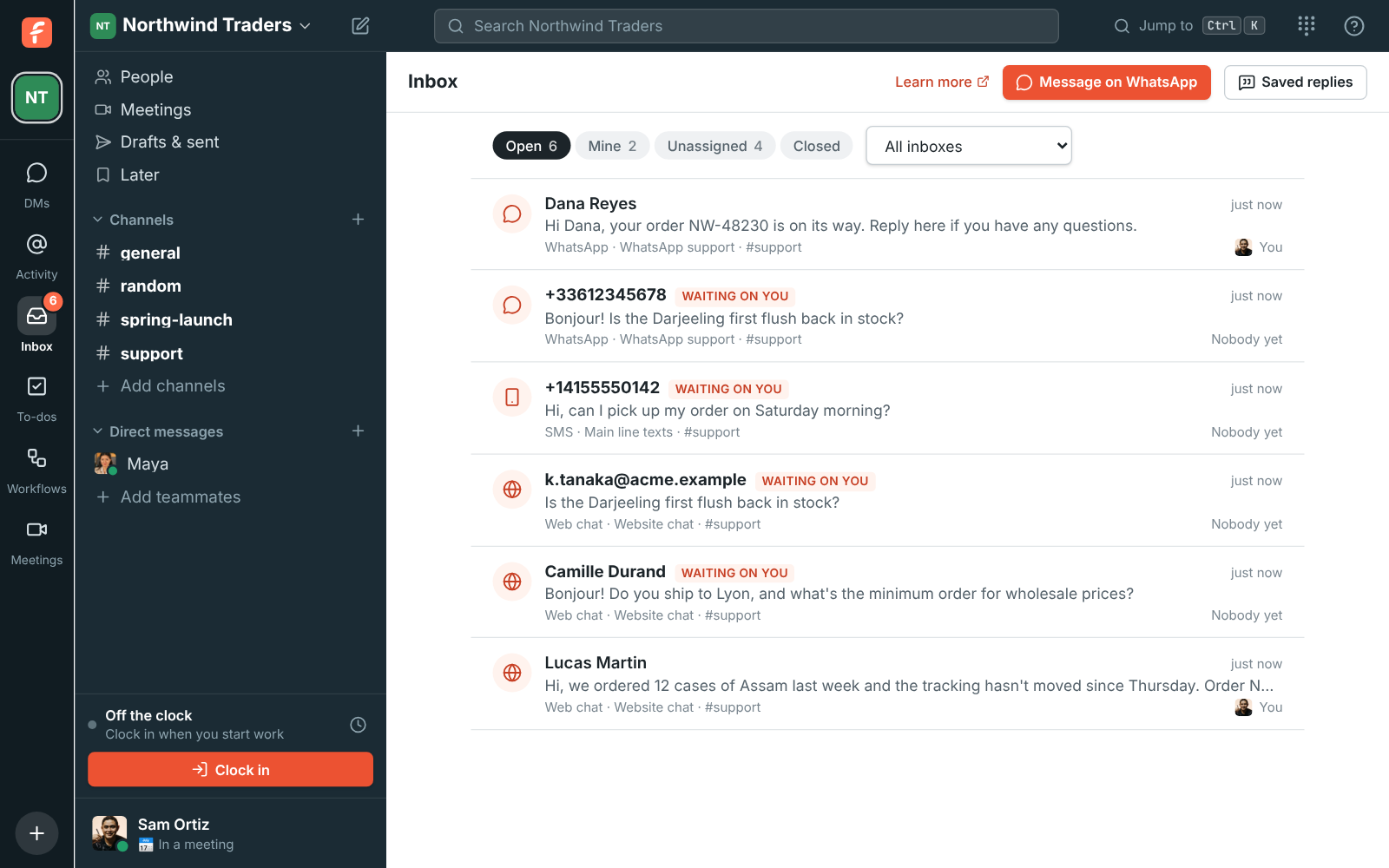
The Inbox page: open conversations with who's on each and which are waiting on a reply

Support sessions from a link or a code

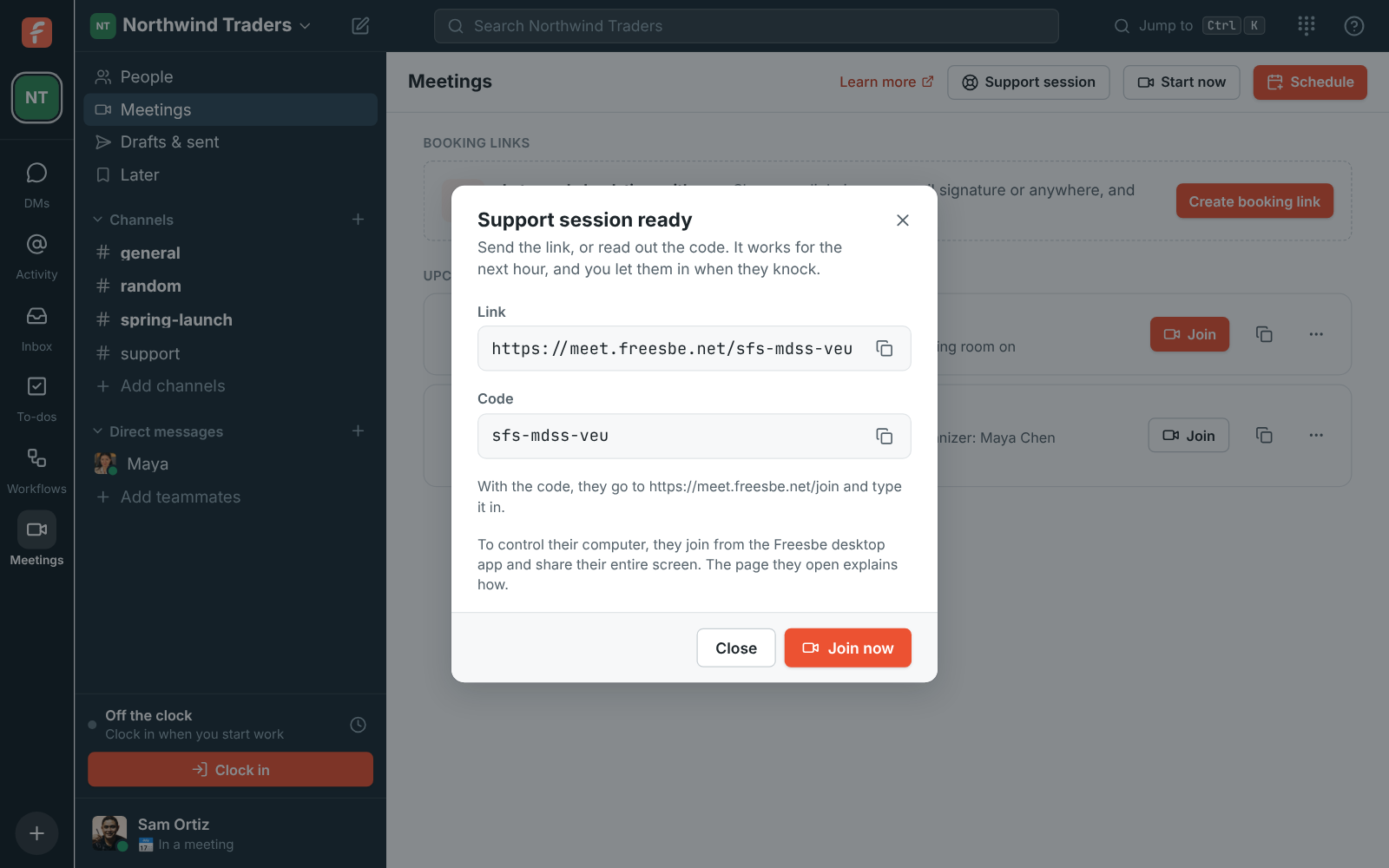
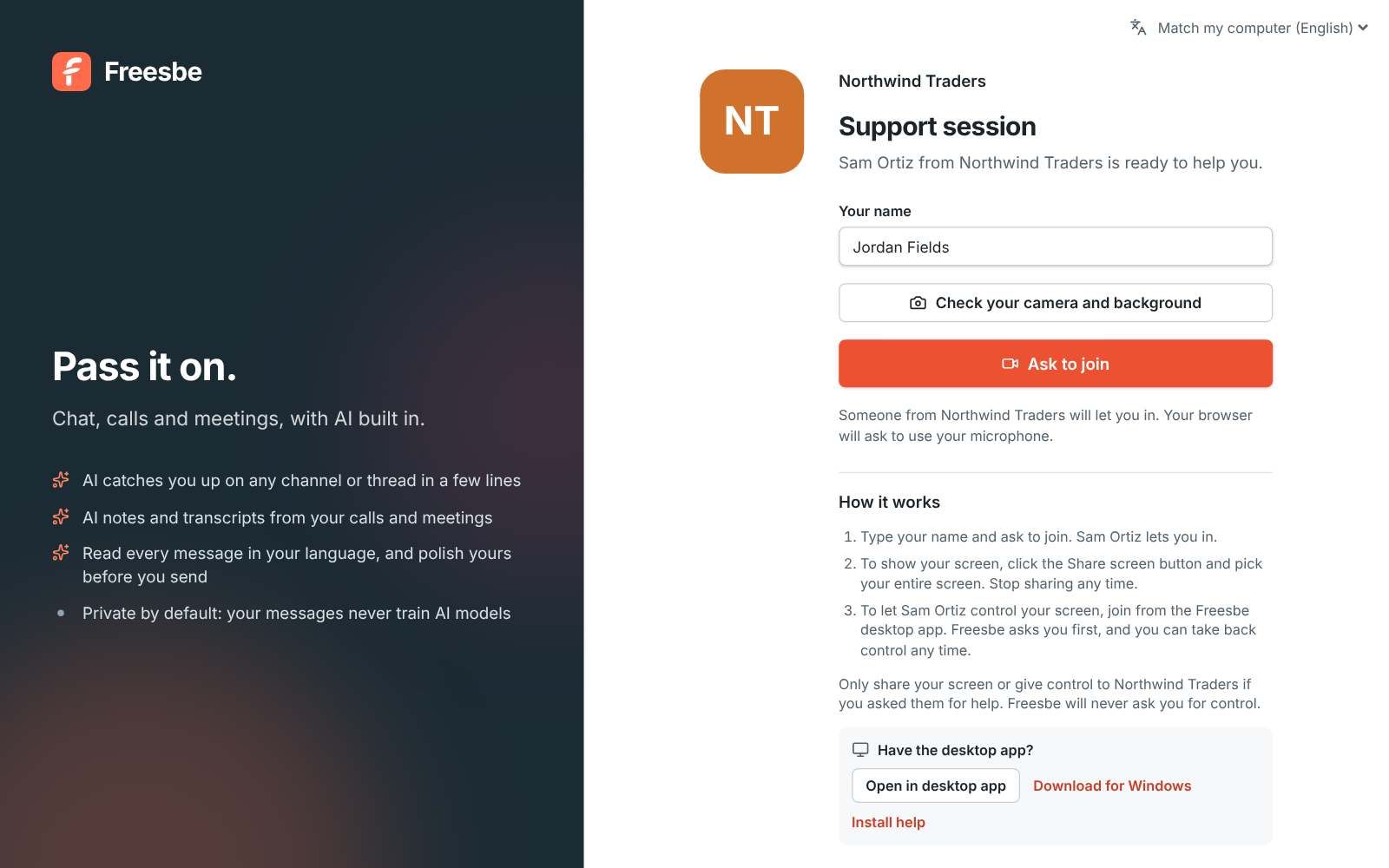
Click Support session and Freesbe gives you a link and a short code, both good for an hour. The customer opens the link, or types the code at app.freesbe.net/join, and knocks. Nobody gets in until you let them in. The page shows your workspace name and logo and who is helping them.

The Support session dialog with the link, the code and Join now

See it on your own team's data.

Start free with up to 10 people and try it today, or book a 20-minute demo with the people who make Freesbe.

Control their screen, with permission every time

Ask the customer to share their entire screen. If they joined from the Freesbe desktop app, you can ask to control it. Their app asks them in a window of its own, naming you and your company, and they can press Esc to take control back at any moment. Sessions are recorded when the workspace allows recordings, and admins keep the exact words the customer agreed to.

  • Remote control and support sessions come with Corporate and Enterprise
  • Customers on an Android phone join from the Freesbe app, and you can control the phone too
  • Sessions show in your meetings list with a Support badge
The customer's page: Northwind Traders, Sam Ortiz is ready to help you, and Ask to join

Tickets as cards you can act on

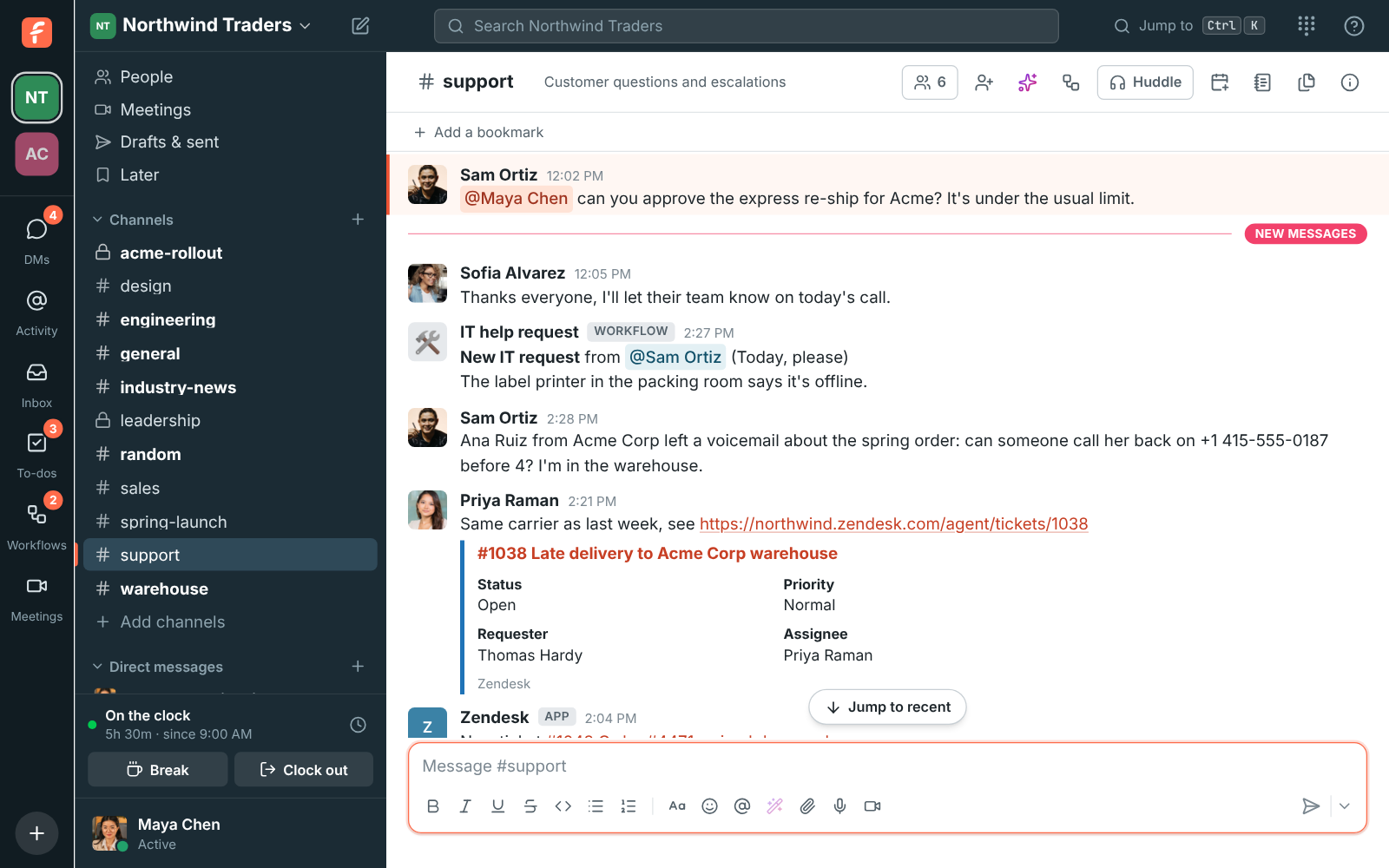
Connect Zendesk or Zoho Desk and new tickets, status changes, customer replies and priority changes post into the channels you pick. Zendesk cards have Assign to me and Solve buttons that act in Zendesk, a pasted ticket link shows as a card, and any message becomes a ticket from its menu.

Zendesk in #support: a new high-priority ticket with Assign to me and Solve, and a solved ticket

A shared channel per client, and a line for every agent

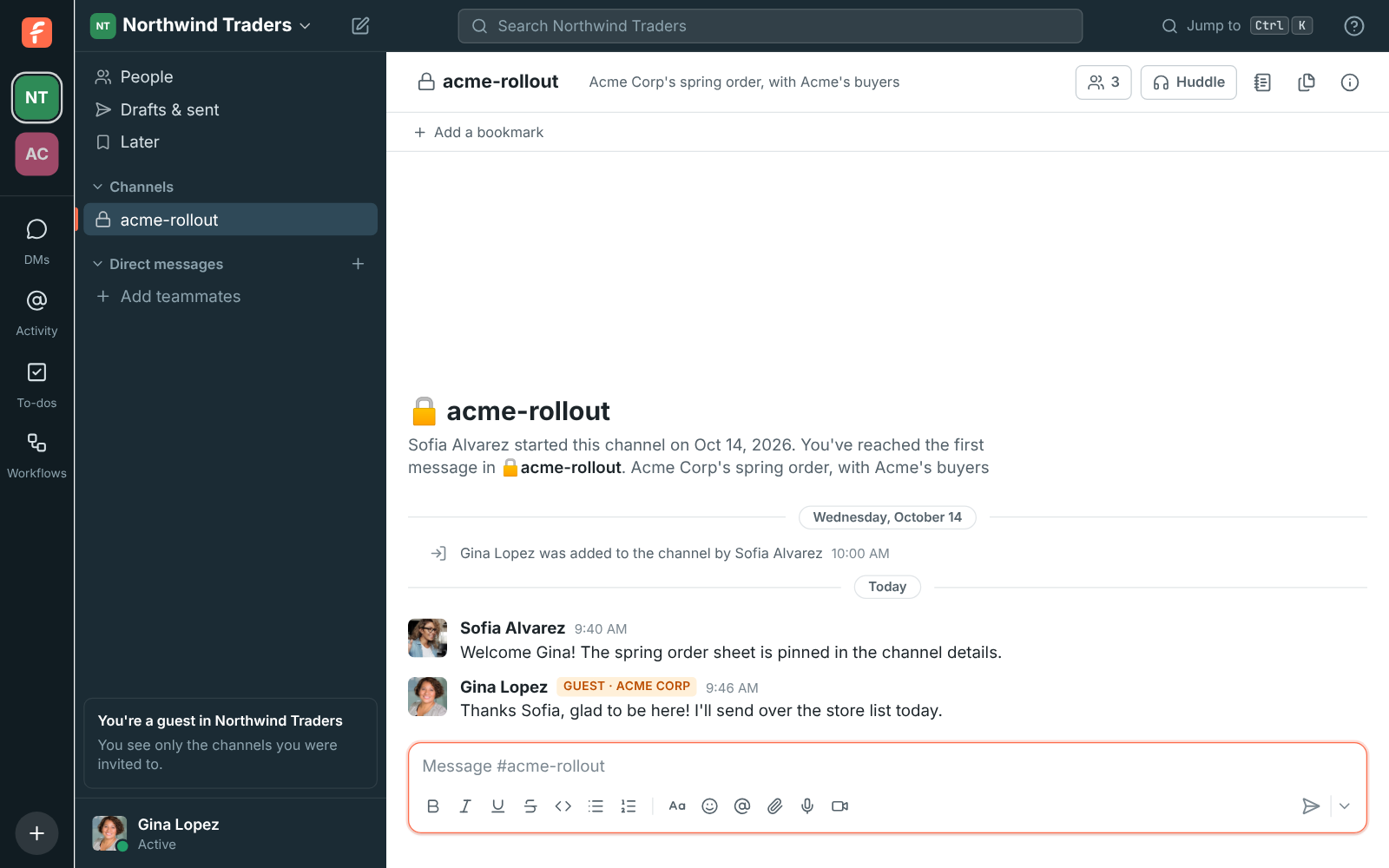
Invite a client's team as guests into their own channel. They see only that channel and its people, so your internal talk stays internal. With the phone system, a support number can ring up to 20 agents at once and the first to answer takes the call, with hold and transfer in the app.

A guest's view: only the shared channel with Northwind Traders

Questions

Does the customer need to install anything?
No. They can join a support session from a browser and share their screen. To let you control their computer, they join from the Freesbe desktop app instead. Web chat, email, texts and WhatsApp need nothing on their side.
How long does a support link last?
An hour from when you start the session. Each session has a waiting room, so nobody joins without you.
Which plan do support teams need?
The customer inbox, guests and a phone line come with the paid plans. Support sessions and remote control come with Corporate and Enterprise. The pricing page compares every plan.
Can the AI answer customers on its own?
No. Suggest a reply puts a draft in your box, written from the conversation and your saved replies. Nothing is sent until a person sends it.

See it with your own team's questions.

Start a workspace free for up to 10 people, or book a 20-minute call and bring the questions your team would ask.