Freesbe
All plans

Airwallex money moves, where your team sees them.

Connect Airwallex and payments received, deposits into your global accounts, transfers sent, refunds and balance updates post into the channel you pick, along with anything that fails or is reversed. Each card shows the amount, who sent or received it and its status, with a button that opens the transaction. It works like Stripe: a URL for Airwallex, a secret for Freesbe.

  • A deposit into a global account posts the moment Airwallex sees it.
  • Payments, deposits, transfers, refunds and balances, each a card with Open in Airwallex.
  • Pick which kinds post, and a smallest amount for money in and out.
  • Every delivery is checked against Airwallex's signature; replays are refused.
  • Send a test alert to see where alerts land before the real ones come.

For Companies that collect and pay in many currencies through Airwallex.

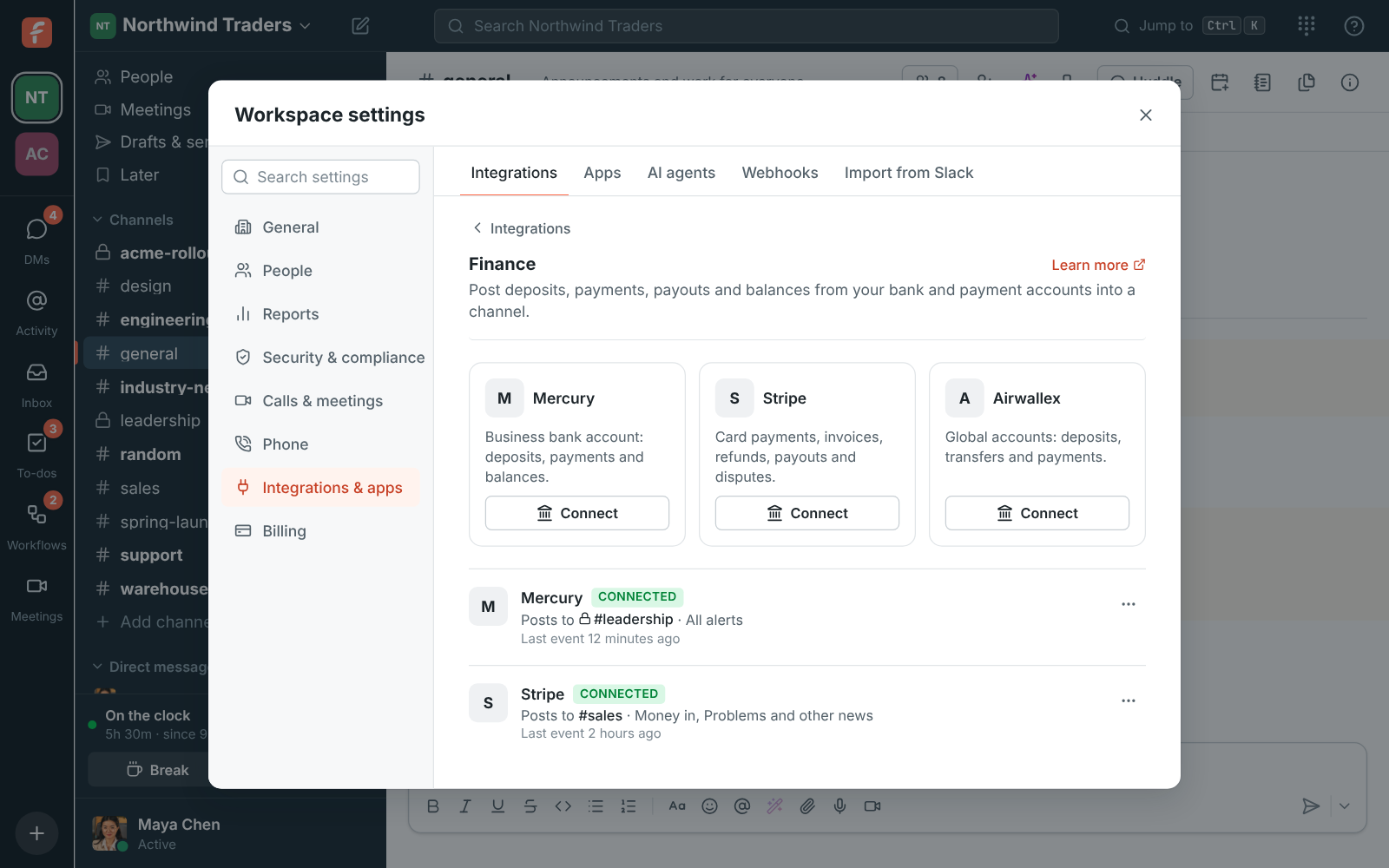
Workspace settings, Integrations, Finance, with connected accounts posting to channels

Connect in the Airwallex web app

An owner or admin clicks Connect under Airwallex in Workspace settings, Integrations, Finance, picks the channel and the alerts, and gets an endpoint URL. In the Airwallex web app, under Developer, Webhooks, add a webhook with that URL as the notification URL and pick the payment, deposit, transfer and refund events you want. Copy the webhook's secret, paste it into Freesbe and save it.

Workspace settings, Integrations, Finance: connected accounts and the channels they post to

Choose what to post

Money in covers payments received and deposits. Money out covers transfers sent and refunds. Balance changes post the new balance after money moves, and Problems and other news covers anything that fails or is reversed. A smallest amount leaves out small payments in and out; balances always post. Money is private, so a private channel for your finance team works best.

See it on your own team's data.

Start free with up to 10 people and try it today, or book a 20-minute demo with the people who make Freesbe.

Check it works

Send a test alert from the account's menu posts a sample card into the channel, marked as a sample, and Last event says when Airwallex last sent something. Turn off pauses the alerts; Delete disconnects, after which you remove the webhook in Airwallex too. Every delivery is checked against the signature before anything is posted, and Freesbe can't move money.

Plans and pricing

Airwallex is included in every plan, including Free.

  • FreeUp to 10 people
  • BusinessUp to 500 people
  • CorporateUp to 2,500 people
  • EnterpriseOver 2,500 people

Questions

Which events post?
The payment, deposit, transfer and refund events you pick in Airwallex: payments received, deposits into global accounts, transfers sent, refunds, balance updates, and anything that fails or is reversed.
Which plans include Airwallex alerts?
Every plan, including Free. An owner or admin connects it in Workspace settings, Integrations, Finance.
Can we post to two channels?
Yes. Each account posts to one channel; connect it twice to post to two.
Is this connected to our Freesbe bill?
No. Payment alerts are separate from Freesbe billing; they show your own company's money.

Bring your tools, and your team.

Free for up to 10 people, no card and no time limit. Connect what you already use in an afternoon.