Freesbe
All plans

Uptime Kuma alerts, where your team already talks.

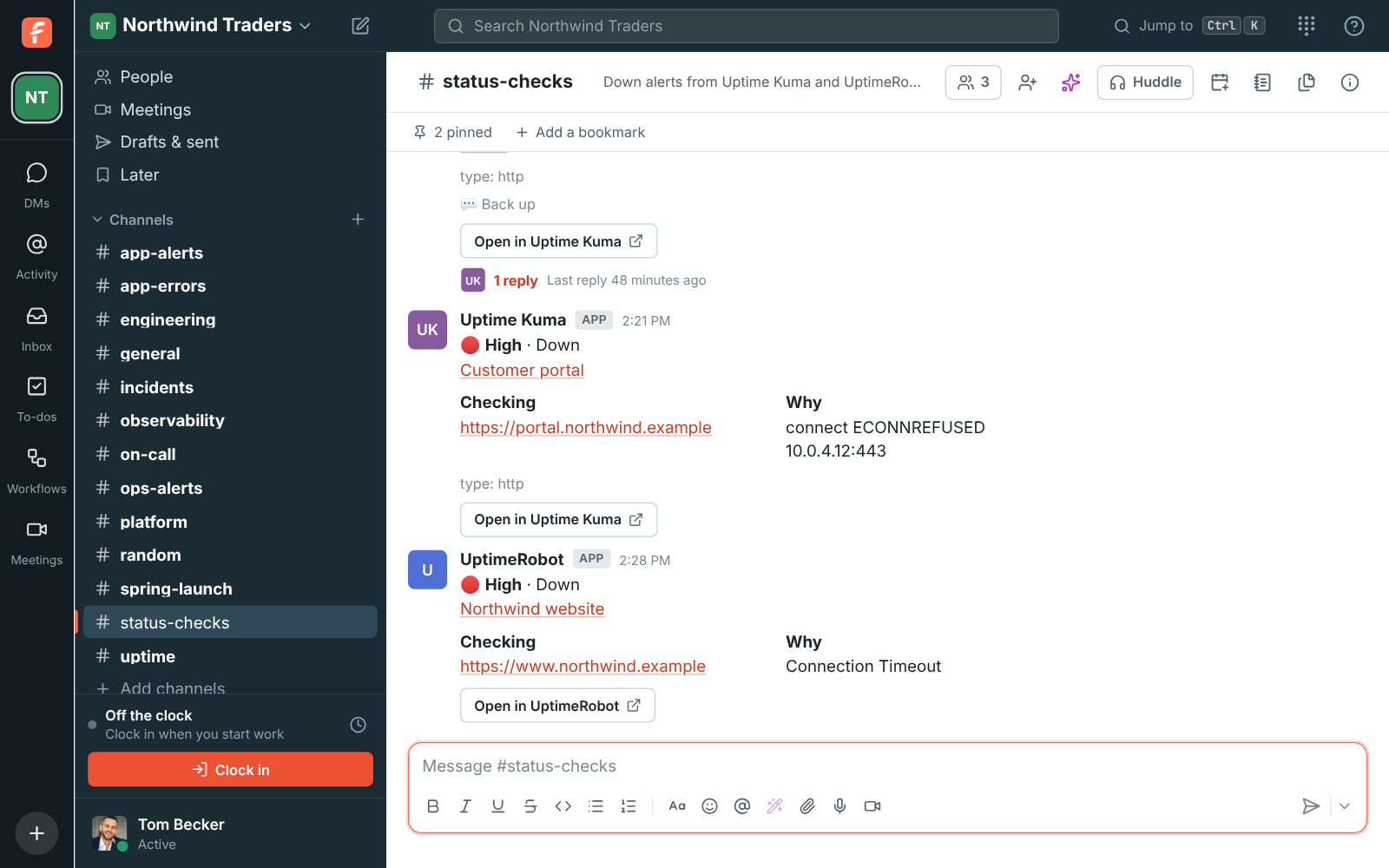
Freesbe's Uptime Kuma integration posts each monitor that goes down into the channel you pick, as one card with the monitor's name, what it checks and why it's down. The card turns green with how long it was down when the monitor is back up, and going down again later is a new card.

  • One card per outage, until the monitor is back up.
  • Uptime Kuma's reason on the card, like a refused connection or a 503.
  • Your Uptime Kuma stays on your own network; it sends to Freesbe.
  • A live problems board of every monitor down right now.
  • Daily or weekly reports: outages, total time down, the monitors that went down most.

For Small teams that run their own Uptime Kuma and want outages seen by everyone.

#status-checks with Uptime Kuma and UptimeRobot: the customer portal down, the warehouse API back up after 4 minutes, and the website down from UptimeRobot

One card per outage

A Webhook notification in your Uptime Kuma, with the URL Freesbe gives you. Each time a monitor goes down is one card, until it's back up.

  • The monitor's name, address and type
  • Uptime Kuma's reason, like a refused connection or a 503
  • Turns green with how long it was down, and a reply for people following it
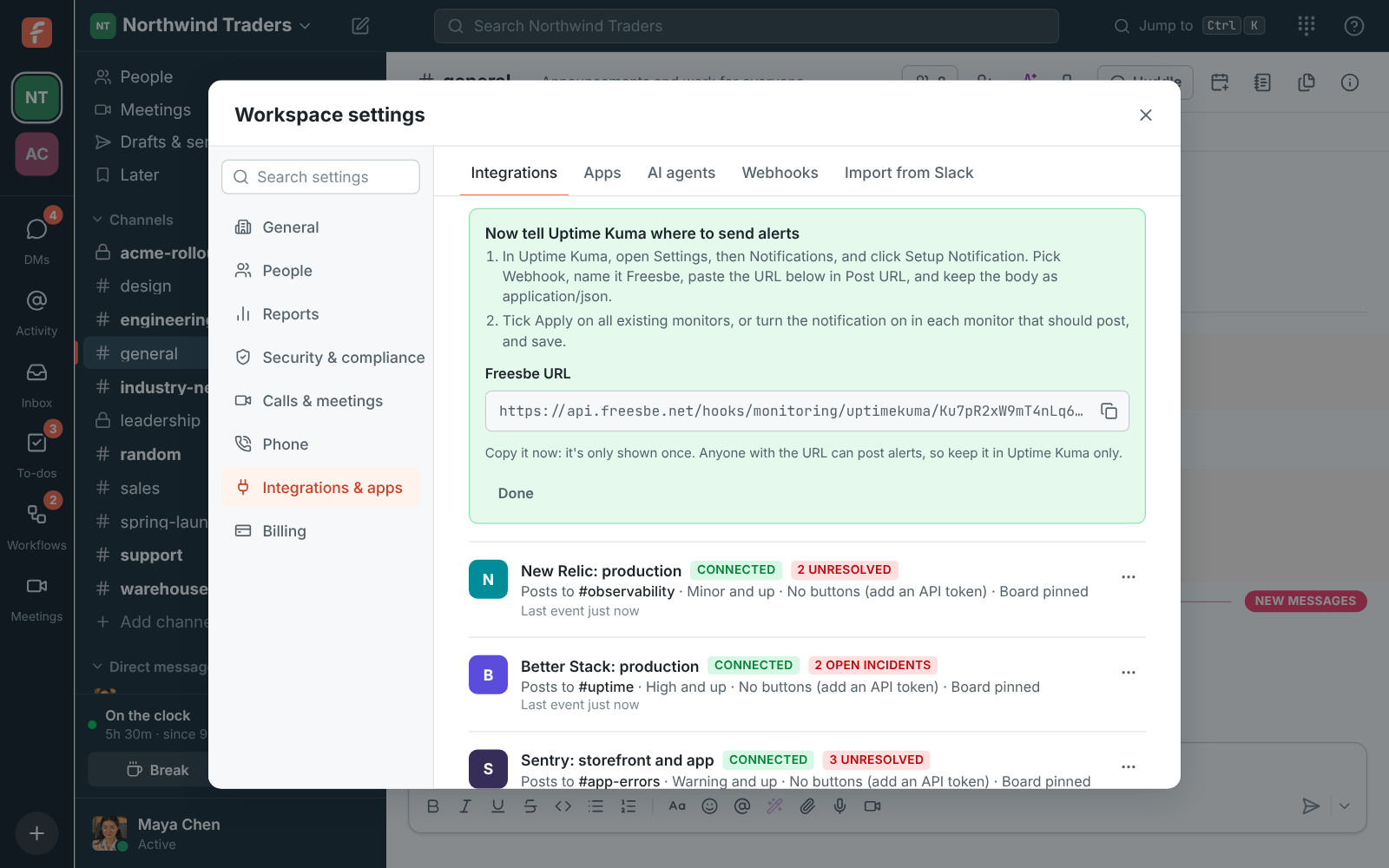
Connecting Uptime Kuma in Freesbe, with the webhook URL for its notification

Your Uptime Kuma stays private

Uptime Kuma sends to Freesbe, so it can stay on your own network. Add its address only if you want the cards to link to their monitors.

See it on your own team's data.

Start free with up to 10 people and try it today, or book a 20-minute demo with the people who make Freesbe.

A live problems board and reports

One card at the top of the channel lists every monitor down right now. Daily or weekly reports count outages, total time down and the monitors that went down most.

Plans and pricing

Uptime Kuma is included in every plan, including Free.

  • FreeUp to 10 people
  • BusinessUp to 500 people
  • CorporateUp to 2,500 people
  • EnterpriseOver 2,500 people

Questions

Can different monitors go to different channels?
Yes. Connect Uptime Kuma once per channel, and turn each connection's notification on in the monitors that belong there.
Can I acknowledge from the card?
No. Uptime Kuma has no acknowledging, so its cards have no buttons.

Bring your tools, and your team.

Free for up to 10 people, no card and no time limit. Connect what you already use in an afternoon.