Freesbe
All plans

Freesbe with Google Workspace.

Freesbe works with Google Workspace in two ways. People sign in with their Google account, and on Corporate admins can require Google sign-in for everyone. People also connect Google Calendar, so teammates see their busy times when scheduling and their status shows In a meeting during calendar events.

  • Everyone signs in with the Google account they already have.
  • On the bigger plans, require Google sign-in for the whole workspace.
  • Teammates see your busy times when scheduling, and your status says In a meeting.
  • Freesbe reads only when you're busy, never what your meetings are about.
  • Invites arrive as calendar files Google Calendar accepts, with updates and cancellations.

For Companies on Google Workspace who want one account for chat, calendar and sign-in.

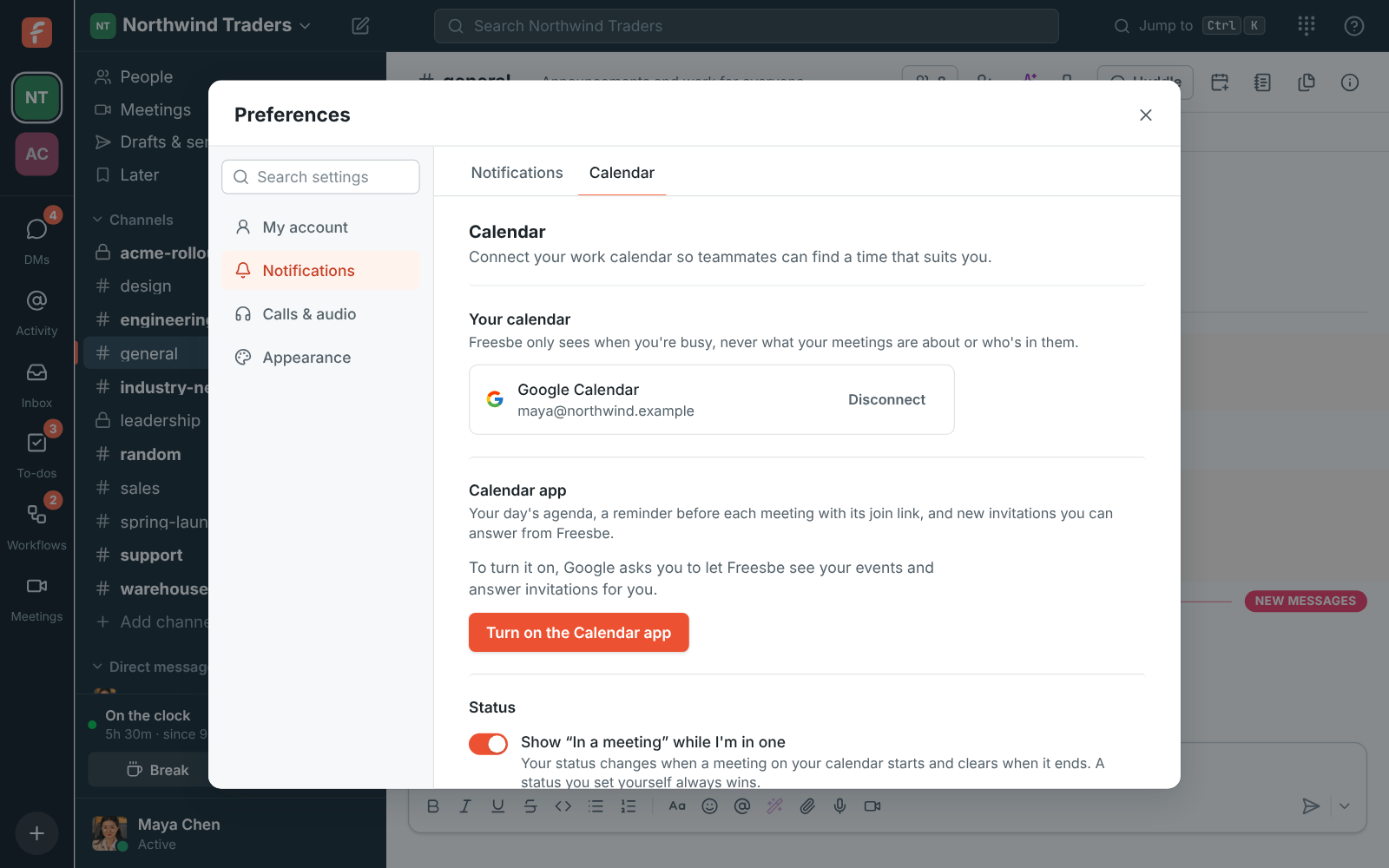
Preferences, Calendar: a connected Google calendar and the In a meeting setting

Sign in with Google

Anyone can continue with Google. The first time, Freesbe links Google to the account with the same confirmed email address. Different address? Link it yourself in Preferences.

  • Works in the browser and the desktop apps
  • Passkeys, sign-in codes and passwords work alongside it
  • Add a second step with multi-factor authentication
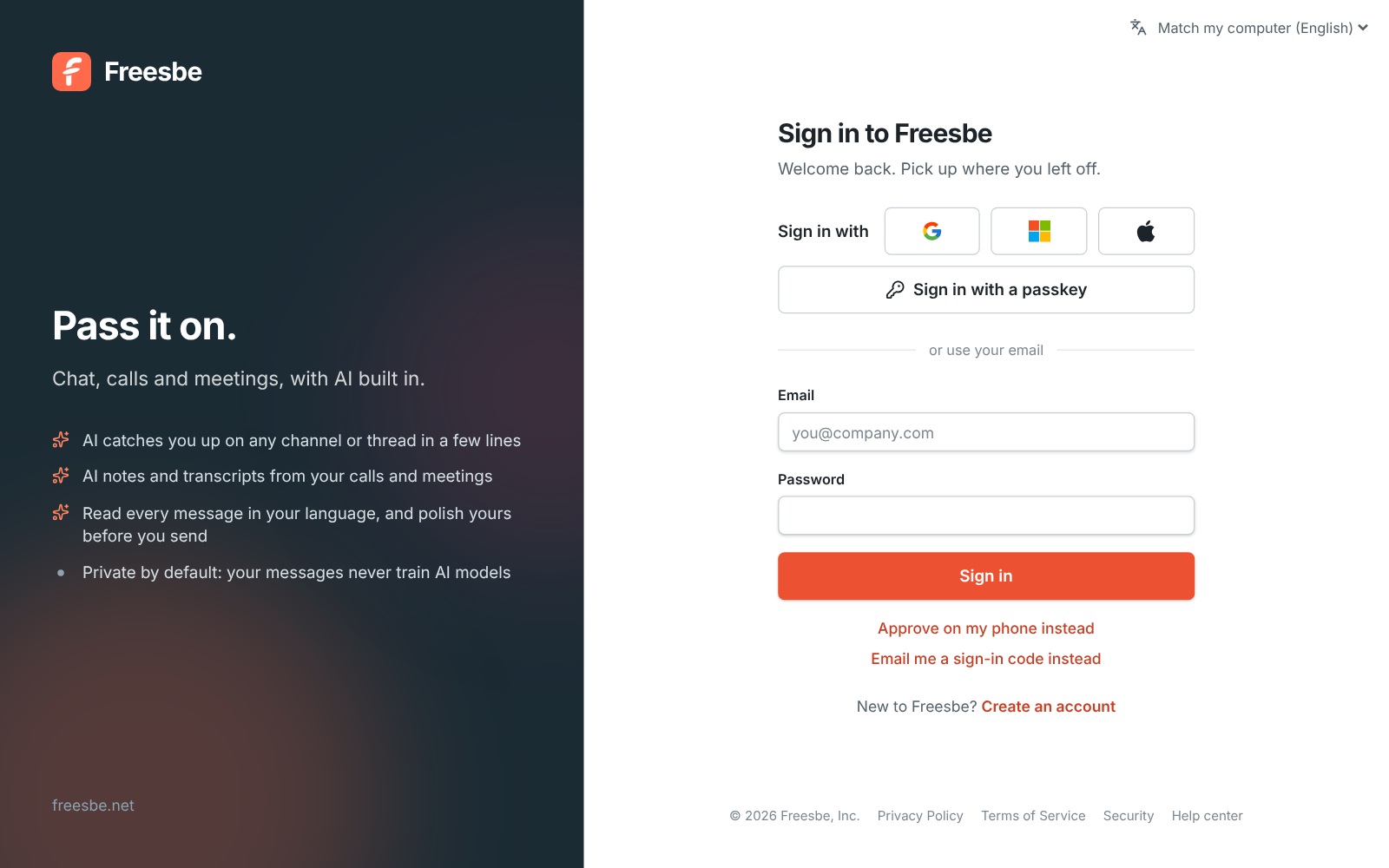
The sign-in page with Continue with Google

Require Google for everyone

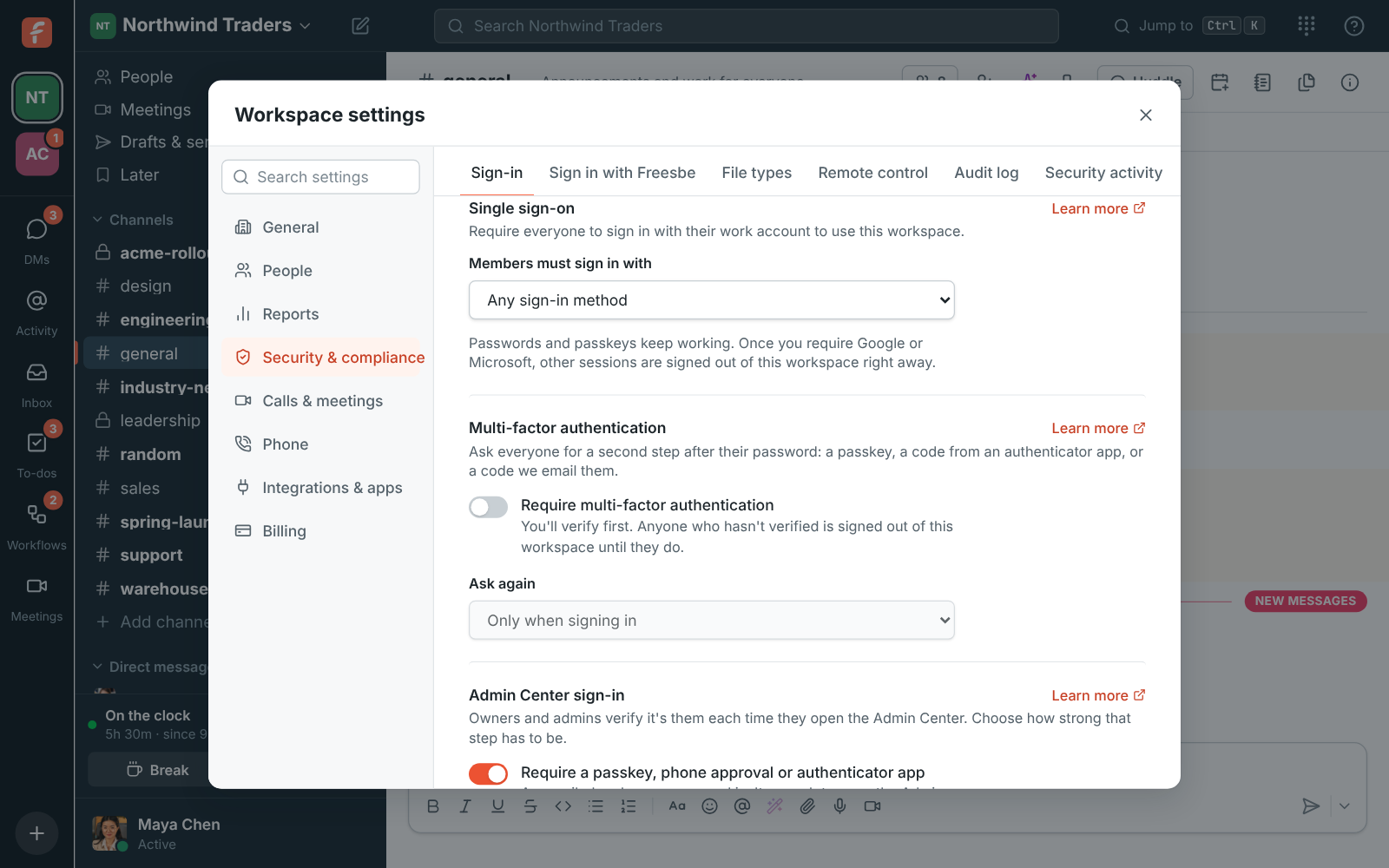
On Corporate and Enterprise, admins choose that members must sign in with Google, Microsoft or either. Anyone signed in another way is asked to continue with Google, and their account stays the same.

Workspace settings, Single sign-on: Members must sign in with

See it on your own team's data.

Start free with up to 10 people and try it today, or book a 20-minute demo with the people who make Freesbe.

Google Calendar for busy times

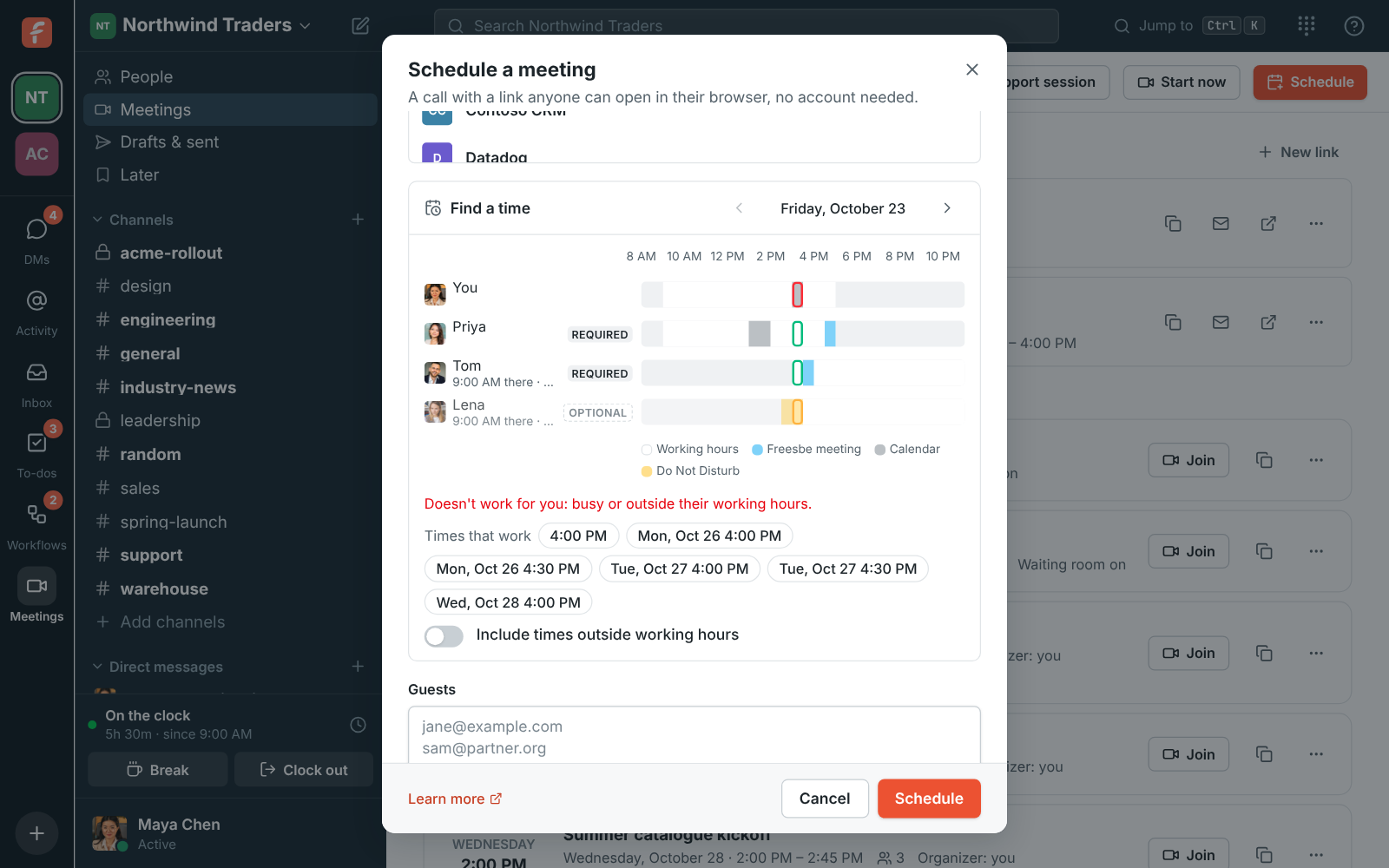
Connect Google Calendar from Preferences. Freesbe only reads when you're busy, never what your meetings are about. The scheduler and your booking pages use it, and your status says In a meeting while you're in one.

Availability in the Schedule a meeting dialog: busy times for each person

Invites that land in Google Calendar

Every meeting invite comes with a calendar file that Google Calendar accepts, and updates or cancellations change the event in everyone's calendar.

Plans and pricing

Google Workspace is included in every plan, including Free. Signing in with Google is on every plan. Requiring it for everyone and calendar busy times come with the bigger plans; see pricing.

  • FreeUp to 10 people
  • BusinessUp to 500 people
  • CorporateUp to 2,500 people
  • EnterpriseOver 2,500 people

Questions

Which plans include Google sign-in?
Signing in with Google works on every plan. Requiring it for everyone comes with Corporate and Enterprise.
What can Freesbe see in my Google Calendar?
Only when you're busy. Freesbe asks for free/busy access and never reads event titles or details.
Can I use a different Google account for my calendar?
Yes. The calendar account can be different from the one you sign in to Freesbe with.
Does Freesbe sync Google Workspace users (SCIM)?
Not yet. Directory sync is planned for Enterprise. Today, people join through invites.

Bring your tools, and your team.

Free for up to 10 people, no card and no time limit. Connect what you already use in an afternoon.