Freesbe
Coming soon

WhatsApp, answered by the whole team.

Put your company's WhatsApp Business number in the inbox and every message to it lands as a thread in the channel you pick, with the name the customer uses on WhatsApp. Photos, voice messages and files come through, replies go back from your number, and templates Meta approved let you reach a customer after 24 hours or write first.

  • Every WhatsApp message to your business lands where the team can answer it.
  • Photos, videos, voice messages, stickers and files show in the thread; locations show as an address.
  • Sent, Delivered, Read or Failed under each reply, with the reason when it failed.
  • Templates Meta approved reach a customer after the 24-hour window, or start a conversation.
  • Test mode with sample templates, before you connect your number.

For Support and sales teams whose customers live on WhatsApp.

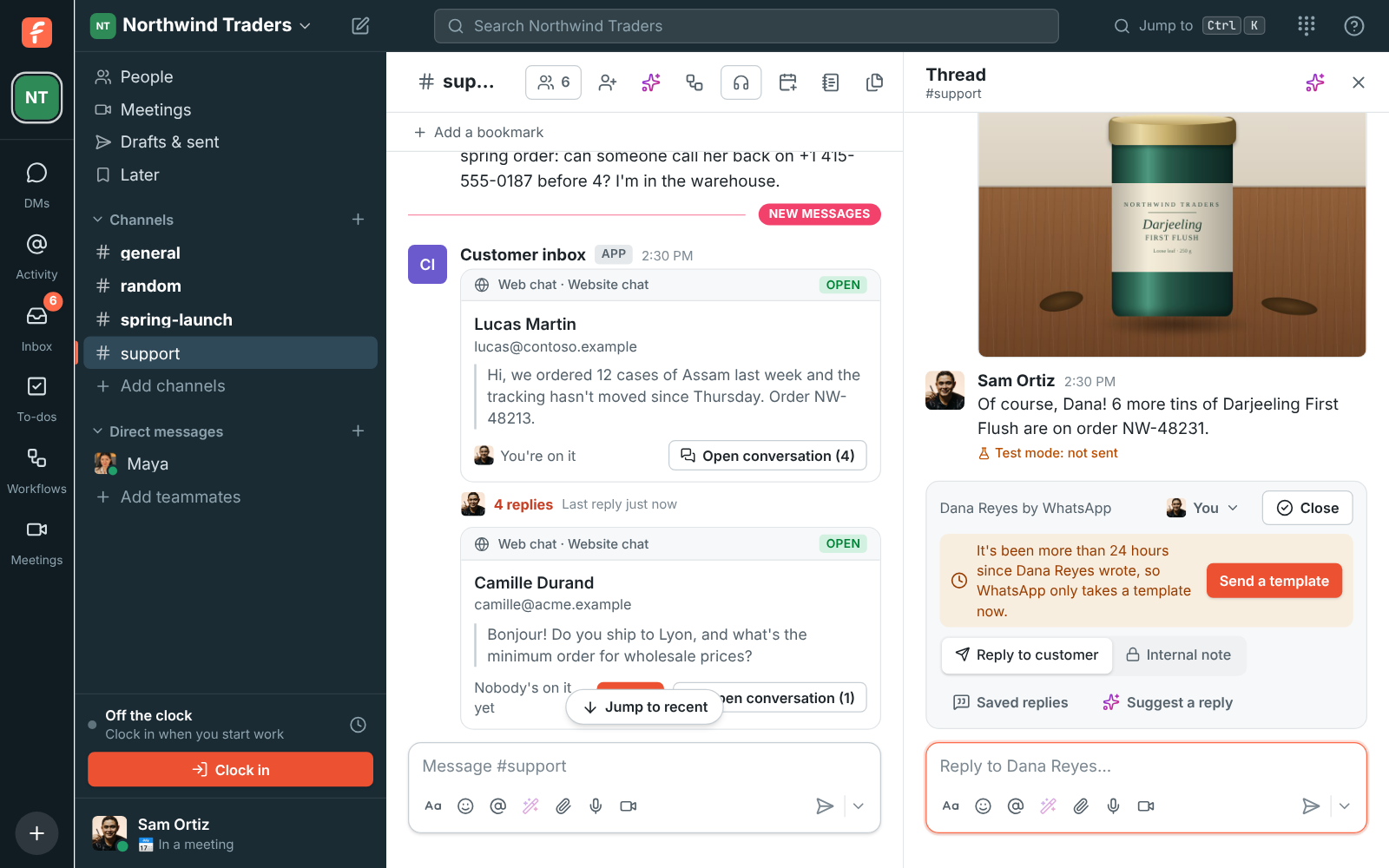
A WhatsApp conversation in #support: Sam's order update template, Dana's photo of a tea tin, Sam's answer, and the bar saying only a template reaches Dana now

Connect your WhatsApp Business number

An owner or admin opens the Admin Center, Phone, Numbers, Messaging and adds a WhatsApp number: a name, the channel messages go to, and the number with its country code. It starts in test mode, like a texting inbox. Click Connect WhatsApp, sign in with Facebook, pick your business and the WhatsApp Business account that has the number, and the inbox is live. Freesbe only asks to manage that account's messages.
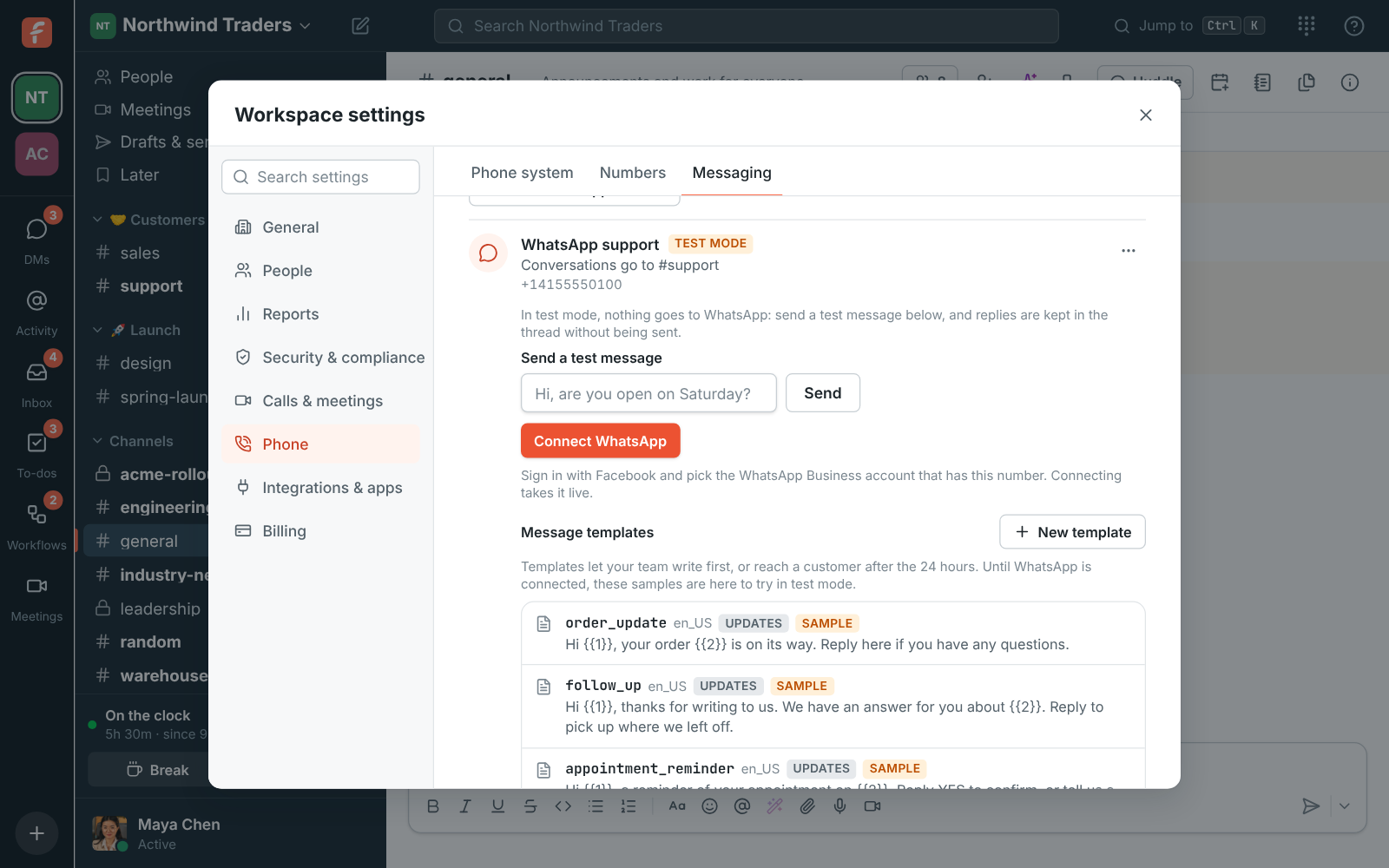
Workspace settings, Phone, Messaging: the WhatsApp support inbox in test mode, going to #support, with Send a test message and Connect WhatsApp

Answer with words, photos and files

Messages land in the channel, one thread per customer. Attach a photo, video, voice recording or file to a reply and it goes too, with your words as its caption. Under each reply you see whether it was Sent, Delivered, Read or Failed. WhatsApp only takes free-form replies within 24 hours of the customer's last message; after that, the bar over the box says so and offers Send a template.

A WhatsApp conversation in #support with a photo from the customer and a reply

See it on your own team's data.

Start free with up to 10 people and try it today, or book a 20-minute demo with the people who make Freesbe.

Templates for after 24 hours, and to write first

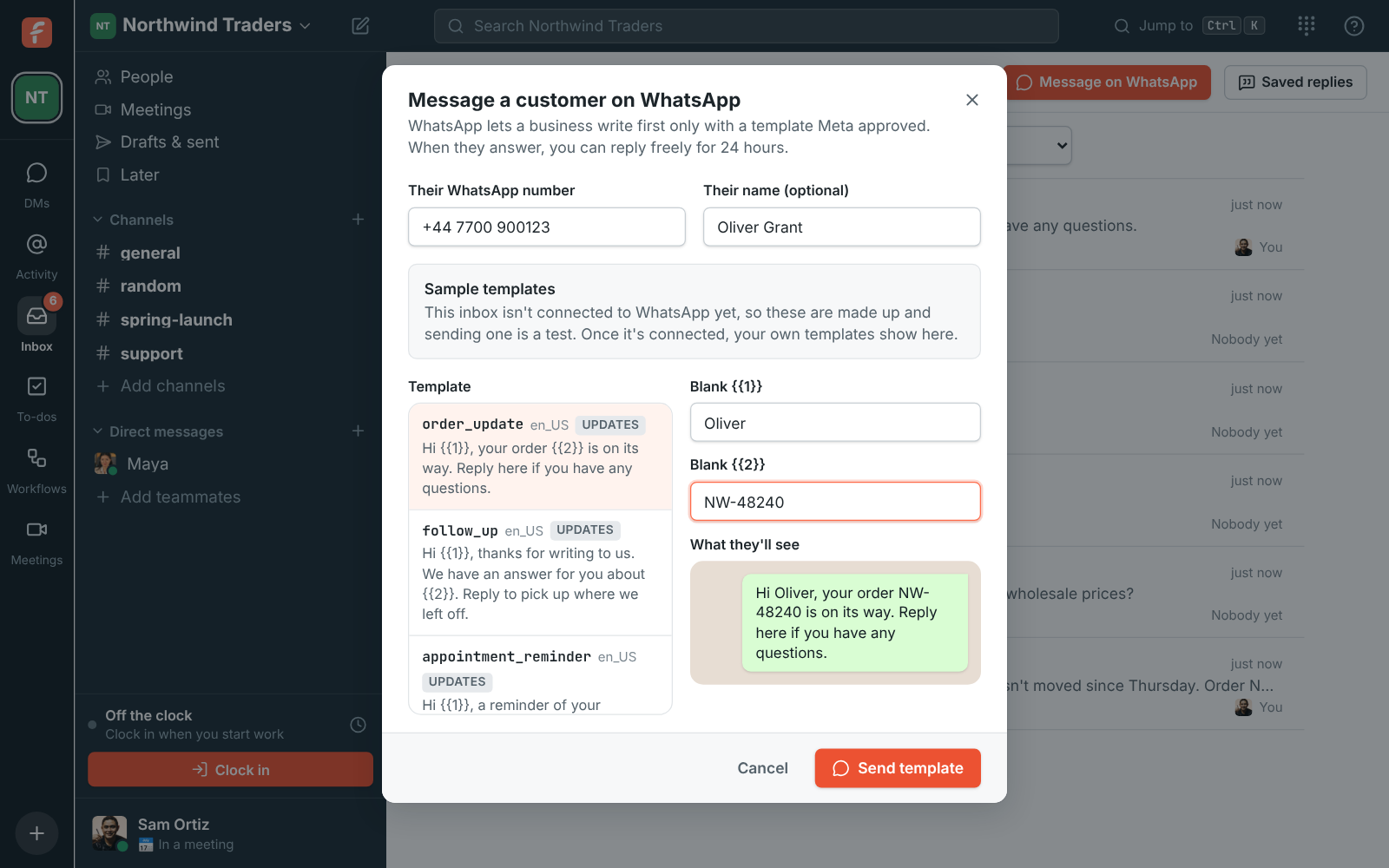
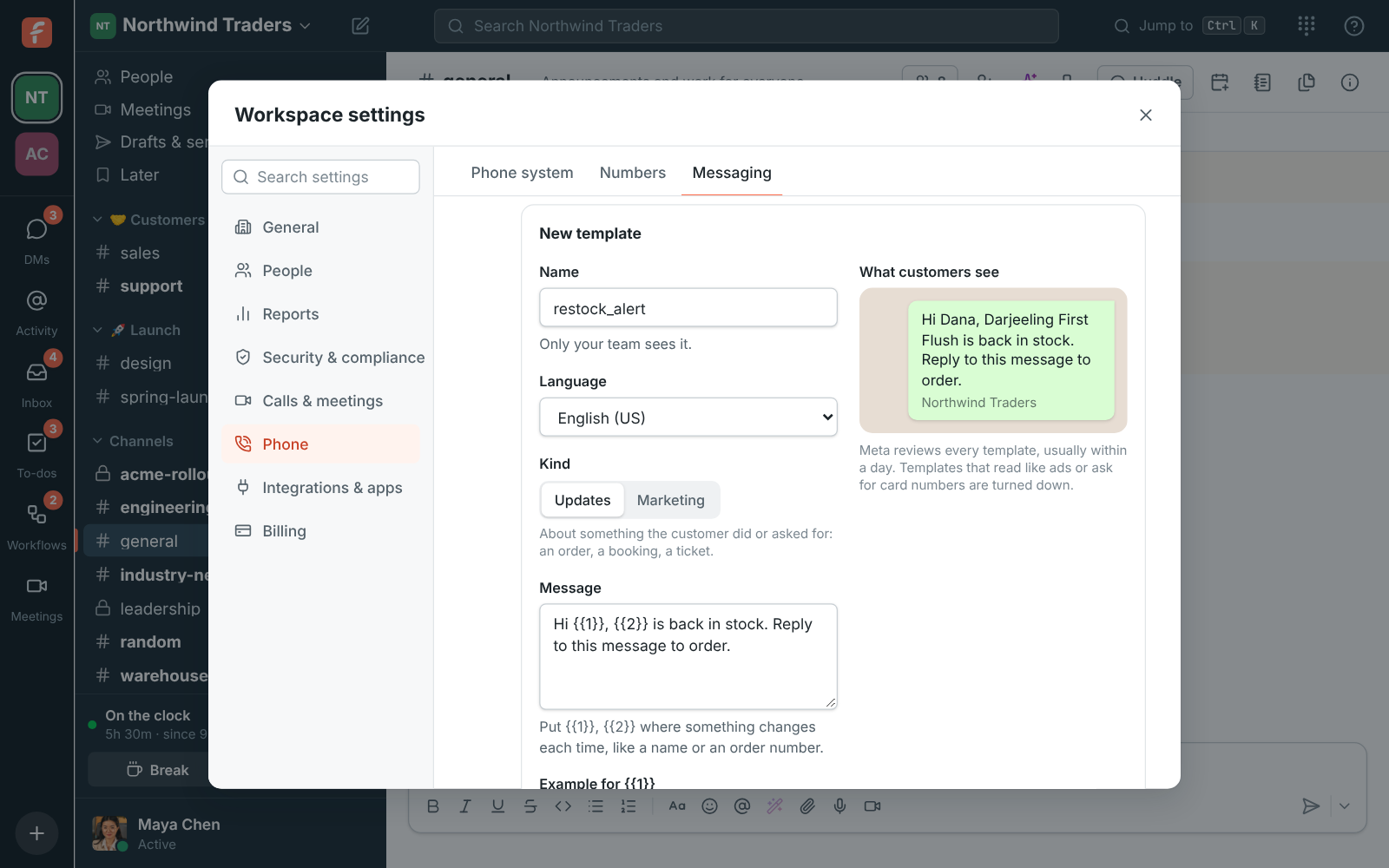
A template is a message Meta approved ahead of time, with blanks for a name or an order number. Pick one, fill in its blanks, check what they'll see and send it. To write to a customer first, open Inbox and click Message on WhatsApp: their number, a template, and the conversation starts as a new thread. Owners and admins make templates under the number: a name, a language, Updates or Marketing, the message with its blanks and examples, and Send for review. Meta usually answers within a day.

Phone, Messaging: a new restock_alert template with its message, examples and footer, and a preview of what customers see

Who pays for what

WhatsApp bills your WhatsApp Business account under Meta's own pricing; the charges come from Meta, not on your Freesbe bill. Replies within 24 hours of a customer's message are free under Meta's current pricing, and templates are charged per message, with marketing ones costing more than updates.

Message a customer on WhatsApp from the Inbox page: Oliver's number and name, the order_update template and its blanks

Plans and pricing

WhatsApp is built and on its way. When it's on, it comes with Business, Corporate and Enterprise.

  • BusinessUp to 500 people
  • CorporateUp to 2,500 people
  • EnterpriseOver 2,500 people

Questions

Which plans include WhatsApp?
WhatsApp comes with the Business plan and up. It's built and coming soon.
Our number is already in the WhatsApp Business app. Can we use it?
Yes. A number used in the WhatsApp Business app on a phone moves to the inbox when you connect it.
What happens after 24 hours?
WhatsApp only takes free-form replies within 24 hours of the customer's last message. After that you send a template Meta approved, and when the customer answers you can reply freely for 24 hours again.
How big can files be?
WhatsApp takes photos up to 5 MB, videos and voice messages up to 16 MB, and other files up to 100 MB. A workspace can send 1,000 WhatsApp replies and templates a day.

Bring your tools, and your team.

Free for up to 10 people, no card and no time limit. Connect what you already use in an afternoon.