Freesbe
Corporate and up

Your directory decides who gets in.

Admins can require everyone in a workspace to sign in with their work account from Google, Microsoft or either. Anyone using a password, a sign-in code or a passkey is signed out of that workspace at once and asked to continue with the required provider. Freesbe won't let you require a provider you aren't signed in with.

  • Turn off someone's work account and they're out of Freesbe with it.
  • Let people sign in the way they already do, with the MFA rules your provider applies.
  • Cover the whole company with one setting, together with join by email domain.
  • Keep bots and automation tools working: app tokens aren't held to the rule.

For IT teams on Google Workspace or Microsoft 365 who want one place to switch people off.

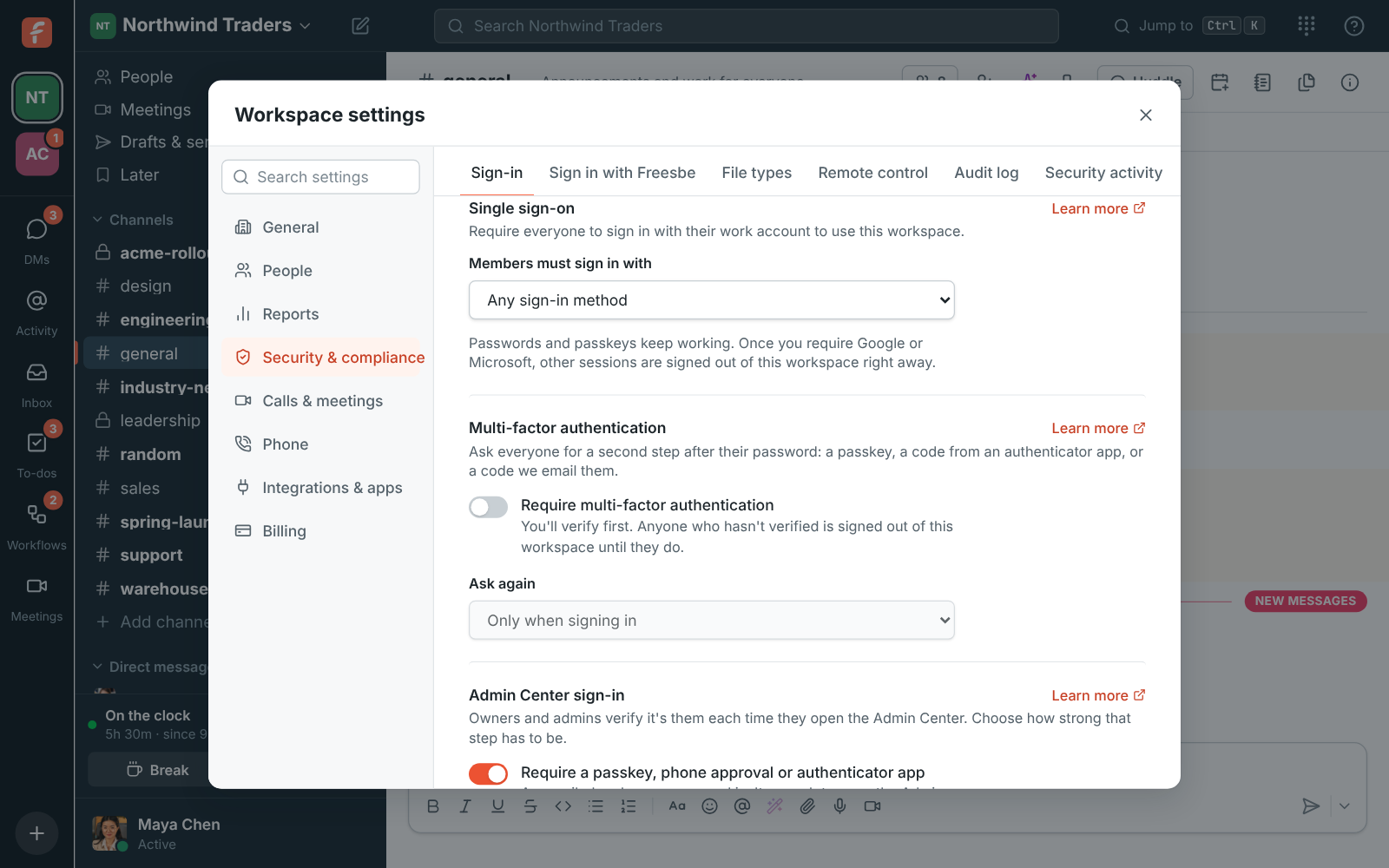
Workspace settings, Single sign-on: Members must sign in with Google, Microsoft, or either

One setting, three choices

Open Sign-in under Security & compliance and, under Members must sign in with, choose Google, Microsoft, or Google or Microsoft. Choose Any sign-in method to turn it off again. Before you can require a provider, you have to be signed in with it yourself: Freesbe won't let you require Google while you're signed in with a password. If your phone approves sign-ins, the change asks for one more tap first, unless you verified in the last 15 minutes.
Workspace settings, Single sign-on: Members must sign in with

What changes for people, and what doesn't

Anyone using the workspace with a password, a sign-in code or a passkey is signed out of that workspace right away and asked to continue with the required provider. Their Freesbe account stays the same: signing in with the provider links it to their account when the addresses match, and they can connect the provider in Preferences first if they don't. Other workspaces they belong to aren't affected, and emailed sign-in codes no longer open this one.

  • An Apple ID is a personal account, so Sign in with Apple doesn't count
  • Google and Microsoft apply their own MFA rules to work accounts
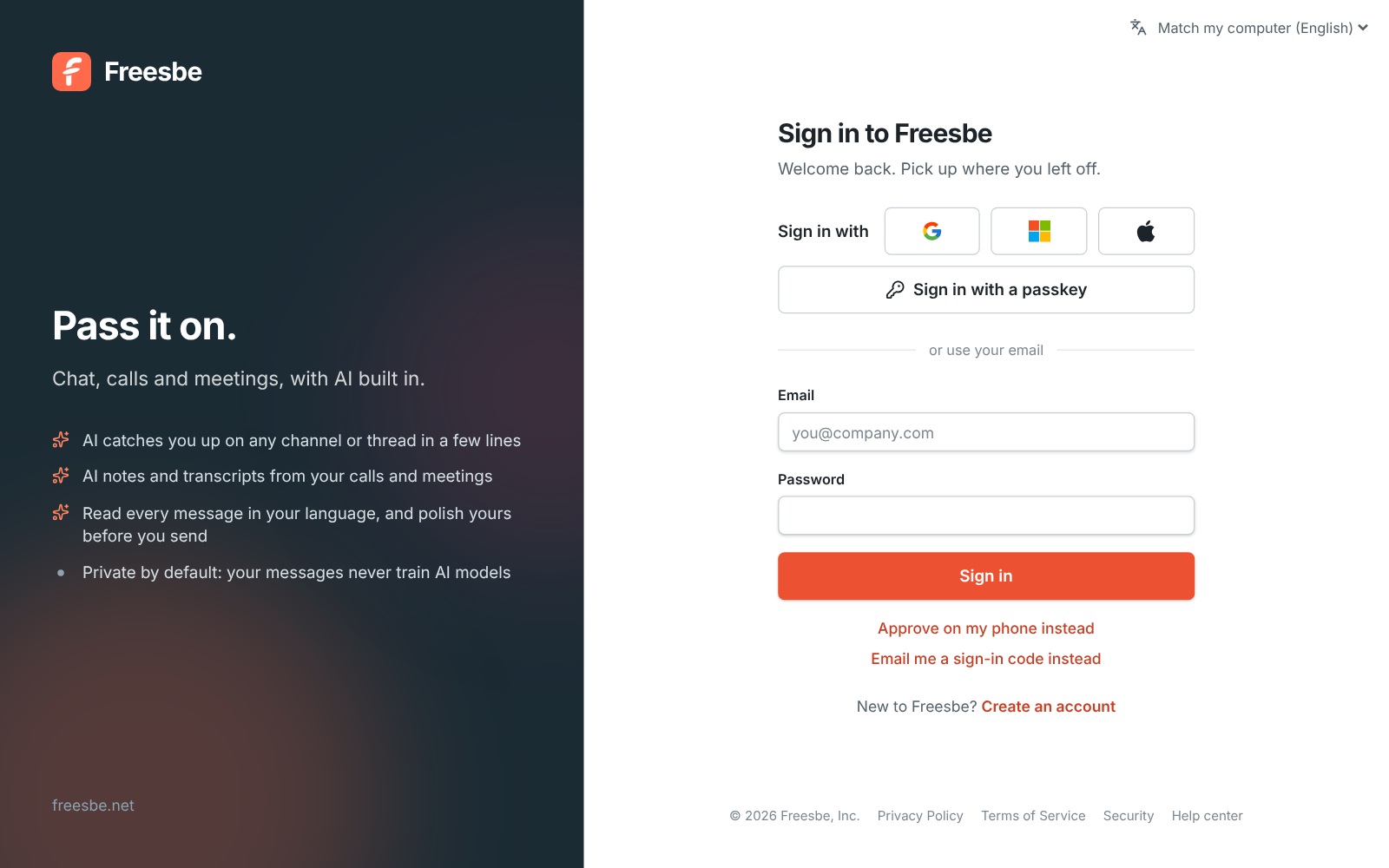
The Freesbe sign-in page with the Google, Microsoft and Apple logos

See it on your own team's data.

Start free with up to 10 people and try it today, or book a 20-minute demo with the people who make Freesbe.

How people sign in, and who can join

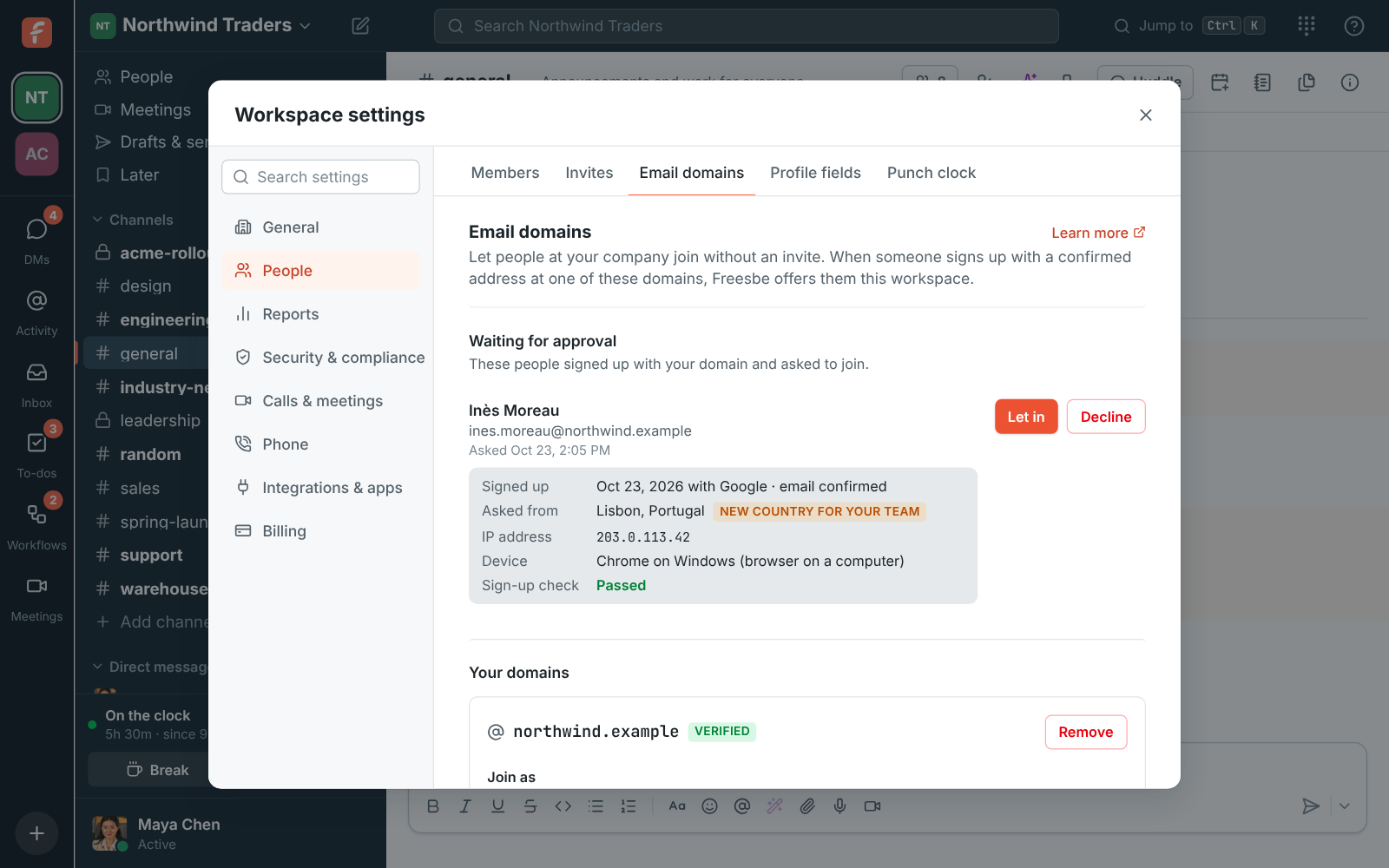
Requiring single sign-on decides how people sign in, not who can join: people still need an invite, or an address at one of the workspace's verified email domains. Together they cover a whole company: everyone at your domain can join on their own, and has to sign in with your Google or Microsoft work accounts. For Microsoft, your Freesbe server can be set up to accept only work and school accounts, or only your organization's directory.

Email domains in the Admin Center: northwind.example verified, with one person waiting for approval

Scripts and bots keep working

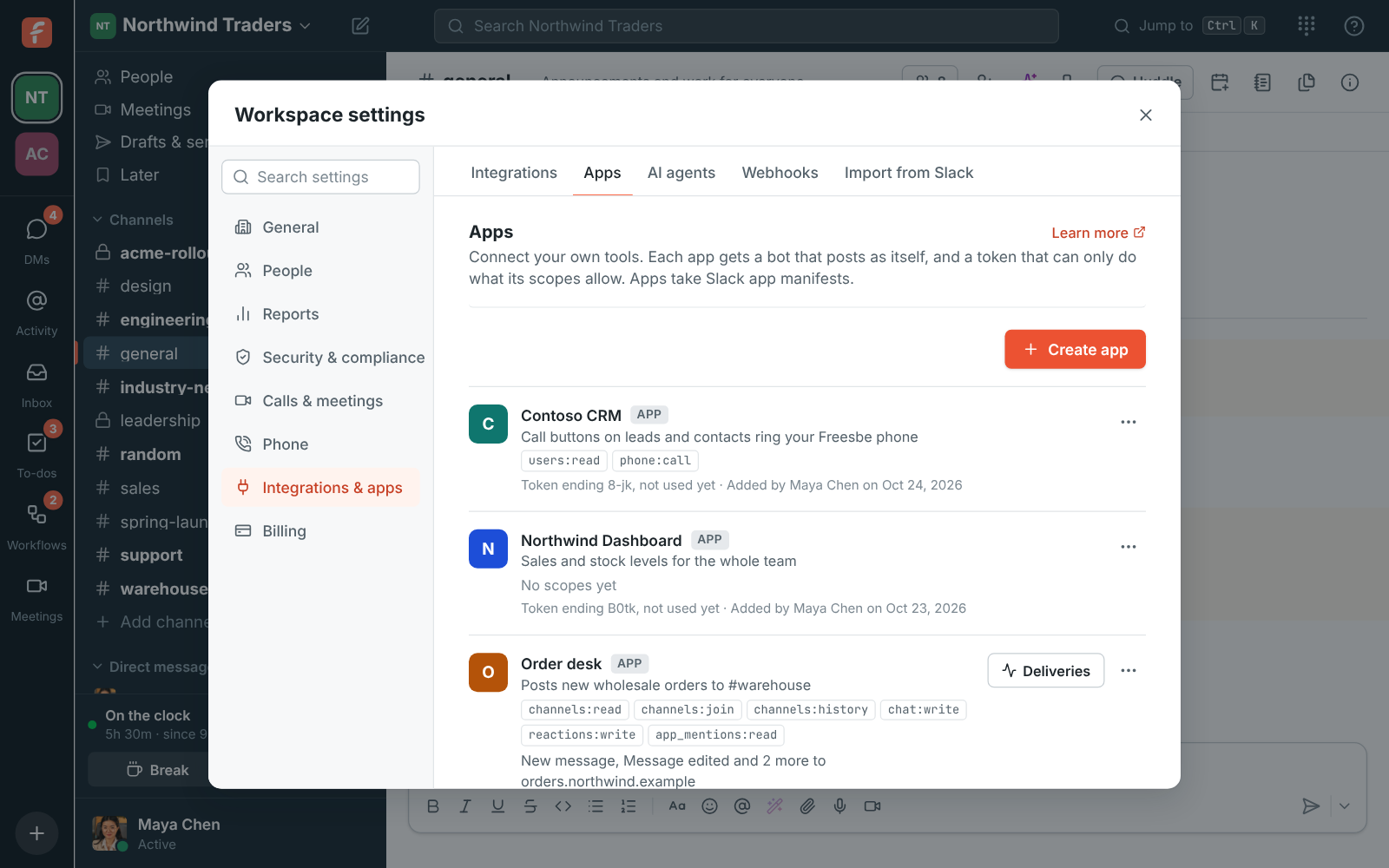
Scripts that signed in with a password lose access to the workspace, as they should. Apps don't: an app's bot token posts as the app, does only what its scopes allow, and isn't held to single sign-on or multi-factor authentication, so your integrations, Zapier and n8n keep running after you turn the rule on.

Workspace settings, Apps: each app with its scopes and token

Plans and pricing

Single sign-on is included in Corporate and Enterprise. Signing in with Google or Microsoft works on every plan; requiring it for everyone needs Corporate.

  • CorporateUp to 2,500 people
  • EnterpriseOver 2,500 people

Questions

Which plan includes this?
Everyone can sign in with Google or Microsoft on every plan, including Free. Requiring it for the whole workspace comes with Corporate and Enterprise. See pricing for the plans.
Which identity providers?
Google and Microsoft work accounts. Sign in with Apple is for personal Apple IDs, so it doesn't satisfy the rule.
Can I lock myself out?
No. Freesbe only lets you require a provider you're signed in with, and changes to sign-in rules ask for another tap on your phone if it approves sign-ins.
What if someone's Google address differs from their Freesbe email?
They connect Google or Microsoft in Preferences, under My account, Sign-in, before the rule goes on; after that the link holds even if the address changes.

Try all of it free with up to 10 people.

No card, no time limit. Invite your team and see what sticks.