Freesbe
Phone system add-on

One number, the whole front desk.

A ring group rings a team's phones when one number, menu key or extension is called: all at once, one after another, or taking turns, with up to 50 people. Set it up once and send calls to it from anywhere. Everyone on the phone system gets an extension, handed out by itself, so colleagues dial 102.

  • Set the sales team up once and point every number, key and flow at it.
  • Share calls fairly with Take turns, or put the main person first with One after another.
  • Skip people who are on a call, on Do not disturb or signed out, without anyone configuring it.
  • Reach any colleague with three digits, from the keypad, their profile or the People tab.

For Front desks, sales teams and on-call rotas that answer as a group.

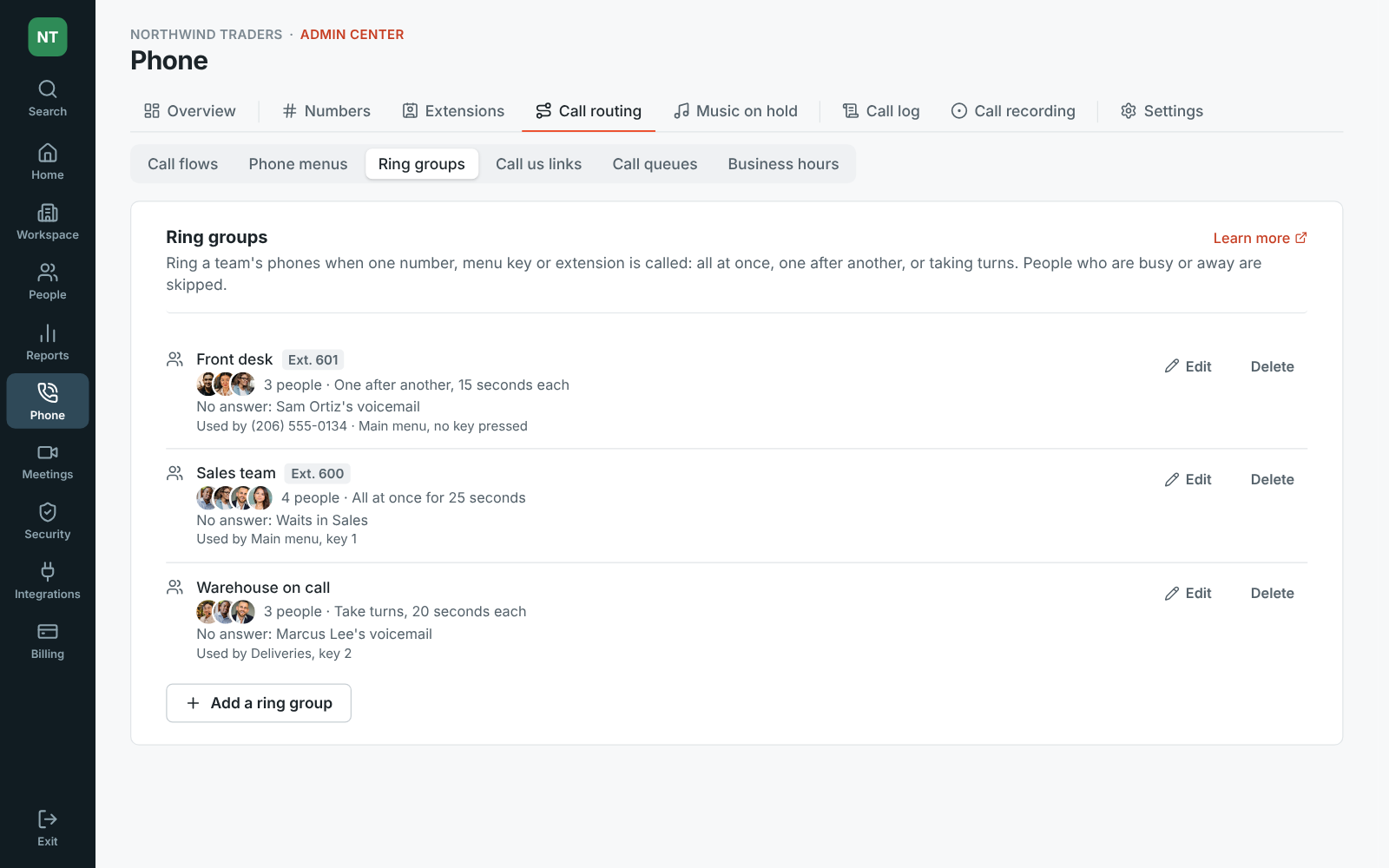
The Admin Center on Ring groups: Front desk ringing three people one after another, Sales team ringing four at once and Warehouse on call taking turns

How the group rings

Name the group and give it an extension if colleagues should dial it. All at once rings everyone and the first to answer takes the call. One after another rings each person in order, from the top. Take turns starts after whoever answered the last call, so calls are shared out. Add up to 50 people; anyone on a call, on Do not disturb or signed out is skipped. Set how long it rings, and where unanswered calls go: a voicemail, a queue, a menu or another group.

  • Ask before connecting: each person hears who the call is for and presses 1, so a cell phone's own voicemail can't take it
  • While it rings, callers hear your music on hold, another track, your own upload, or ringing
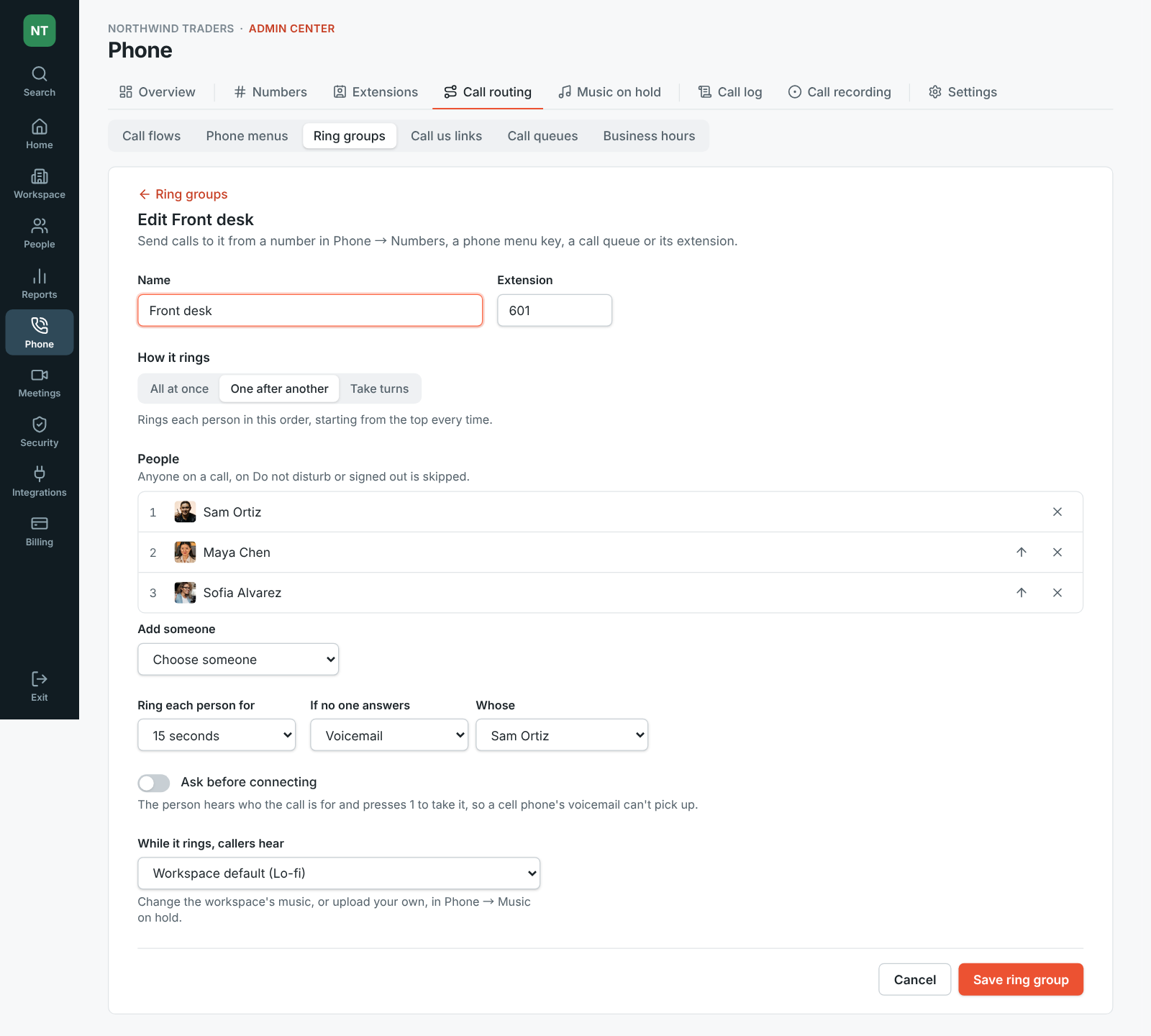
Editing the Front desk ring group: extension 601, ringing Sam, Maya and Sofia one after another for 15 seconds each, then Sam's voicemail

Send calls to it from anywhere

Pick the ring group under Answers with on a number, for a phone menu key, as a call queue's overflow, for a Call us link button, or as a step in a call flow. Each group lists what uses it and can't be deleted until nothing does. A number or key that rings several people without a group rings them all at once and sends unanswered calls to the first person's voicemail.

The ring groups list: three groups with how each rings and what uses it

See it on your own team's data.

Start free with up to 10 people and try it today, or book a 20-minute demo with the people who make Freesbe.

Extensions, handed out by themselves

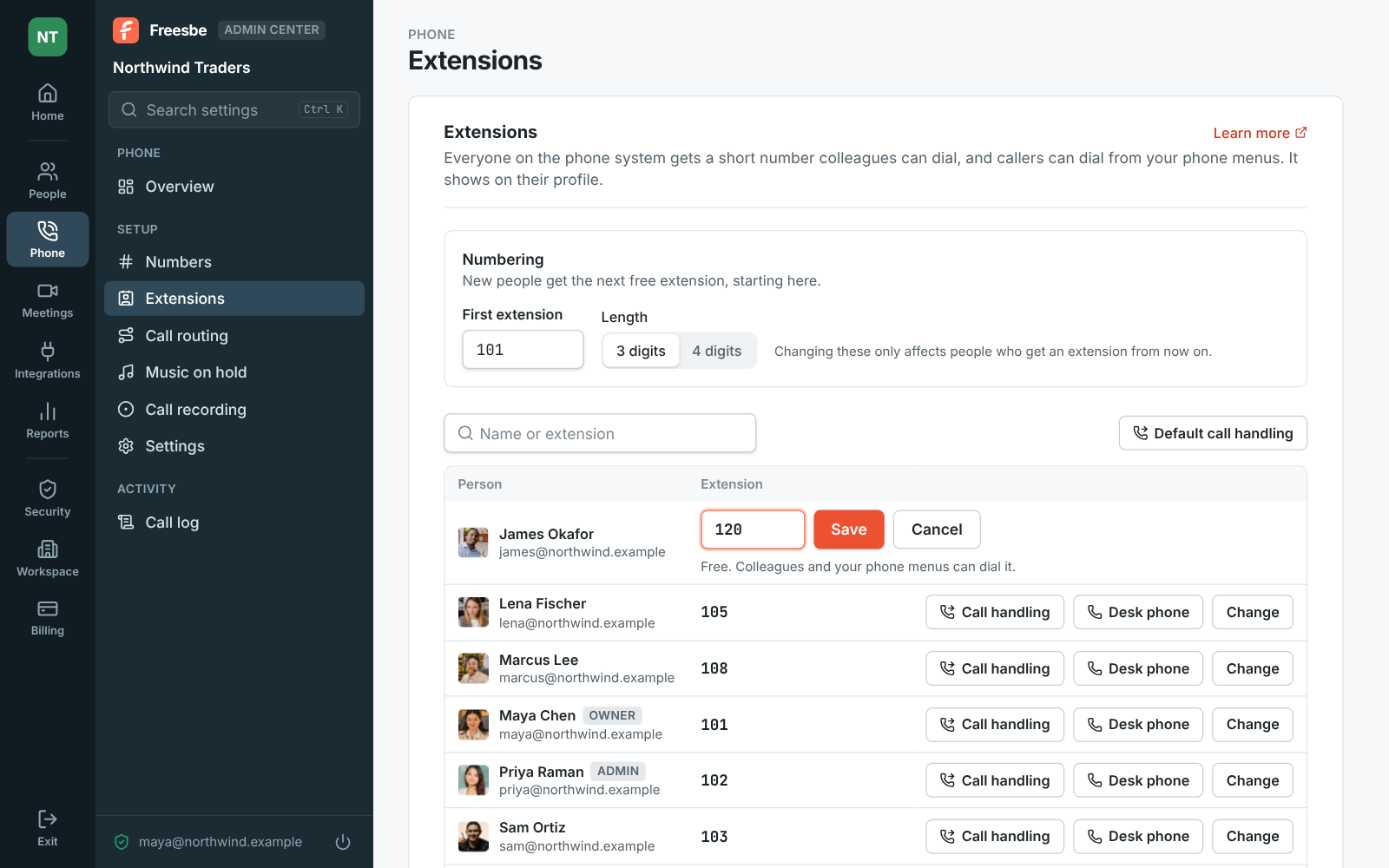
Everyone on the phone system gets an extension, a short number like 102, when the phone system is on, and so does anyone who joins later. Admins set where numbering starts and whether extensions are 3 or 4 digits, and change anyone's. Extensions are 2 to 6 digits, can't start with 0 or 9, and can't clash with someone else's or a queue's. A person keeps their extension when they set their phone up again.

Admin Center, Phone, Extensions: numbering from 101 with 3 digits, and everyone's extension, with James Okafor's being changed to 120

Dial a colleague from their profile

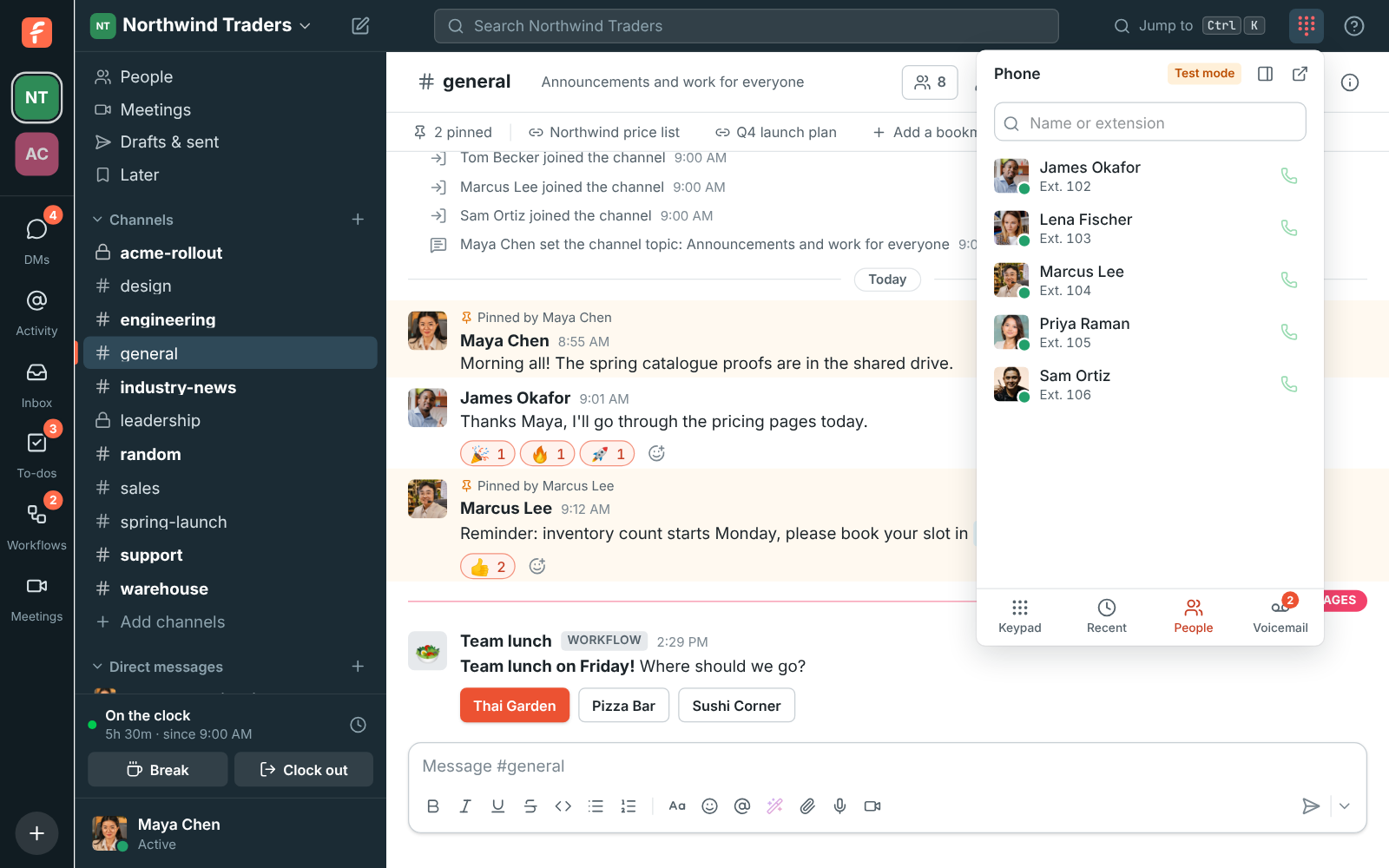
An extension shows on a person's profile, on their picture and next to their local time, and Call with the number on it calls them. The phone's People tab lists your colleagues with their extension and whether they're around; type a name or an extension and click the phone next to them. Or type the extension on the keypad. A voicemail from a colleague shows their name and extension, and Call back rings it.

The phone's People tab: colleagues with their extensions and a call button each

Set how someone's calls ring, and lock it

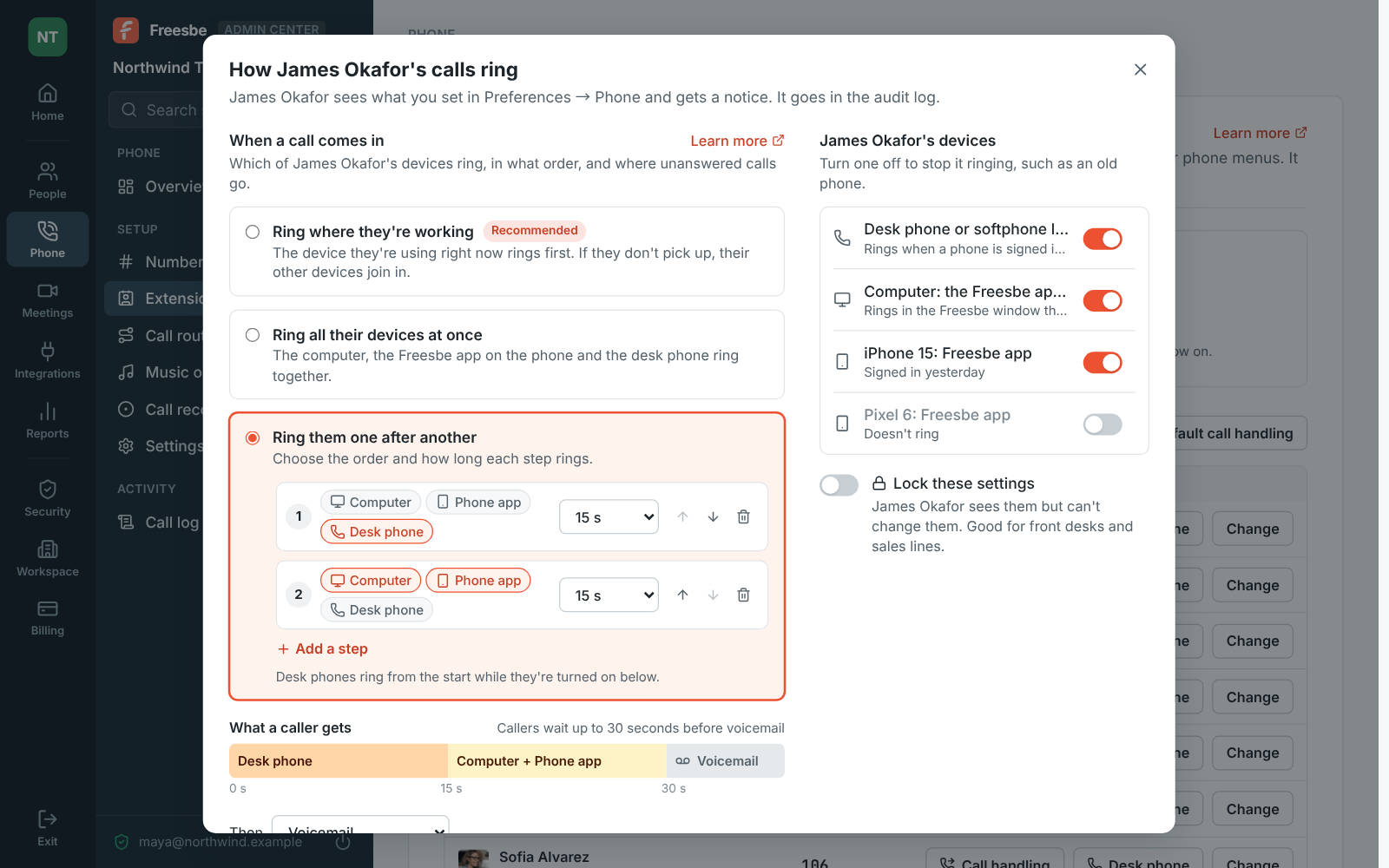
Admins and Phone admins can set Follow-Me for someone, like a receptionist whose calls should reach the desk phone first: the same choices they have in Preferences, their devices with a switch for each, and Lock these settings so they can see them but not change them. They get a notice, and the audit log records it. Default call handling sets what everyone gets until they choose their own.

Admin Center, Extensions: how James Okafor's calls ring, his desk phone for 15 seconds then his computer and iPhone, with an old Pixel turned off

Plans and pricing

Ring groups and extensions comes with the Phone system add-on, on any paid plan. It costs $8 per person a month, billed yearly ($10 month to month). The add-on isn't on sale yet; talk to us to be first.

  • BusinessUp to 500 people
  • CorporateUp to 2,500 people
  • EnterpriseOver 2,500 people
  • Phone system add-on$8 per person a month, billed yearly ($10 month to month)

Questions

Which plan includes this?
Ring groups and extensions are part of the Phone system add-on, on top of any paid plan.
How many people can a ring group have?
Up to 50. A number that rings people without a group rings up to 20 at once.
What's the difference between a ring group and a call queue?
A ring group rings phones and, if nobody answers, sends the call on. A call queue holds callers on the line with music and their place until someone is free, and comes with the Call center add-on.
Do I have to hand out extensions?
No. People get the next free one when the phone system is on, and so does anyone who joins later. Admins can change them.

Try all of it free with up to 10 people.

No card, no time limit. Invite your team and see what sticks.