Freesbe
Phone system add-on

Press 1 for sales, drawn in minutes.

A phone menu answers a number with a greeting, then lets callers press a key to reach the right people: an IVR or auto attendant. Type, record or upload the greeting; each key rings people, a ring group, a queue, a voicemail or another menu. A call flow draws every step, and you change it by dragging lines.

  • Sound like a company with a front desk, from day one.
  • Send each caller to the right team without anyone picking up and passing them on.
  • Hear the menu as a caller would, before a single customer does.
  • See the whole journey for a number on one canvas, including hours and holidays.
  • Change where calls go in a minute, and it's live when you save.

For Any business whose one number gets calls for sales, support, orders and billing.

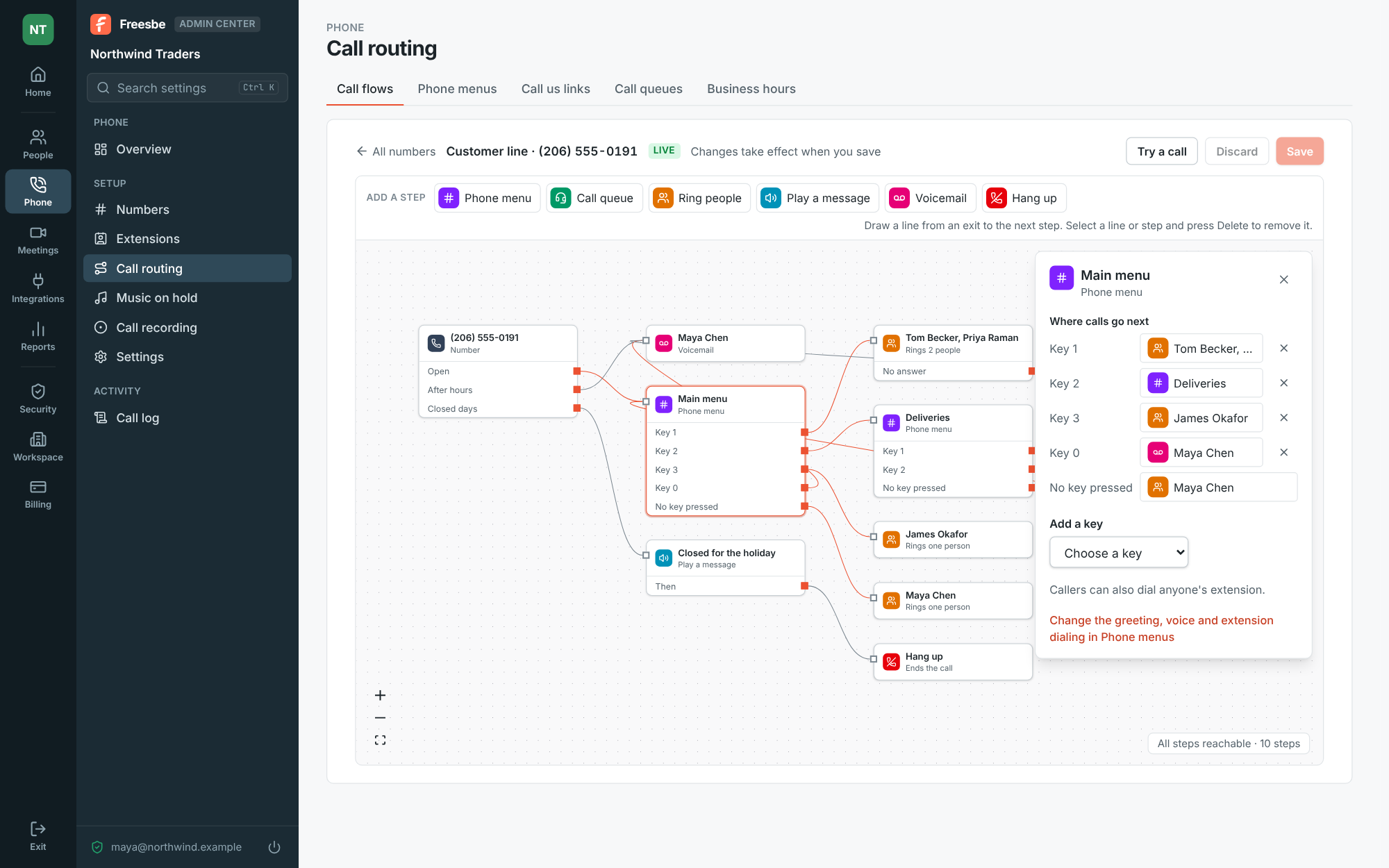
A call flow in the Admin Center: the number's open hours go to the Main menu, after hours to voicemail and closed days to a holiday message, with the Main menu's keys on the right

Build the menu: a greeting and up to 12 keys

Give the menu a name and a greeting: type it and pick a voice to read it out, record it with your microphone, or upload an MP3, M4A or WAV. Then choose what each key does: ring one person or several, a ring group, a voicemail, another menu, a call queue, or hang up, with up to 12 keys across the digits, star and hash. Let callers dial an extension during the greeting, and choose where the call goes when nobody presses a key.

  • Recordings and files up to 5 minutes
  • Everyone with an extension, or only some people, reachable by dialing it
  • Say it in the greeting: 'If you know your party's extension, dial it now'
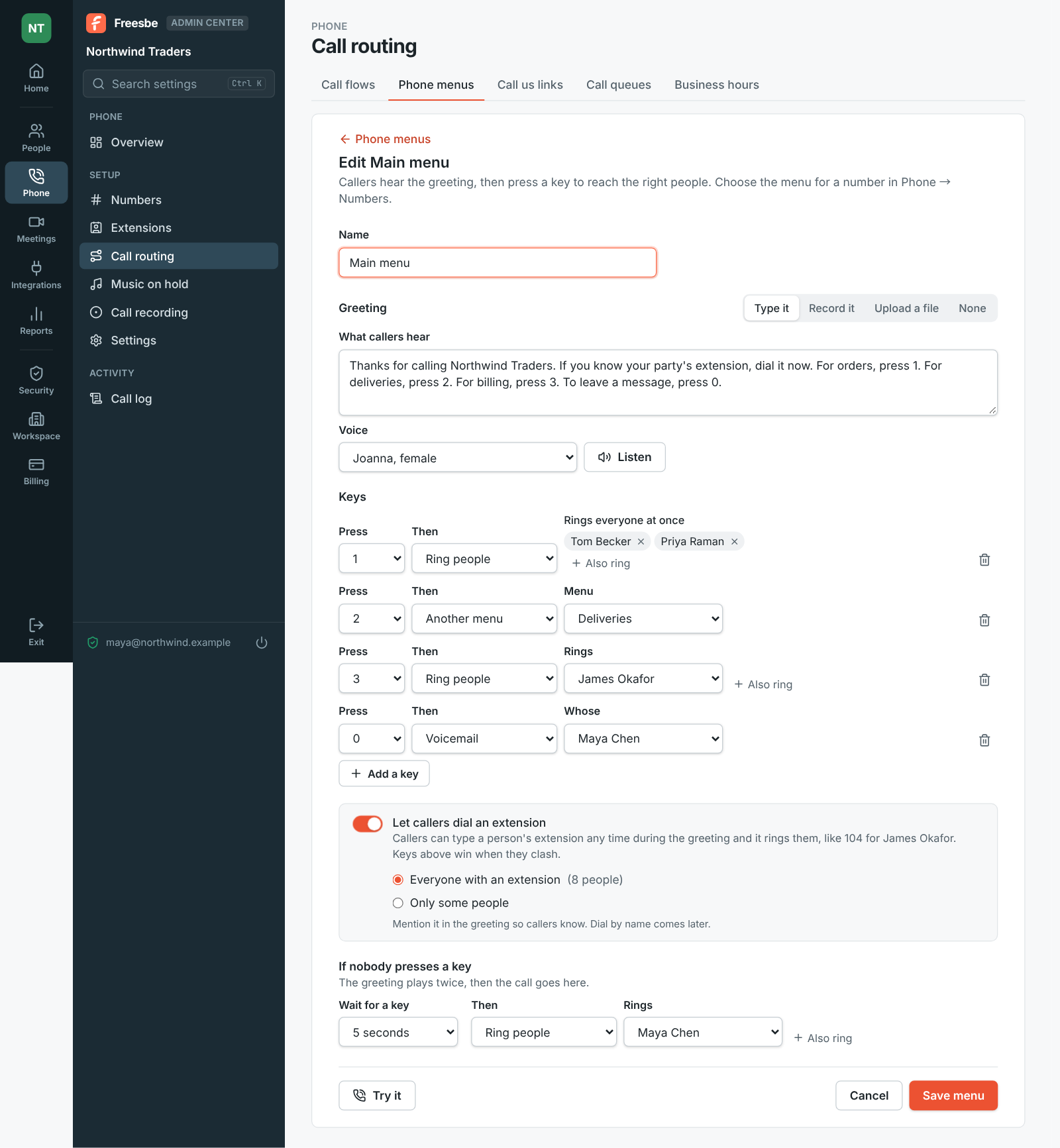
Editing the Main menu: a typed greeting read out by Joanna, key 1 ringing two people, key 2 opening the Deliveries menu, key 3 ringing James and key 0 taking a voicemail

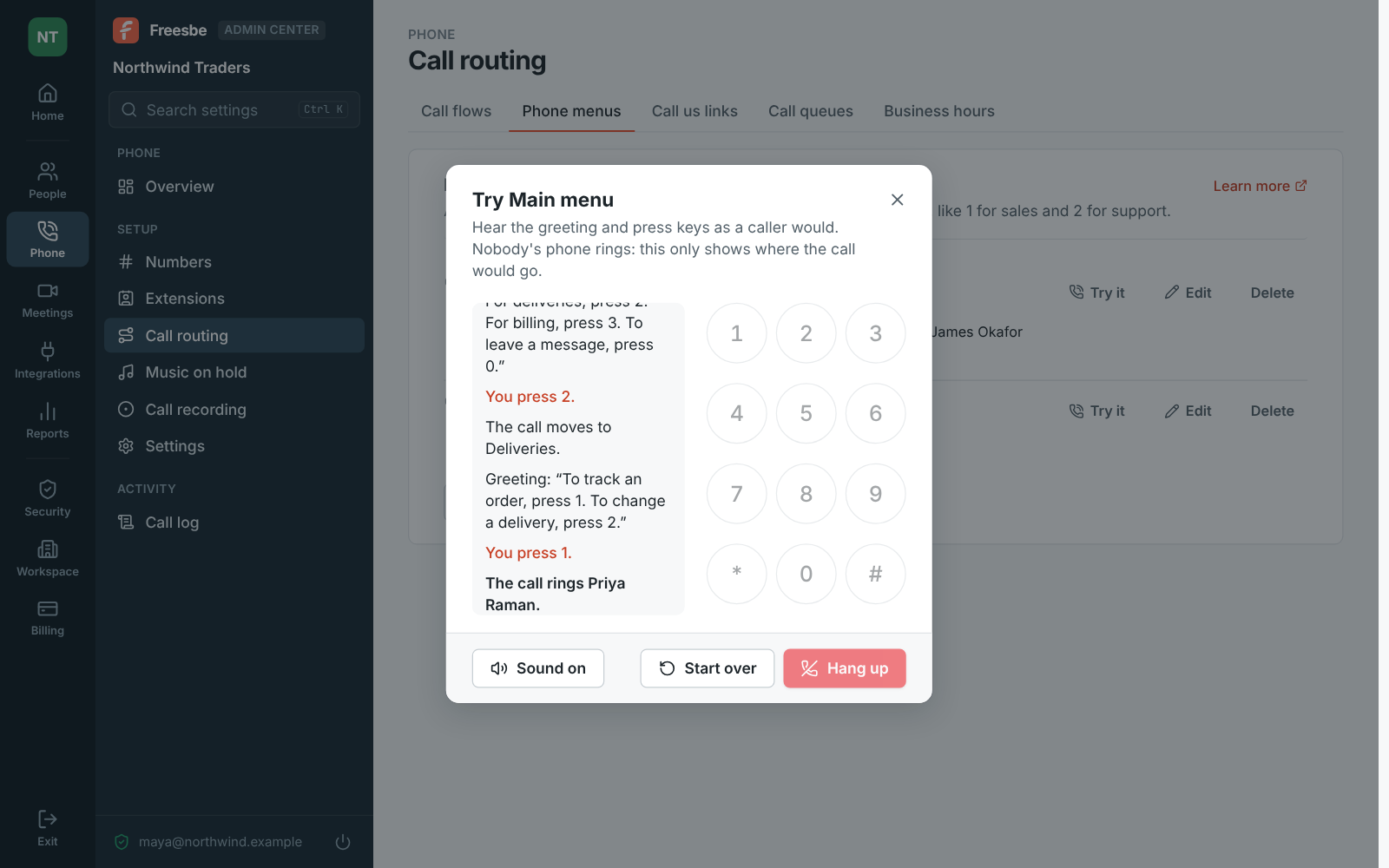
Try it without a phone

Try it calls the menu without a phone: the greeting plays and the keypad presses keys as a caller would. You see each step and where the call ends up, like 'The call rings Priya Raman', and nobody's phone rings. It works like a real call: when nobody presses a key, the greeting plays a second time before the call goes where you chose, and so does a key that isn't a choice. Sound off follows the steps without playing the greeting.

Trying the Main menu: the greeting, key 2 moving the call to Deliveries, then key 1 there ringing Priya Raman

See it on your own team's data.

Start free with up to 10 people and try it today, or book a 20-minute demo with the people who make Freesbe.

The whole call, drawn

A call flow shows everything that happens when someone calls a number, as steps joined by lines: business hours, menus, queues, who rings, messages, voicemail and hanging up. Each step has its exits on the right, like Key 1, No answer or After hours. Drag a line from an exit to the next step to change where it goes. Add a step: a menu or queue you've made, Ring people, Play a message in a voice you pick, Voicemail or Hang up. Save and it's live right away.

The call flow canvas: open hours to the Main menu, after hours to voicemail, closed days to a holiday message

Point a number at it

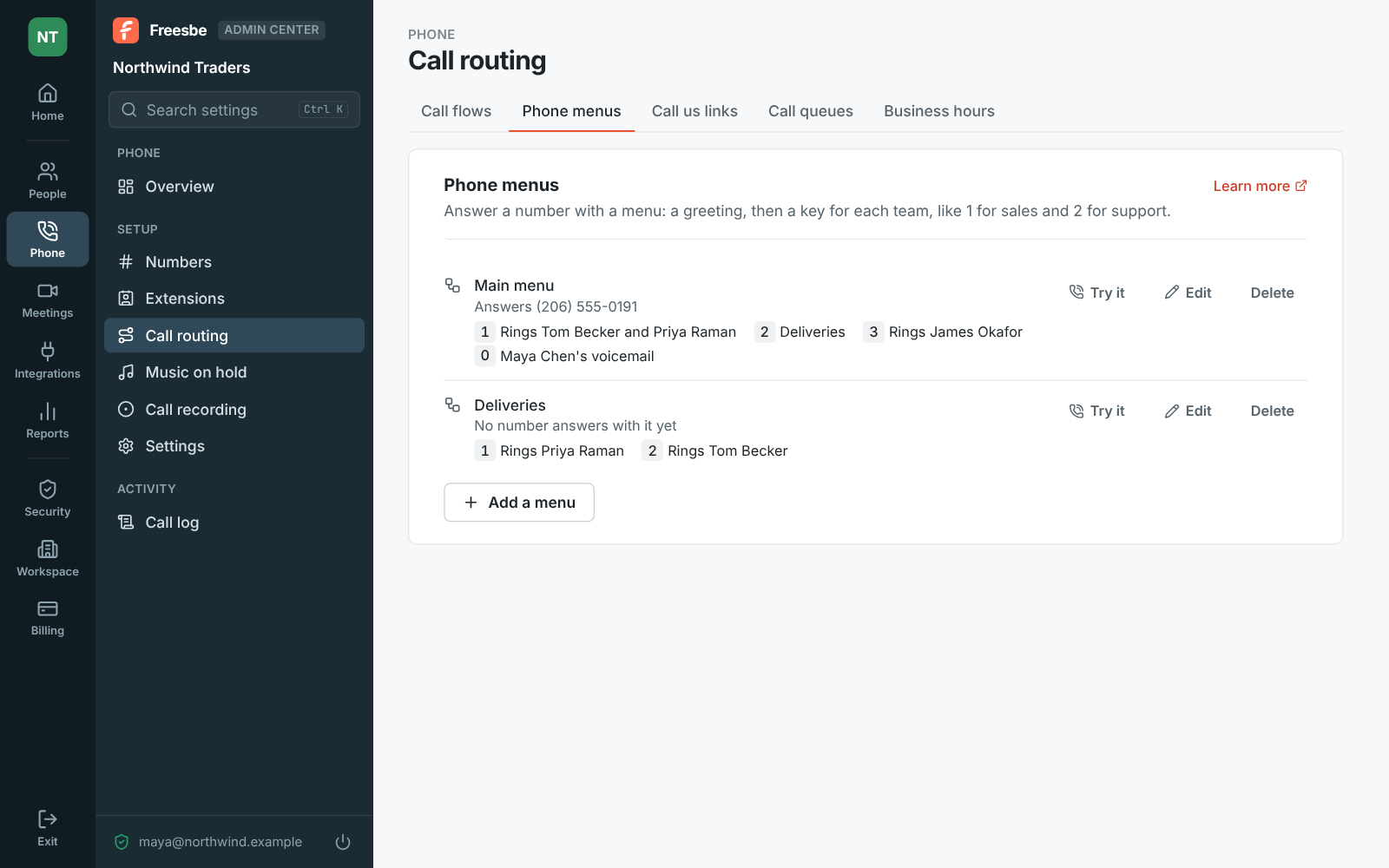
Open the number under Phone, Numbers and change Answers with to the menu; callers hear it from their next call. A menu can answer several numbers and sit under another menu's key, so changing it changes it everywhere. Each number is listed under Call flows with the first steps of its flow, and Call flow next to a number opens it. If a colleague changed the same number's calls while you were editing, Freesbe says so instead of saving over them.

The Admin Center on Phone menus: a Main menu answering one number, with keys for orders, deliveries, billing and voicemail, and a Deliveries menu under it

Plans and pricing

Call flows and phone menus comes with the Phone system add-on, on any paid plan. It costs $8 per person a month, billed yearly ($10 month to month). The add-on isn't on sale yet; talk to us to be first.

  • BusinessUp to 500 people
  • CorporateUp to 2,500 people
  • EnterpriseOver 2,500 people
  • Phone system add-on$8 per person a month, billed yearly ($10 month to month)

Questions

Which plan includes this?
Phone menus and call flows are part of the Phone system add-on, on top of any paid plan. Call queues as a menu key need the Call center add-on as well.
Can callers dial an extension from the menu?
Yes. Turn on Let callers dial an extension and callers can type a person's extension any time during the greeting. Keys you set win when they clash with an extension. Dialing by name is coming later.
Can a menu lead to another menu?
Yes. A key can open a second menu, like a Deliveries menu under key 2. Try it shows the path through both.
Is there a limit on greetings?
New greetings you type, record or upload count toward the phone greetings your plan makes a day, shared with voicemail greetings. The limits page has the numbers for each plan.

Try all of it free with up to 10 people.

No card, no time limit. Invite your team and see what sticks.