Freesbe
Business and up

Answer WhatsApp as a team, not from one phone.

Connect your WhatsApp Business number and every message to it lands in a channel, one thread per customer, with their photos, videos, voice messages and files. Replies go back on WhatsApp from your number, with sent, delivered and read marks. Templates Meta approved let you write first or follow up after 24 hours.

  • Let the whole team answer WhatsApp, with hand-off and notes, instead of passing a phone around.
  • Get customers' photos, videos, voice messages and files in the thread, and send yours back with a caption.
  • Reach a customer first, or after the 24-hour window, with a template Meta approved.
  • Try the whole flow in test mode before a single message goes out.

For Shops, clinics and service businesses whose customers already message them on WhatsApp.

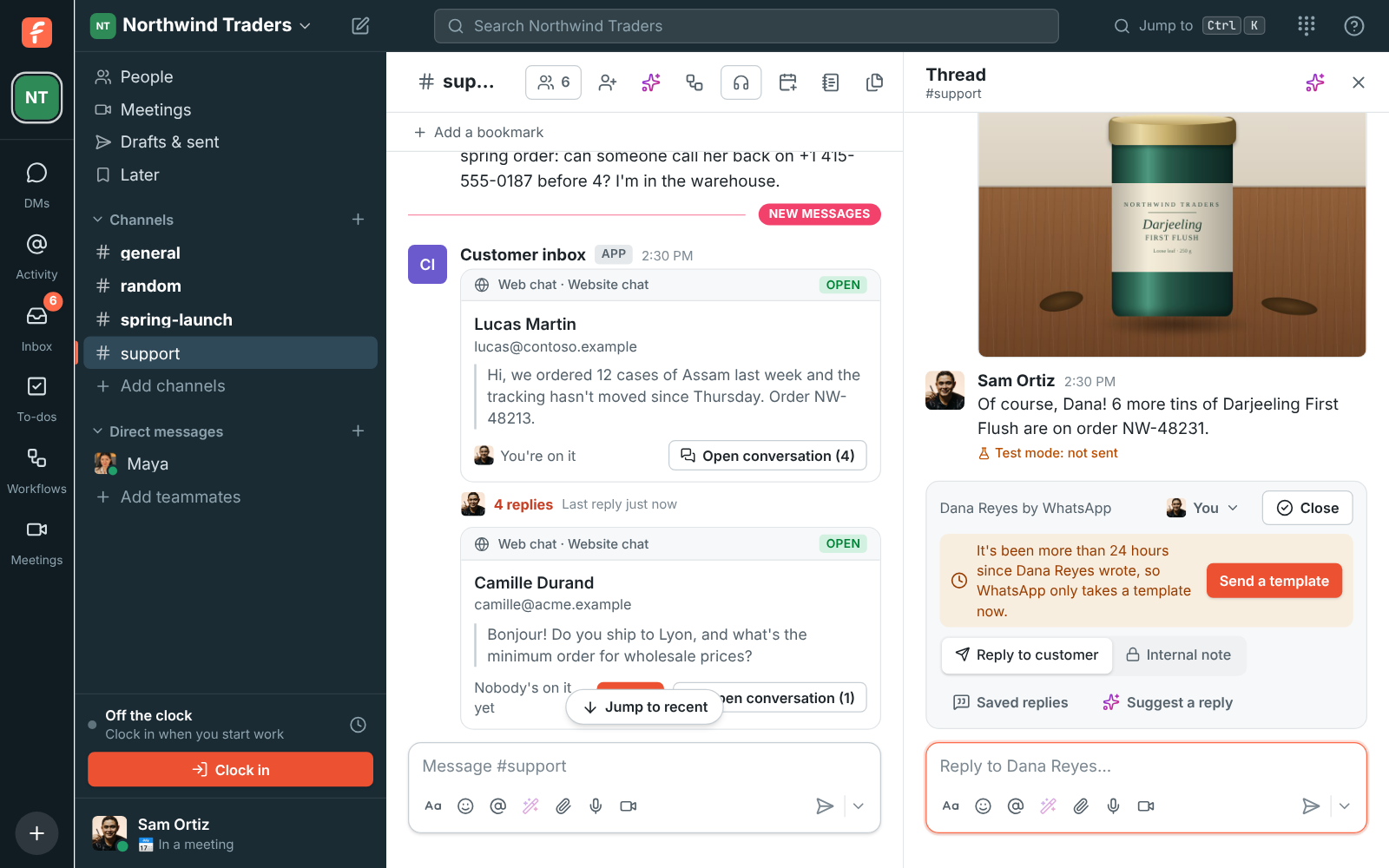
A WhatsApp conversation in #support: an order update template, the customer's photo, the team's answer, and the bar saying only a template reaches the customer now

Every WhatsApp message, in a thread your team can see

Messages to your number land in the channel you pick, under the name the customer uses on WhatsApp. Photos, videos, voice messages, stickers and files show in the thread like any other file, and a location shows as an address. Replies go back on WhatsApp from your number; attach a photo, video, voice recording or file and it goes too, with your words as its caption. Under each reply you see Sent, Delivered, Read or Failed.
A WhatsApp conversation in #support with a template, a customer's photo and the team's reply

Write first with a template

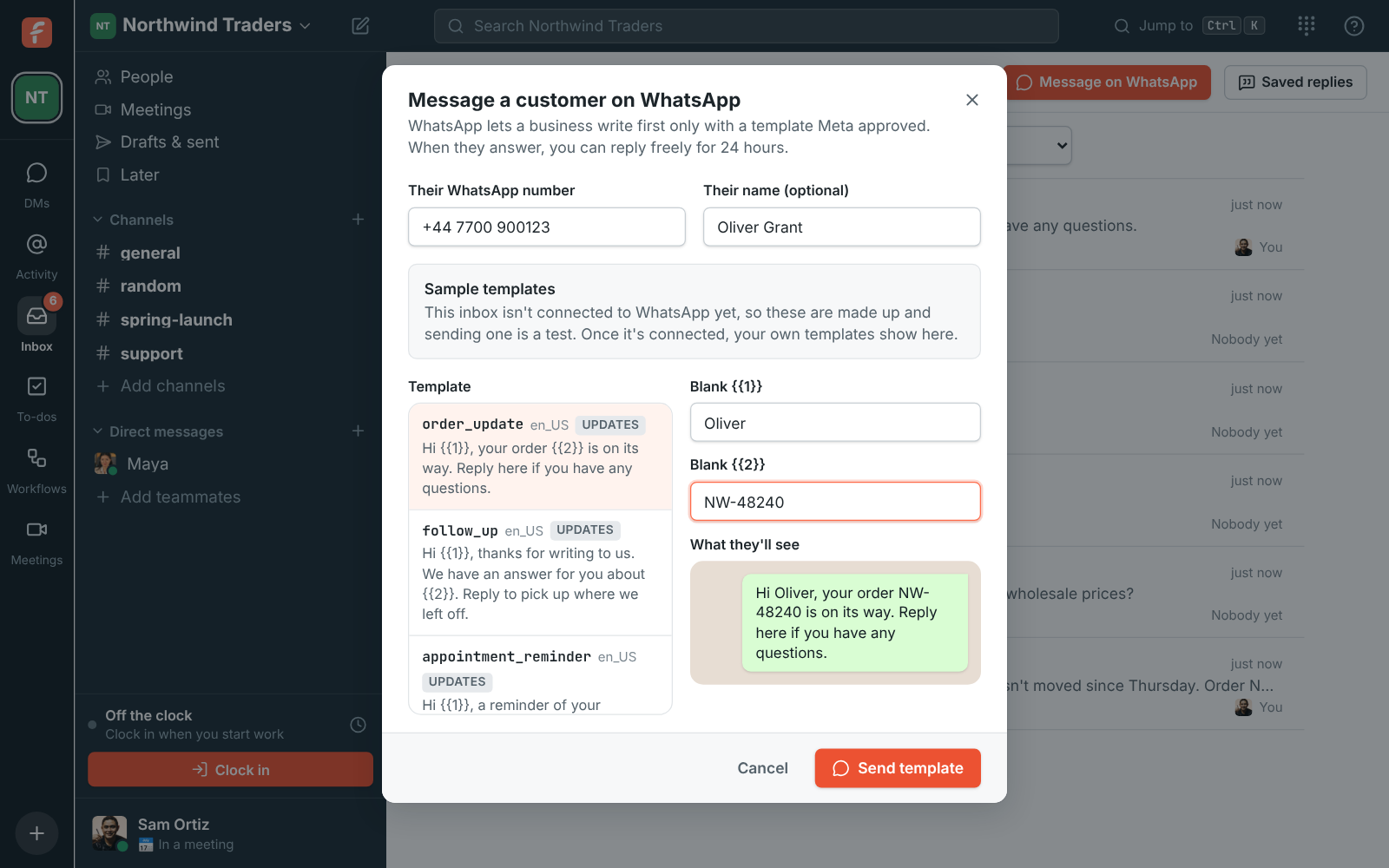
WhatsApp only takes free-form replies within 24 hours of the customer's last message. After that, the bar over the box says so and offers Send a template: pick one, fill in its blanks, check what they'll see and send. To write to someone who hasn't written to you, open Inbox and click Message on WhatsApp, type their number, pick a template and fill it in. Their conversation starts as a new thread, and when they answer you can reply freely again.

Message a customer on WhatsApp from the Inbox page: a number and name, the order_update template and its blanks

See it on your own team's data.

Start free with up to 10 people and try it today, or book a 20-minute demo with the people who make Freesbe.

Make templates without leaving Freesbe

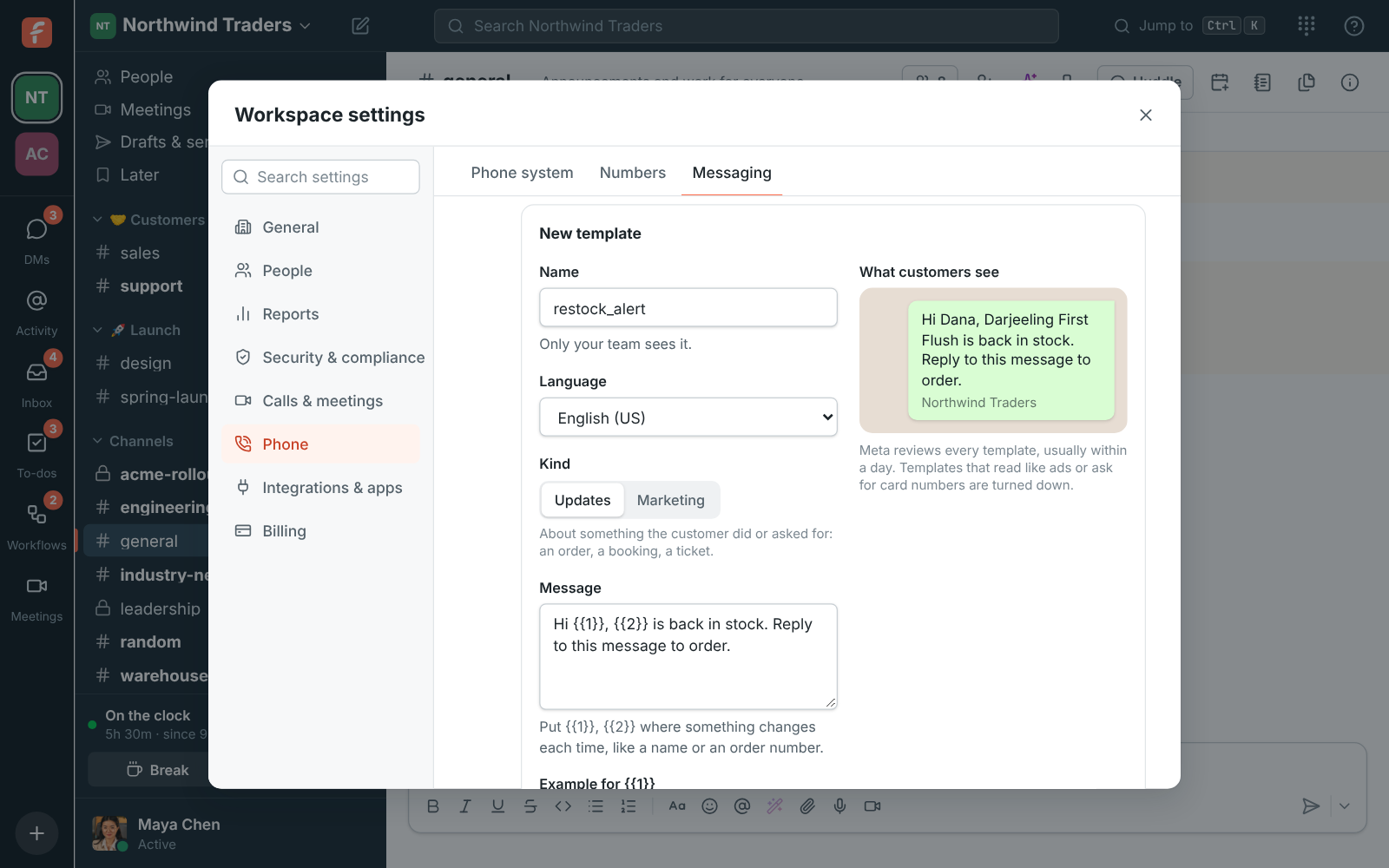
Templates live on your WhatsApp Business account, and owners and admins see them under the number in the Admin Center, with whether Meta approved, is still reviewing or turned down each one. Make a new one there: a name, a language, Updates or Marketing, the message with its blanks and an example for each, and a footer if you like. Send it for review; Meta usually answers within a day.

  • Three sample templates stand in for yours while the inbox is in test mode
  • Updates cover orders, bookings and tickets; Marketing covers offers and news
A new restock_alert template with its message, examples and footer, and a preview of what customers see

Start in test mode, go live when you're ready

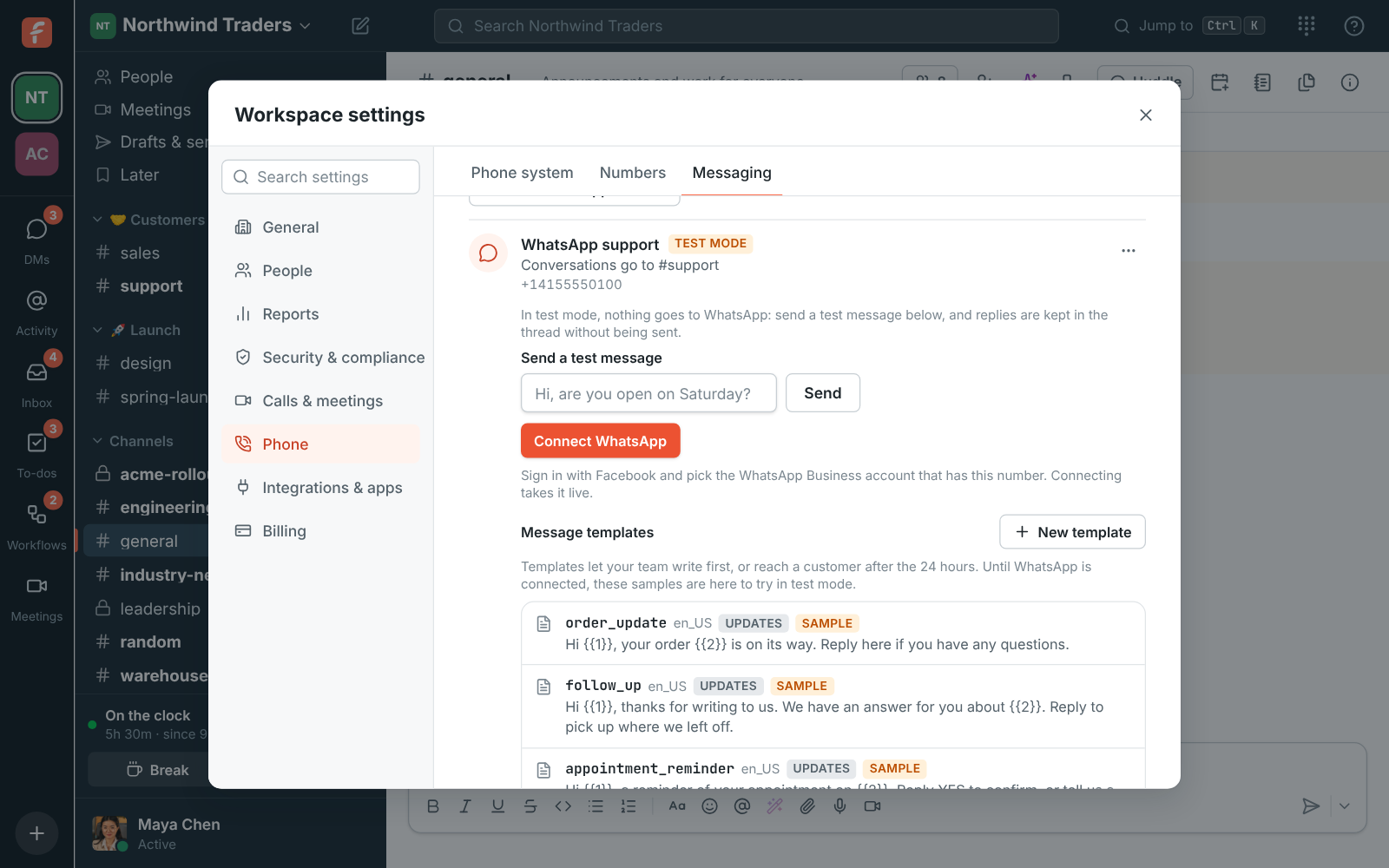
Add your WhatsApp Business number with its country code and the inbox starts in test mode: send yourself a test message, reply in the thread, and nothing goes to WhatsApp. When you're happy, click Connect WhatsApp, sign in with Facebook, pick your business and the WhatsApp Business account that has the number, and the inbox is live. A number used in the WhatsApp Business app on a phone moves to the inbox when you connect it.

Admin Center, Phone, Messaging: the WhatsApp support inbox in test mode, going to #support, with Send a test message and Connect WhatsApp

Plans and pricing

WhatsApp is included in Business, Corporate and Enterprise.

  • BusinessUp to 500 people
  • CorporateUp to 2,500 people
  • EnterpriseOver 2,500 people

Questions

Which plan includes this?
WhatsApp in the customer inbox comes with Business, Corporate and Enterprise. See pricing for the plans.
What does WhatsApp itself cost?
Meta bills your WhatsApp Business account under its own pricing; nothing WhatsApp charges appears on your Freesbe bill. Under Meta's current pricing, replies within 24 hours of a customer's message are free, and templates are charged per message, with marketing ones costing more than updates.
Why can't I reply after a day?
WhatsApp only takes free-form replies within 24 hours of the customer's last message. After that you send a template Meta approved; when the customer answers, you can reply freely for 24 hours again.
How much can we send?
A workspace can send 1,000 WhatsApp replies and templates a day. WhatsApp takes photos up to 5 MB, videos and voice messages up to 16 MB, and other files up to 100 MB.
Can we stop and go back?
Yes. Back to test mode in the inbox's menu stops answering on WhatsApp, and Connect again restores it if replies stop going out, for example after someone removed Freesbe from your business on Facebook.

Try all of it free with up to 10 people.

No card, no time limit. Invite your team and see what sticks.