Freesbe
All plans

Your tools post to a channel with nothing rewritten.

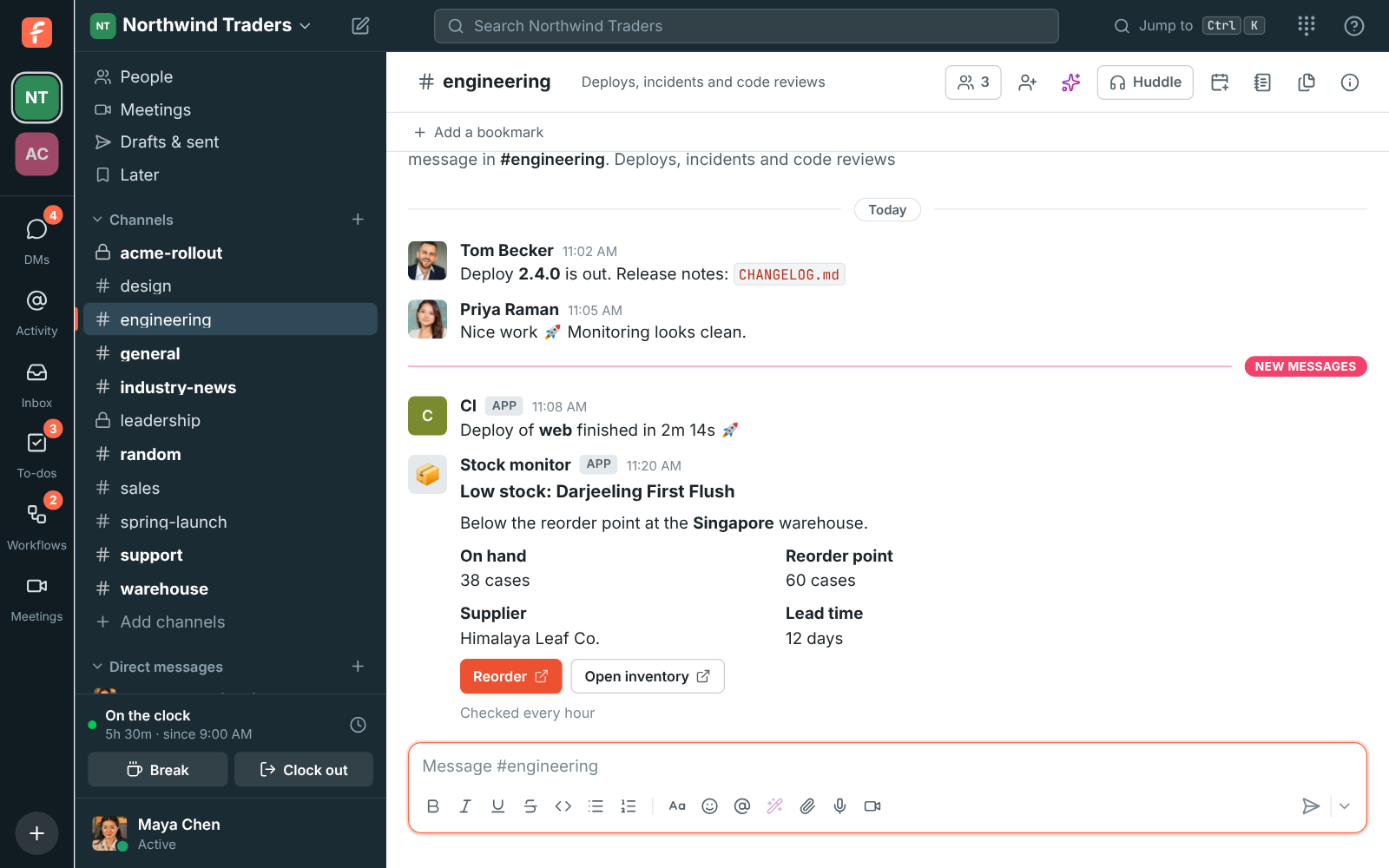
An incoming webhook is a secret URL that posts into one channel. It accepts the same JSON as Slack's incoming webhooks and the cards tools send to Microsoft Teams, so a monitoring tool, CI pipeline or form only needs the new URL. Block Kit blocks show as cards with headers, facts, images and link buttons.

  • Move every Slack or Teams integration by changing one URL.
  • Get alerts as cards your team can scan, not walls of text.
  • Keep each webhook to one channel, with a URL that says nothing about your workspace.
  • Read the cards on your phone, buttons and all.

For Engineering and ops teams with alerts, deploys and forms that already post somewhere.

A low stock card from a webhook in #engineering, with Reorder and Open inventory buttons

The same JSON as Slack

An admin adds an incoming webhook in workspace settings, names it, picks the channel and copies the URL, shown once. Post to it with text, blocks, attachments, a username and an icon, as a JSON body or a form with a payload field, and Freesbe answers ok like Slack does. Messages show under the webhook's name or the username you send, and each attachment shows with its colour bar, text, fields and pictures, the way monitoring alerts are meant to look.
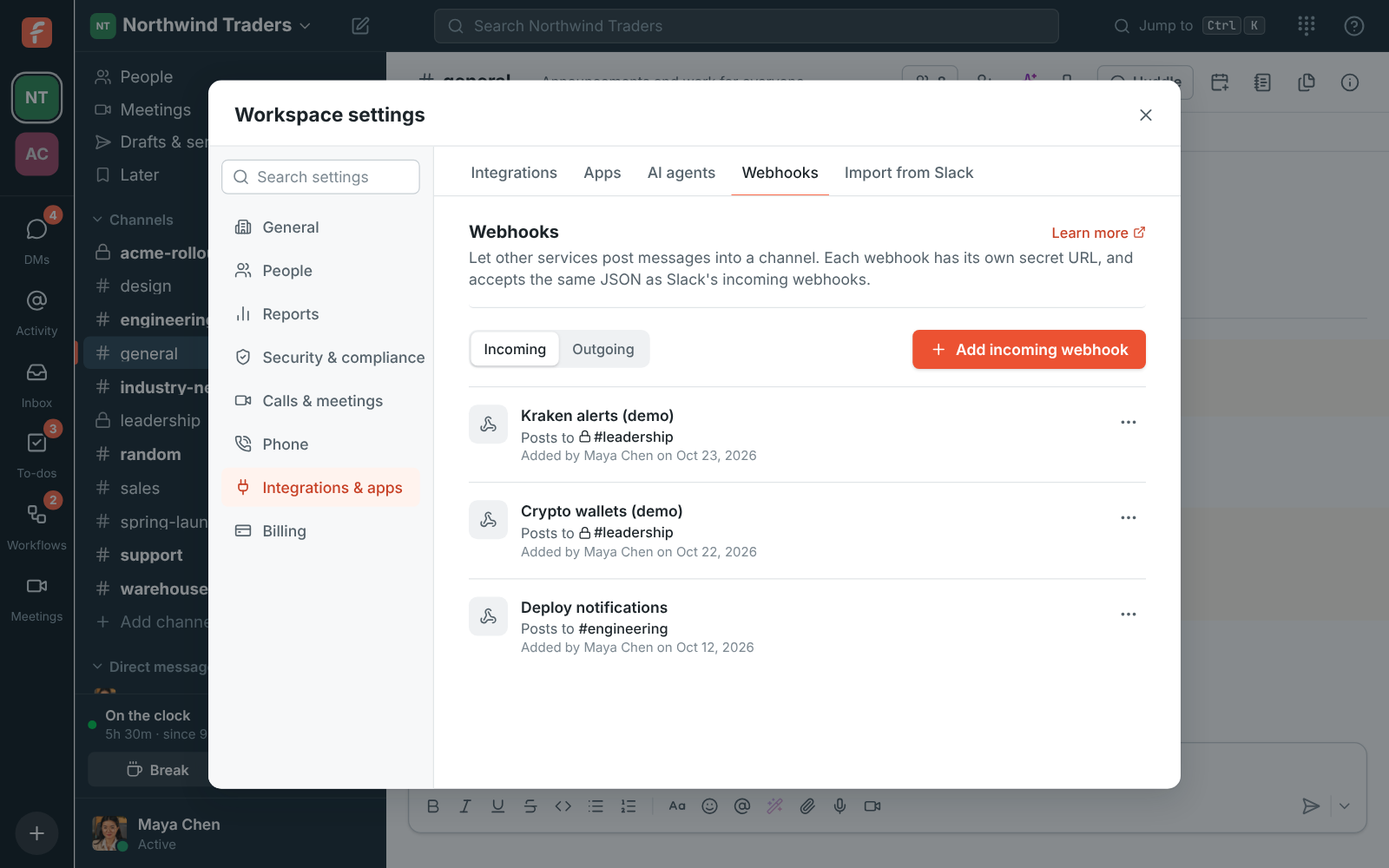
Workspace settings, Webhooks: an incoming webhook that posts to #engineering

Cards from Block Kit, and from Teams

Blocks in Slack's Block Kit format show as a card: headers, sections with fields and a small picture beside them, context lines, dividers, images and buttons that open a link. The same URL also takes what tools send to Microsoft Teams, an Adaptive Card on its own or inside a message payload, or an older Office 365 connector card, and shows its text, facts, images and Open URL buttons. A tool set up for a Teams channel posts to Freesbe with a new URL.

A low stock card from a webhook with Reorder and Open inventory buttons

See it on your own team's data.

Start free with up to 10 people and try it today, or book a 20-minute demo with the people who make Freesbe.

Cards that read well on the phone

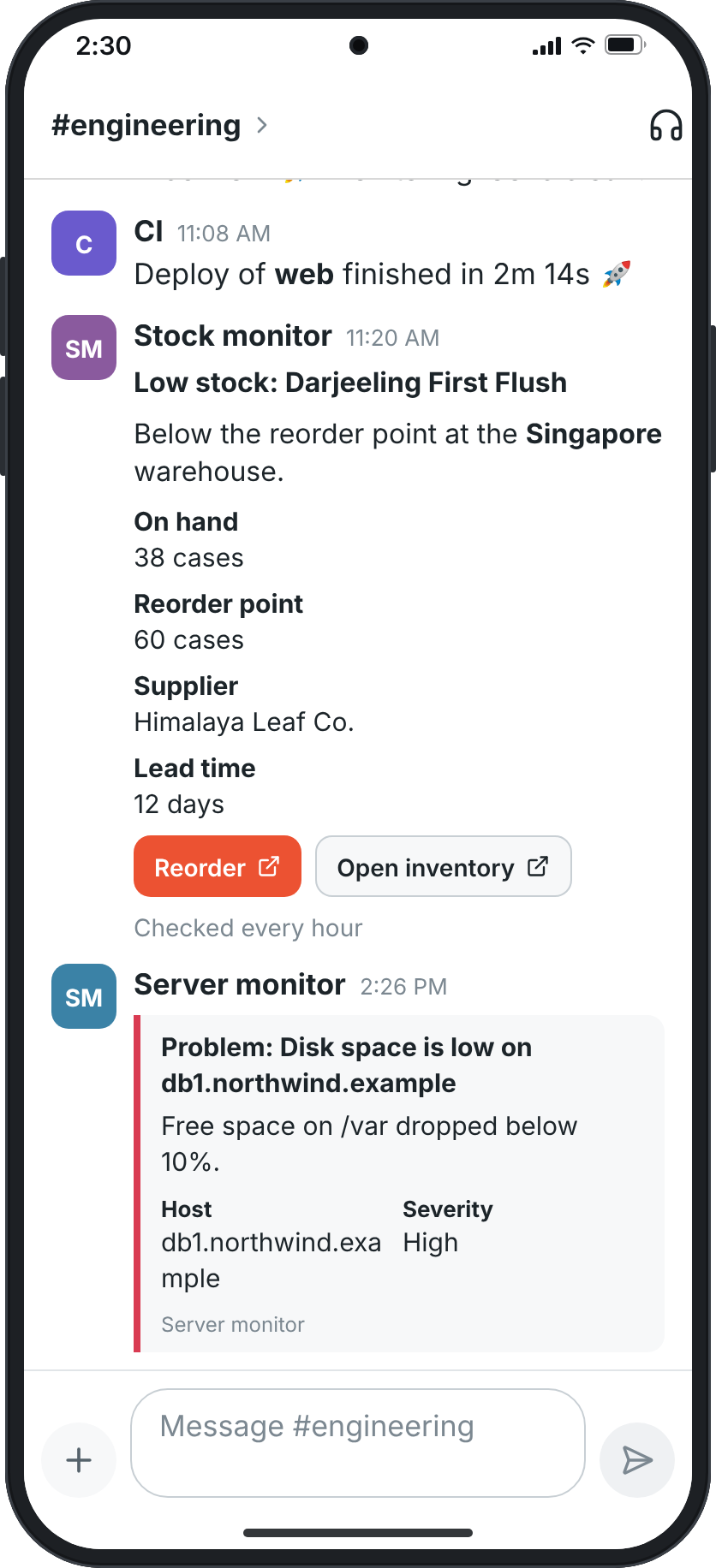
The cards your tools post look the same in the mobile app: the header, the facts in two columns, the picture and the link buttons, so an on-call engineer sees the alert and opens the runbook from the lock screen's notification. Anyone can reply in the card's thread to say they're on it.

Webhook cards in the mobile app, with their facts and link buttons

Searchable, auditable, easy to rotate

In the Admin Center, search your webhooks by name, address, channel or who added them. Each webhook's card has Deliveries, the log of recent deliveries kept for 14 days, Send test, and a menu to edit it, make a new URL, turn it off or delete it. A webhook acts for the admin who made it and turns off if that person is deactivated, until another admin turns it back on. Adding and deleting webhooks is recorded in the audit log.

  • The URL holds only the webhook's ID and a secret token, nothing about your workspace
  • A webhook bound to a private channel is visible only to admins in that channel
An incoming webhook's card in workspace settings with Deliveries and Send test

Plans and pricing

Incoming webhooks and cards is included in every plan, including Free. Free includes a single incoming webhook; each paid plan allows more, see pricing limits.

  • FreeUp to 10 people
  • BusinessUp to 500 people
  • CorporateUp to 2,500 people
  • EnterpriseOver 2,500 people

Questions

Which plan includes this?
Every plan, including Free. Free includes one incoming webhook; Business, Corporate and Enterprise allow many more. See pricing limits for each plan's count.
Do I have to change my tools?
Only the URL. Freesbe reads text, blocks, attachments, username, icon_emoji and icon_url the way Slack does, and takes Adaptive Cards and Office 365 connector cards the way Teams does.
Do buttons in webhook cards work?
Buttons that open a link do. Interactive elements without a link, such as menus or buttons that call back a Slack app, are left out; for those, build an app, whose buttons and dialogs do something.
What if the URL leaks?
Choose Make a new URL on the webhook's card. The old one stops working, and you paste the new one into your tool.

Try all of it free with up to 10 people.

No card, no time limit. Invite your team and see what sticks.