Freesbe
All plans

A better message before you hit send.

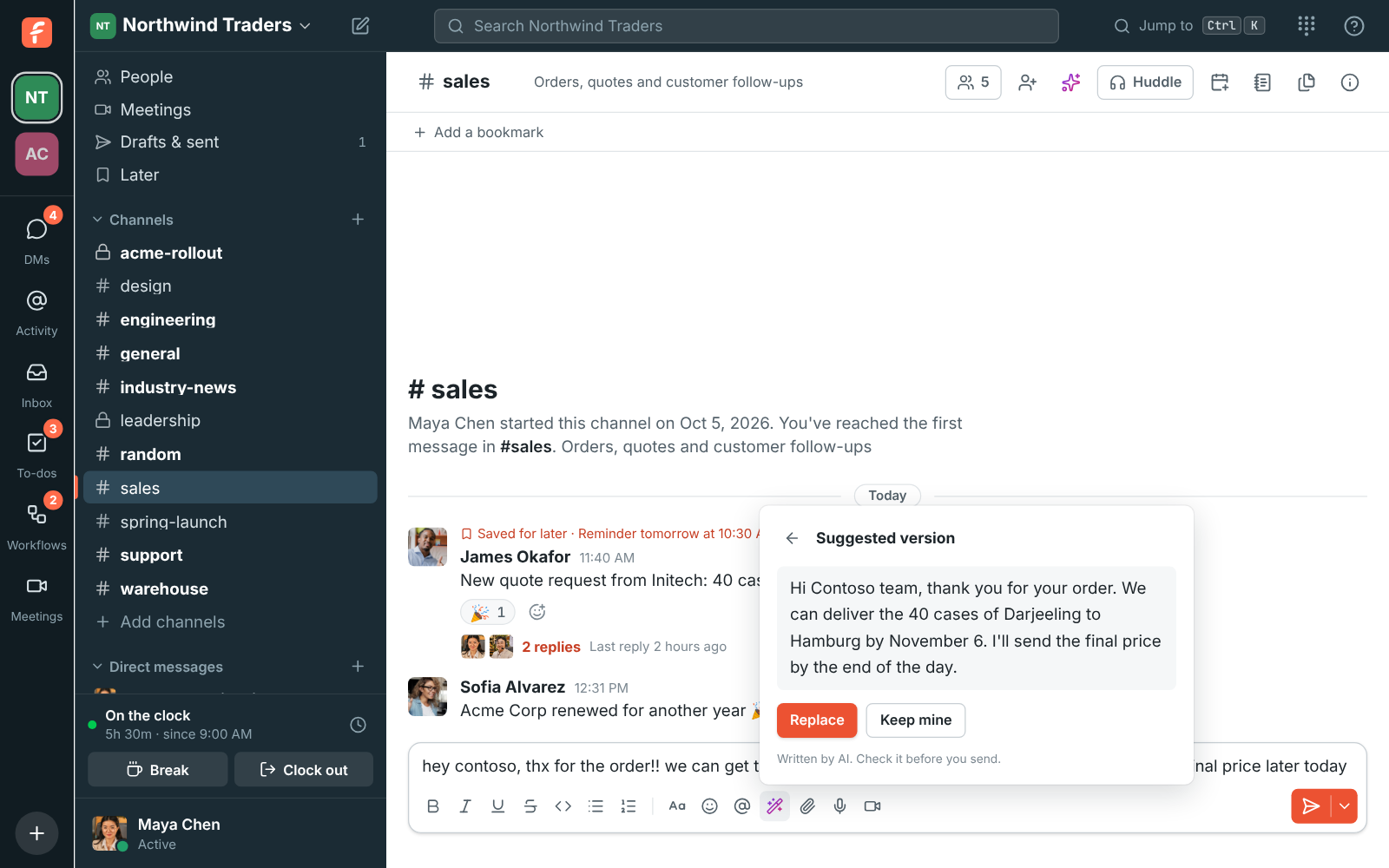
Type your message, click the magic wand under the box and pick what you want: fix spelling and grammar, make it clearer, shorter, friendlier or more formal. The suggestion appears as it's written. Replace puts it in the box, where you can still change it; Keep mine leaves your words alone. Nothing is sent until you send it.

  • A hurried reply to a customer goes out formal and typo-free.
  • You always see the suggestion before anything changes, and you can keep your own.
  • Mentions, channel names, links, emoji and code come through as you wrote them.
  • It answers in the language you wrote in.

For People who write to customers and partners in a hurry, and anyone writing in their second language.

A quick note to Contoso in #sales and the more formal version Freesbe suggests, with Replace and Keep mine

Five ways to improve it

Fix spelling and grammar keeps your words and fixes the mistakes. Make it clearer, Make it shorter and Make it friendlier do what they say. Make it more formal is for customers and partners. The suggested version shows first, written out as the AI writes it, so it starts appearing straight away. It works on messages up to 4,000 characters, and if the AI doesn't answer within half a minute you see that it took too long and can try again.
A draft and the more formal version Freesbe suggests, with Replace and Keep mine

Your words stay yours

Click Replace to put the suggestion in the message box, where you can still change it before sending, or Keep mine to leave your message as it was. Writing help keeps @mentions, #channels, links, emoji and code as they are, and answers in the language you wrote in. It rewrites a question or request in your draft; it doesn't answer it. Every AI button in Freesbe has purple-to-pink sparkles or a wand, so you can tell which buttons use AI.

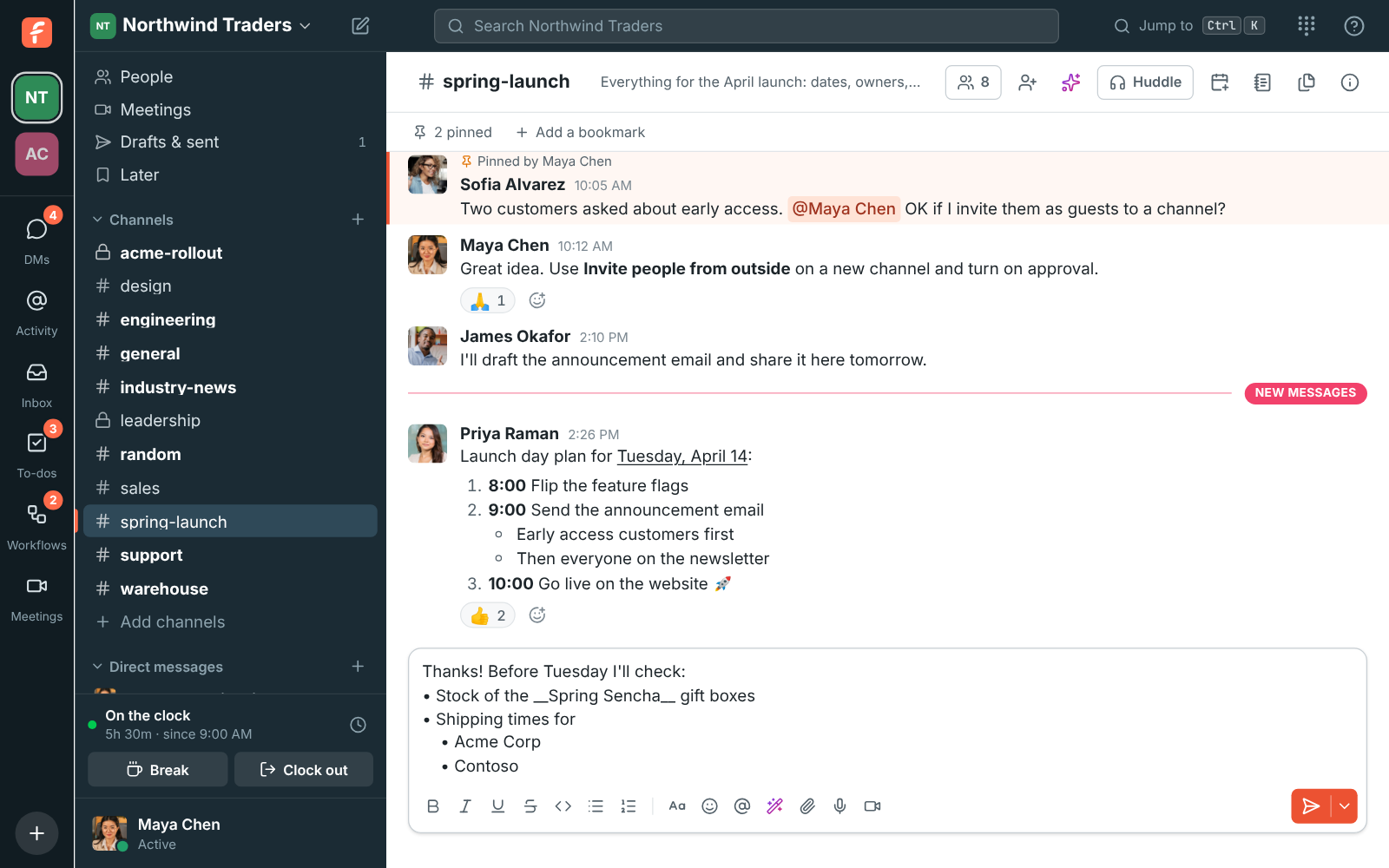
#spring-launch with a formatted launch plan, and Maya typing a bulleted list with nested items in the message box

See it on your own team's data.

Start free with up to 10 people and try it today, or book a 20-minute demo with the people who make Freesbe.

The same help on your to-dos

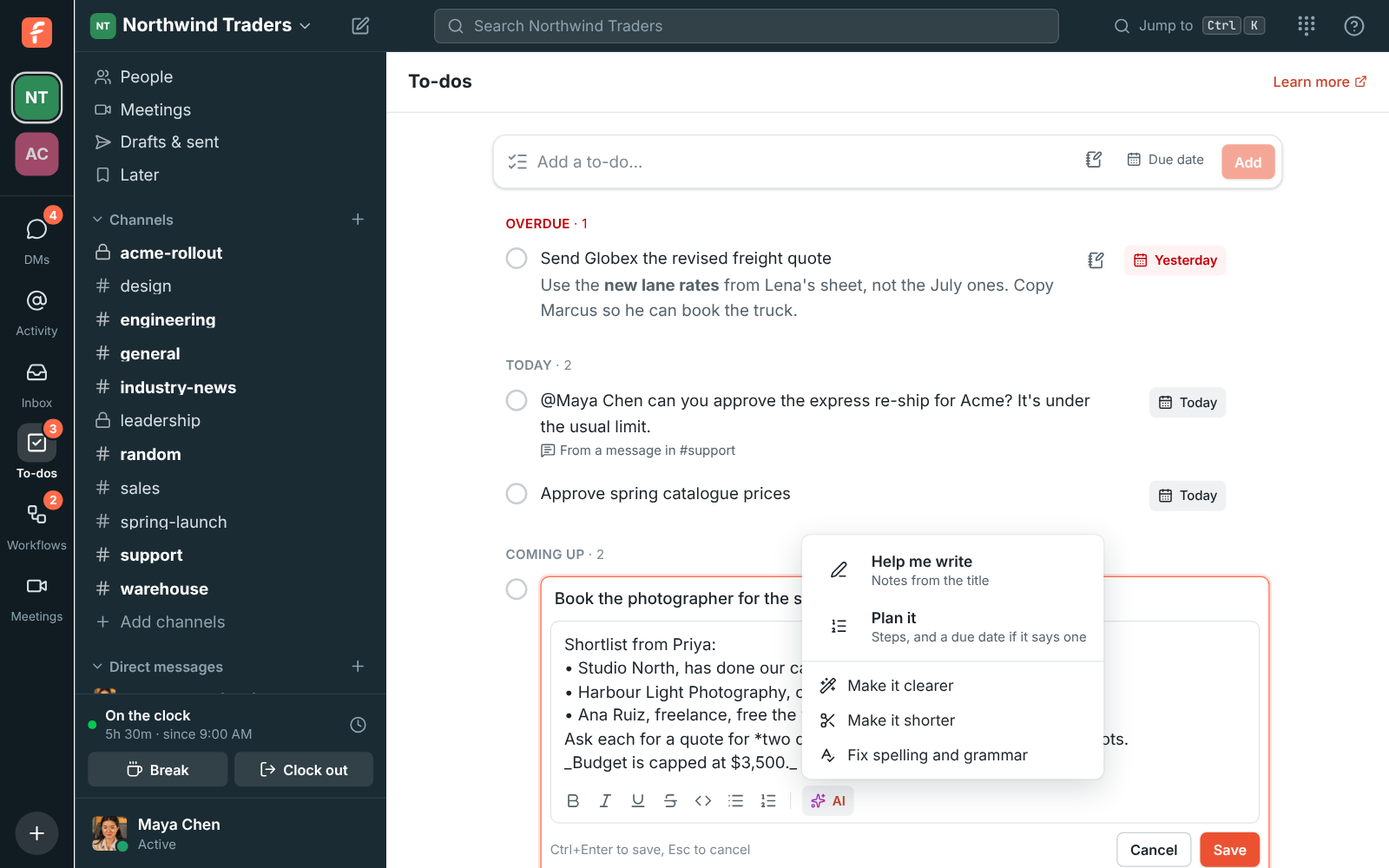
When you write a to-do's notes, the AI button offers Help me write, which turns the title into notes with what done looks like and the questions to answer first; Plan it, which breaks the to-do into numbered steps and offers a due date it found in the text; and the same Make it clearer, Make it shorter and Fix spelling and grammar on the notes you wrote. Undo puts back what was there.

The AI menu under a to-do's notes: Help me write, Plan it, Make it clearer, Make it shorter and Fix spelling and grammar

Drafts for customer replies

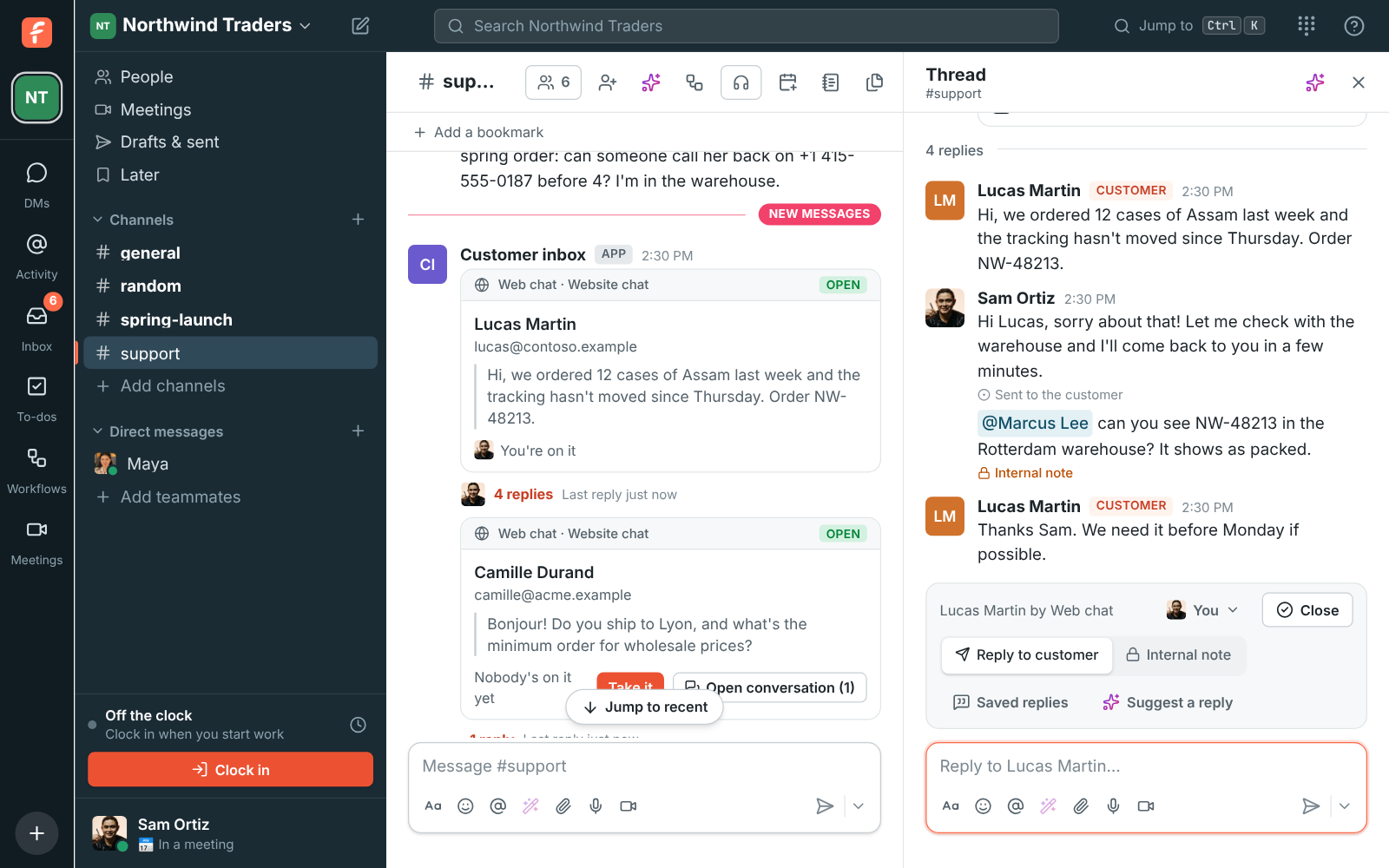
In the customer inbox, Suggest a reply writes a draft from the conversation and your team's saved replies, so it uses your shipping times and return policy instead of guessing. The draft goes in the box for you to read and change, and nothing reaches the customer until you send it.

A customer conversation in #support with the bar to hand off, close, use a saved reply or suggest one with AI

Plans and pricing

Writing help is included in every plan, including Free. Every plan has a monthly allowance of AI requests that grows with the plan; admins can turn any AI feature off.

  • FreeUp to 10 people
  • BusinessUp to 500 people
  • CorporateUp to 2,500 people
  • EnterpriseOver 2,500 people

Questions

Which plan includes this?
Every plan, including Free. Each summary, translation, rewrite or answer counts as one AI request from the workspace's monthly allowance, which grows with the plan; /pricing/limits/ lists them. Guests can't use AI features.
What can the AI see?
Only the message you're writing, or the to-do you're editing. It doesn't read the rest of the conversation for a rewrite, and the suggestion appears on your screen alone until you choose to use it.
Will it change my meaning?
You see the suggested version before anything changes, and Keep mine leaves your message as it was. Fix spelling and grammar keeps your words and only fixes the mistakes.
Does it work in my language?
Yes. Writing help answers in the language you wrote in, and Freesbe itself can be used in 25 languages.

Try all of it free with up to 10 people.

No card, no time limit. Invite your team and see what sticks.