Freesbe
All plans

Drafted from the conversation and your saved replies.

In the customer inbox, every customer gets a thread in a channel, from web chat, email, texts, WhatsApp or Telegram. Suggest a reply writes a draft from that conversation and your team's saved replies, so it uses your policies instead of guessing. The draft goes in the box to read and change; nothing is sent until you send it.

  • A first draft is ready in the box before you've finished reading the question.
  • It follows your saved replies, so shipping times and return rules come out the way you wrote them.
  • You read and change every draft; the customer only ever gets what you send.
  • It works the same for web chat, email, texts, WhatsApp and Telegram.

For Support teams answering the same questions across chat, email and messaging apps.

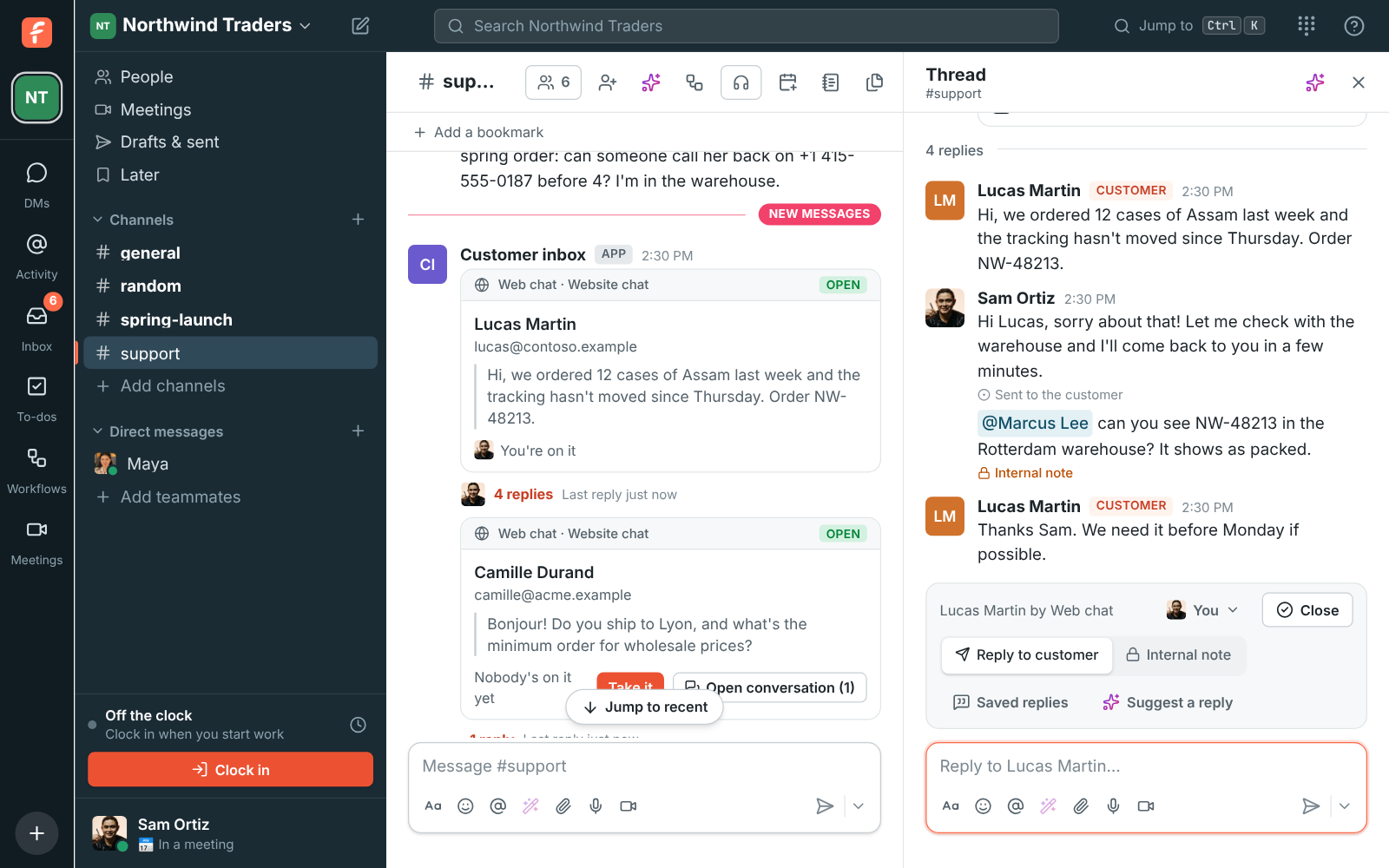
#support with a customer's web chat conversation: Sam's reply, an internal note for Marcus and the bar to hand off, close, use a saved reply or suggest one with AI

Suggest a reply, then make it yours

When a customer writes, a card lands in the channel with their name and the inbox they used, and their messages collect in its thread. The bar over the message box offers Reply to customer, Internal note, Saved replies and Suggest a reply. Suggest a reply writes a draft from the conversation and your saved replies and puts it in the box. Read it, change what you like, and send; nothing reaches the customer until then.
A customer thread in #support with Reply to customer, Internal note, Saved replies and Suggest a reply on the bar

Saved replies are its source of truth

Saved replies are the answers your team gives again and again: shipping times, opening hours, how returns work. Anyone on the team can add and change them, from the Inbox page or inside a conversation. Suggest a reply follows them, so they're also the place for your policies and facts: the AI uses them instead of guessing. Drop one into the box yourself with Saved replies, ready to change before you send.

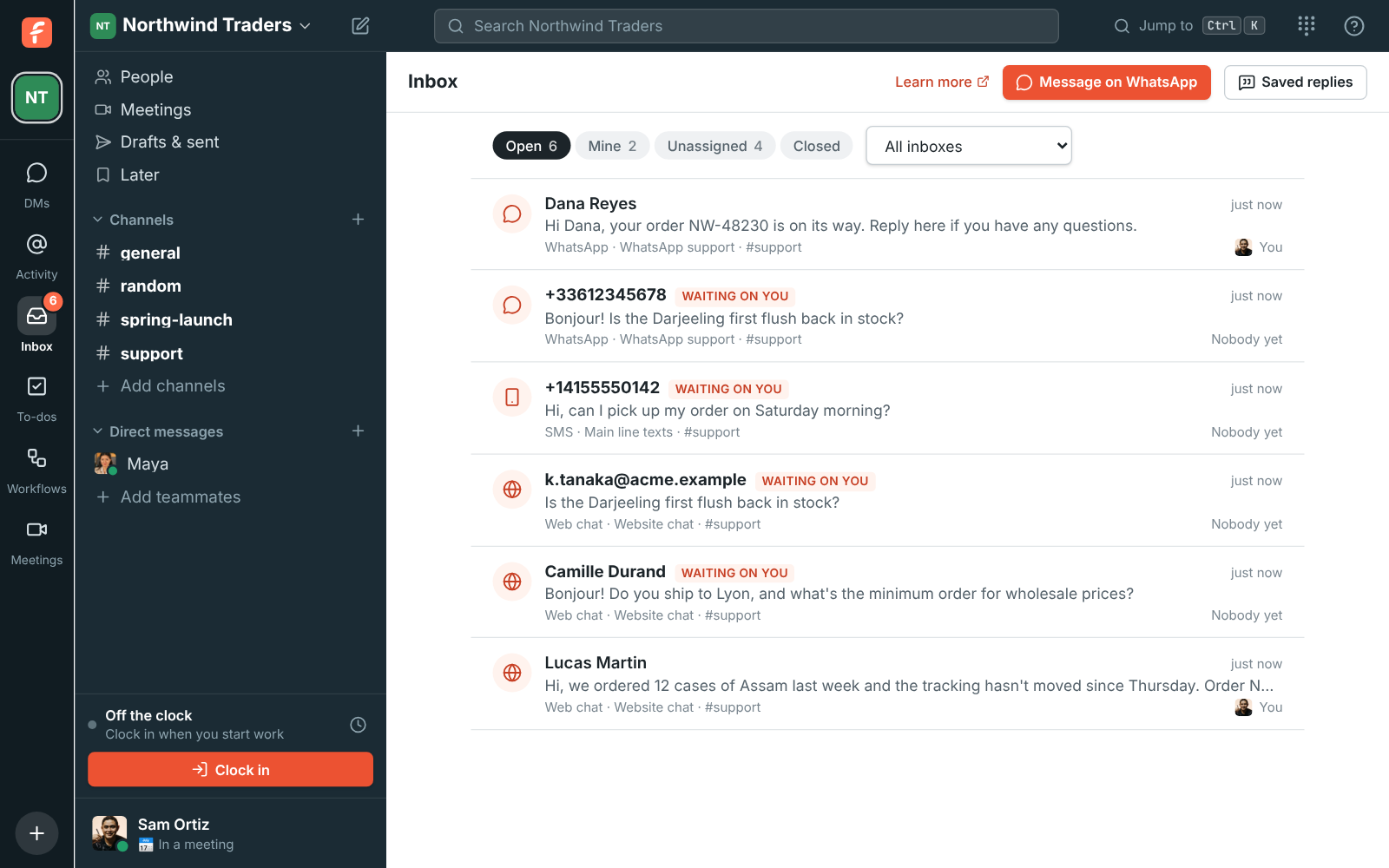
The Inbox page: open conversations with who's on each and which are waiting on a reply

See it on your own team's data.

Start free with up to 10 people and try it today, or book a 20-minute demo with the people who make Freesbe.

Talk it over first, in the same thread

An internal note stays between the team; the box turns amber so you can tell, and the customer never sees it. Mention a colleague with @ to bring them in. The name on the bar is who's on the conversation: take it yourself, hand it to anyone in the channel, or unassign it, and the thread notes each change. Close when you're done; if the customer writes again later, a new conversation starts in a new thread.

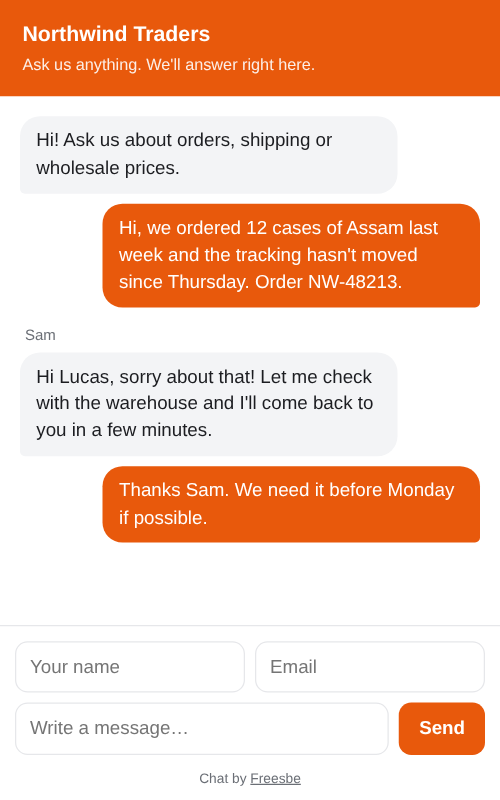
The web chat on a phone: Northwind Traders' greeting, a customer's question about an order and Sam's answer

Every message, logged for admins

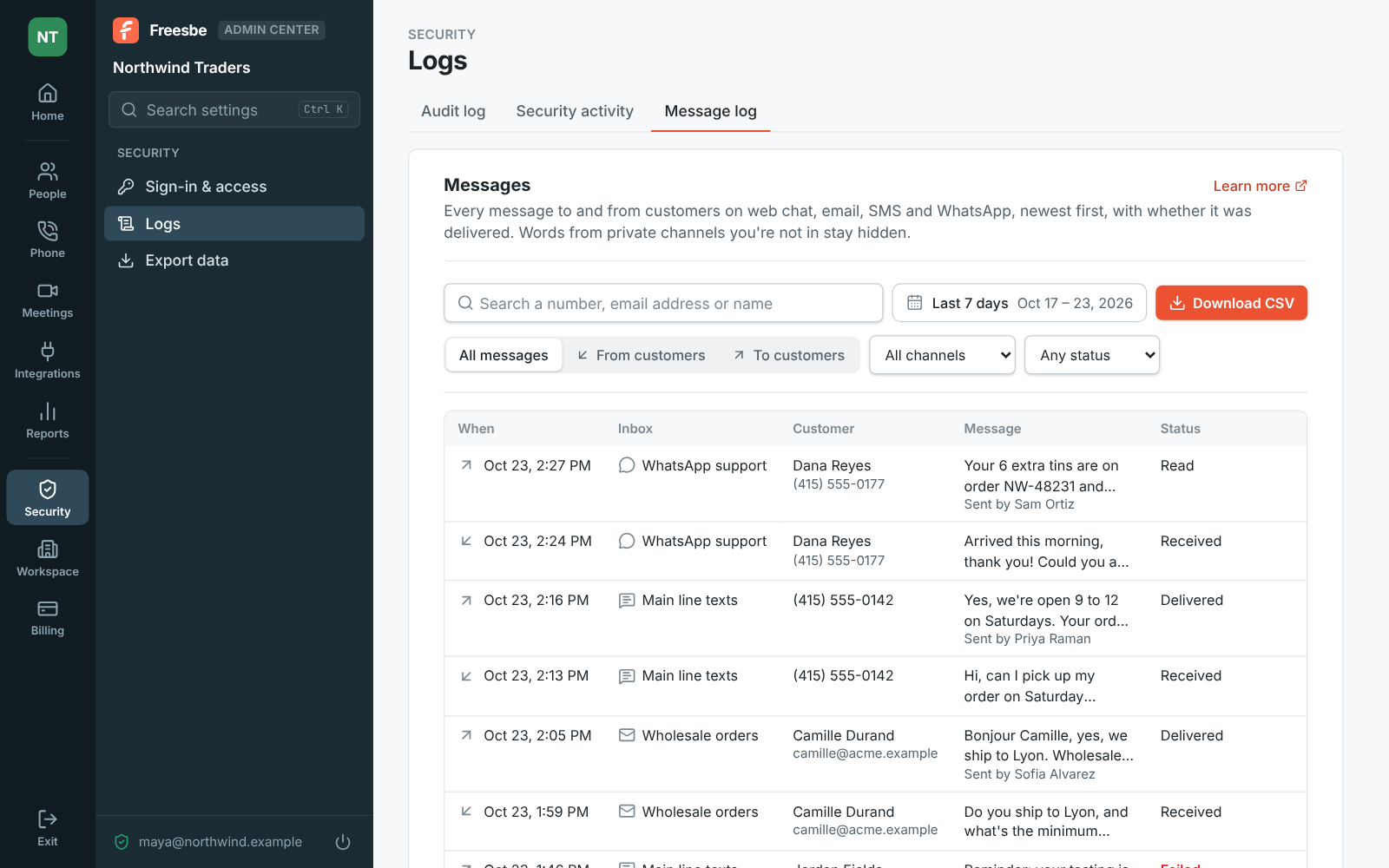
Admins see every message to and from customers in the Admin Center's message log: when it went, which inbox, the customer, who on the team sent it, and whether it was sent, delivered, read or failed, with the reason. Search a number, email address or name, pick dates, and narrow it to one channel. What the AI drafted and you sent is there like any other reply.

The Admin Center's message log: messages to and from customers with their inbox, sender and delivery status

Plans and pricing

Suggested answers in the inbox is included in every plan, including Free. Every plan has a monthly allowance of AI requests that grows with the plan; admins can turn any AI feature off.

  • FreeUp to 10 people
  • BusinessUp to 500 people
  • CorporateUp to 2,500 people
  • EnterpriseOver 2,500 people

Questions

Which plan includes this?
Every plan, including Free. Suggest a reply shows when AI is on for your workspace, like summaries and translations, and each draft counts as one AI request from the monthly allowance, which grows with the plan.
What can the AI see?
The customer's conversation you have open and your team's saved replies. It's drafting for you, in a channel you can already read, and the draft appears in your box alone until you send it.
Can it send a reply on its own?
No. The draft goes in the message box for you to read and change. Nothing is sent to the customer until you send it.
Does it work for email and WhatsApp as well as web chat?
Yes. Every customer conversation in the inbox is a thread in a channel, whichever way they wrote, and the same bar with Suggest a reply sits over the message box.

Try all of it free with up to 10 people.

No card, no time limit. Invite your team and see what sticks.