Freesbe
Phone system add-on

Texts to your business number, answered in a channel.

Put one of your Freesbe phone numbers in the customer inbox and texts to it land in a channel, one thread per customer. Replies are texted back from the same number, and under each one you see whether it was sent, delivered or failed. It starts in test mode, so your team can practise before a customer gets a text.

  • Answer texts to your main line from the channel, not from whoever holds the phone.
  • See for each reply whether it was sent, delivered or failed, with the reason.
  • Respect STOP and START automatically, with the thread saying so.
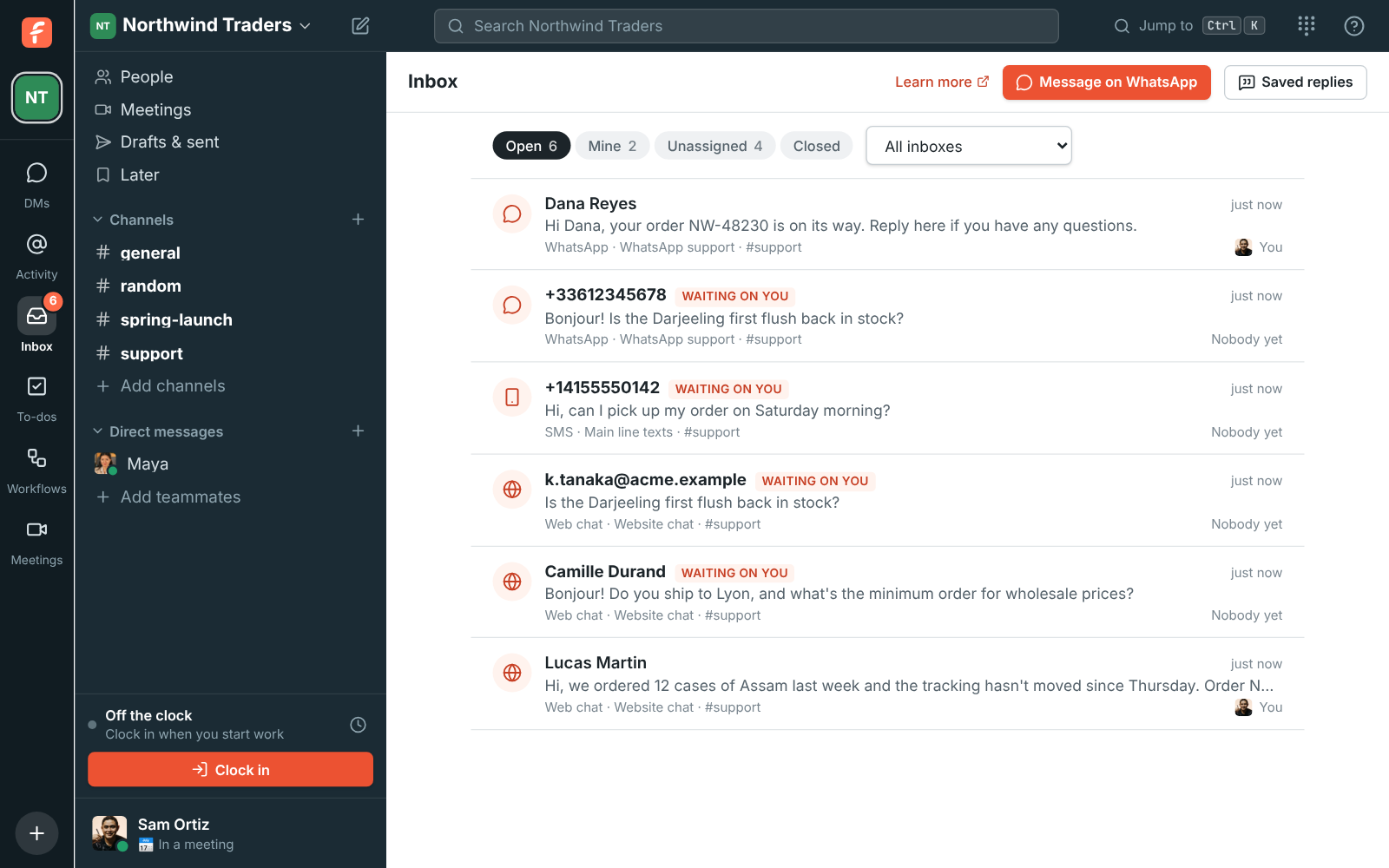
  • Keep texts beside your web chat, email and WhatsApp conversations on the one Inbox page.

For Businesses whose customers text the number on the door or the website.

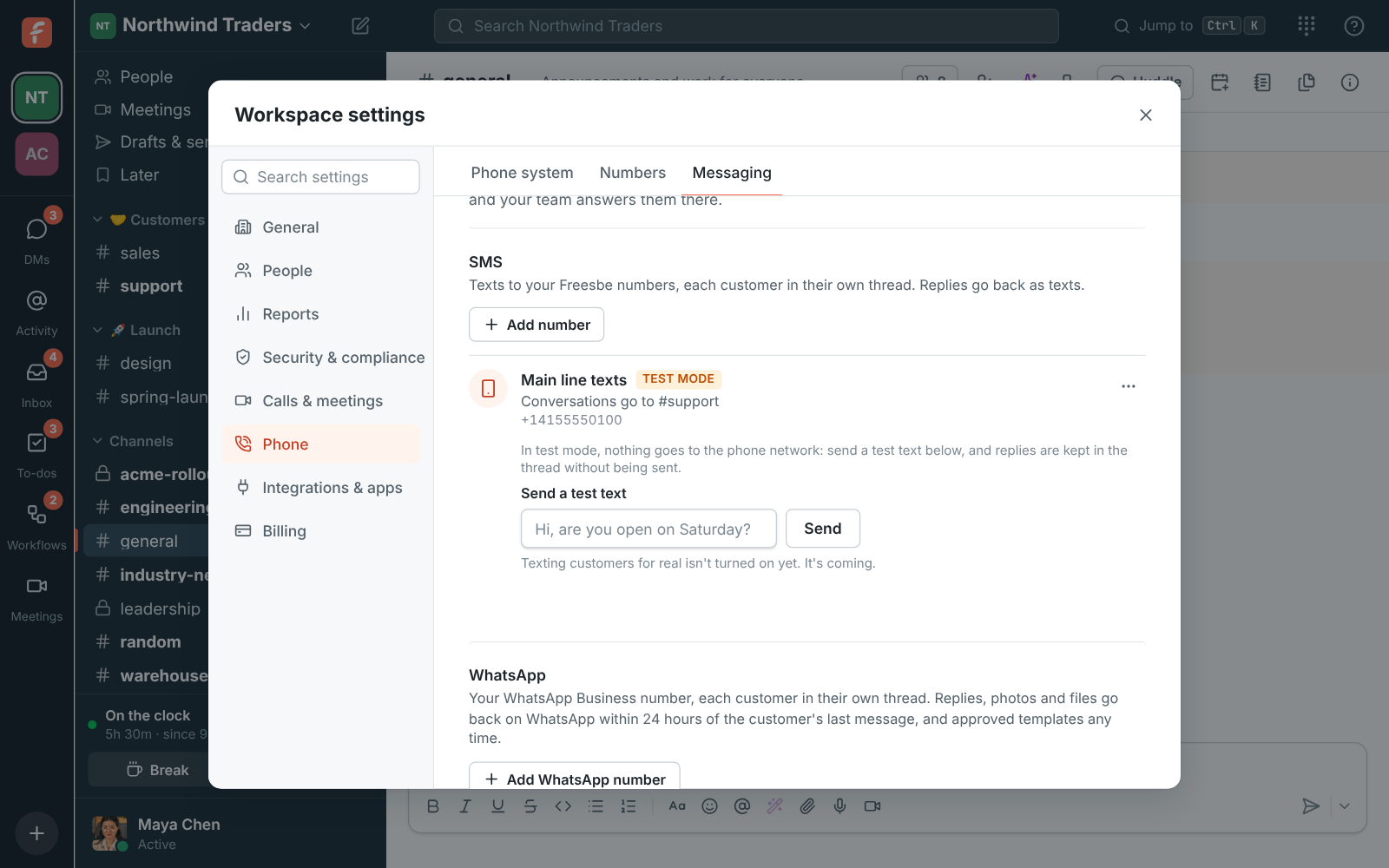
Admin Center, Phone, Messaging: the Main line texts inbox in test mode, going to #support, with Send a test text

One thread per customer, replies from your number

In the Admin Center, under Phone, Numbers, Messaging, add a number: a name, the channel texts go to, and which of your numbers customers text. From then on, a customer's texts land in that channel in their own thread, and replies in the thread are texted back from the same number. The same hand-off, internal notes, saved replies and suggested drafts work here as in every other inbox.
The Main line texts inbox in the Admin Center, going to #support

Practise in test mode first

A texting inbox starts in test mode, where nothing goes to or comes from the phone network. Type a message under Send a test text and it lands in the channel from a made-up number, like a customer's text would. Reply in the thread as usual; the reply is kept and marked Test mode: not sent. Your team learns how a conversation feels before anyone outside gets a message. Go live when you're ready, and go back to test mode any time.

The Inbox page with open conversations, including a texting conversation waiting on a reply

See it on your own team's data.

Start free with up to 10 people and try it today, or book a 20-minute demo with the people who make Freesbe.

Delivery you can see, opt-outs handled for you

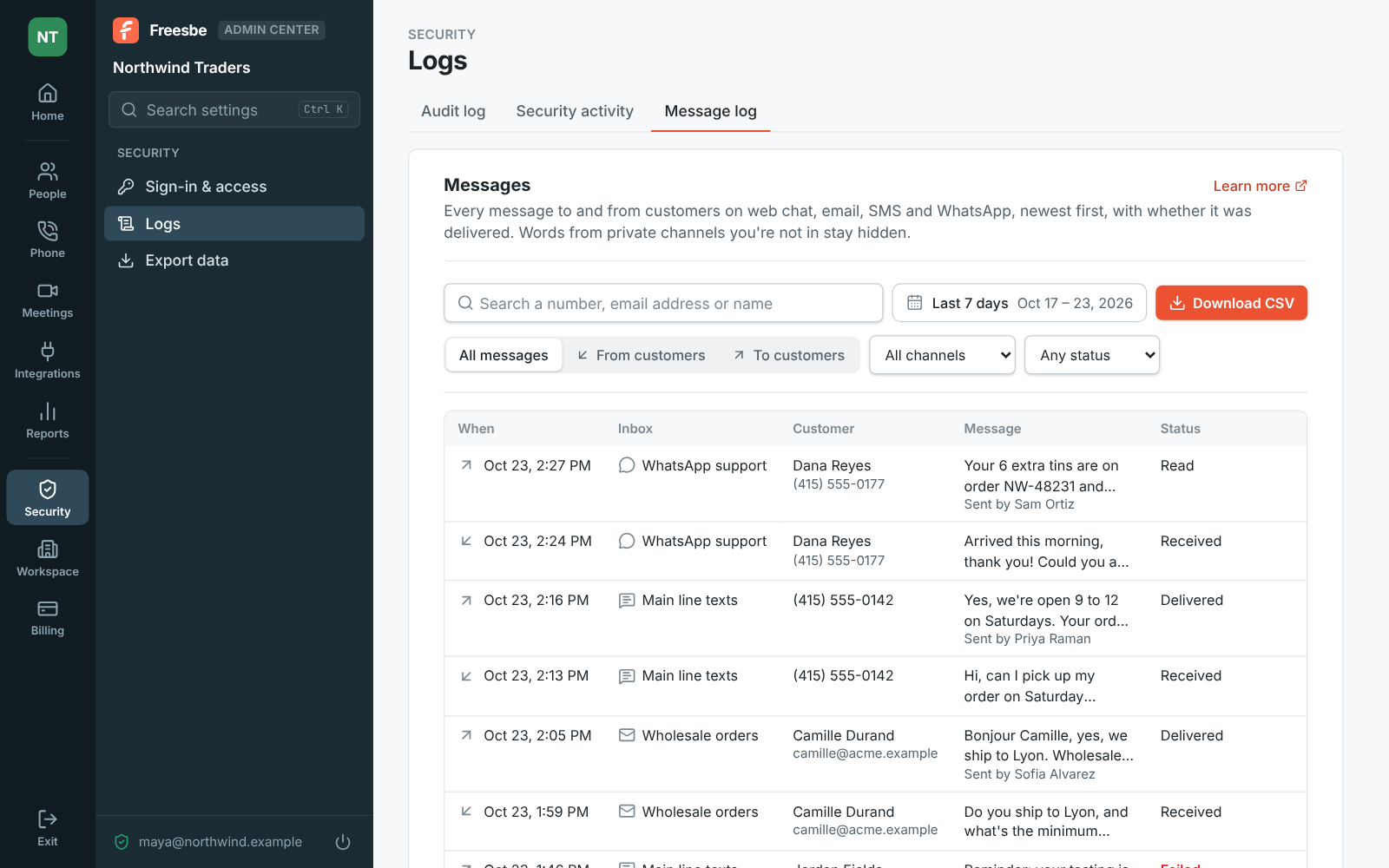
Live, each reply shows Sent, Delivered or Failed, with the reason when it failed, so nobody wonders whether the customer got it. A customer who texts STOP doesn't get texts from the number any more, and the thread says so; START turns them back on. Admins see every text to and from customers in the Admin Center's Message log, with search, date ranges, a filter for failed messages and a CSV download.

  • Pictures sent with a text are mentioned in the thread, though not shown yet
  • Each number can be in one texting inbox and one WhatsApp inbox
The Admin Center's Message log with messages on web chat, email, SMS and WhatsApp, and one that failed

Plans and pricing

Texts to your numbers comes with the Phone system add-on, on any paid plan. It costs $8 per person a month, billed yearly ($10 month to month). The add-on isn't on sale yet; talk to us to be first.

  • BusinessUp to 500 people
  • CorporateUp to 2,500 people
  • EnterpriseOver 2,500 people
  • Phone system add-on$8 per person a month, billed yearly ($10 month to month)

Questions

Which plan includes this?
Texts need the Phone system add-on on any paid plan, because the number has to be one of your workspace's own Freesbe numbers. See pricing for the add-on.
Why does my number stay in test mode?
Texting for real is opening up gradually; until it's on for your workspace, the number stays in test mode and says it's coming. In the US, a number also needs its business texting registration (A2P 10DLC) done before it can text customers.
Can customers send pictures?
Pictures sent with a text are mentioned in the thread but not shown yet.
Can we stop texting for real?
Yes. Open the number's menu and choose Back to test mode. Conversations already in the channel stay.

Try all of it free with up to 10 people.

No card, no time limit. Invite your team and see what sticks.