Freesbe
Phone system add-on

Your work number, in your pocket.

With a phone system from Freesbe, the app's Meetings tab becomes Calls: a keypad, your recent calls from every device, voicemail you can read, and your colleagues and phone contacts. A call to your number rings on your phone and your computer together, and you answer on either. On Android, Freesbe can be a calling account like a second SIM.

  • Call customers from your work number, so your personal one stays private.
  • Answer wherever you are: your phone rings with your computer.
  • See who's calling from your own contacts, with their picture, without sending them anywhere.
  • Read a voicemail on the train and call back with a tap.
  • On Android, call through Freesbe from the phone's own dialer and see calls on the lock screen.

For Field teams, sales reps and owners who take business calls away from a desk.

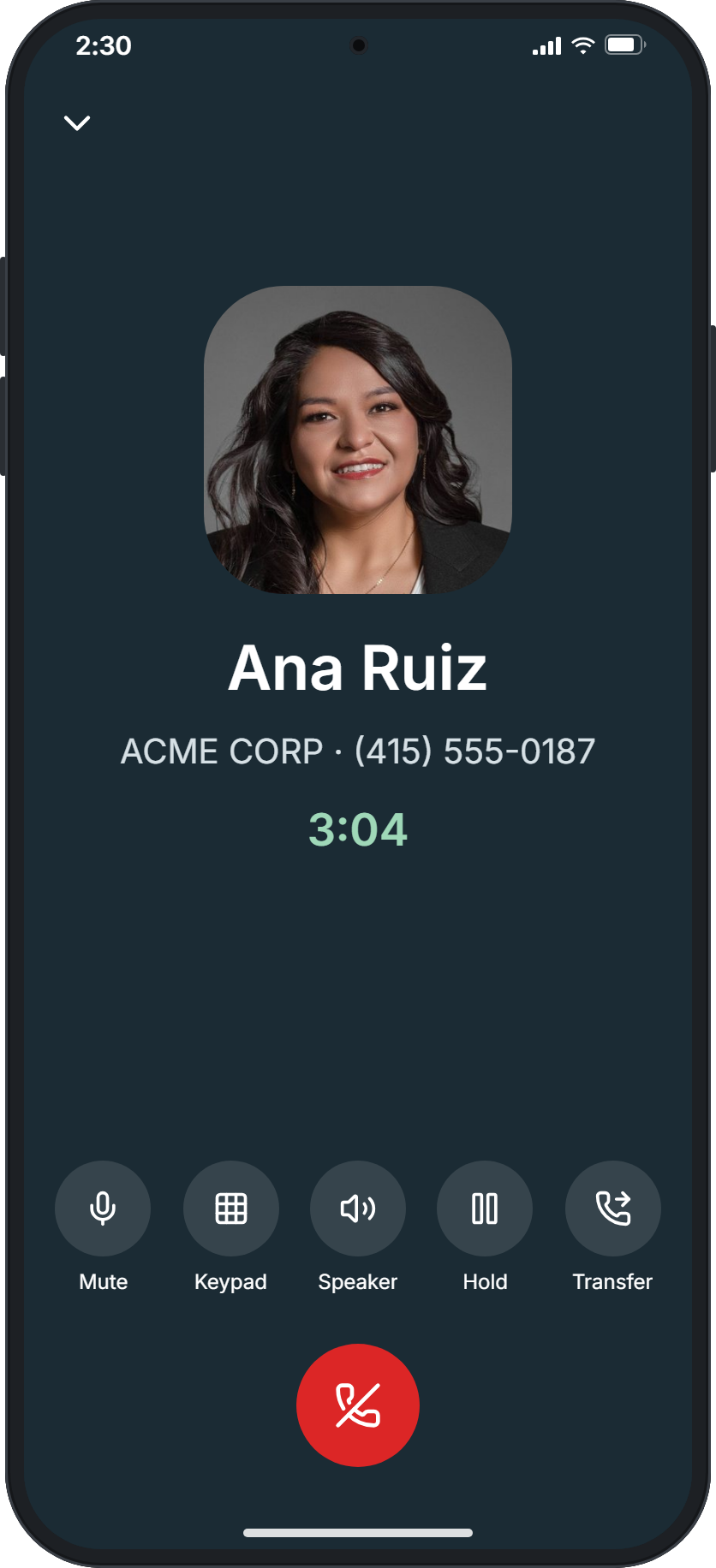
On a call with Ana Ruiz for three minutes, with Mute, Keypad, Speaker, Hold, Transfer and End call

A keypad that knows who you're calling

Type a number or a colleague's extension and tap the green button. The keys fill the screen like your phone's own dialer, and under the number it says who it is when it's a colleague or one of your contacts. Numbers are formatted as you type, the way your country writes them; start with + for a number abroad and it's written the international way with the country's flag. When the phone is offline, it reconnects by itself every few seconds.
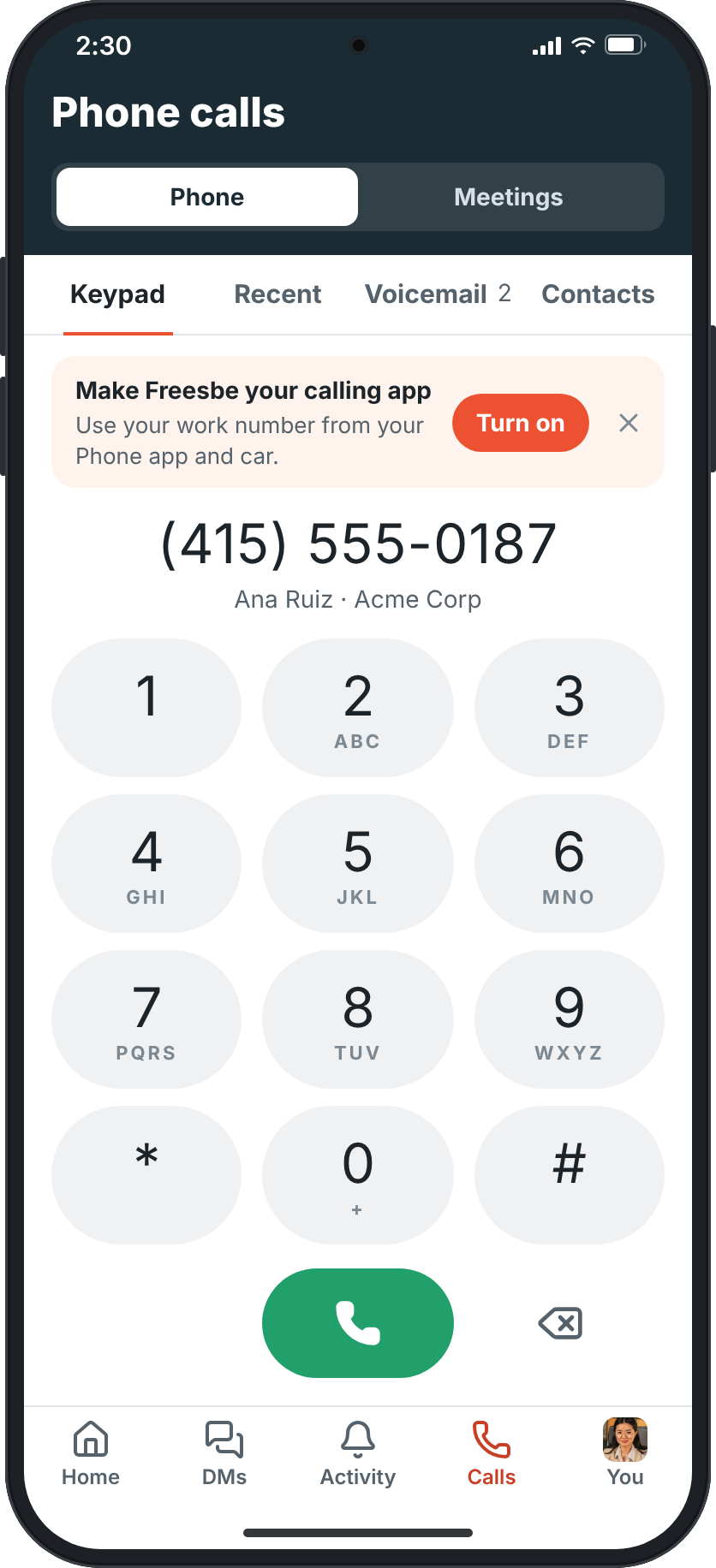
The Phone calls screen on a phone: the keypad with (415) 555-0187 typed, which is Ana Ruiz from Acme Corp

Take a call, on either device

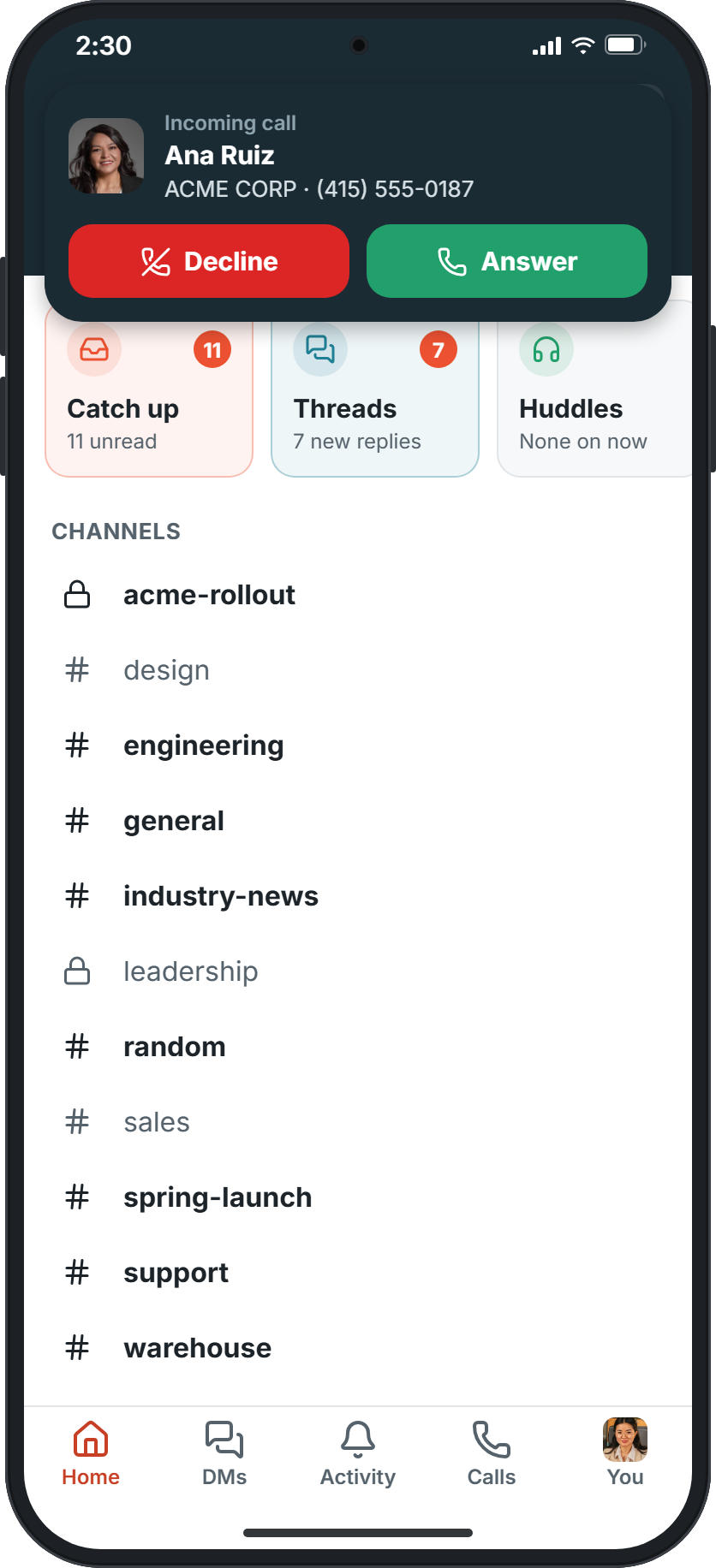
A call rings with your ringtone and shows who's calling: the name and picture from your contacts, or the caller ID and the number. In the app, a card at the top has Decline and Answer; with the phone locked, the call fills the screen. Your phone signs in as a phone of its own, so a call to your number or extension rings on your phone and your computer together. A missed call gets a notification that opens Recent.

Home with an incoming call card: Incoming call, Ana Ruiz, then the caller ID ACME CORP and (415) 555-0187, with Decline and Answer

See it on your own team's data.

Start free with up to 10 people and try it today, or book a 20-minute demo with the people who make Freesbe.

Hold, transfer, speaker

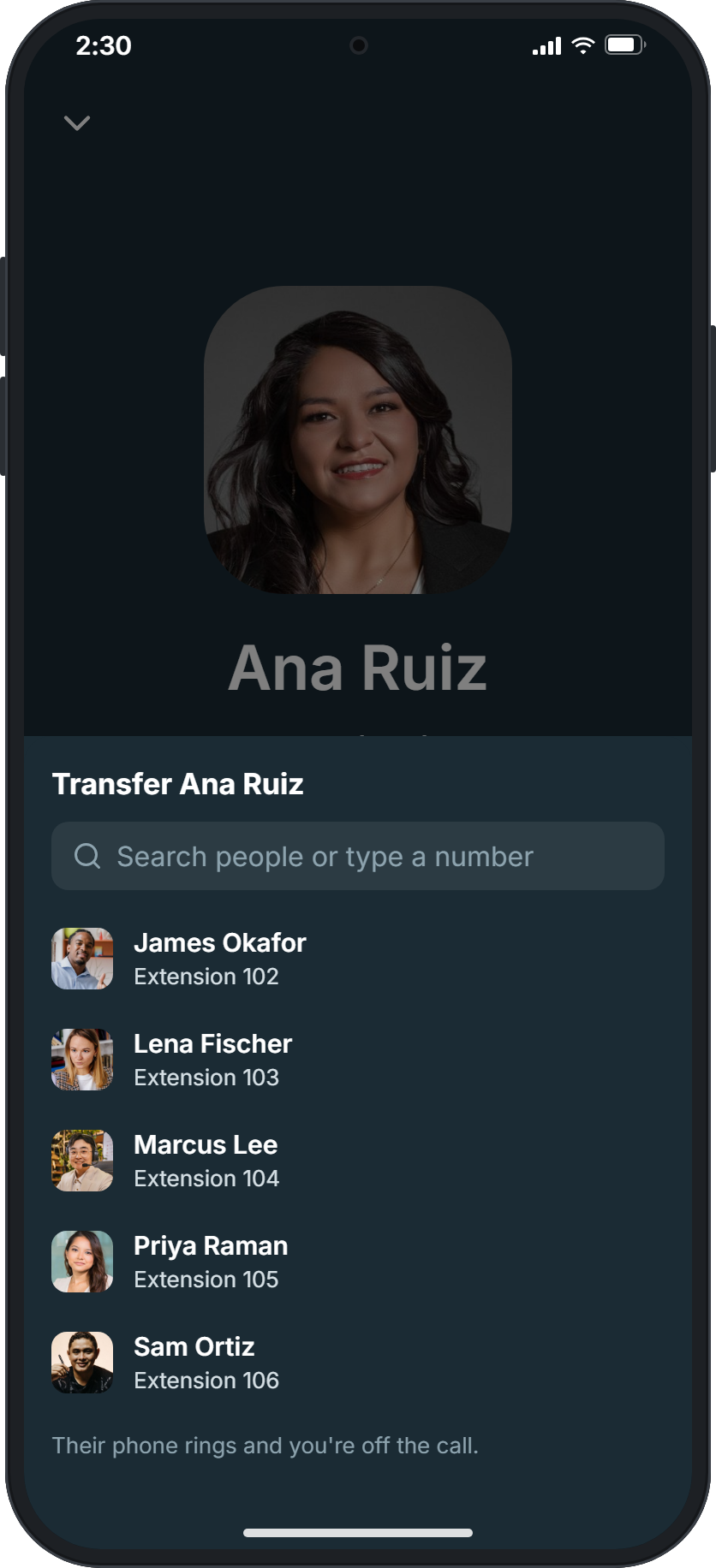
The call screen shows who you're talking to and for how long, with Mute, a Keypad for menus that say press 1, the speaker or a Bluetooth headset, Hold, Transfer and the red button to hang up. Tap the arrow at the top to go back to the app while you talk; a green bar takes you back. Transfer passes the call to a colleague, a contact or a number you type: their phone rings and you're off the call.

Transfer Ana Ruiz: a search box, then colleagues with their extensions

Recent, voicemail and contacts

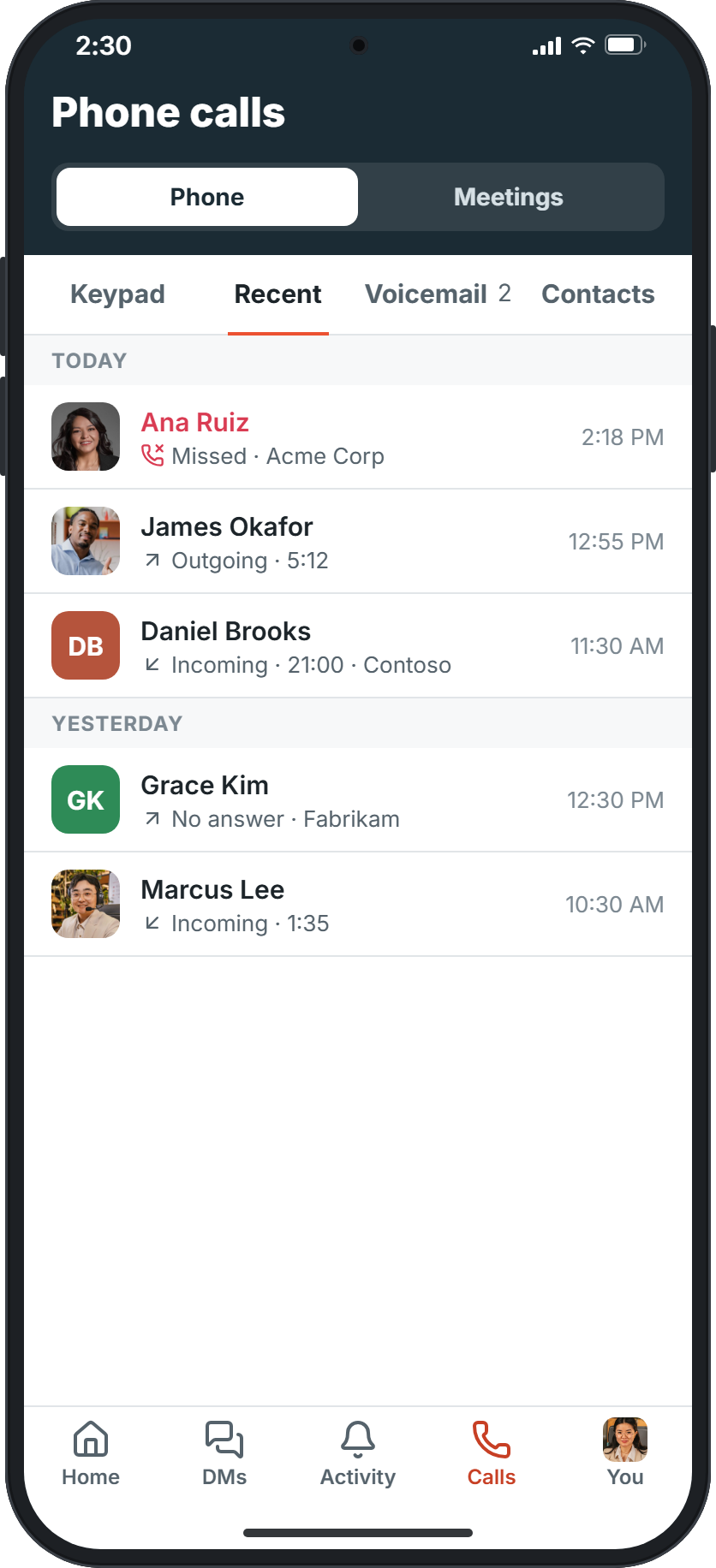
Recent lists your calls from the last 30 days from every device, by day, with missed calls in red; a call is there the moment you hang up. Voicemail lists your messages with what the caller said written out and a player, and playing one marks it heard everywhere. Contacts shows colleagues with their extensions and the contacts saved on your phone: tap Use my contacts once, and Freesbe searches them, names who's calling and shows their picture, without sending them anywhere.

Recent calls by day: a missed call from Ana Ruiz, a call to James Okafor and calls with customers

Ready for calls, and a calling account on Android

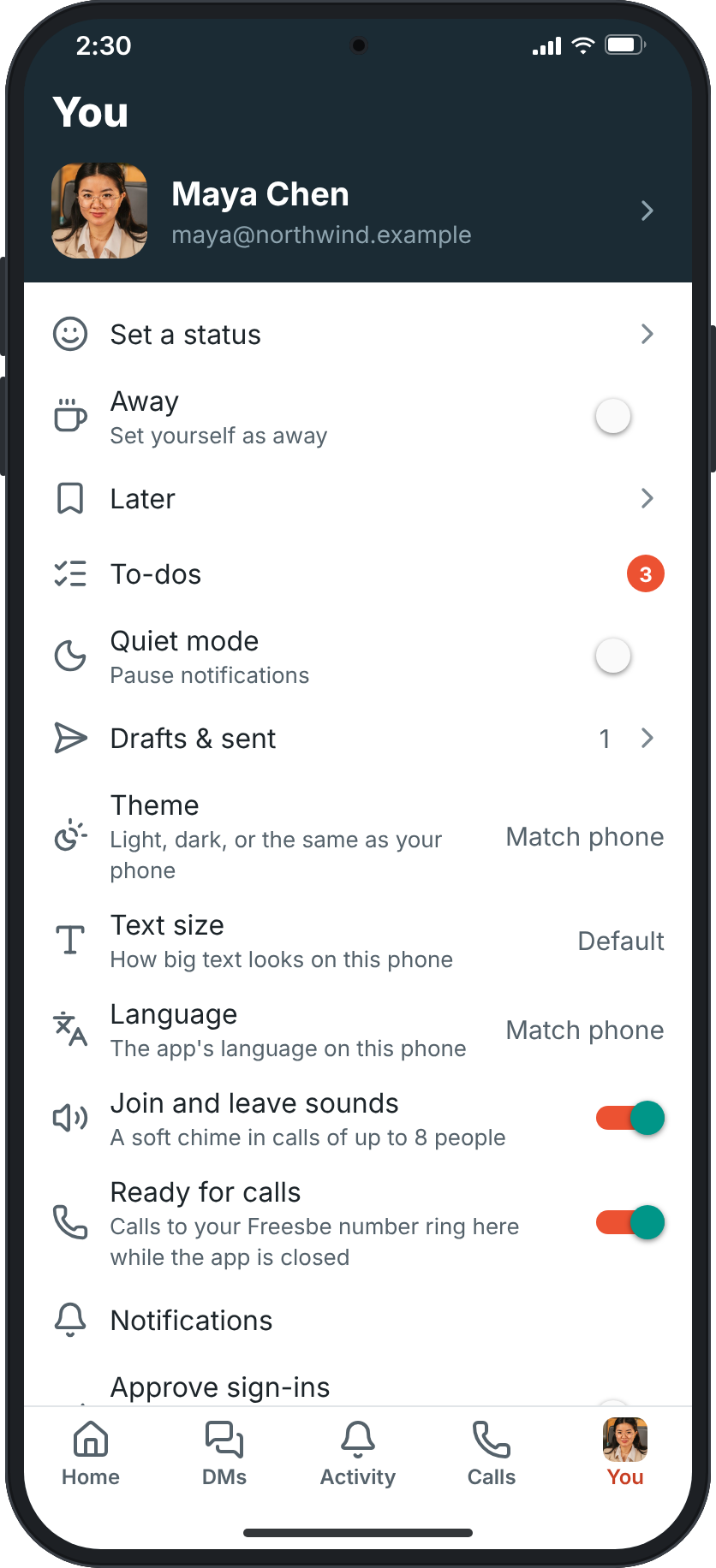
Ready for calls keeps Freesbe signed in to the phone while the app is in the background, so calls ring even when you aren't using it. On Android, turn Freesbe on as a calling account, like a second SIM: your phone's own Phone app and Contacts can call through Freesbe, incoming calls show on the lock screen like any call, and Freesbe calls go in your phone's call history. Freesbe doesn't need to be open for it.

You, with Ready for calls switched on: calls to your Freesbe number ring here while the app is closed

Plans and pricing

Phone calls on your mobile comes with the Phone system add-on, on any paid plan. It costs $8 per person a month, billed yearly ($10 month to month). The add-on isn't on sale yet; talk to us to be first.

  • BusinessUp to 500 people
  • CorporateUp to 2,500 people
  • EnterpriseOver 2,500 people
  • Phone system add-on$8 per person a month, billed yearly ($10 month to month)

Questions

Which plan includes this?
Phone calls in the mobile app are part of the Phone system add-on, on top of any paid plan. The Freesbe app for iPhone and Android is free.
Does it ring when the app is closed?
On Android, with Ready for calls on, calls ring while the app is in the background. On iPhone, calls ring while Freesbe is open; ringing when it's closed is coming next. Your computer still rings either way.
Do my contacts leave my phone?
No. Freesbe searches them on the phone, names who's calling and shows their picture, and never sends them anywhere.
Which number do customers see?
Your workspace's number, so your personal mobile number stays private. Phone numbers on a profile call from Freesbe with your work number too.

Try all of it free with up to 10 people.

No card, no time limit. Invite your team and see what sticks.