Freesbe
All plans

Walk out the door and keep talking.

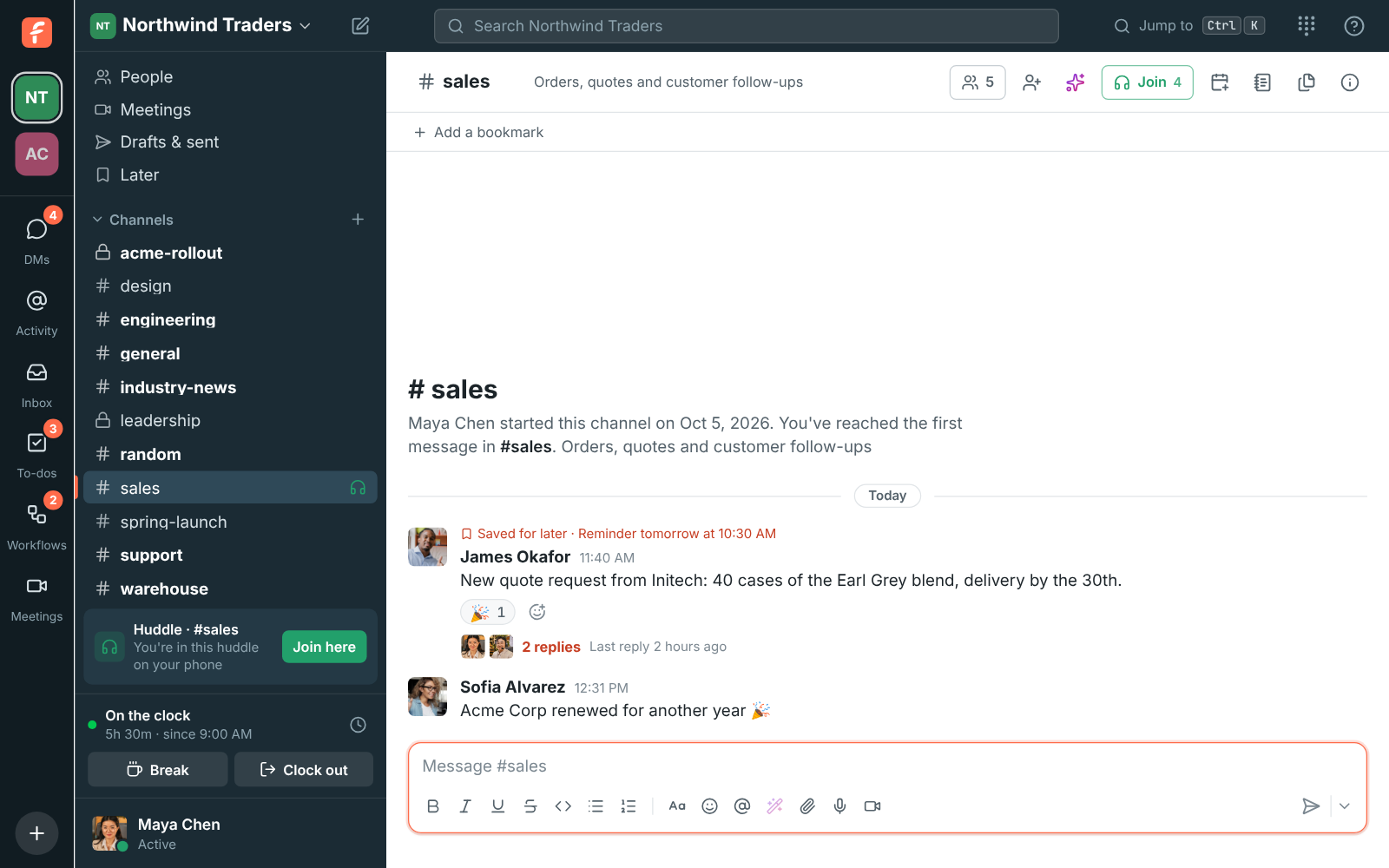
Started a huddle on your phone and sat down at your computer? The sidebar says you're in this huddle on your phone, with Join here. Click it and the call moves over: the others keep hearing you, and your phone hangs up on its own. It works in any direction between the desktop app, a browser and the phone app.

  • Take the call with you to the car, the kitchen or the next meeting room.
  • Nobody notices: the others keep hearing you, and the device you left hangs up by itself.
  • Never end up in a call twice: joining from a second device always moves it.
  • Bring it back the same way when you're at your desk again.

For People who move between a desk, meeting rooms and the road during the day.

The sidebar of the desktop app showing Huddle in #sales, You're in this huddle on your phone, with a Join here button

From your phone to your computer

Open Freesbe on your computer during a huddle you're in on your phone, and the sidebar shows the huddle with Join here. Click it and the call moves over without anyone noticing a drop. You're only ever in a huddle on one device at a time, so joining from a second device always moves the call rather than adding you twice.
The sidebar showing Huddle in #sales, You're in this huddle on your phone, with a Join here button

From your computer to your phone

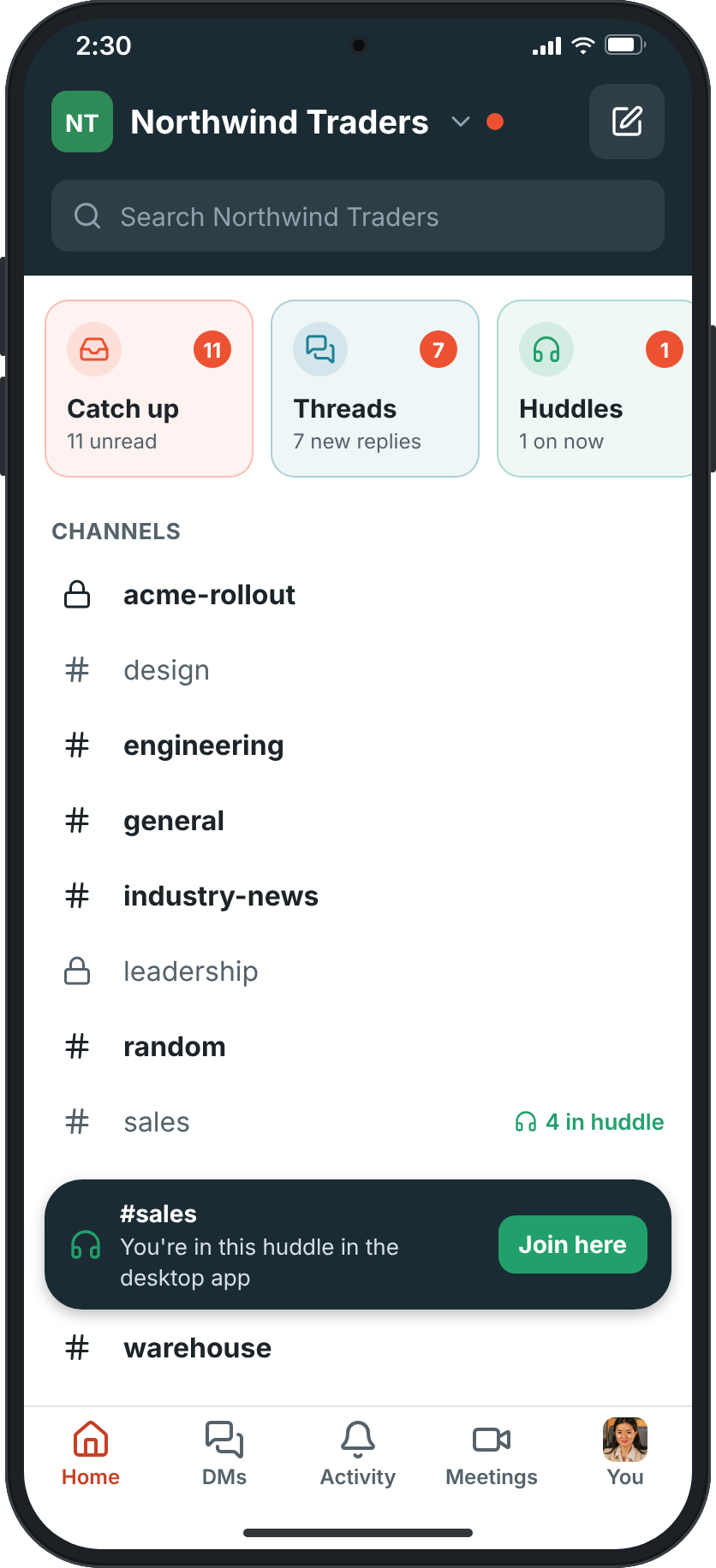
Need to leave your desk during a huddle or meeting? The phone app shows a bar at the top of Home: you're in this huddle in the desktop app, with Join here. Tap it and the call moves to your phone with no drop for the others. Meetings show the same Join here in the app's Meetings tab. To move back, use Join here on your computer.

The Home screen of the phone app with a bar for #sales: You're in this huddle in the desktop app, and a Join here button

See it on your own team's data.

Start free with up to 10 people and try it today, or book a 20-minute demo with the people who make Freesbe.

Meetings move too

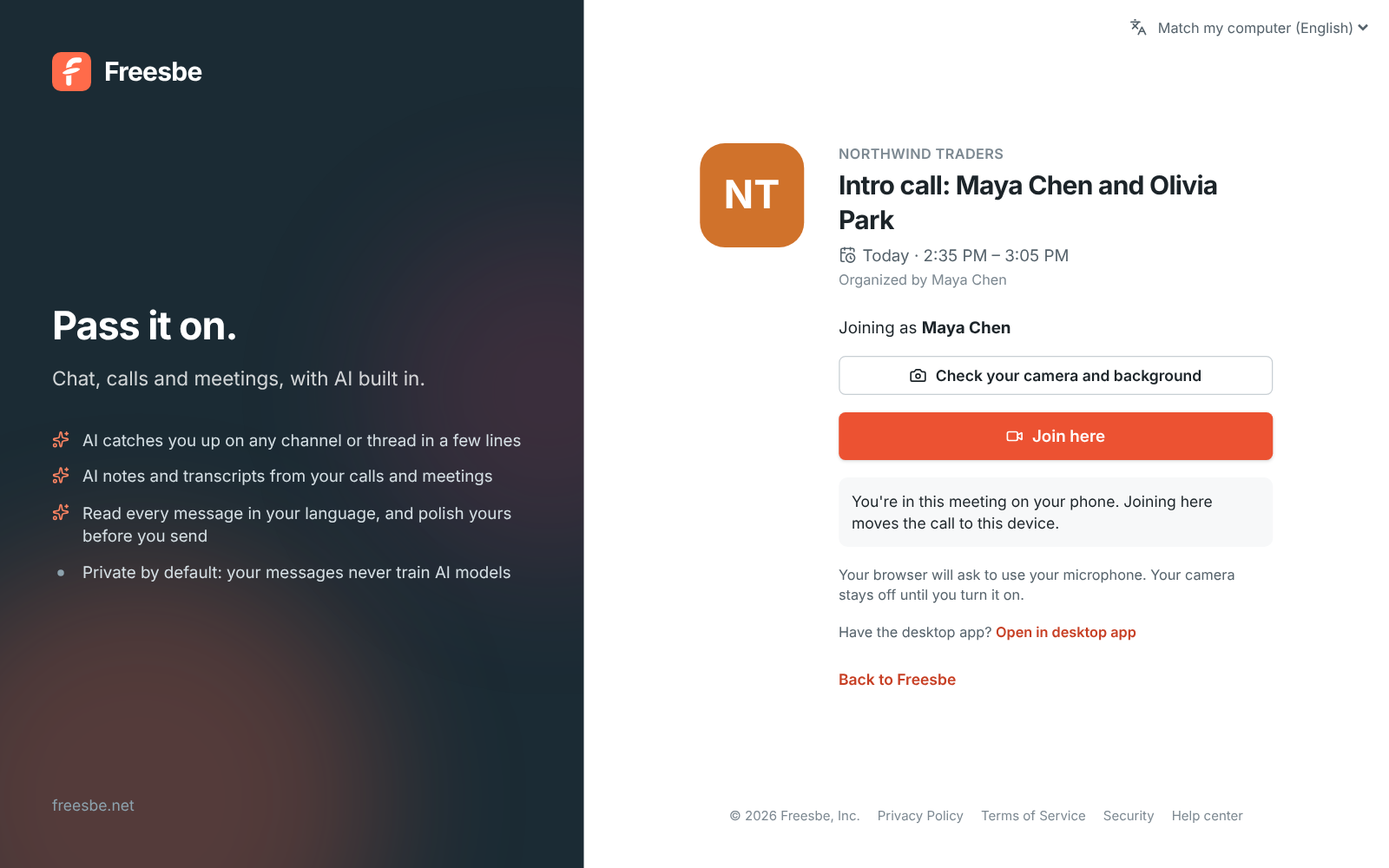
Open the meeting's link, or Meetings, on the other device: it says you're in this meeting on your phone, in the desktop app or in a browser, and the button reads Join here. Join and the call moves to this device, and the one you left shows that you moved the meeting, with a button to bring it back. The others see you in the call once, not twice. Moving works for people in the workspace who are signed in on both devices.

The meeting page for Intro call with Join here and You're in this meeting on your phone

Phone calls ring on both

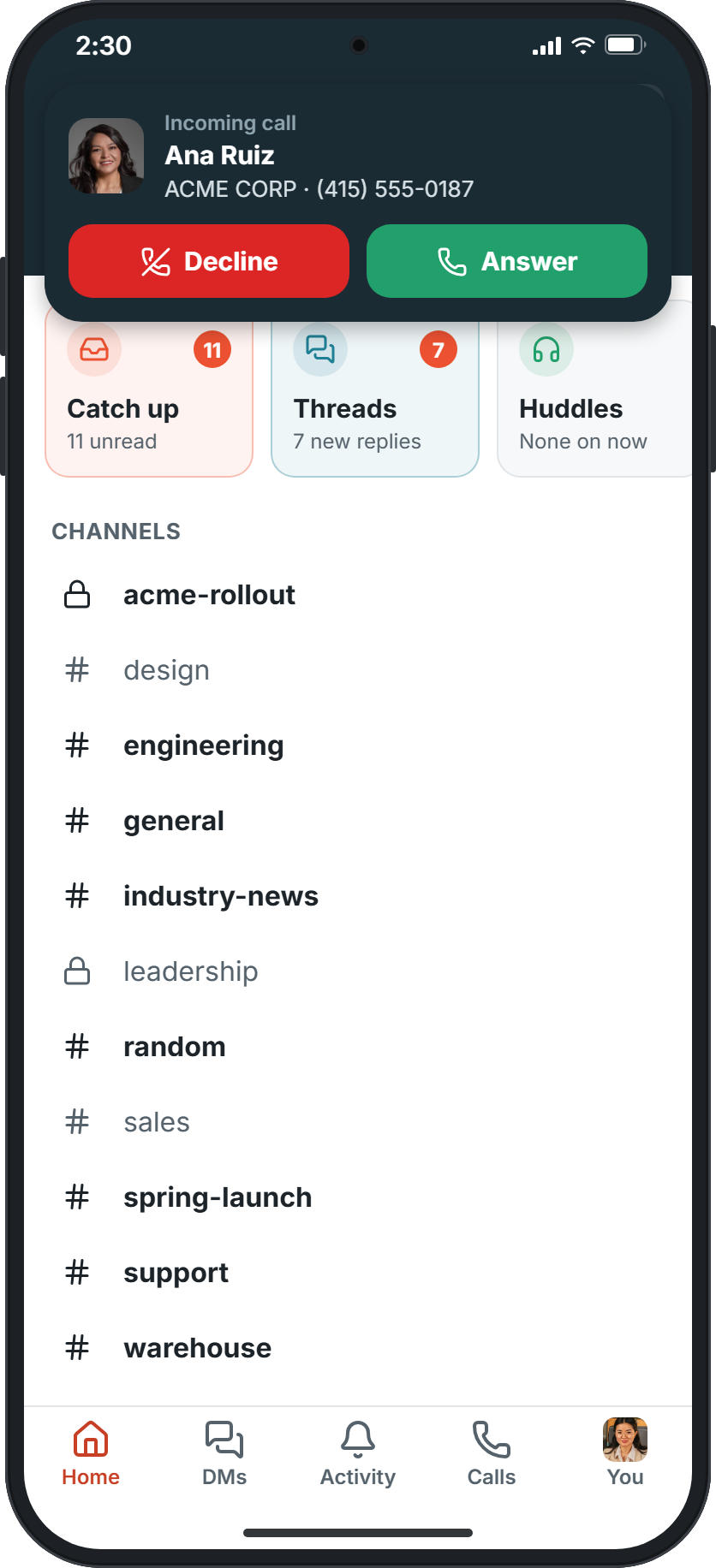
With a phone system from Freesbe, your phone signs in as a phone of its own, so a call to your number or extension rings on your phone and your computer together, and you answer on either. Follow-Me in Preferences decides the order: the device you're using first, everything at once, or one after another.

Home with an incoming call card: Ana Ruiz, the caller ID ACME CORP and her number, with Decline and Answer

Plans and pricing

Move a call to your phone or another device is included in every plan, including Free.

  • FreeUp to 10 people
  • BusinessUp to 500 people
  • CorporateUp to 2,500 people
  • EnterpriseOver 2,500 people

Questions

Which plan includes this?
Every plan, including Free, for huddles. Meetings come with Business, Corporate and Enterprise, and move the same way.
Do the others hear a drop?
No. The others keep hearing you, and the device you left hangs up on its own.
Which devices does it work between?
The desktop app, a browser and the Freesbe app for iPhone and Android, in any direction.
Can I be in the call on two devices at once?
No. You're only ever in a huddle on one device at a time, so joining from a second device moves the call.

Try all of it free with up to 10 people.

No card, no time limit. Invite your team and see what sticks.