Freesbe
All plans

A note to yourself that reaches your other pocket.

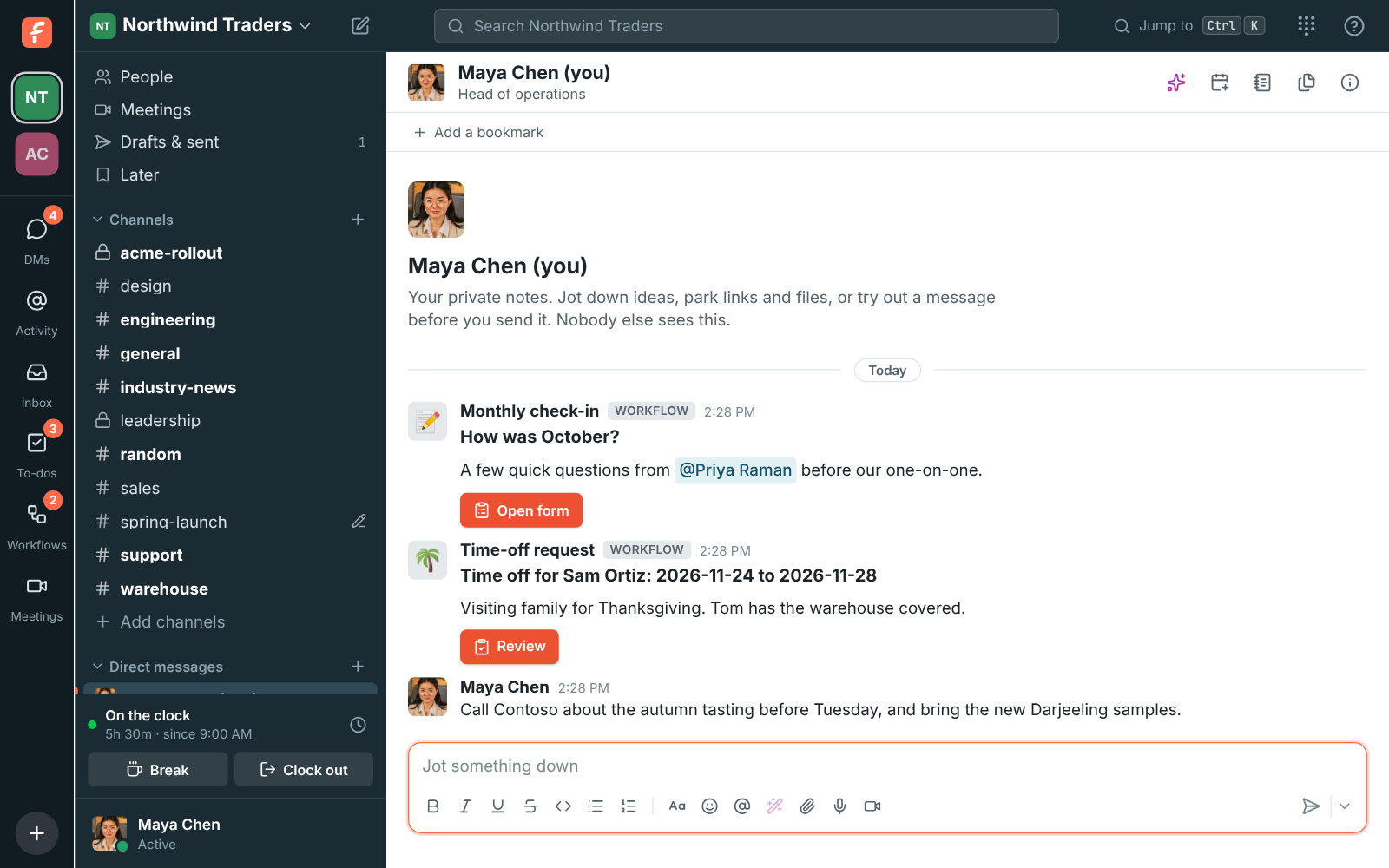
Your DM with yourself is a private place in Freesbe for notes, reminders, drafts and links to come back to. Nobody else can see it, admins included. A note you send yourself notifies your other devices, never the one you wrote it on, so a link typed at your desk is on your phone on the way out.

  • Send yourself an address at your desk and have it on your phone at the door.
  • Keep links, reminders and half-written messages somewhere that is not a channel.
  • Get messages from workflows and integrations in the same private place.
  • Open it from your profile, from People, or by typing your own name in Ctrl+K.

For Anyone who emails themselves links.

Maya's DM with herself, with a reminder to call Contoso about the autumn tasting

Private, on every device

Your notes are listed under Direct messages as your name with (you). Nobody else can see them. Messages from workflows and some integrations arrive there too, so what a workflow sends you lands where you will see it. There is no huddle button, since there is nobody to call. Like any DM, the notes are the same on your computer, in the desktop app and on your phone.
A DM with yourself, listed as your name with (you), holding a reminder

Open it from anywhere

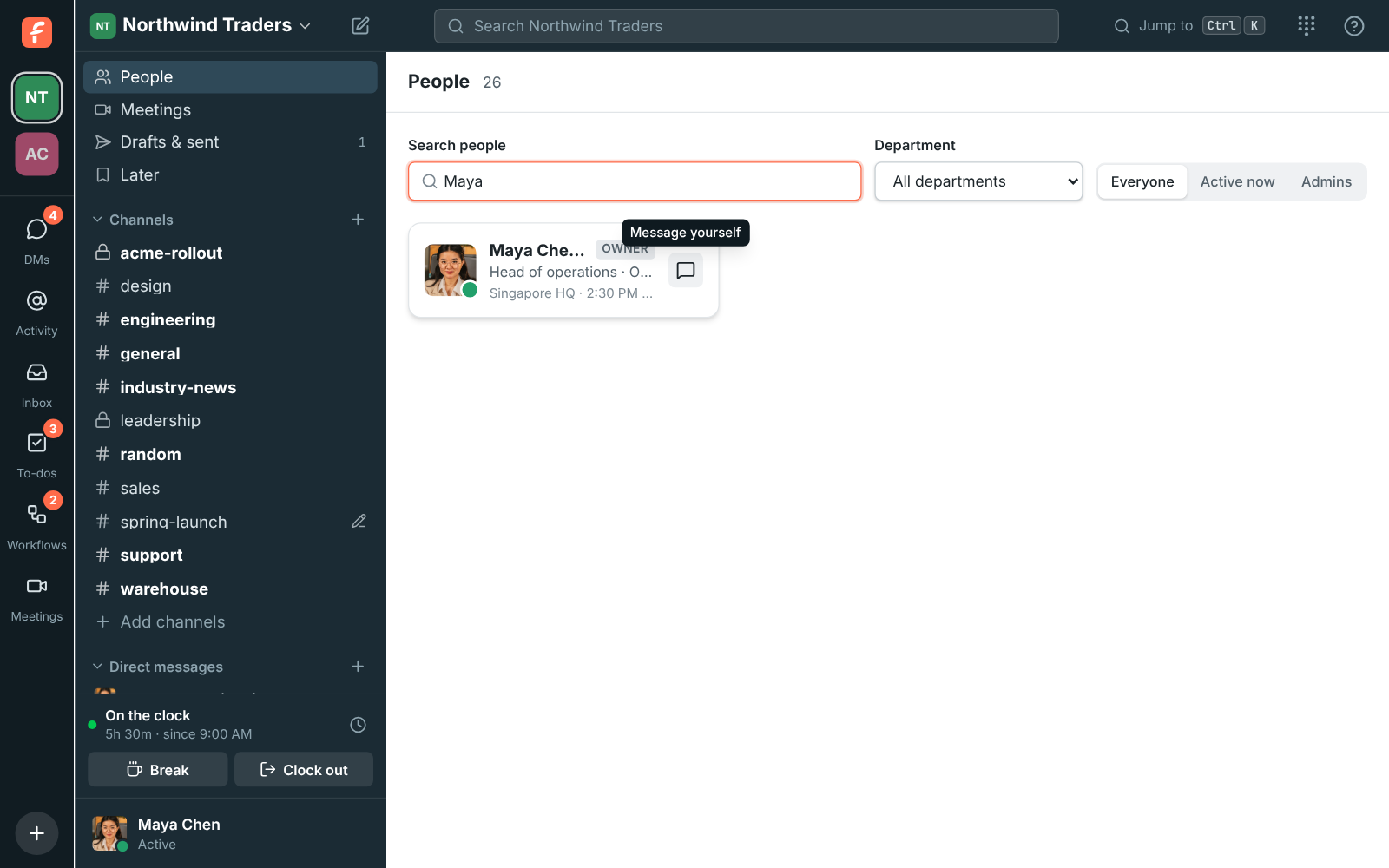
Click your name or picture and choose Message yourself on your profile. Right-click your name anywhere and pick it there. In People, click the message icon on your own row. Press Ctrl+K and type your name. Or click New message, pick only yourself and click Open my notes. On the phone, search for your name under DMs, where it shows (you), or tap Message on your own profile.

People filtered to Maya Chen, with Message yourself on her own tile

See it on your own team's data.

Start free with up to 10 people and try it today, or book a 20-minute demo with the people who make Freesbe.

Written here, waiting there

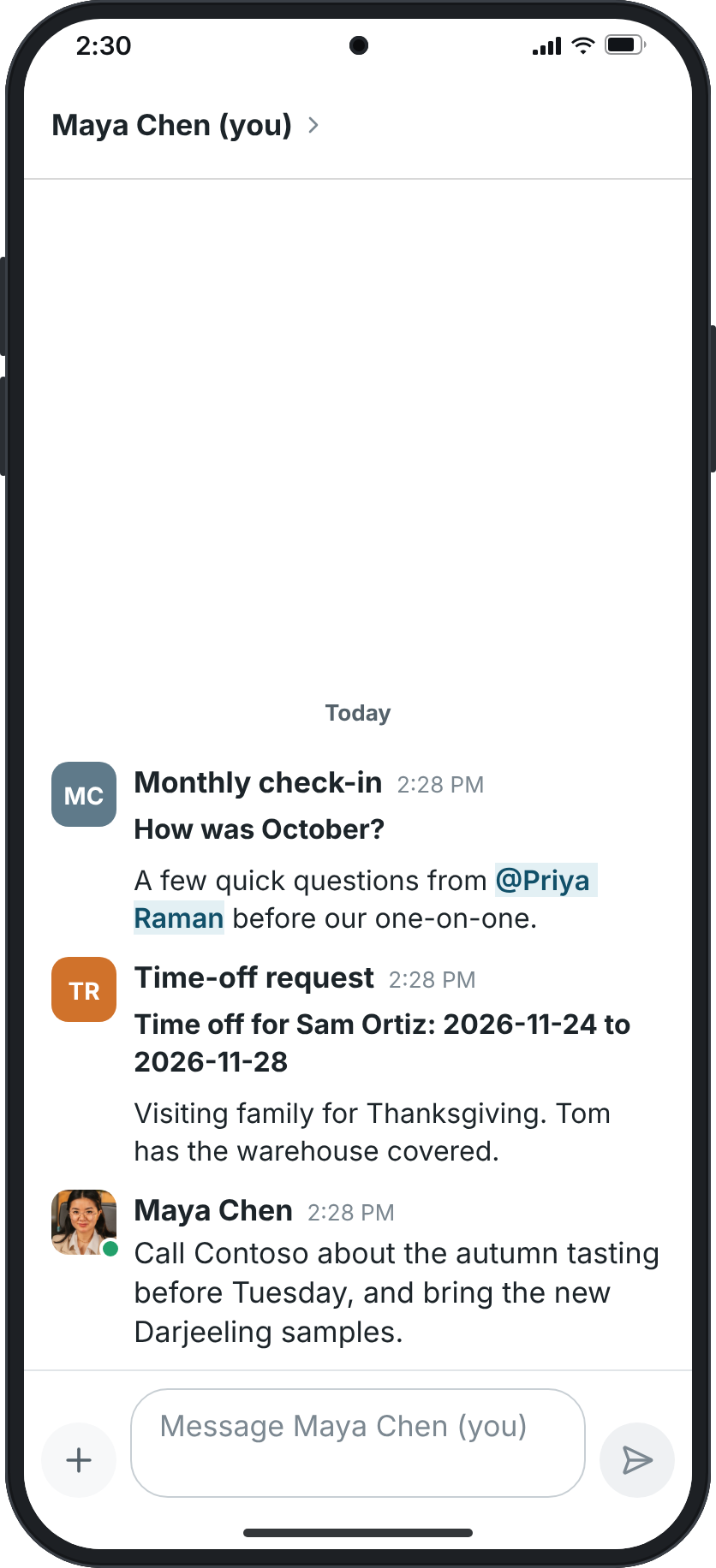
A note you send yourself notifies your other devices, such as your phone, but never the one you wrote it on. Type a link on your computer and your phone shows it, even while you are still at your computer, and the note stays on your phone until you open it there. Notes from workflows, scheduled messages and apps notify all of your devices. Pause notifications to keep them quiet, as with any DM.

Maya's own notes on a phone, with a reminder about Contoso and no huddle button

Plans and pricing

Notes to yourself is included in every plan, including Free.

  • FreeUp to 10 people
  • BusinessUp to 500 people
  • CorporateUp to 2,500 people
  • EnterpriseOver 2,500 people

Questions

Can admins read my notes?
No. Your DM with yourself is private to you; nobody else can see it.
Does a note notify the device I wrote it on?
No. It notifies your other devices, so your phone shows a note from your computer and your computer shows one from your phone. The device you wrote it on stays quiet.
Where is it on the phone?
Under DMs, search for your own name, which shows (you), or tap Message on your own profile. Your notes stay private there too.
Which plan includes this?
Every plan, including Free.

Try all of it free with up to 10 people.

No card, no time limit. Invite your team and see what sticks.