Freesbe
All plans

What everyone comes back to, and what you do.

Every Freesbe channel and DM has a strip under its name for pinned messages and bookmarked links, shared by everyone in it. Later is your own list: click the bookmark on any message to keep it, or ask for a reminder at the time you pick and it comes back with a notification on your computer or phone.

  • Keep the price list and the launch plan one click from the top of the channel.
  • Pin the message newcomers always ask for, so nobody repeats it.
  • Save a message to deal with later, and mark it done when you have.
  • Get a message back at nine tomorrow, with a notification, wherever you are.

For Anyone who keeps a to-do list in their head and a price list in a thread somewhere.

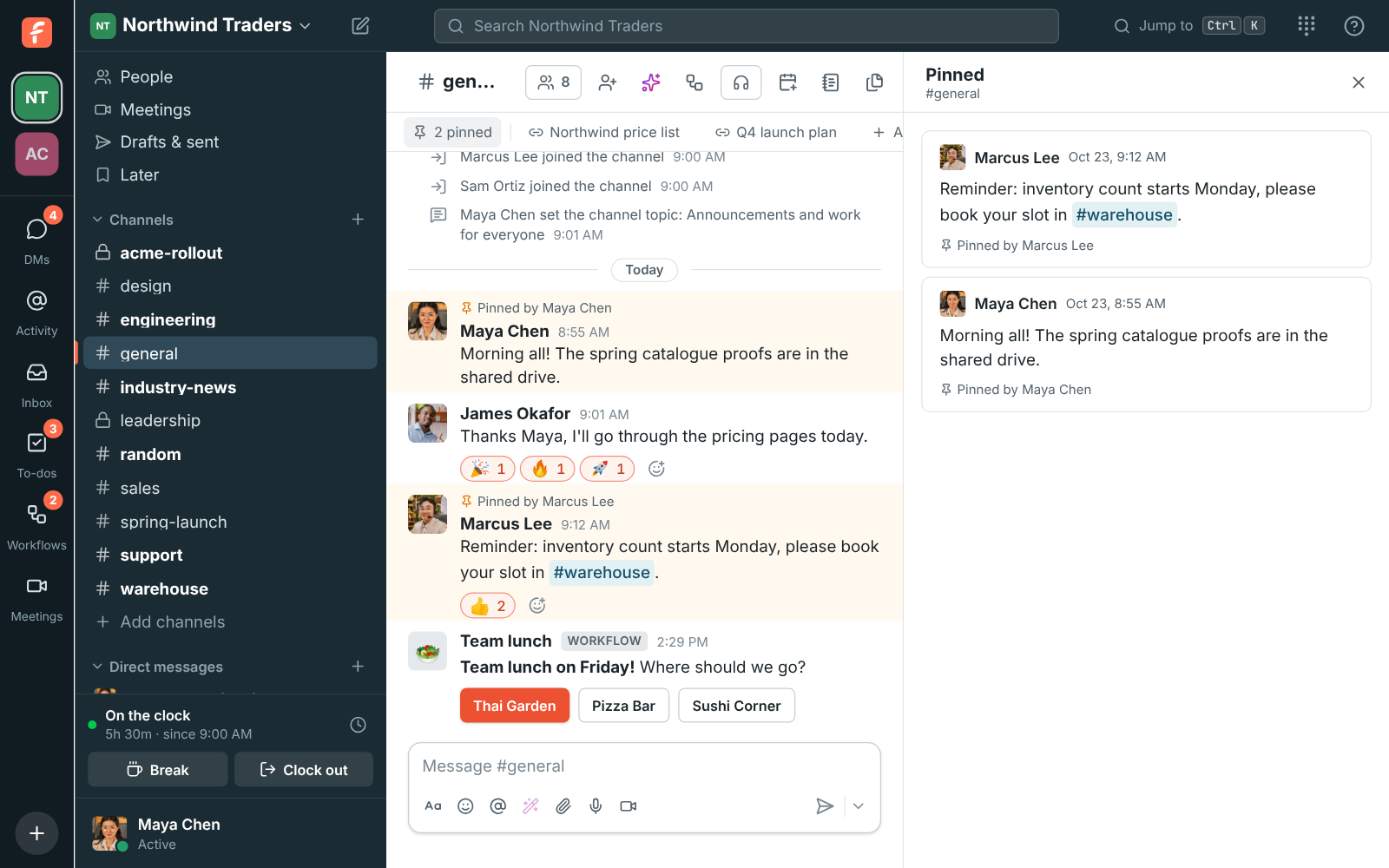
#general with 2 pinned and bookmarks for the Northwind price list and the Q4 launch plan under its name, and the pinned messages open beside it

Pin it for everyone

Open a message's More actions and choose Pin to this conversation. The message gets a Pinned by line, and the strip under the conversation's name counts its pins. Click 2 pinned to see them all beside the conversation, newest first, and click one to jump to it. Everyone who can read the conversation sees the pins, and everyone who can write in it can change them. A conversation holds up to 100 pins.
The pinned messages of #general open beside the channel, with 2 pinned in the strip under its name

Bookmark the links people keep asking for

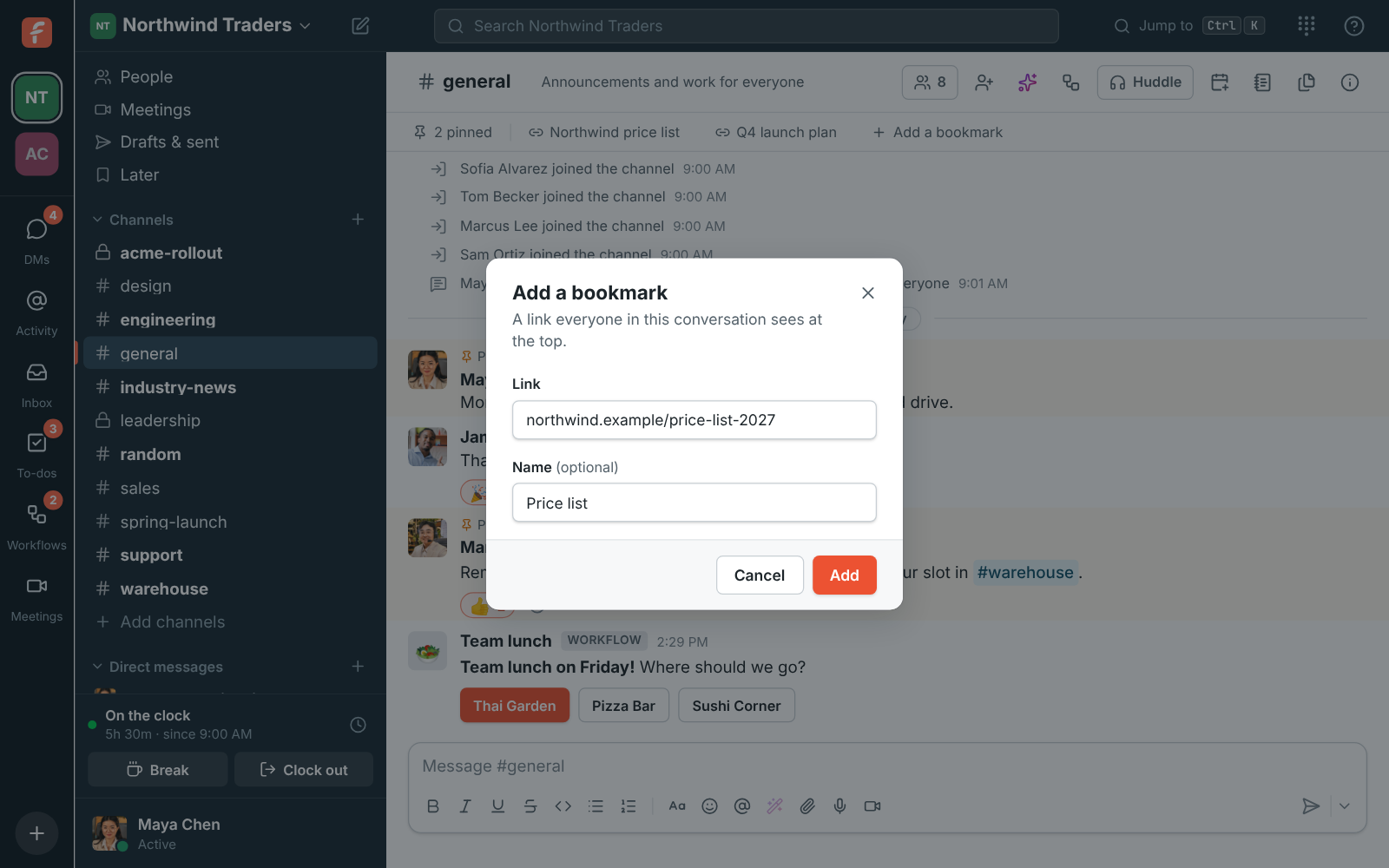
Click Add a bookmark in the strip, paste a link and give it a name, like Price list or Shared drive. Bookmarks sit under the channel's name where everyone finds them, and open in your browser. Point at one and click the small arrow to edit it, move it left or right, or remove it. A conversation holds up to 50 bookmarks.

Add a bookmark: a link to northwind.example and the name Price list

See it on your own team's data.

Start free with up to 10 people and try it today, or book a 20-minute demo with the people who make Freesbe.

Later: your own list, on every device

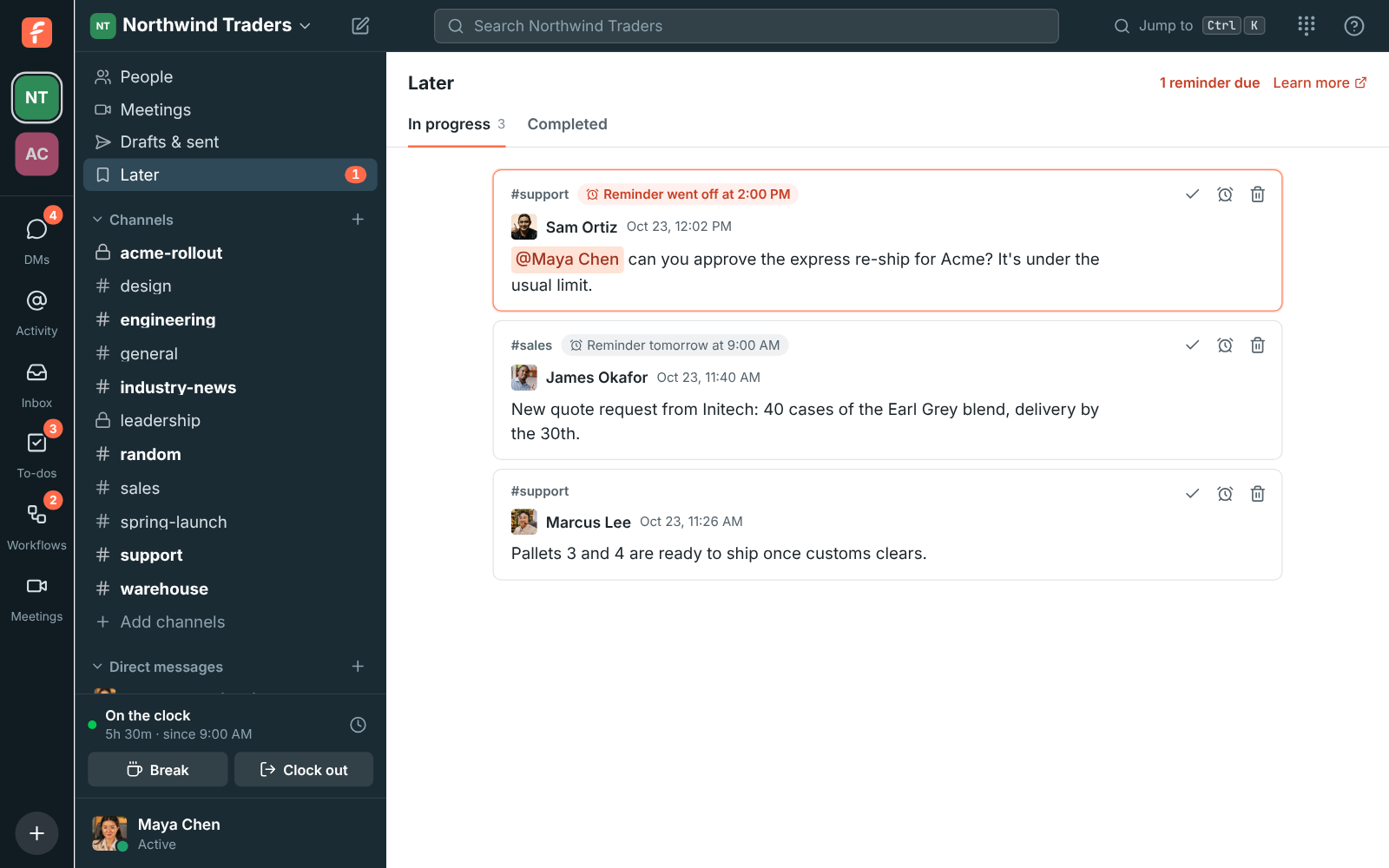
Point at a message and click the bookmark to save it. It shows Saved for later above it and goes into Later, in the sidebar under Drafts & sent. Only you see Later, on all your devices. Reminders that went off come first, then upcoming ones, then everything else. Point at one to mark it done, change its reminder or remove it; done ones move to Completed.

Later, In progress: a reminder that went off for the Acme re-ship, one due tomorrow at 9:00 AM for a quote in #sales, and a saved message about pallets in #support

A reminder that finds you

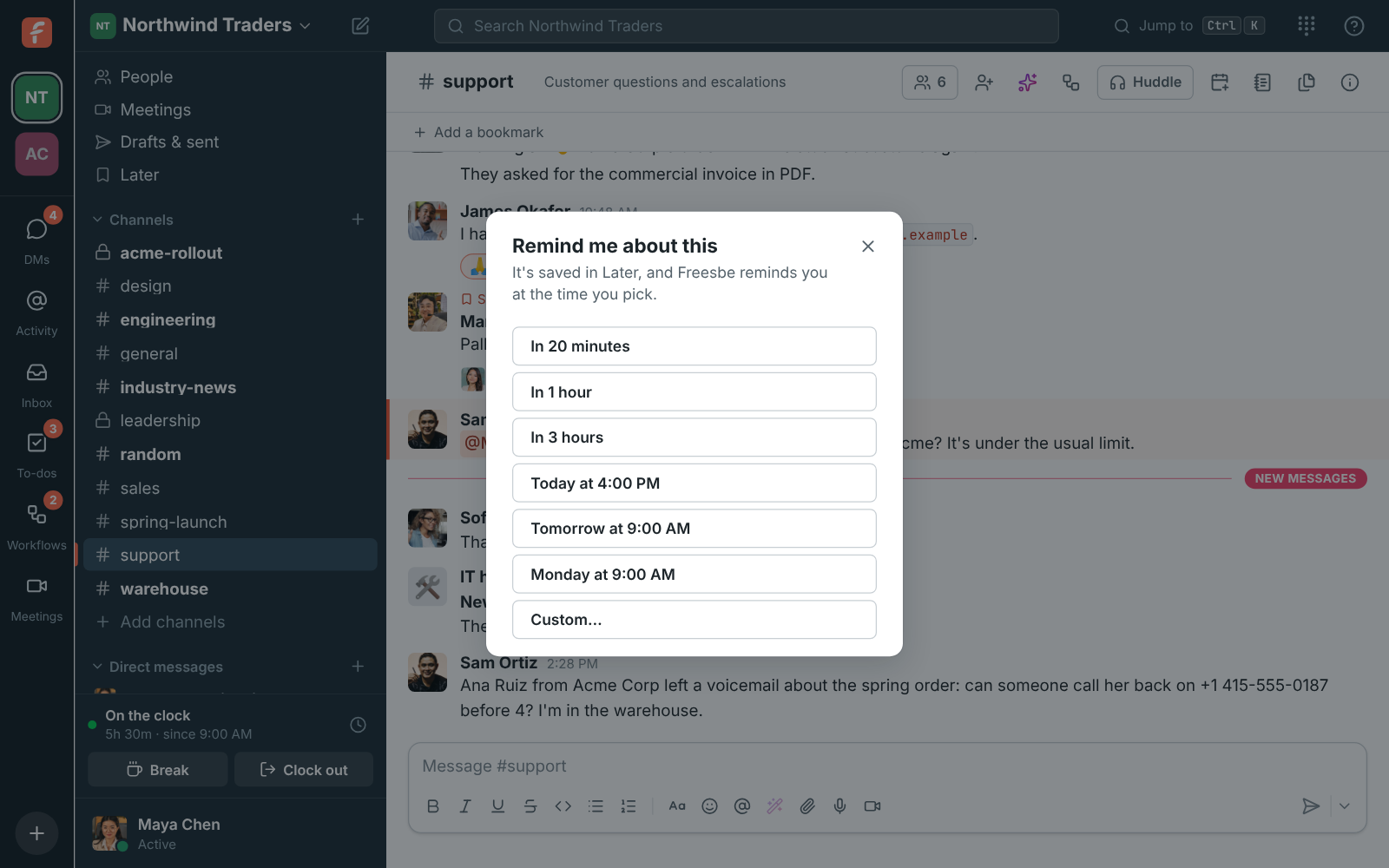
Open More actions and choose Remind me about this: in 20 minutes, in 1 hour, in 3 hours, later today, tomorrow or Monday, or any date and time you pick. When it goes off, Freesbe shows it in the app with a View button, plays a chime and sends a desktop notification, or a notification on your phone when you are not using Freesbe elsewhere. Later in the sidebar shows how many reminders are waiting.

Remind me about this: In 20 minutes, In 1 hour, In 3 hours, Today at 4:00 PM, Tomorrow at 9:00 AM, Monday at 9:00 AM and Custom

Plans and pricing

Pins, bookmarks and saved for later is included in every plan, including Free.

  • FreeUp to 10 people
  • BusinessUp to 500 people
  • CorporateUp to 2,500 people
  • EnterpriseOver 2,500 people

Questions

Who can see what I save for later?
Only you. Later is your own list, kept on all your devices. Pins and bookmarks are the opposite: everyone in the conversation sees them.
How many can I keep?
A conversation holds up to 100 pins and 50 bookmarks. Later holds up to 500 messages in progress.
Does a reminder reach my phone?
Yes. When a reminder goes off and you are not using Freesbe elsewhere, your phone gets a notification. On your computer it shows in the app with a chime and a desktop notification.
Which plan includes this?
Every plan, including Free.

Try all of it free with up to 10 people.

No card, no time limit. Invite your team and see what sticks.