Freesbe
Business and up

A time that works, without the back and forth.

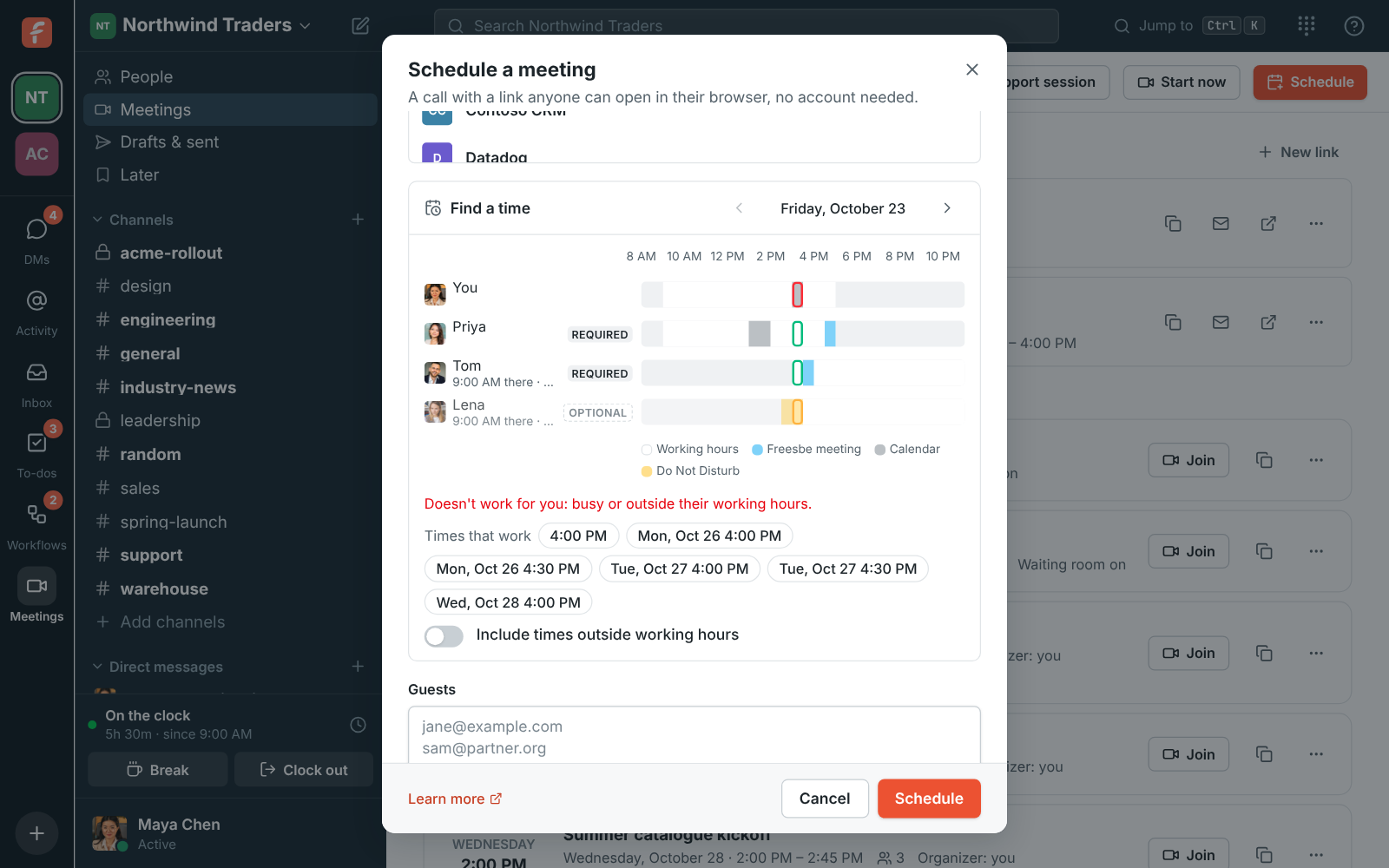
When you schedule a meeting, Find a time lines up everyone's day side by side: working hours in their time zone, their Freesbe meetings, busy times from a connected Google, Microsoft or Zoho calendar, and Do Not Disturb. Freesbe suggests up to six times that fit every required person. Only busy times show, never what meetings are about.

  • Pick a time in one look instead of three emails.
  • See each person's working hours in their own time zone, and what the chosen time is for them.
  • Count only the people who have to be there: make the others optional.
  • Keep everyone's privacy: busy blocks show, meeting titles never do.

For Teams spread across offices and time zones, and anyone who schedules for a group.

Find a time in the Schedule a meeting dialog: each person's working hours, meetings and Do Not Disturb, with suggested times

Everyone's day, side by side

Invite people from the workspace and each gets a row: working hours in their time zone with the rest shaded, their Freesbe meetings in any workspace, busy times from their connected calendar, and Do Not Disturb while their notifications are paused. Each row says what the chosen time is for them when they're elsewhere, like 10:00 AM there. Your chosen time is outlined green when it works, red when a required person can't make it, and amber when only optional people can't.
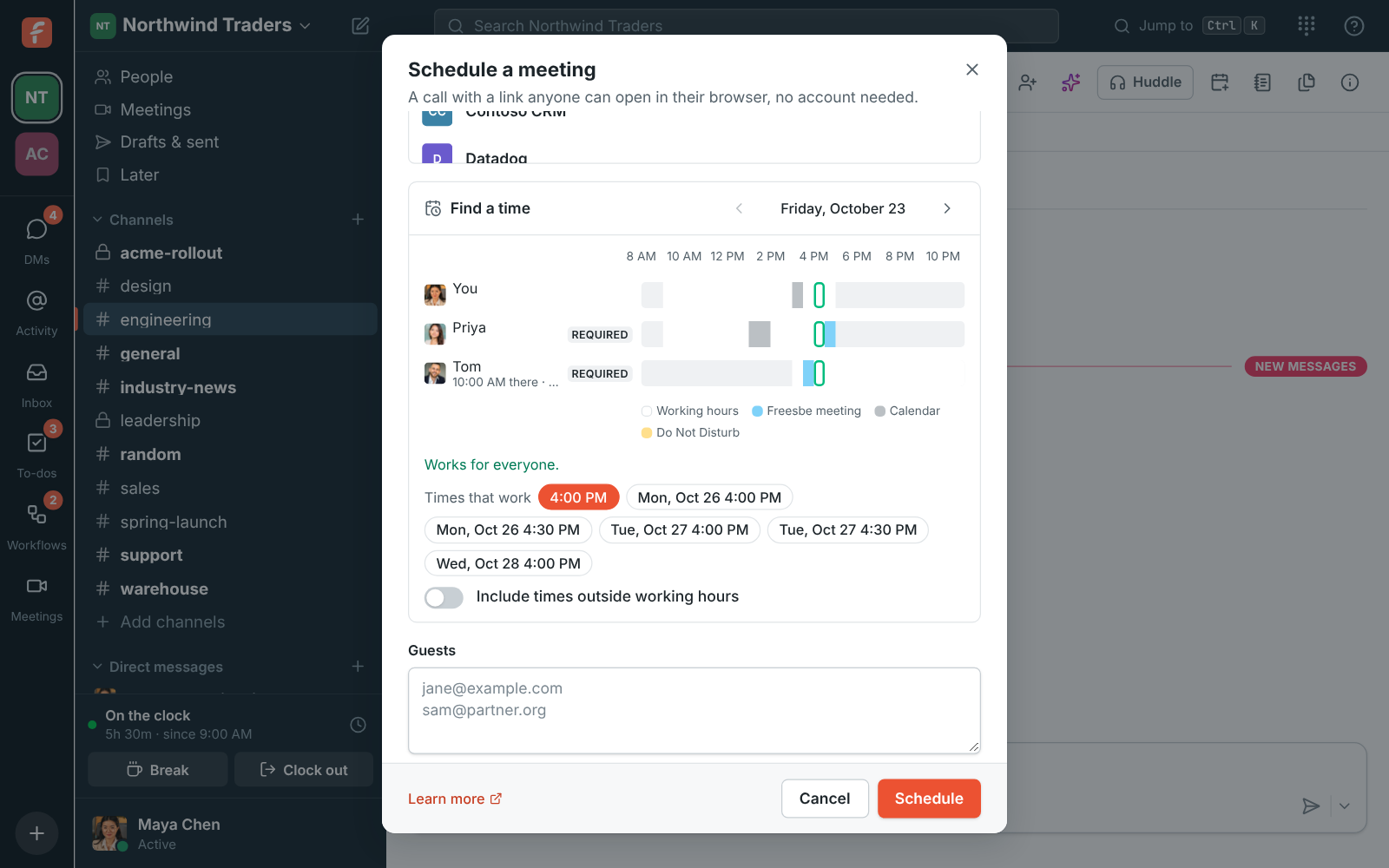
Availability in the scheduler: busy times per person and suggested times

Six suggestions that fit

Under Times that work, Freesbe suggests up to six times over the next week that fit every required person's working hours and busy times. It prefers times the optional people can make too, and marks a time one of them can't. Click a suggestion to move the meeting there. If nothing fits, make someone optional or turn on Include times outside working hours; busy times and Do Not Disturb still count.

Schedule a meeting started from the #engineering channel, with Priya and Tom invited and a suggested time picked

See it on your own team's data.

Start free with up to 10 people and try it today, or book a 20-minute demo with the people who make Freesbe.

Busy times from the calendar they already use

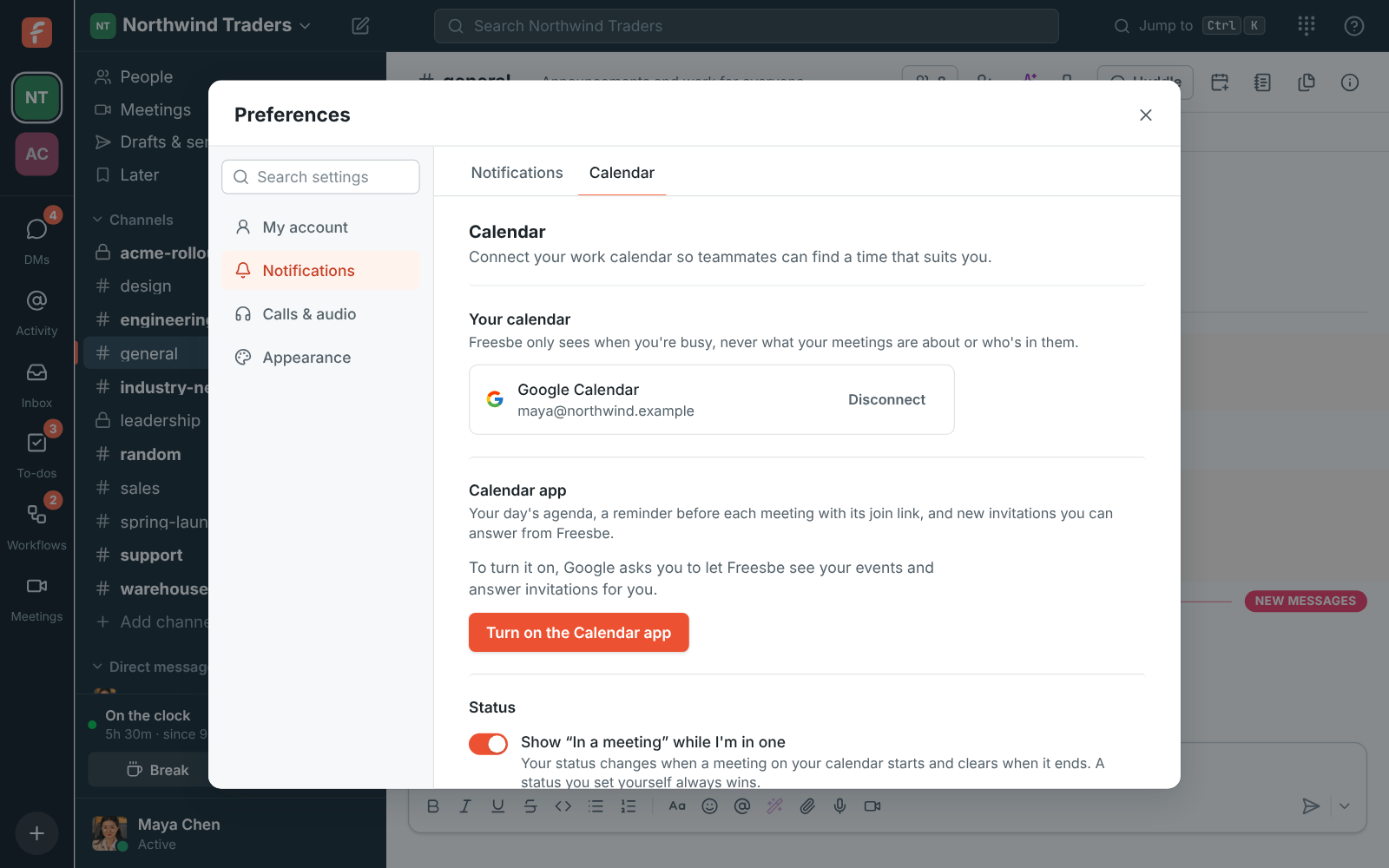
Connect a Google, Microsoft or Zoho calendar once, and Find a time sees your busy blocks. People who haven't connected one show No calendar: their Freesbe meetings, working hours and Do Not Disturb still count, but meetings elsewhere don't. Everyone works Monday to Friday, 9 to 5 until they set their own hours in Preferences.

Preferences, Calendar: a connected calendar that shows busy times while scheduling

Then the invite does the rest

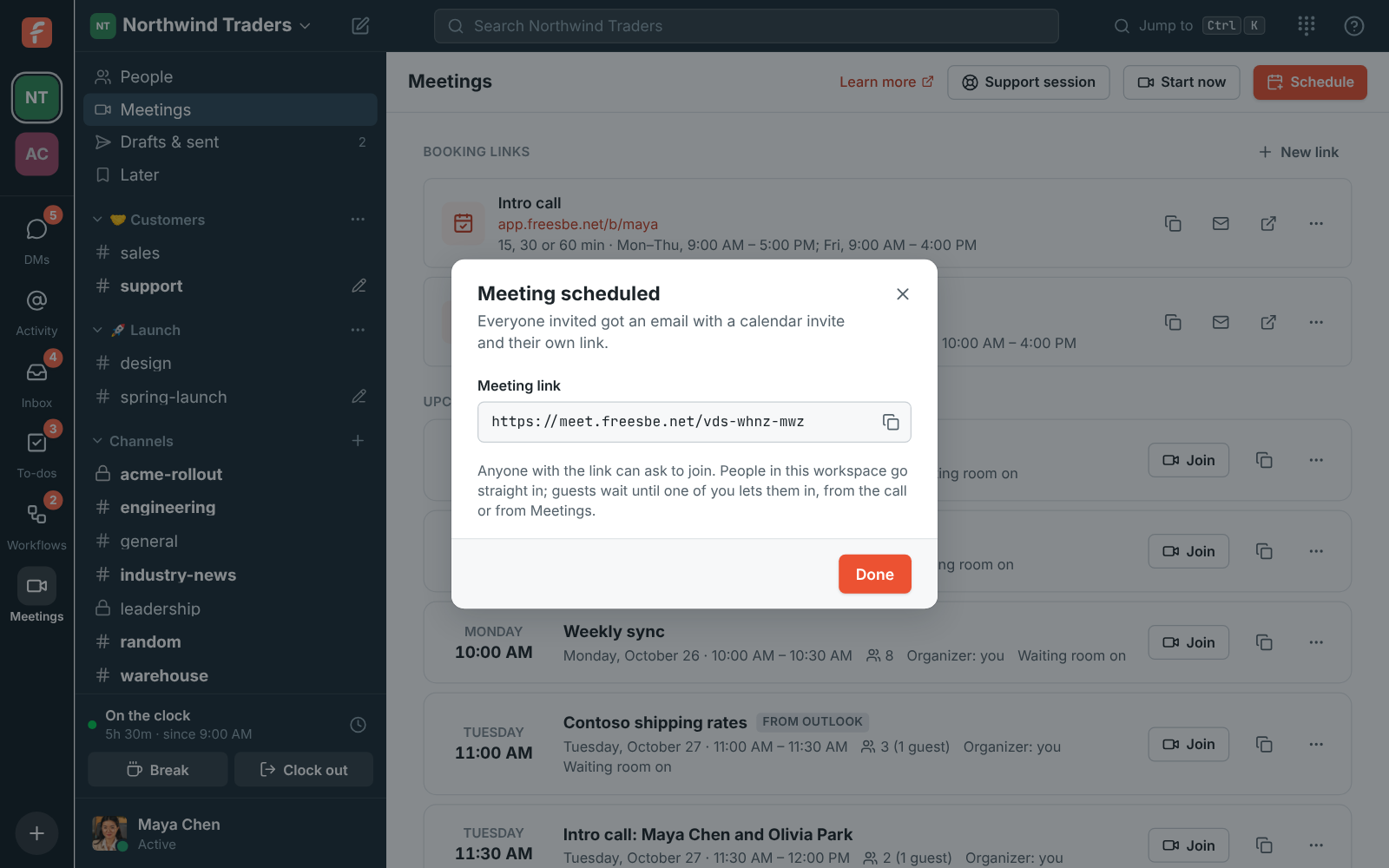
Everyone invited gets an email with their own link and a calendar invite that works with Google Calendar, Outlook and Apple Calendar, plus a reminder about 10 minutes before. Optional people are marked optional in their invite. Edit the meeting later and everyone's calendar updates, or cancel and a cancellation goes out.

Meeting scheduled: Supplier call with Fabrikam, with its meet.freesbe.net link ready to copy

Plans and pricing

Find a time, with everyone's calendar is included in Business, Corporate and Enterprise.

  • BusinessUp to 500 people
  • CorporateUp to 2,500 people
  • EnterpriseOver 2,500 people

Questions

Which plan includes this?
Calendar free/busy comes with Business, Corporate and Enterprise, together with scheduled meetings.
Which calendars work?
Google, Microsoft (Outlook and Microsoft 365) and Zoho calendars. Each person connects their own.
Can others see what my meetings are about?
No. Only busy times show, never the title or details of anyone's meetings.
What if a guest outside the workspace is invited?
Find a time lines up the people in your workspace. Guests get the invite by email with their own link, like any meeting guest.

Try all of it free with up to 10 people.

No card, no time limit. Invite your team and see what sticks.