Freesbe
Phone system add-on

Every call, written up before the next one.

Admins choose whose calls are recorded and how long recordings are kept. Transcripts write each recorded call out as soon as it ends, and AI adds a summary, the caller's mood, key points and action items, sent to the people on the call. Anyone can press Transcribe on their own call, and admins play recordings in the call log.

  • Stop writing call notes: the summary and action items arrive in your DM by themselves.
  • Find what the customer said: search the transcript, click a line and hear it.
  • Post the notes to the channel so the team catches up without listening to 20 minutes.
  • Record what the rules need: everyone, some people, queue calls, in or out.
  • Keep recordings for 30 days or two years, decided once.

For Sales and support teams who need the call on record, and managers who coach from it.

A call's notes in Freesbe: the summary, key points and action items, and every line of the call with the recording to play

Choose who's recorded, and which calls

Under Phone, Call recording, pick Off, Everyone or Some people, then which calls: from outside, to outside numbers, and between colleagues. Record every call queue call records every call to a queue, whoever answers it, even when their own calls aren't recorded. Turn on Transcribe recorded calls to write each one out word by word as soon as it ends, and Summarize them with AI for a summary, the caller's mood, key points and action items. Delete recordings after 30 or 90 days, 1 or 2 years, or keep them.

  • Say 'This call may be recorded' in your phone menu greeting; Freesbe doesn't announce it yet
  • Transcripts count toward your plan's transcript hours, shared with huddles and meetings
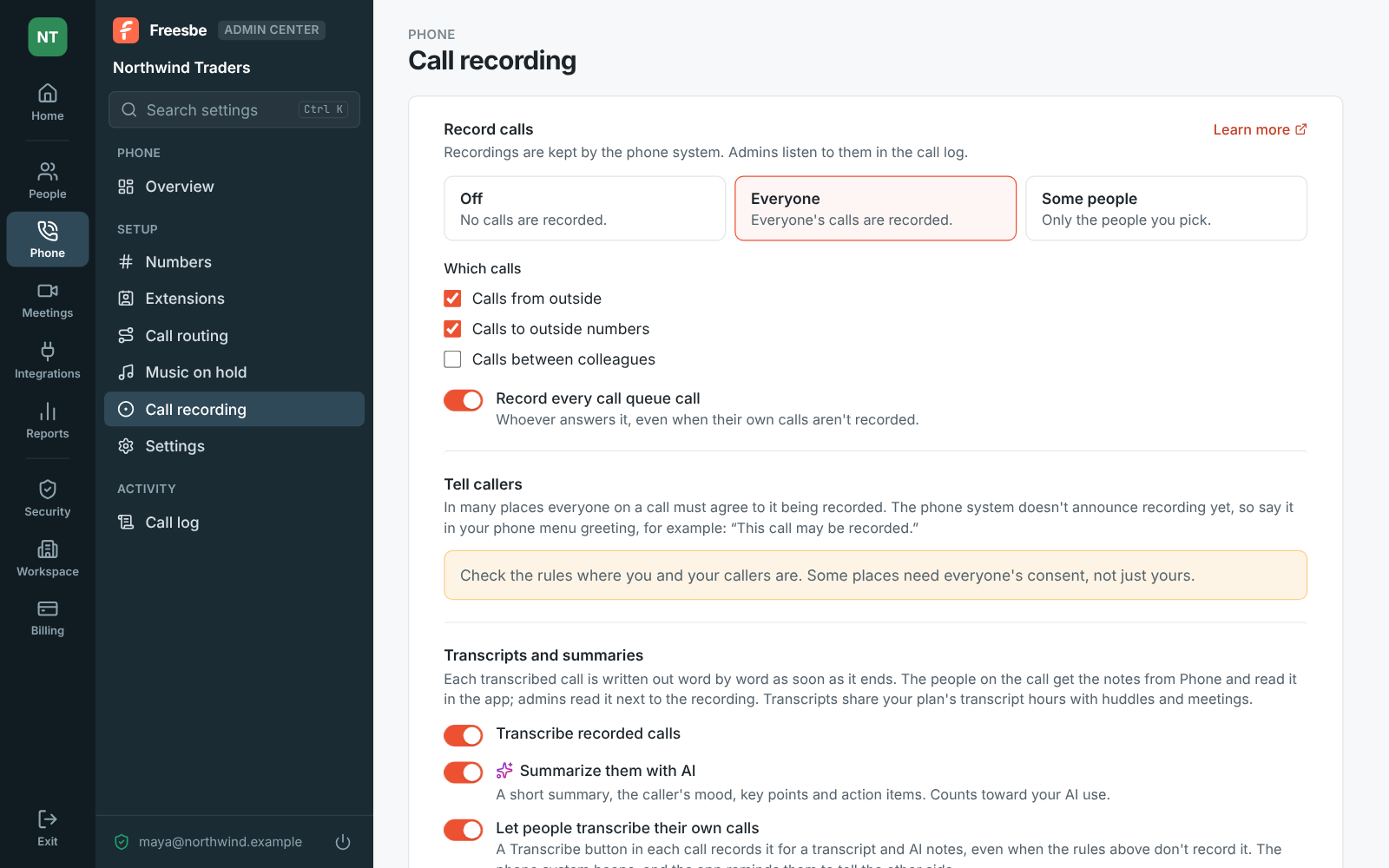
The Admin Center on Phone, Call recording: everyone's calls from and to outside recorded, every queue call recorded, transcripts and AI summaries on, and recordings kept for a year

Notes in your DM a minute later

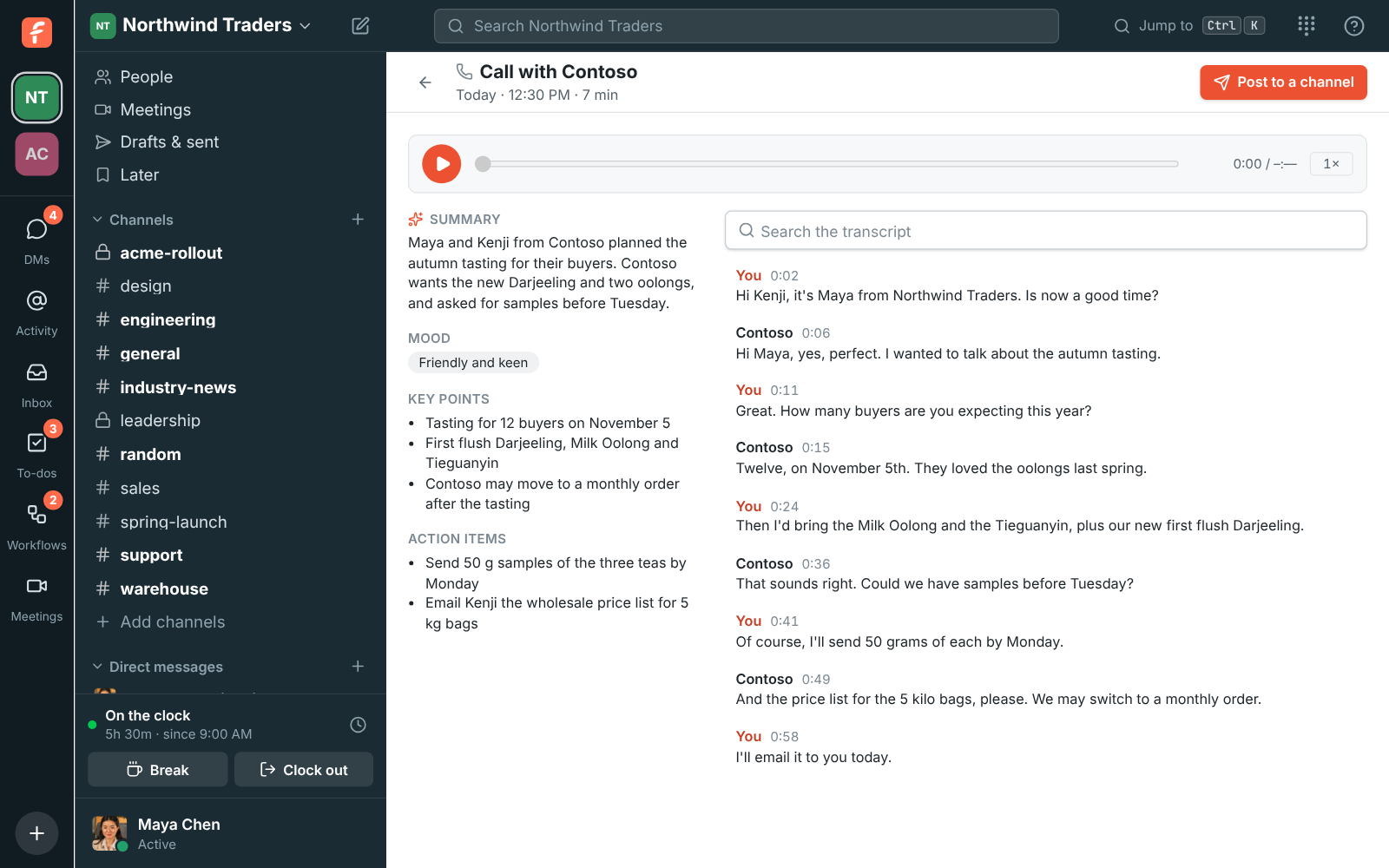
A minute or so after a transcribed call ends, you and any colleagues on it get a message from Phone: Notes from your call with Contoso, with a summary, the action items and a link to the transcript. The link opens the call's page: the summary, the caller's mood, key points, action items and every line of the call, with the recording to play. Click a line to hear it, or search for a word. The Recent tab marks a transcribed call with a transcript button.

The notes of a call with Contoso: summary, mood, key points, action items and the transcript

See it on your own team's data.

Start free with up to 10 people and try it today, or book a 20-minute demo with the people who make Freesbe.

Transcribe your own call

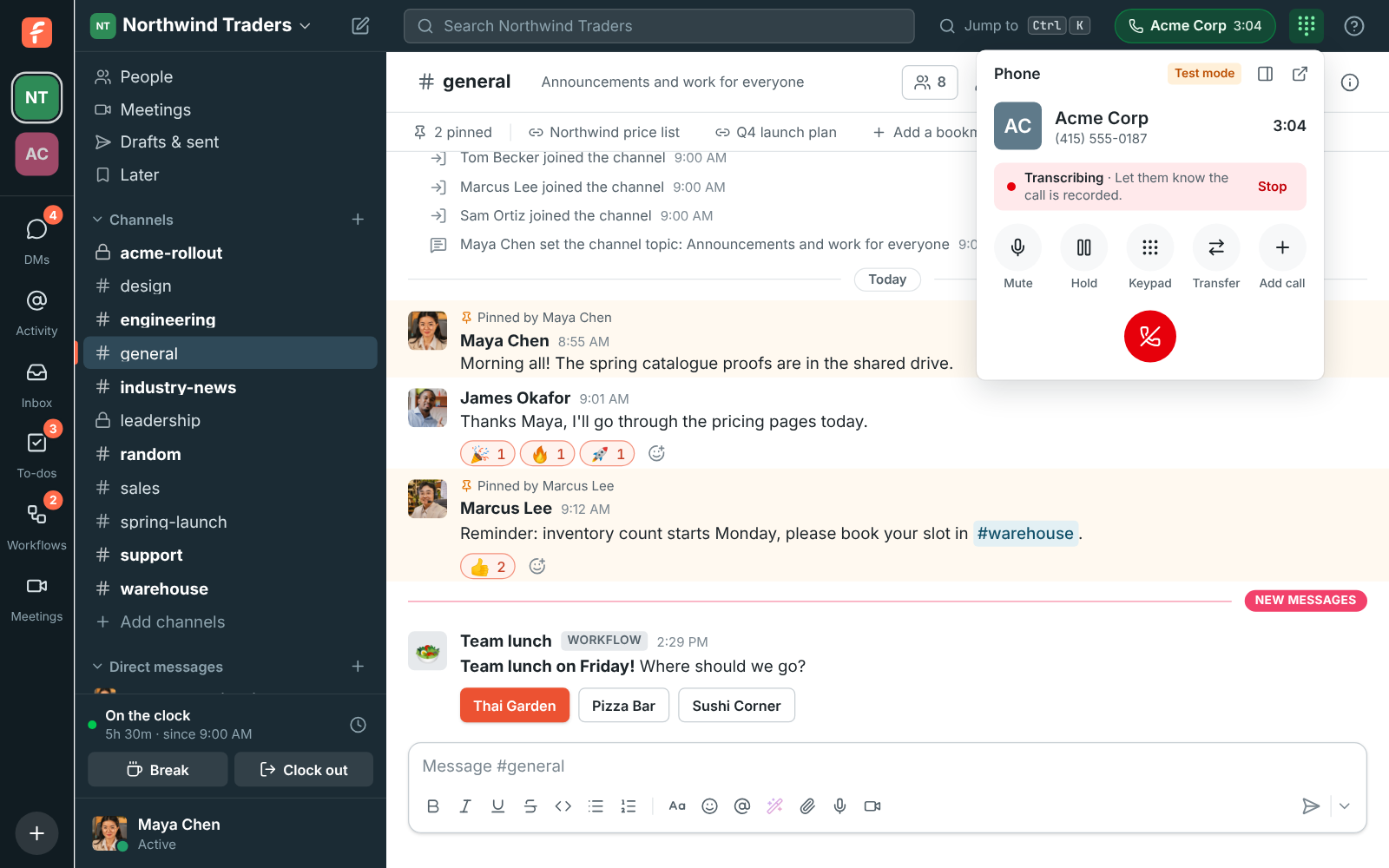
When an admin turns on Let people transcribe their own calls, every call that isn't recorded already has a Transcribe button. Click it and Freesbe records the call from then on; click Stop to stop. While it's on, the call says Transcribing, a reminder to tell the other side, since in many places everyone must agree to it. The same notes follow when the call ends.

A call being transcribed: a red Transcribing pill reminding you to let them know the call is recorded, with Stop

Post the notes to a channel

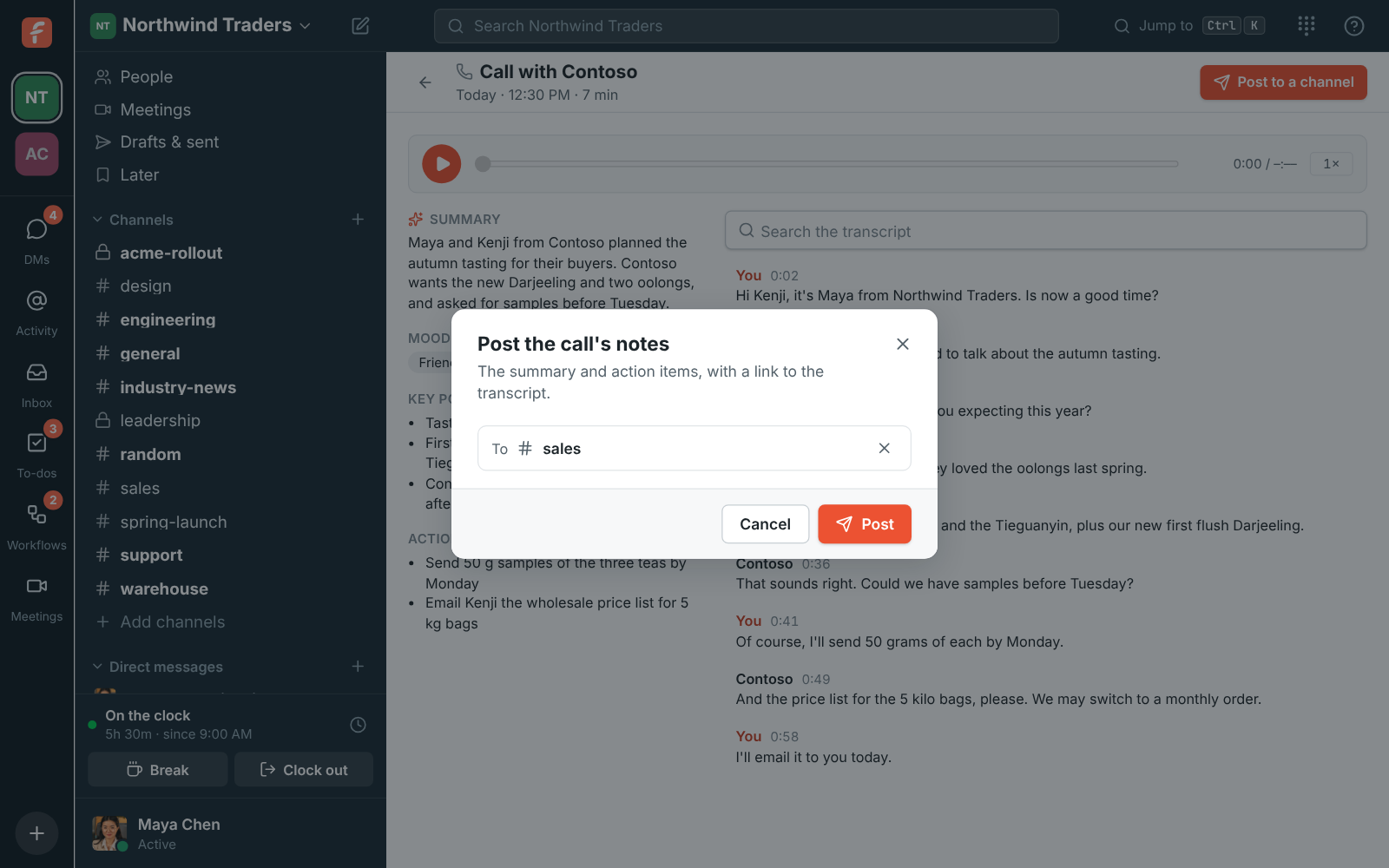
Post to a channel shares the notes, with the summary, the action items and a link to the transcript, in a channel or with a colleague. The transcript itself stays with the people who were on the call and the workspace's admins, so others who open the link see that they can't read it.

Post the call's notes: #sales picked to post the summary and action items to

Play any recorded call from the log

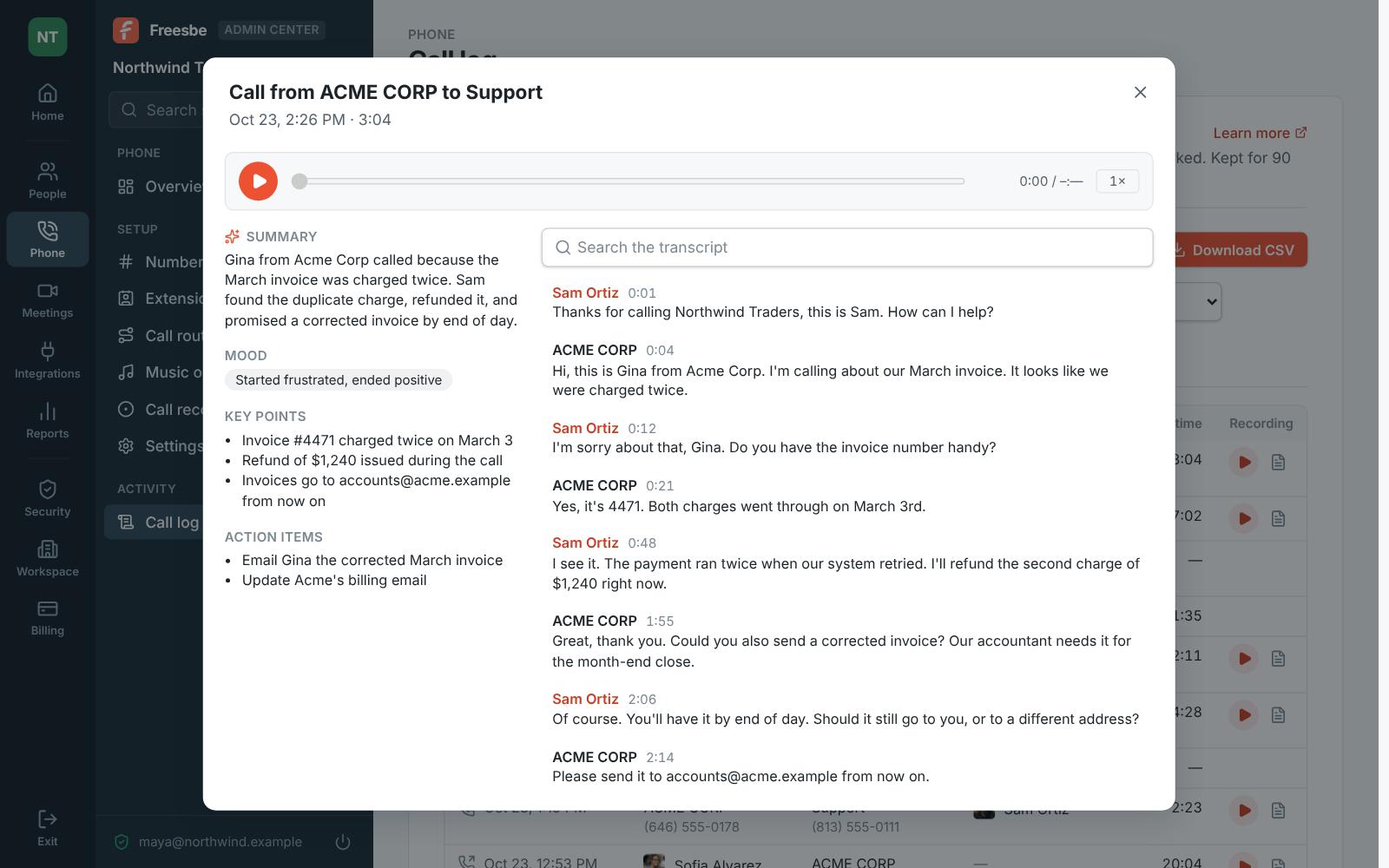
In the call log, a recorded call has a play button that opens a player under it: play, pause, jump anywhere, play at 1.5× or 2×, or download the recording. Transcript opens what was said line by line with the summary, mood, key points and what to do next. A recording without a transcript yet has Make a transcript, which writes one in a minute or so.

A call's transcript in the call log: a summary, the caller's mood, key points, what to do next, and every line of the call

Plans and pricing

Call recording, transcripts and notes comes with the Phone system add-on, on any paid plan. It costs $8 per person a month, billed yearly ($10 month to month). The add-on isn't on sale yet; talk to us to be first.

  • BusinessUp to 500 people
  • CorporateUp to 2,500 people
  • EnterpriseOver 2,500 people
  • Phone system add-on$8 per person a month, billed yearly ($10 month to month)

Questions

Which plan includes this?
Call recording and transcripts are part of the Phone system add-on, on top of any paid plan. Transcripts count toward the plan's transcript hours, shared with huddle and meeting transcripts; once they run out for the month, calls aren't transcribed and Phone says why.
Are callers told the call is recorded?
Not by Freesbe yet. Say it in your phone menu greeting, for example 'This call may be recorded', and check the rules where you and your callers are.
Who can read a call's transcript?
The people who were on the call and the workspace's admins. Posted notes carry the summary and action items; others who open the transcript link see that they can't read it.
Where are recordings kept and for how long?
Recordings stay with the phone system, and admins listen to them in the call log. They're kept for 30 or 90 days, 1 or 2 years, or until someone deletes them, as the admin set it.

Try all of it free with up to 10 people.

No card, no time limit. Invite your team and see what sticks.