Freesbe
Business and up

One link. They pick a time you're free.

Bookings gives everyone in your workspace a scheduling page at an address like app.freesbe.net/b/dana. Anyone picks a length, a day and a time that is free in your Freesbe meetings and your Google, Microsoft or Zoho calendar, answers your questions, and gets a calendar invite with a link to the call. Nobody needs an account to book.

  • No more back and forth over email: one link in your signature does the scheduling.
  • Only times you're really free are offered, checked against your calendar and your Freesbe meetings.
  • Ask for the company, team size or phone number before the call, so you come prepared.
  • People move or cancel their own booking from the link in their invite.
  • Fake and repeat bookings are kept out by an emailed code and one upcoming booking per person.

For Sales, customer success, recruiters and consultants who take calls with people outside the company.

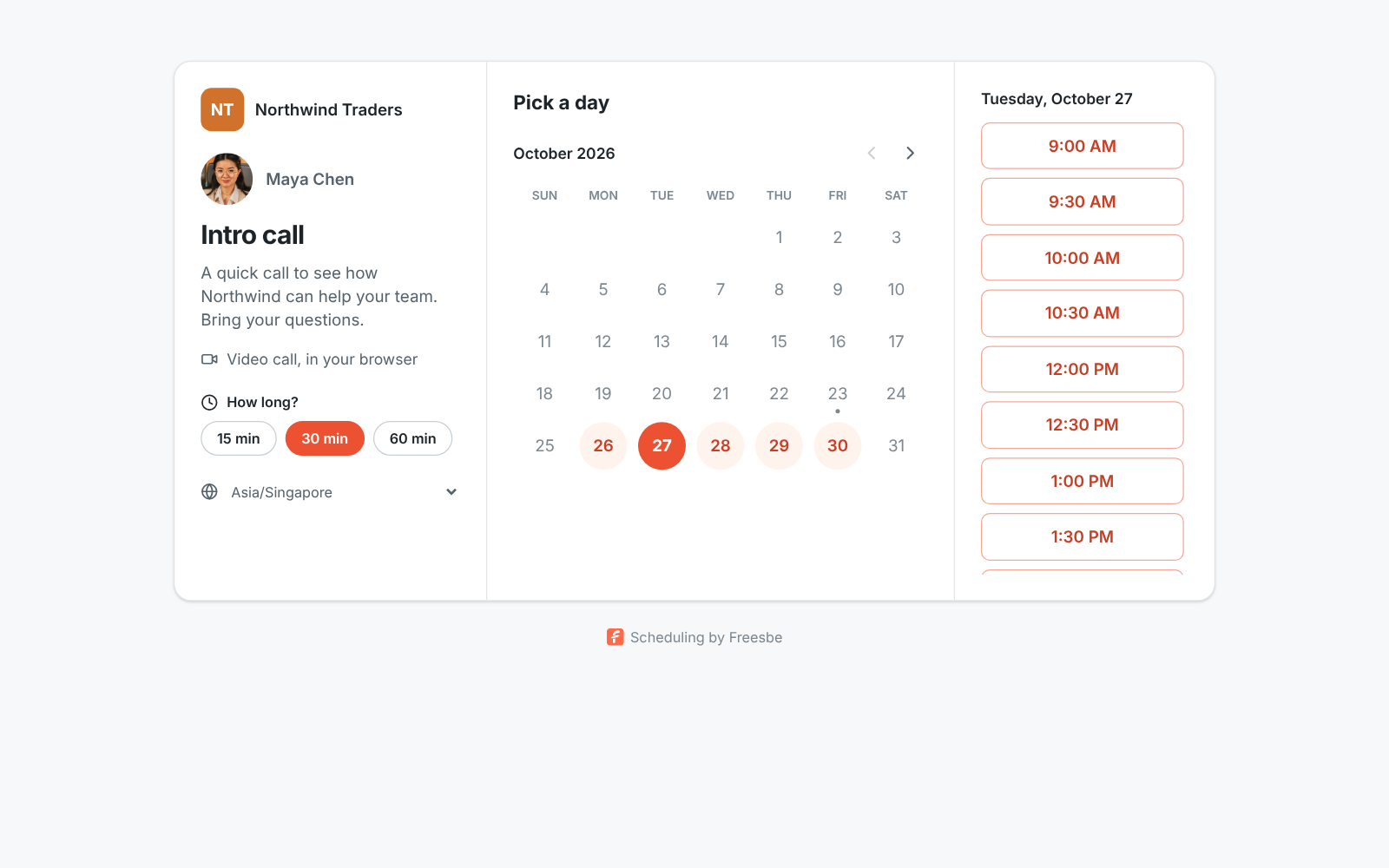
A booking page: the Northwind Traders name, Maya's photo, the call's title, 15, 30 or 60 minute choices and the free times for Tuesday

Set it up once

Give the page a title such as Intro call or Product demo, pick its link, tick the lengths you offer and the days and hours you take calls, in the time zone you choose. Set the minimum notice, how far ahead people can book, from 7 to 90 days, and the gap you keep between meetings so calls don't run back to back. You can have up to 10 pages in a workspace, so a short Quick question page and a longer demo page can keep different hours.
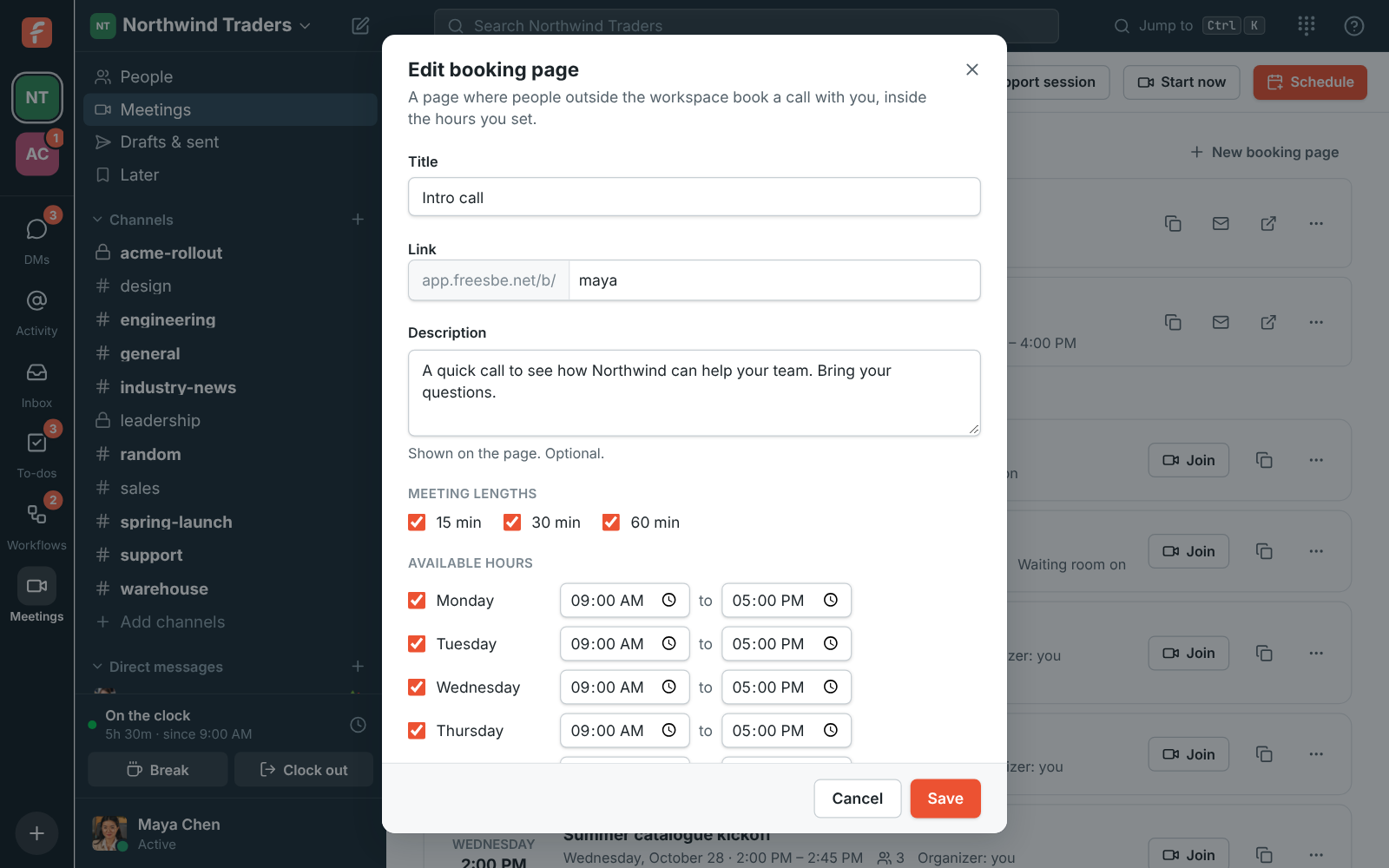
The New booking page dialog: title, link name, description, meeting lengths and available hours for each day

Ask what you need to know first

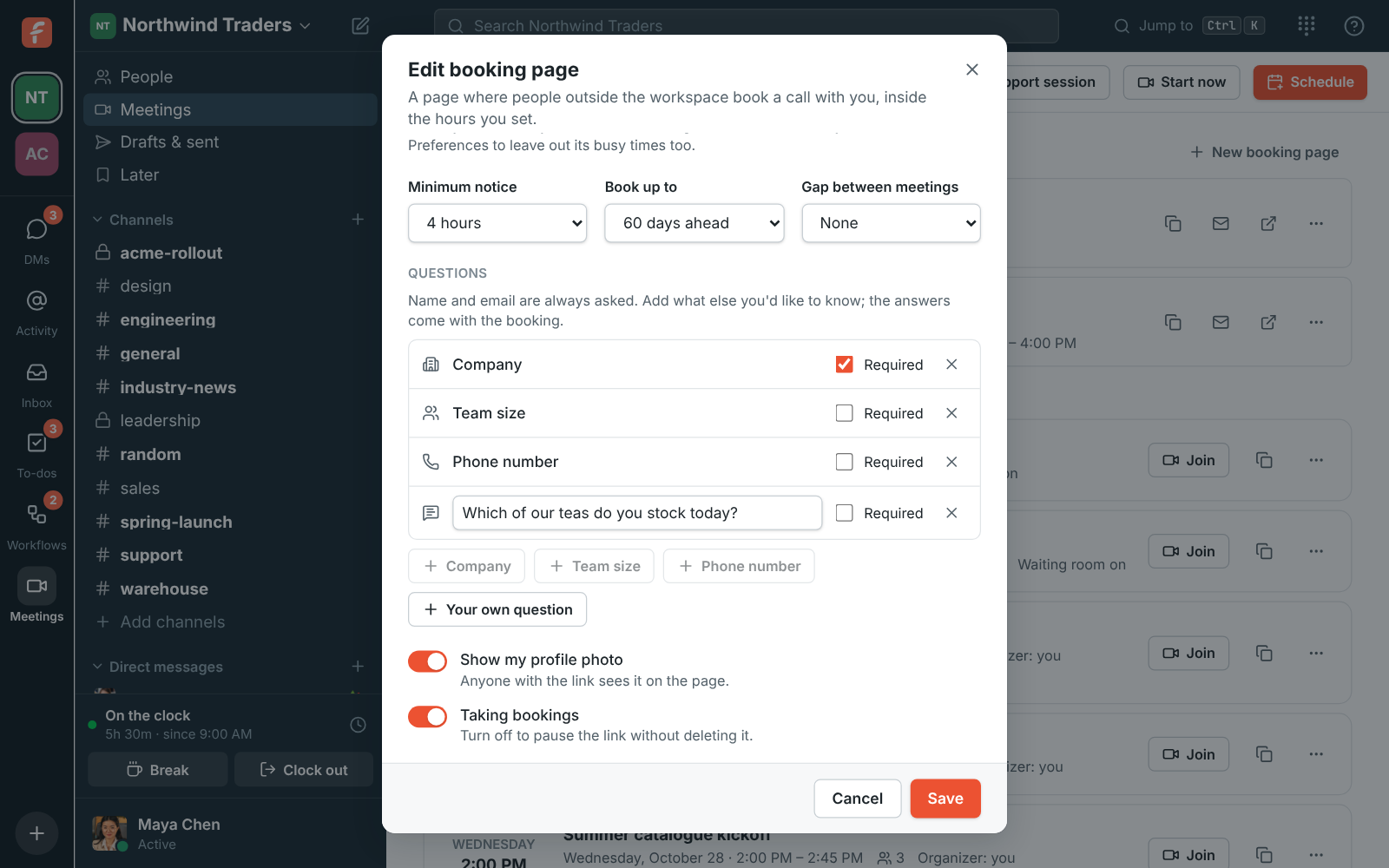
Name and email are always asked. Add Company, Team size, Phone number or a question of your own, like which products they're interested in, and mark the ones they have to answer. The answers arrive in your calendar invite and the meeting's description, one line each, and in any workflow that starts when someone books, so new demo requests can post to #sales with the company and team size.

The Questions part of the booking page editor: Company (required), Team size, Phone number and a written question being typed

See it on your own team's data.

Start free with up to 10 people and try it today, or book a 20-minute demo with the people who make Freesbe.

A meeting on both calendars

The page offers times inside your hours that are free in your Freesbe meetings, in every workspace you're in, and in the calendar you connected. Times show in the visitor's own time zone. The booking becomes a normal Freesbe meeting: you get an email with a calendar invite and their answers; they get an invite in their time zone, a personal link straight into the call, and a reminder about 10 minutes before the start.

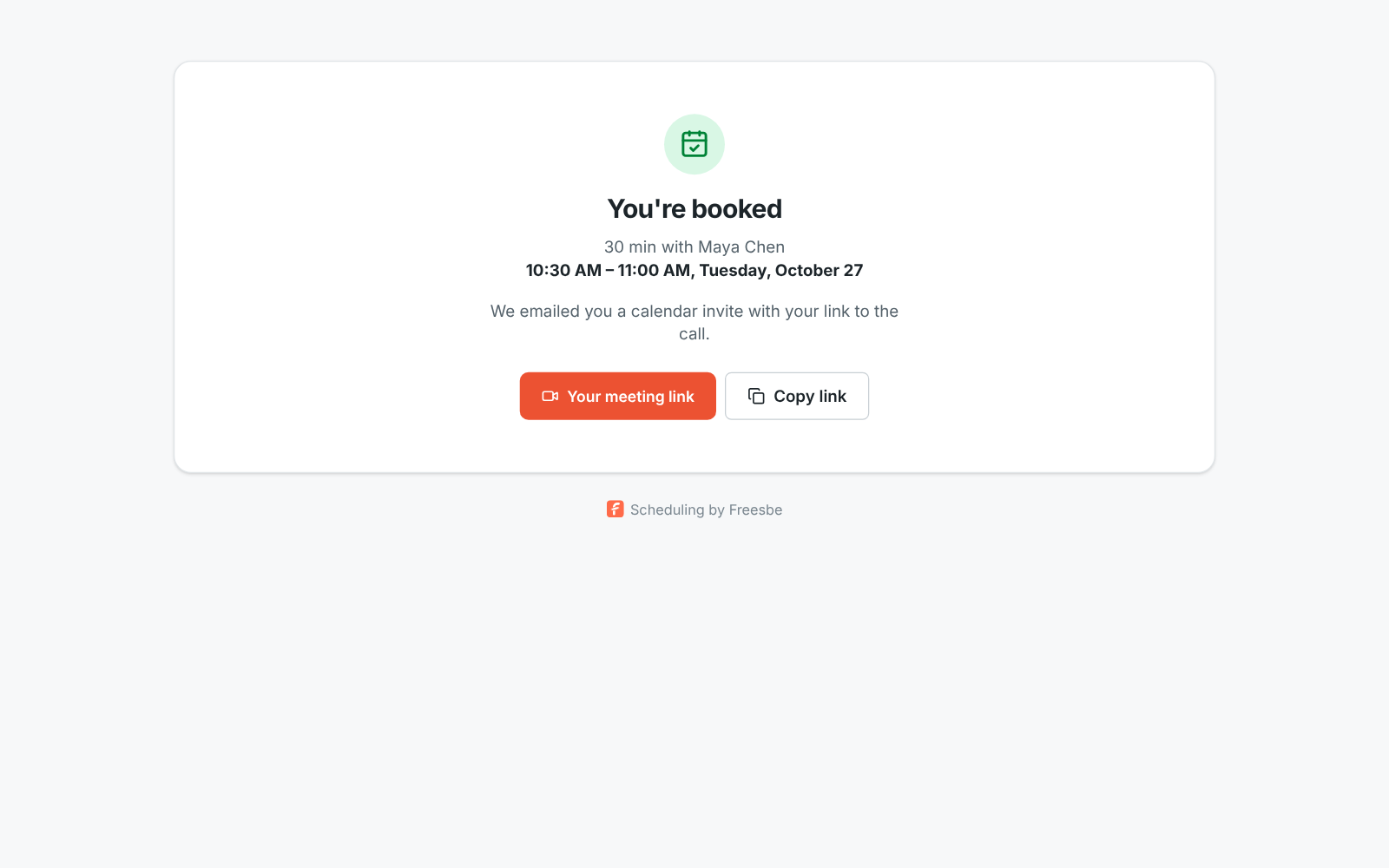
You're booked: the length, who it's with, the time in the visitor's time zone and their meeting link

They move it themselves, you hear at once

The Reschedule or cancel link in their invite opens their booking on your page, no account needed. Change time shows the same free times, with your hours, notice and busy times still applied. Cancel asks them to confirm with an optional note for you. Either way you get an email right away, both calendars update, and the time becomes free on your page again. A booking can be changed up to 10 times.

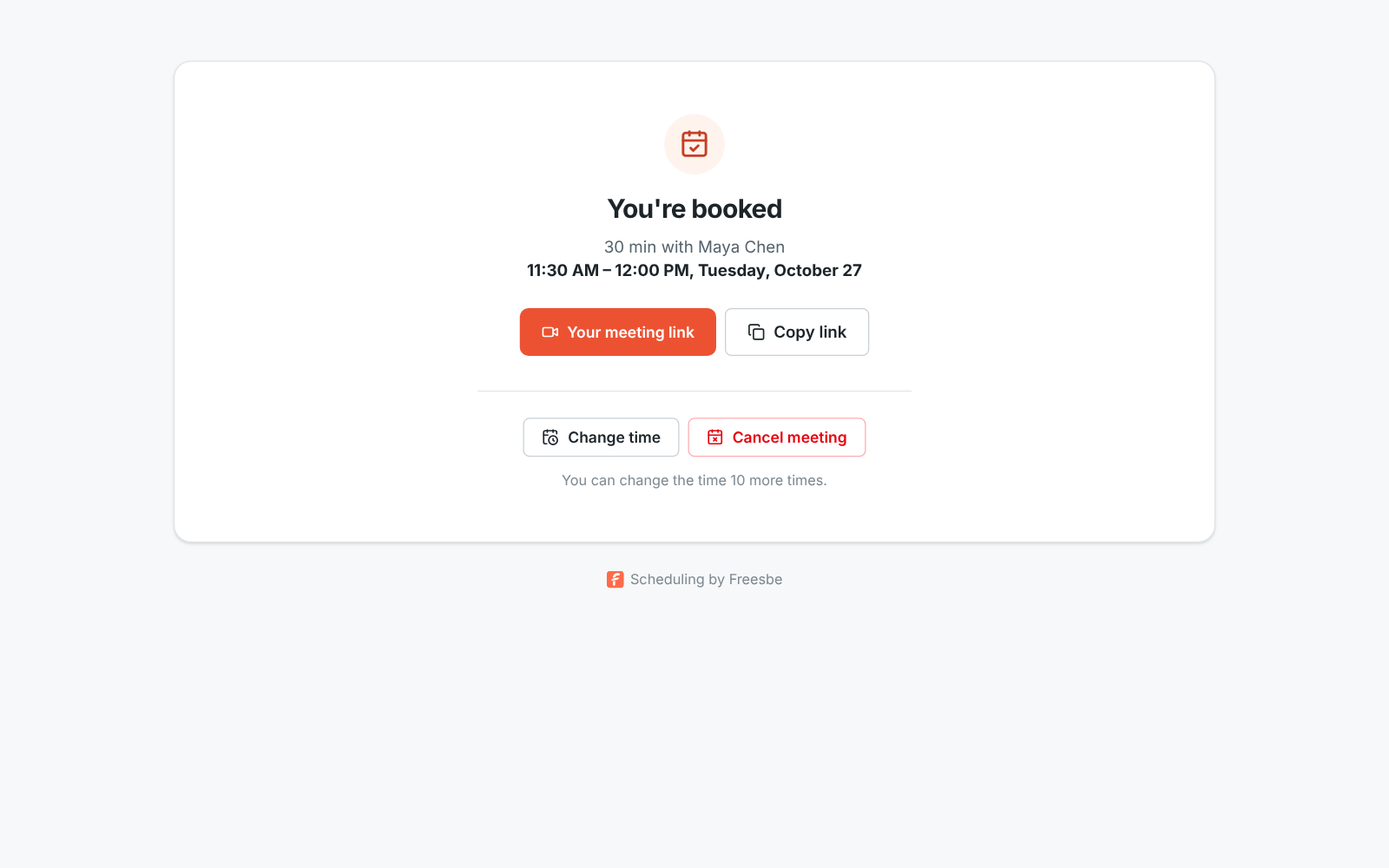
Their booking: the time, who it's with, their meeting link, and Change time and Cancel meeting buttons

No fake bookings on your calendar

Two switches, on for every new page, keep out made-up addresses and repeat bookers. Verify the booker's email sends a 6-digit code before the booking is made, and holds the time for 10 minutes while they type it. One upcoming booking per person stops a second booking from the same address until the first is over. Each page takes up to 30 bookings a day, so nobody can flood your calendar.

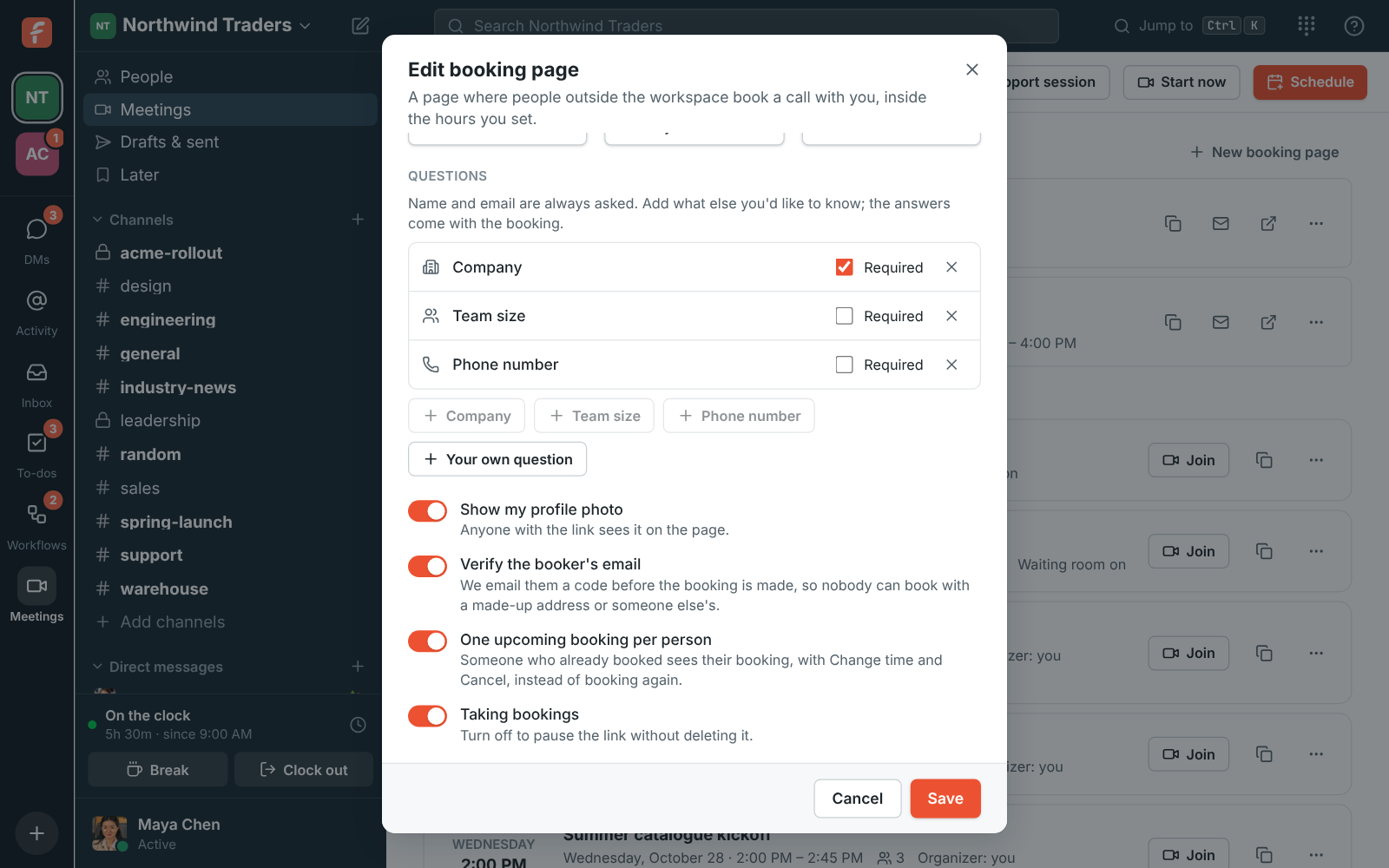
The booking page options: Show my profile photo, Verify the booker's email and One upcoming booking per person

Plans and pricing

Bookings is included in Business, Corporate and Enterprise.

  • BusinessUp to 500 people
  • CorporateUp to 2,500 people
  • EnterpriseOver 2,500 people

Questions

Which plan includes this?
Booking pages are a plan feature; the availability line on this page follows the current pricing catalog. Everyone in a workspace can make their own pages, guests can't.
Does the person booking need an account?
No. They pick a time, enter their name and email, answer your questions and click Book meeting. The link in their invite lets them reschedule or cancel later, also without an account.
Which calendars does it check?
Your Freesbe meetings in every workspace you're in, plus the Google, Microsoft or Zoho calendar you connected in Preferences. Without a connected calendar, only your hours and Freesbe meetings count, so connect one if you keep meetings elsewhere.
Can the link be on our own domain?
Yes, on the plans with custom domains. An admin adds one DNS record and every booking page in the workspace moves to an address like meetme.acme.example/dana; the old app.freesbe.net links keep working.
Can a booking start something in Freesbe?
Yes. A workflow can start when someone books time with you, with their name, email, time, meeting link and answers, so it can post an alert to a channel or give you a to-do to prepare. The booking.created event reaches webhooks and apps too.

Try all of it free with up to 10 people.

No card, no time limit. Invite your team and see what sticks.