Freesbe
All plans

Everyone at your domain can join. Nobody else can.

Instead of inviting people one by one, verify your company's email domain and anyone with a confirmed address there sees Join your team right after signing up. Choose whether they join as members or wait for an admin, who sees where they asked from, their device and Freesbe's sign-up check before letting them in. On every plan.

  • Roll out to a whole company without sending a single invite.
  • Keep out anyone who merely typed a work address: it has to be confirmed first.
  • Add the DNS record in a click at providers that support it, or with three steps written for yours.
  • Approve each person with their city, device and sign-up check in front of you.

For IT teams rolling Freesbe out to a company, and admins tired of chasing invites.

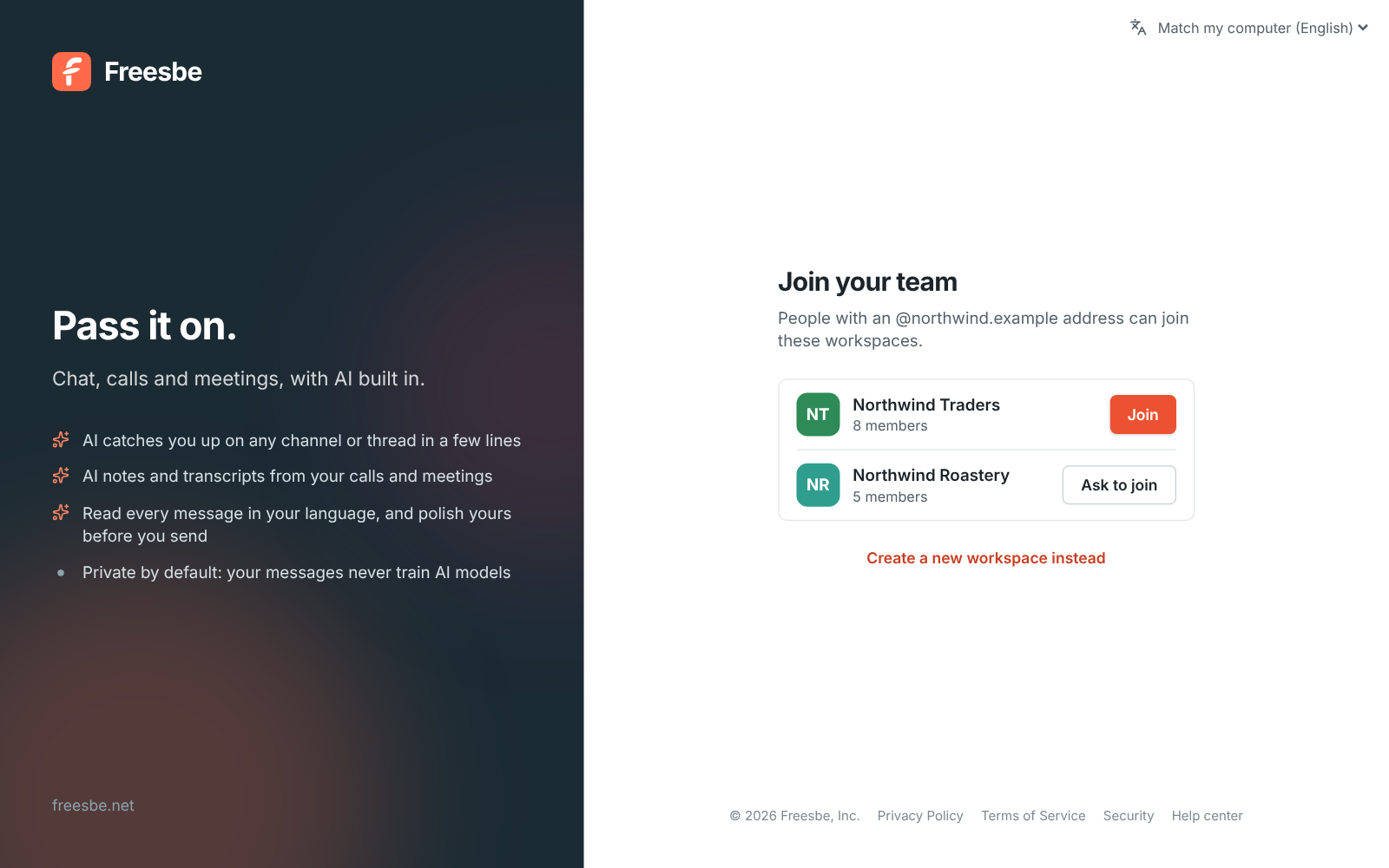
Join your team: Northwind Traders with a Join button, and a second workspace that asks an admin first

One click, and they're in #general

Someone who signs up with a confirmed address at a verified domain, with a password, a sign-in code, Google or Microsoft, sees Join your team right after signing up: your workspace's name, logo and size, and a Join button. They don't need an invite, even while sign-up is otherwise invite-only. Addresses must be confirmed: a password sign-up gets a code by email, and Google and Microsoft confirm the address themselves, so nobody gets in with someone else's work address.
Join your team with a Join button for Northwind Traders

Verify the domain in a few clicks

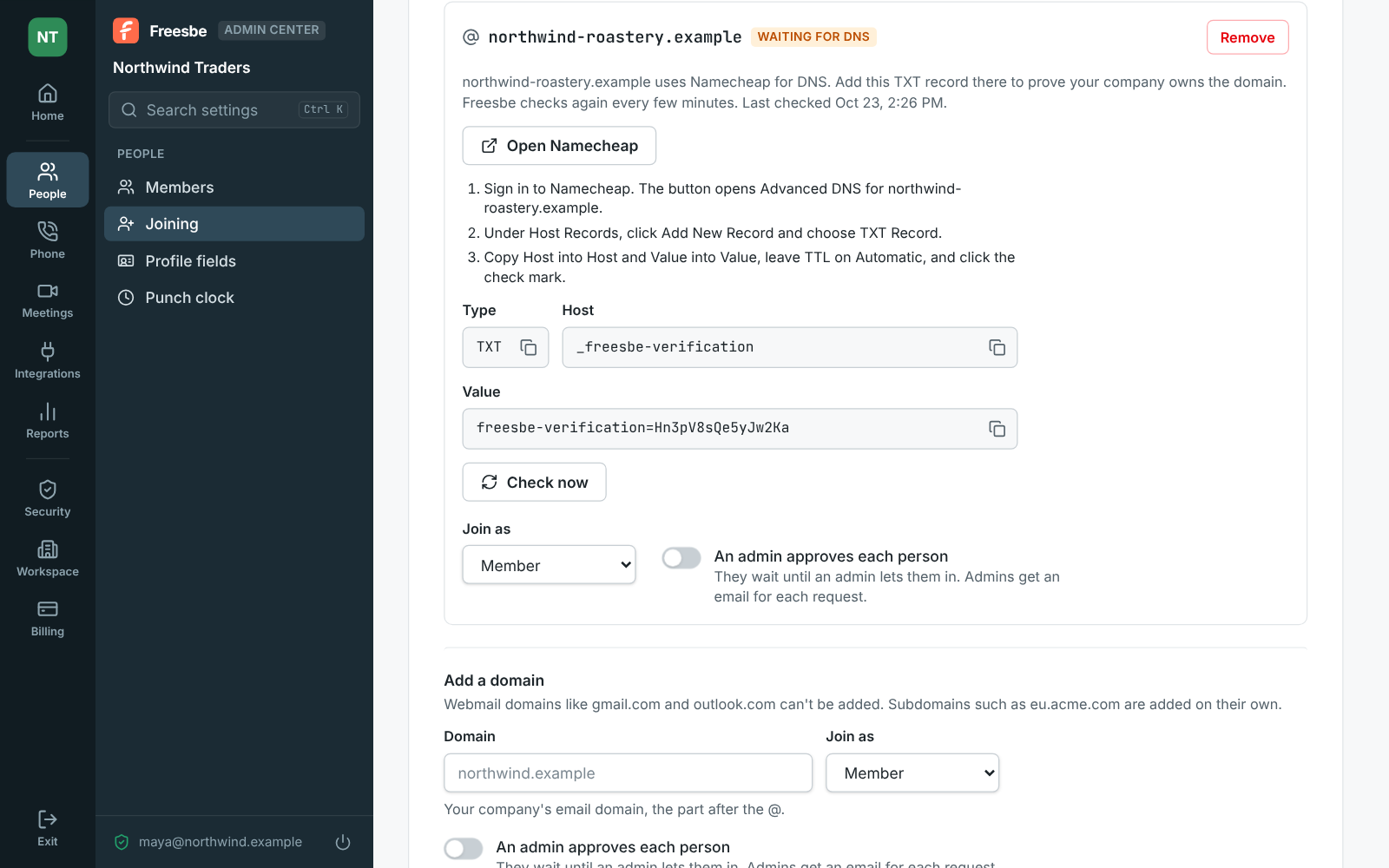
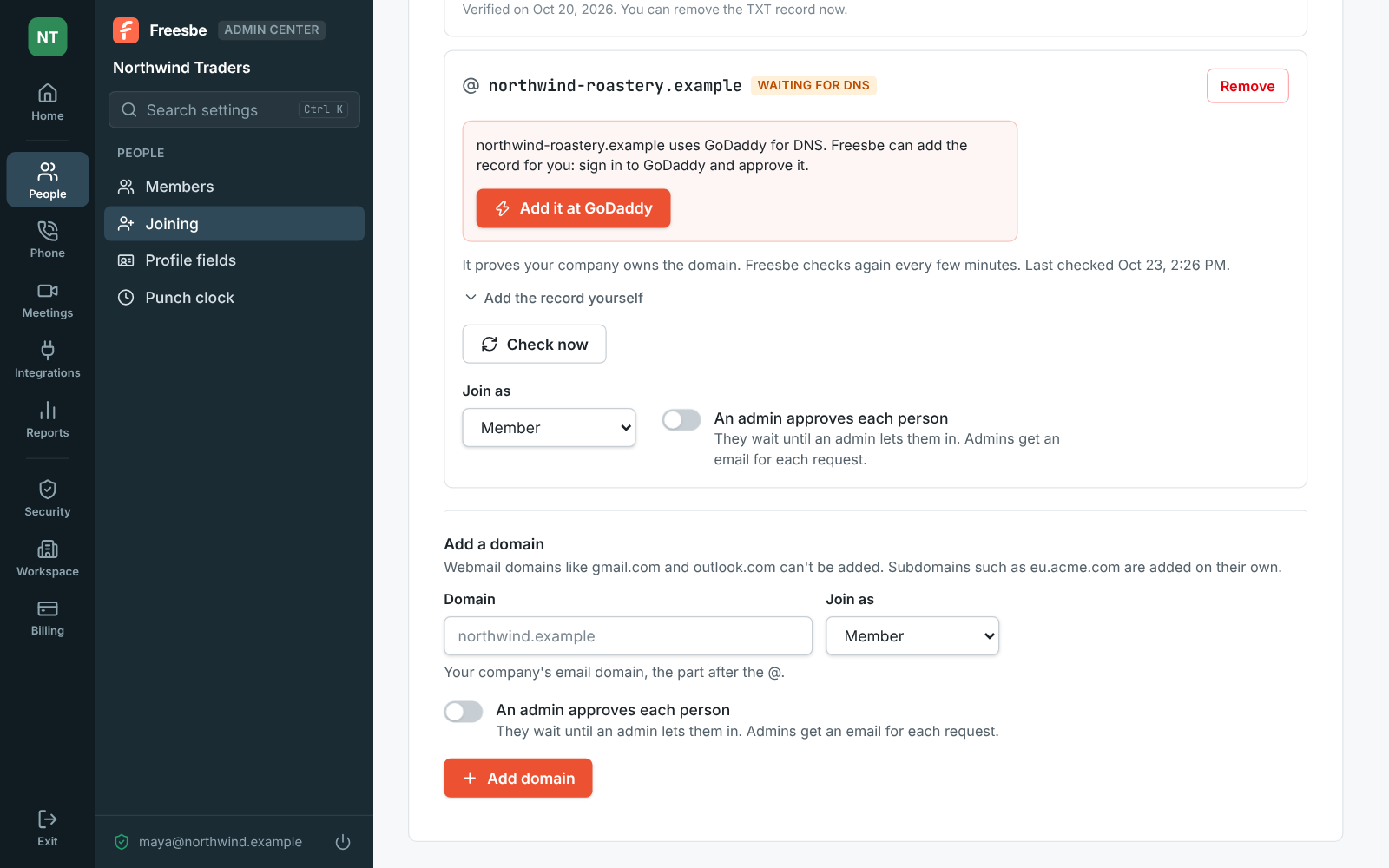
Enter the part after the @, choose whether people join as members or admins, and add the domain. Freesbe shows a TXT record and looks up who runs your DNS: at providers that support Domain Connect, click Add it at your provider, sign in and approve. For Namecheap, Route 53, Microsoft 365, Squarespace and about fifteen others, an Open button goes to your domain's DNS page with three steps for that provider. Anywhere else, copy the record. Freesbe checks for it every few minutes for a week.

An email domain waiting for DNS at GoDaddy, with an Add it at GoDaddy button and Add the record yourself under it

See it on your own team's data.

Start free with up to 10 people and try it today, or book a 20-minute demo with the people who make Freesbe.

Approve each person, with context

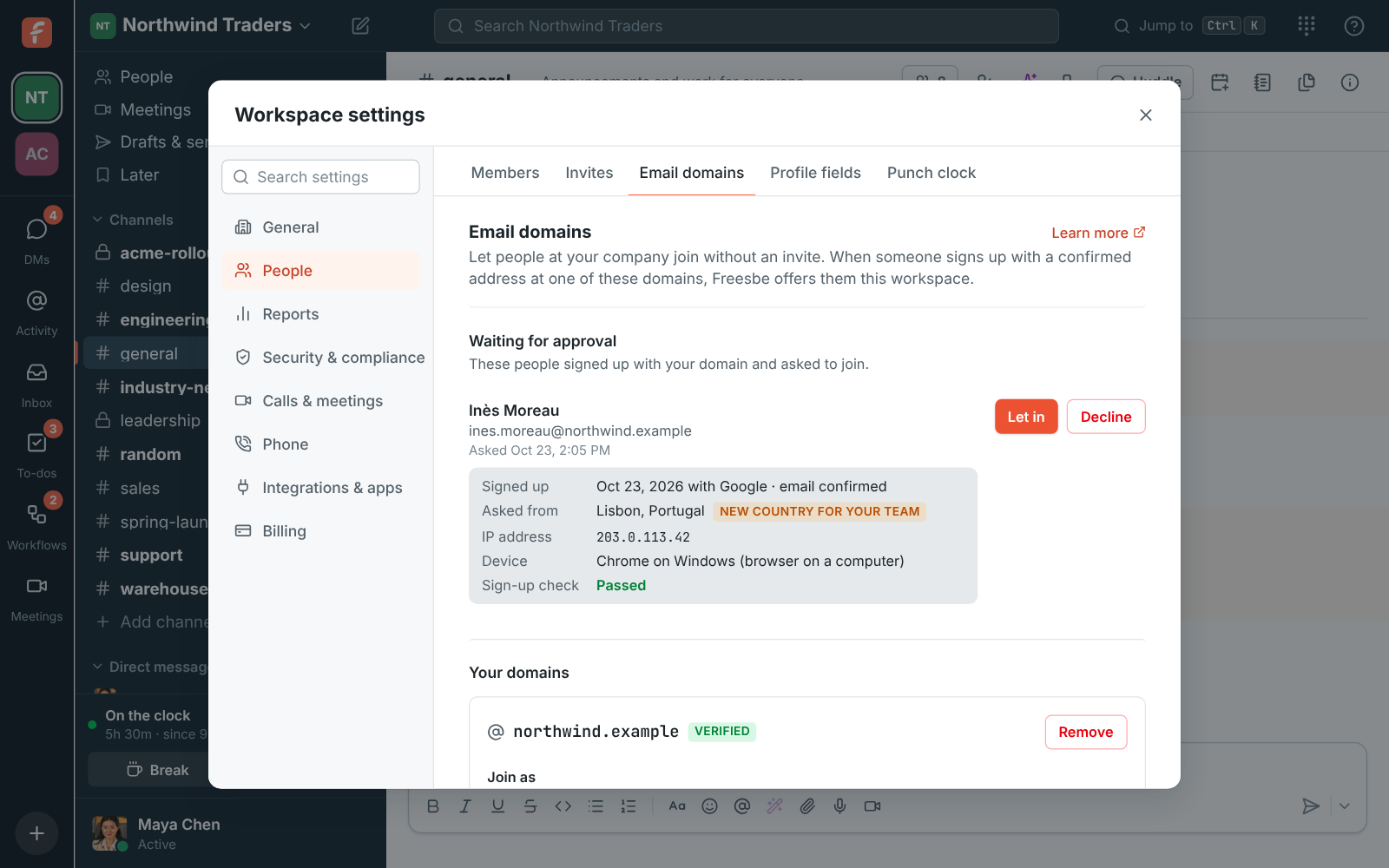
Turn on An admin approves each person and the button says Ask to join. Every admin gets an email with a Review the request link, and the person shows under Waiting for approval with when and how they signed up, the city and country they asked from, flagged when it's a new country for your team, their browser and device, and Freesbe's sign-up check: Passed, or Needs a closer look. Let in or Decline; the first admin to answer decides. Admins always need approval.

Email domains: one person waiting for approval with where they asked from, their device and the sign-up check, and a verified domain

Together with single sign-on, it covers the company

Join by email domain decides who can join; requiring single sign-on decides how they sign in. With both, everyone at your domain joins on their own and signs in with your Google or Microsoft work accounts. Several workspaces can verify the same domain, say one per team, and people pick which to join. Removing a domain means new people need an invite again; everyone who joined stays. Every change and every approval is in the audit log.

  • A subdomain counts on its own, and webmail domains like gmail.com can't be added
  • People who join take a seat like anyone else
The same domain at Namecheap: an Open Namecheap button, three steps, and the Host and Value to copy

Plans and pricing

Join with your work email is included in every plan, including Free.

  • FreeUp to 10 people
  • BusinessUp to 500 people
  • CorporateUp to 2,500 people
  • EnterpriseOver 2,500 people

Questions

Which plan includes this?
Every plan, including Free, with up to 20 domains per workspace. People who join take a seat, so a workspace without free seats asks an admin to add some first.
Can someone fake a work address?
No. The address has to be confirmed before your workspace even shows: with the code Freesbe emails, or by Google or Microsoft confirming it. A domain that's still waiting for its DNS record lets nobody in.
Can we approve people first?
Yes. Turn on An admin approves each person for the domain. It's always on for anyone joining as an admin, and the first admin to answer decides. Someone declined can't ask again; send them an invite if you change your mind.
What about eu.northwind.example?
A subdomain counts on its own, so add it as well if people have addresses there. Most DNS pages add the domain to the record's name for you.

Try all of it free with up to 10 people.

No card, no time limit. Invite your team and see what sticks.