Freesbe
All plans

One account for all your tools, your rules included.

Sign in with Freesbe makes your workspace the identity provider for your own tools: an internal dashboard, a wiki, a support admin, anything that takes OpenID Connect. Because the sign-in happens on Freesbe, your second step, single sign-on and phone approval apply there too, and someone who leaves the workspace loses those tools at once.

  • Stop running separate logins for every internal tool.
  • Apply the sign-in rules you already set once, to every tool.
  • Confirm it's really them at every sign-in, with a passkey or a tap on the phone.
  • Limit a tool to admins and post each sign-in to a channel.
  • Cut someone off everywhere the moment they leave the workspace.

For IT teams and developers with internal tools that need a login but not another directory.

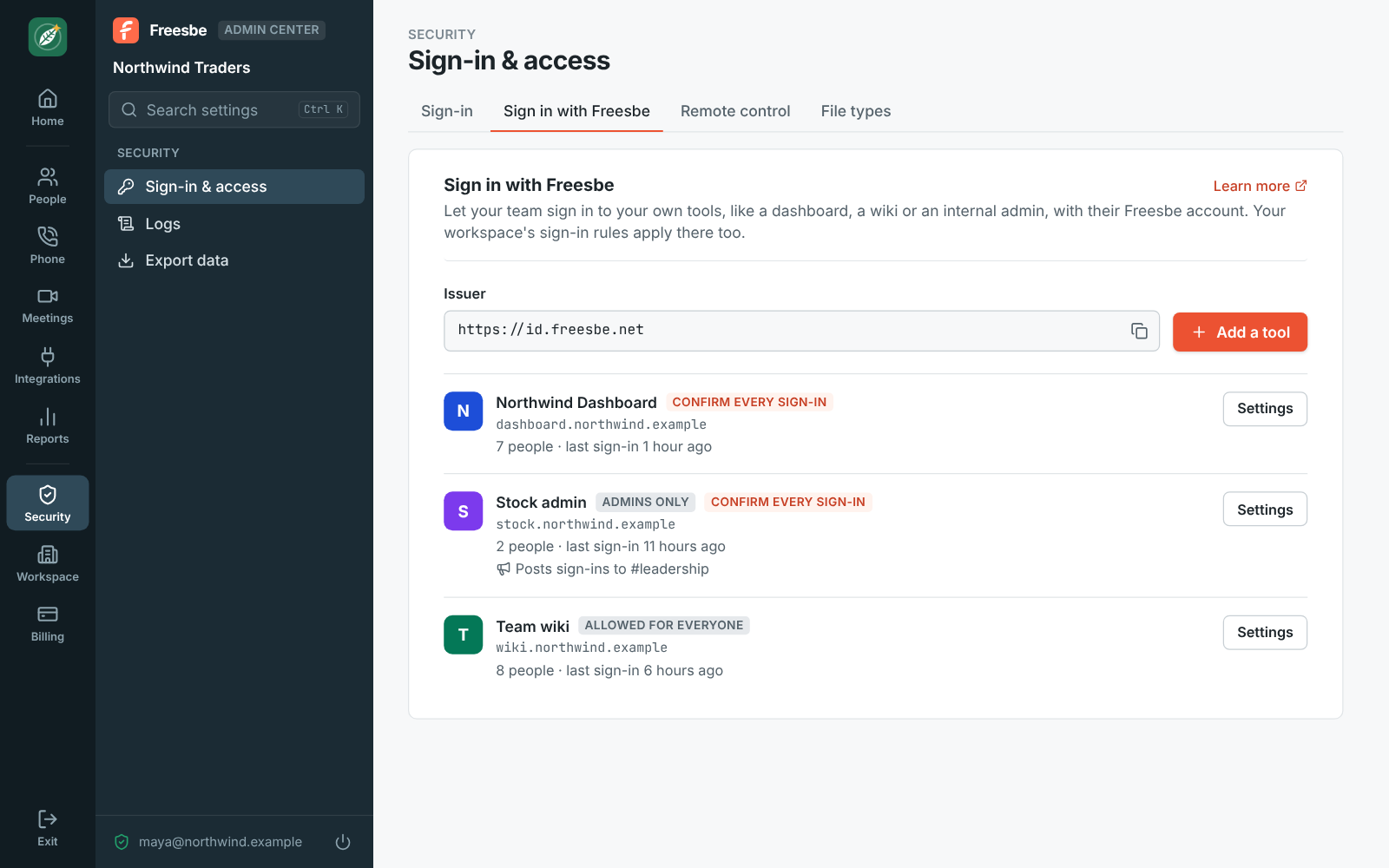
Admin Center, Sign in with Freesbe: Northwind Dashboard, Stock admin and Team wiki, with their return addresses and options

Set up a tool in a few minutes

In the Admin Center, under Security, Sign in with Freesbe, click Add a tool and give it a name; each tool is one of your workspace's apps, and its name and colour are what people see. Paste the return address your tool asks for, the redirect URI, and turn it on. Freesbe shows the issuer, the client ID and a client secret shown once. Most tools only need the issuer and find the rest at the discovery address.
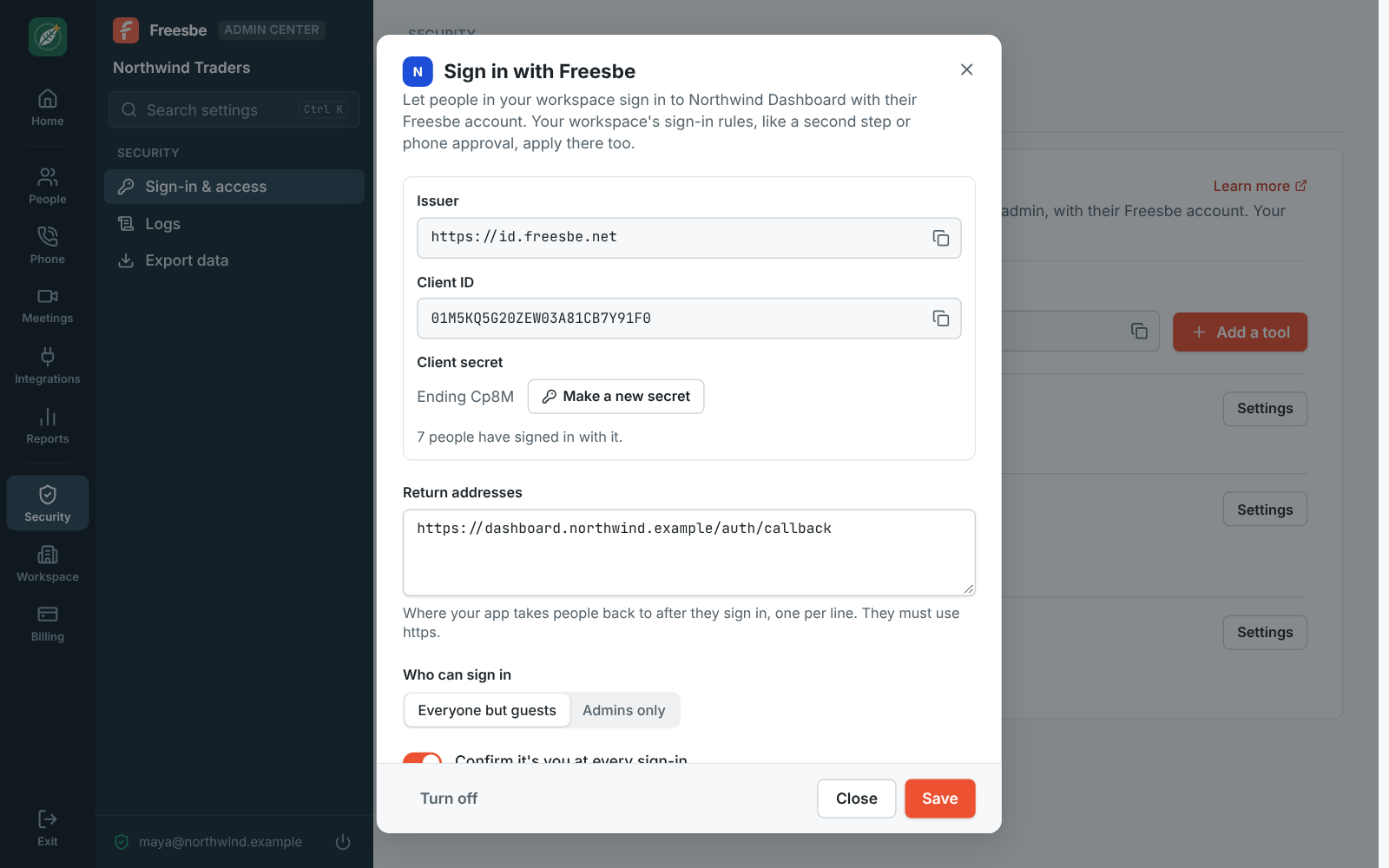
Sign in with Freesbe for the Northwind Dashboard app: issuer, client ID, client secret, return address and options

Confirm it's you, every time

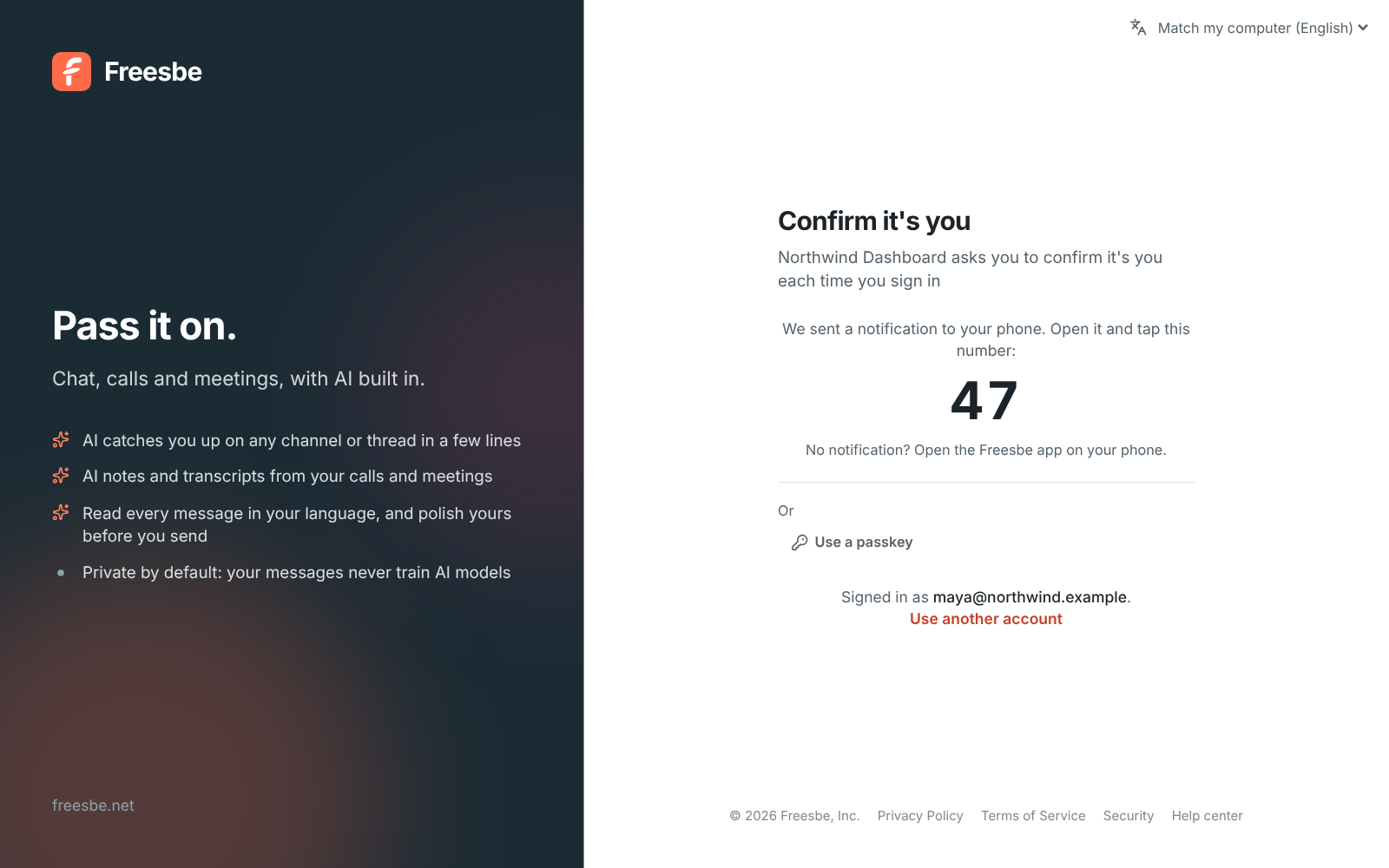
Each time someone signs in to the tool, Freesbe asks them to confirm it's them right then, even if they're already signed in to Freesbe in that browser: a passkey, or a tap on the number shown on screen followed by their fingerprint or face on the phone. Someone who just did, in the last five minutes, isn't asked twice. It's on for every tool; turn it off only for a tool anyone in the workspace could safely see.

Confirm it's you: Northwind Dashboard asks each time you sign in, with the number 47 to tap on the phone

See it on your own team's data.

Start free with up to 10 people and try it today, or book a 20-minute demo with the people who make Freesbe.

Decide who, and know when

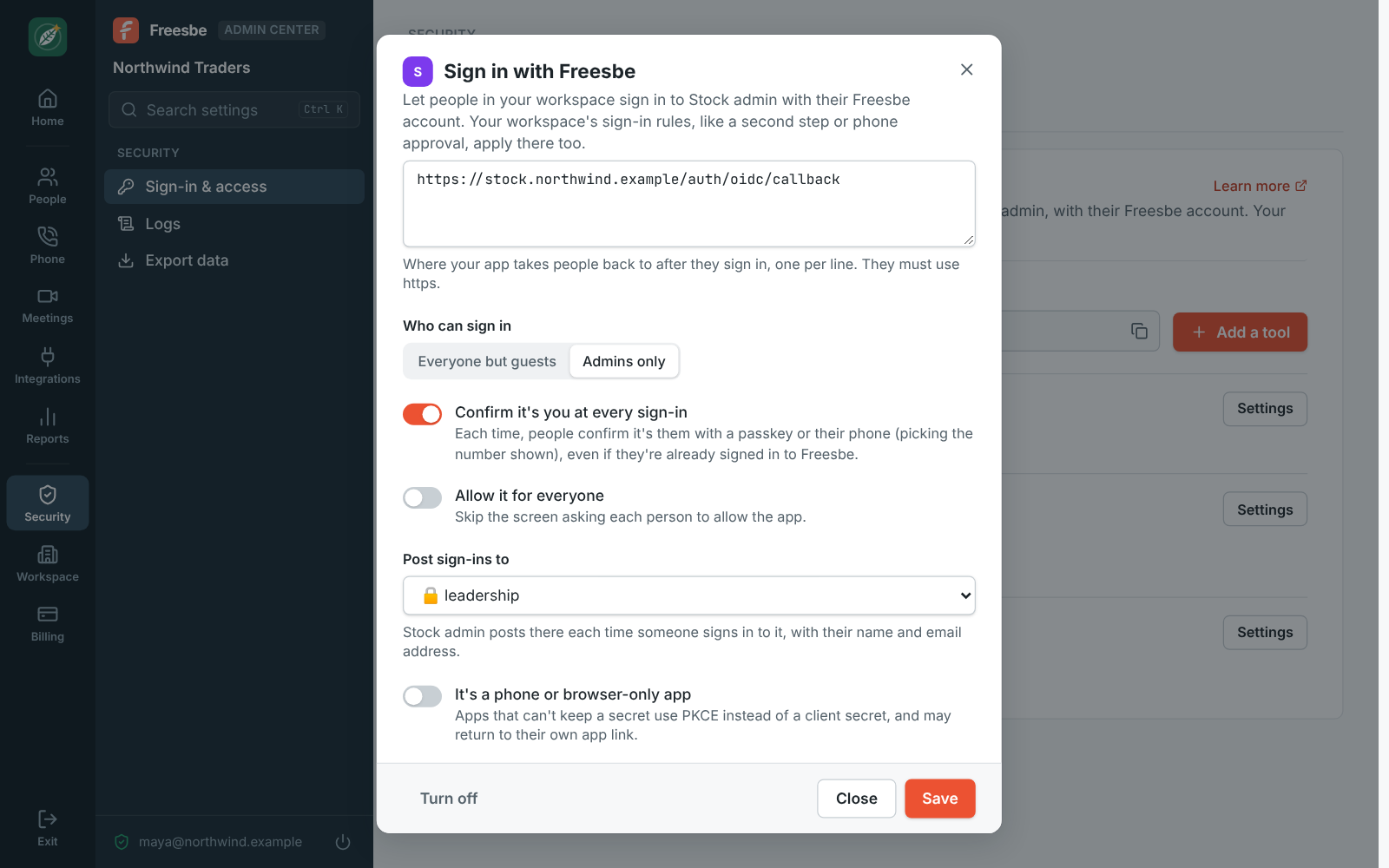
Choose who can sign in to each tool: everyone in the workspace except guests, or admins only. Skip the allow screen for tools everyone's expected to use. Post sign-ins to a channel and the tool's bot writes a line each time someone gets in, handy for a tool only a few people should touch. For a phone app or a single-page app that can't keep a secret, tick the option and it uses PKCE instead.

Sign in with Freesbe for Stock admin: admins only, a second step, and sign-ins posted to #leadership

What the tool learns, and nothing more

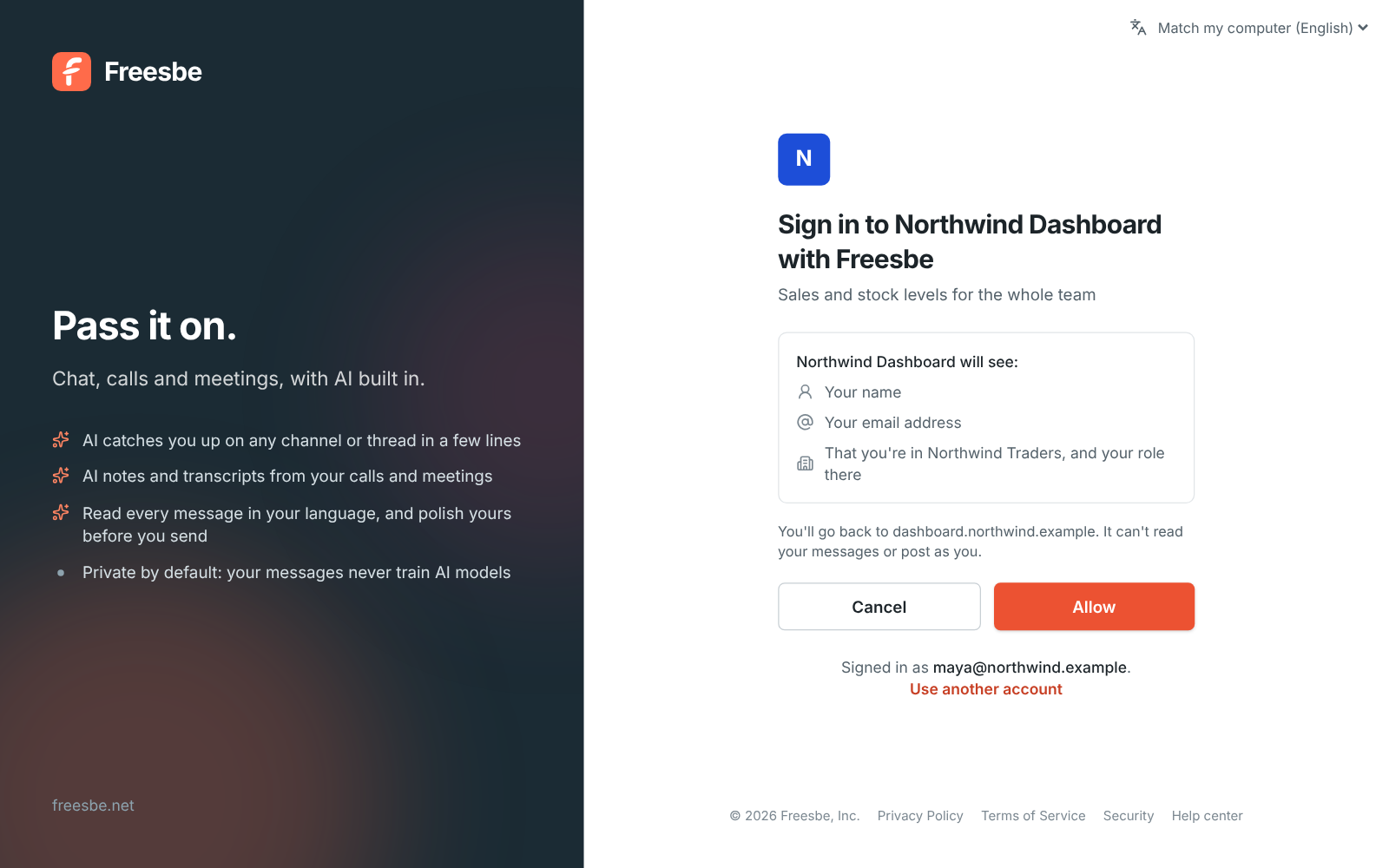
The first time, Freesbe asks the person to allow the tool and says what it will see: their name, their email address, and that they're in your workspace and their role there. It can't read their messages or post as them. People see every tool they've allowed under Preferences and can remove one, so it asks again next time. The ID token carries a stable id that never changes, how they signed in and when they last proved it's them.

  • Standard OpenID Connect with the authorization code flow; any library works
  • ID tokens are ES256 and signing keys rotate, so fetch them from the keys address
Sign in to Northwind Dashboard with Freesbe: it will see your name, email address, and your workspace and role

Plans and pricing

Sign in with Freesbe is included in every plan, including Free. Every plan includes a couple of tools; the count grows with each paid plan, see pricing limits.

  • FreeUp to 10 people
  • BusinessUp to 500 people
  • CorporateUp to 2,500 people
  • EnterpriseOver 2,500 people

Questions

Which plan includes this?
Every plan, including Free. The number of tools grows with the plan; see pricing limits.
Which tools work with it?
Anything that supports OpenID Connect, often listed as OIDC or generic OAuth in a tool's settings. Point it at the issuer, https://id.freesbe.net, and it finds the rest at the discovery address.
What happens when someone leaves?
When they leave your workspace, they can't sign in to those tools with Freesbe any more. The tool's own session ends whenever the tool ends it.
Can my tool require MFA?
Yes. The ID token's amr claim includes mfa once the person passed a second step, and auth_time says when they last proved it's them. Leave Confirm it's you at every sign-in on and check for both.

Try all of it free with up to 10 people.

No card, no time limit. Invite your team and see what sticks.