Freesbe
All plans

The whole workspace, in your pocket.

The Freesbe app for iPhone and Android signs in to the same account and shows the same workspaces, messages and unread counts as your computer. Catch up on what you missed one conversation at a time, reply from a notification, share photos and files from any app, join huddles and meetings, and take calls on your business number.

  • Catch up on every unread conversation in order, with Mark read, Reply or Skip.
  • Reply or mark as read from the notification itself, without opening the app.
  • Get notified on your phone only when you are away from your computer.
  • Sign in by scanning a code on your computer, with nothing to type.

For Field, shift and sales teams who are away from a desk more than they are at one.

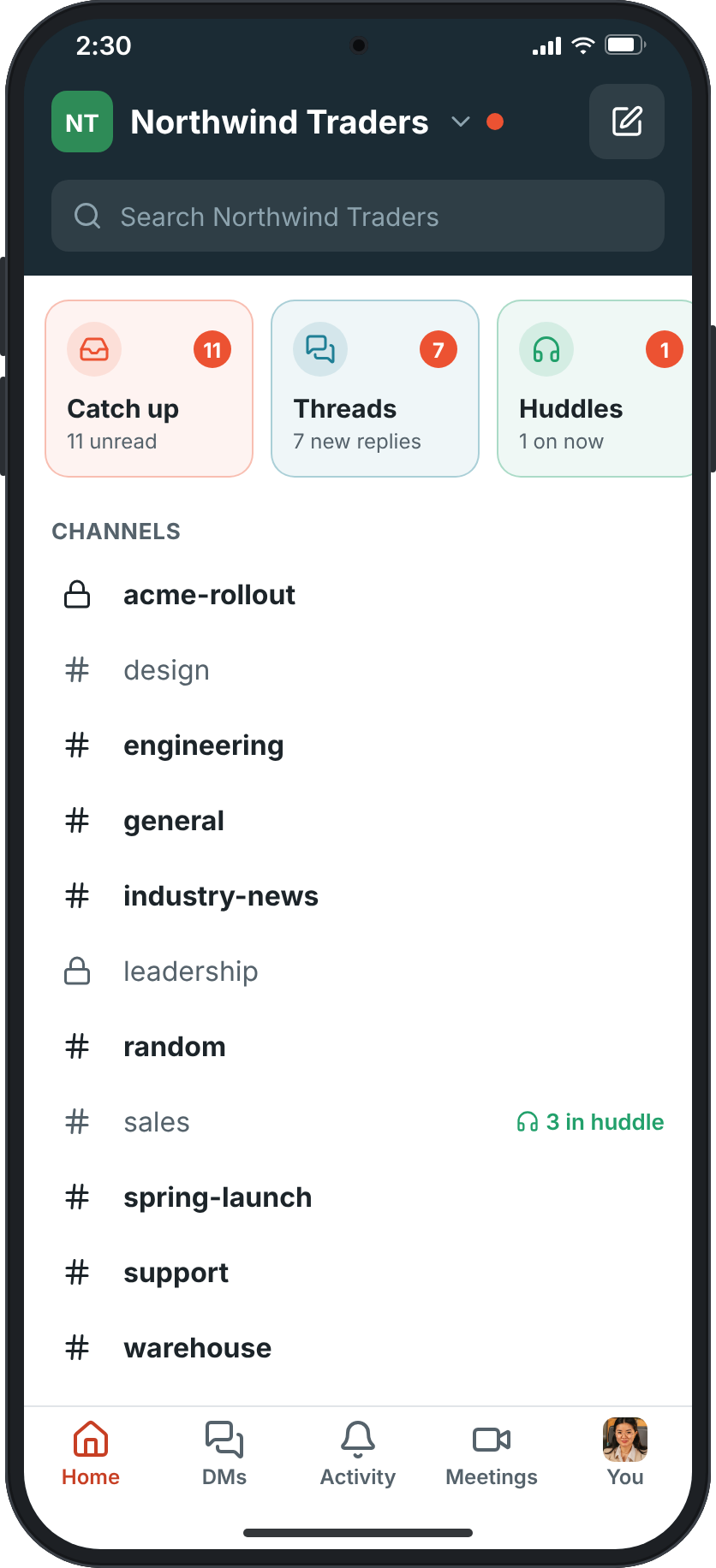
Home in the mobile app: the Northwind Traders workspace with the row of Catch up, Threads and Huddles tiles, its channels, a huddle in #sales, unread badges and direct messages

Home shows what needs you

A row of tiles at the top of Home shows what is waiting: Catch up, Threads, Huddles going on now, Meetings about to start, To-dos due today, Later reminders that went off, and Drafts & sent. Catch up goes through your unread conversations one at a time, DMs and mentions first, with Mark read, Reply or Skip on each. Under the tiles are your channels and DMs, bold when unread, like the sidebar on your computer.
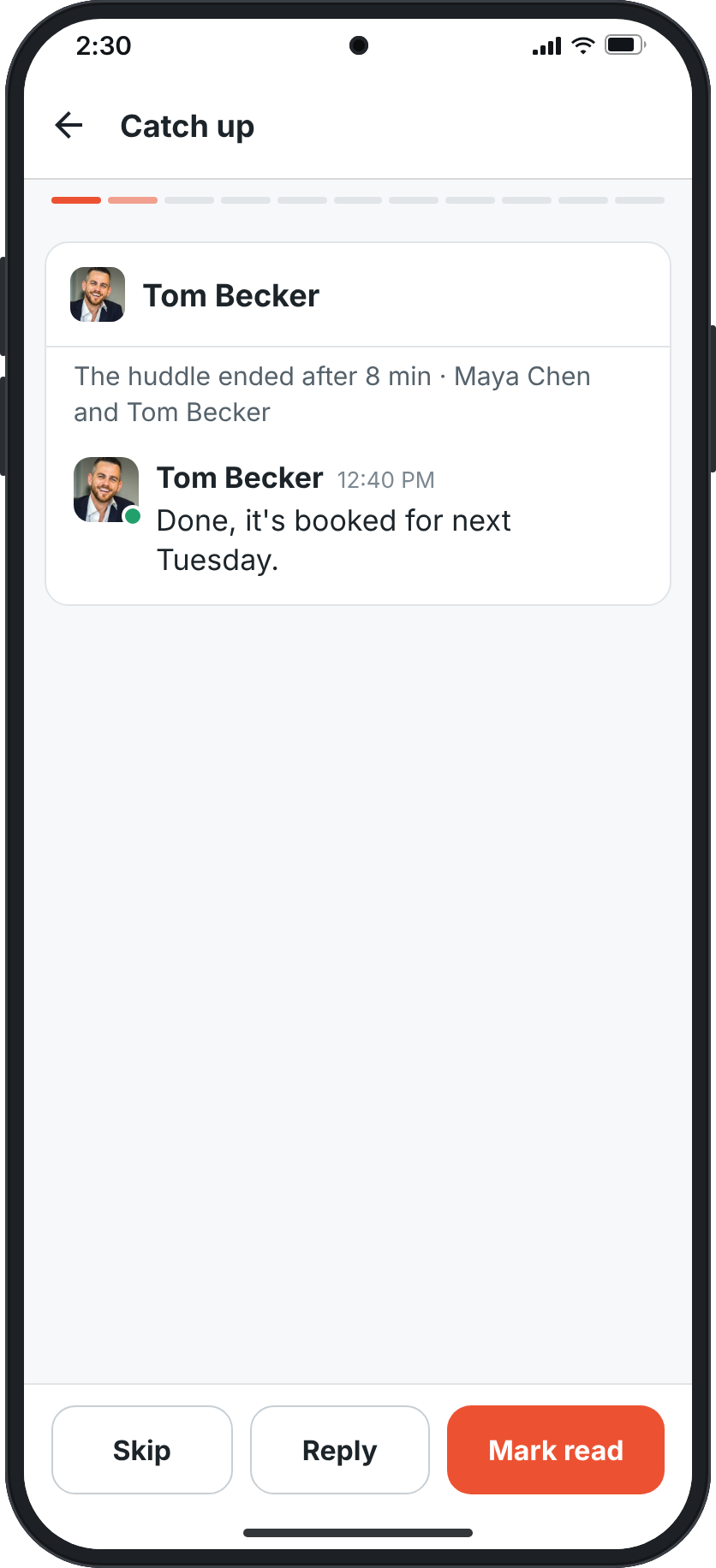
Catch up on a phone: an unread DM from Lena Fischer, a progress bar along the top, and Skip, Reply and Mark read buttons

Every conversation, as on your computer

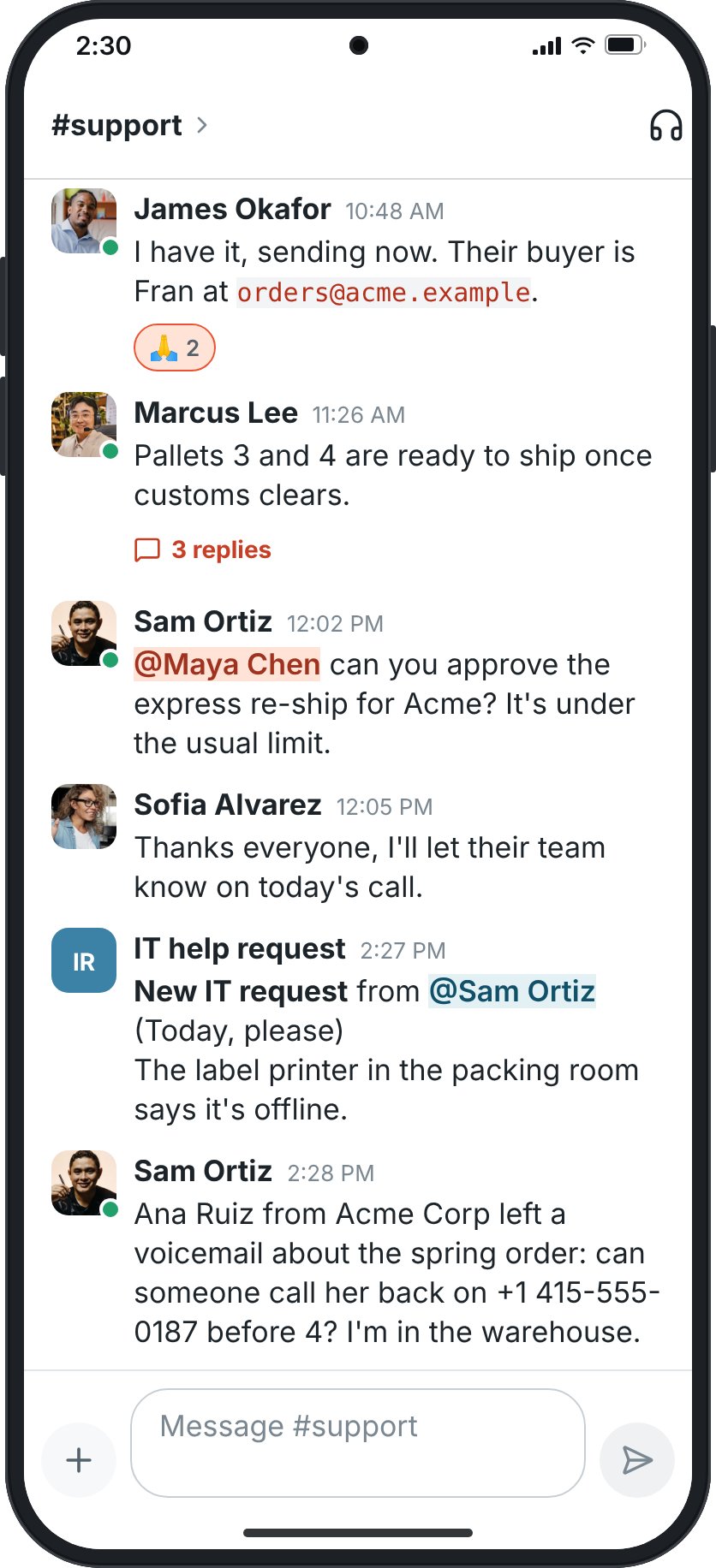
Messages, reactions, mentions, lists, code and links look the same as on your computer. Press and hold a message for the same menu as a right-click: react, reply in thread, quote, save for later, set a reminder, pin, forward, mark unread, add to to-dos, translate, edit or delete. Your phone keeps the newest messages of recent conversations, encrypted, so they open right away even without signal.

A conversation in #support with messages, a reaction, a thread with 3 replies and the composer

See it on your own team's data.

Start free with up to 10 people and try it today, or book a 20-minute demo with the people who make Freesbe.

Answer from the notification

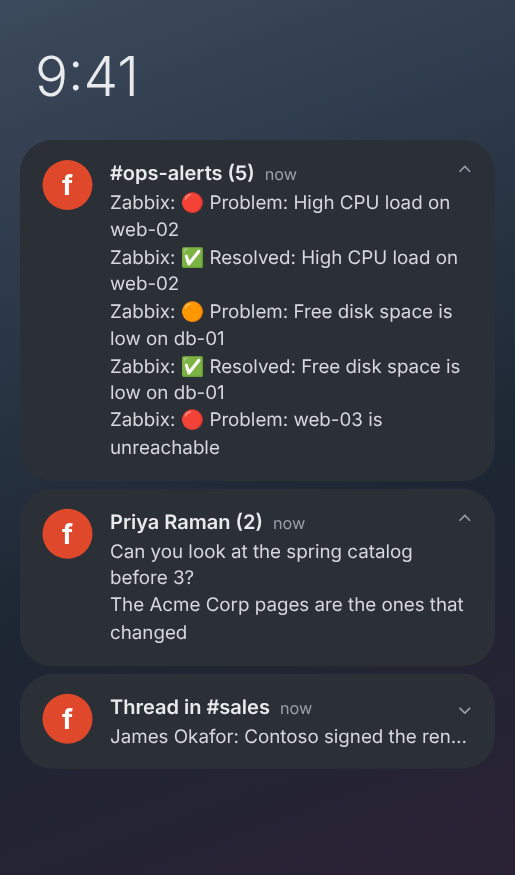
Your phone gets notifications for DMs, mentions, thread replies and channels set to Every message, only while you are not using Freesbe somewhere else, so it takes over when you step away from your computer. Press and hold one to Reply or Mark as read without opening the app. On Android each conversation gets one notification that shows its newest messages, and messages that came in while you were offline arrive quietly.

An Android notification shade with one notification each for #ops-alerts (5 alerts), Priya Raman (2 messages) and a thread in #sales

Photos and files, from any app

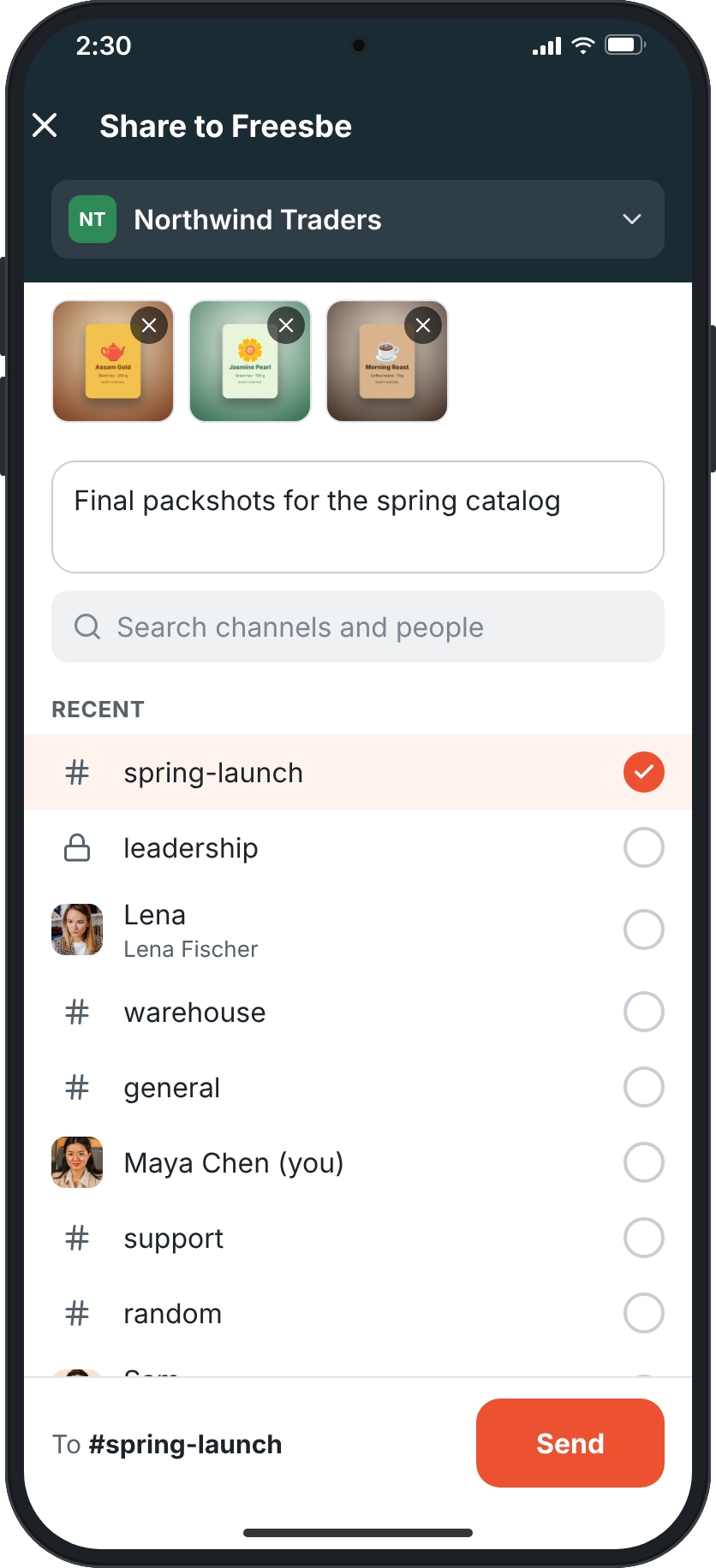
Tap the plus next to the message box for photos and videos from your gallery, up to 10 at a time, a photo from the camera, any file, or the screenshot you just copied. Pictures open full screen with pinch to zoom and a swipe to the next. On Android, Freesbe is in every app's share menu: share photos, a web page, a PDF or any text and pick the conversation, and your four most recent conversations are in the share menu itself.

Share to Freesbe with three product shots, a message, and #spring-launch picked to send them to

Sign in with a scan

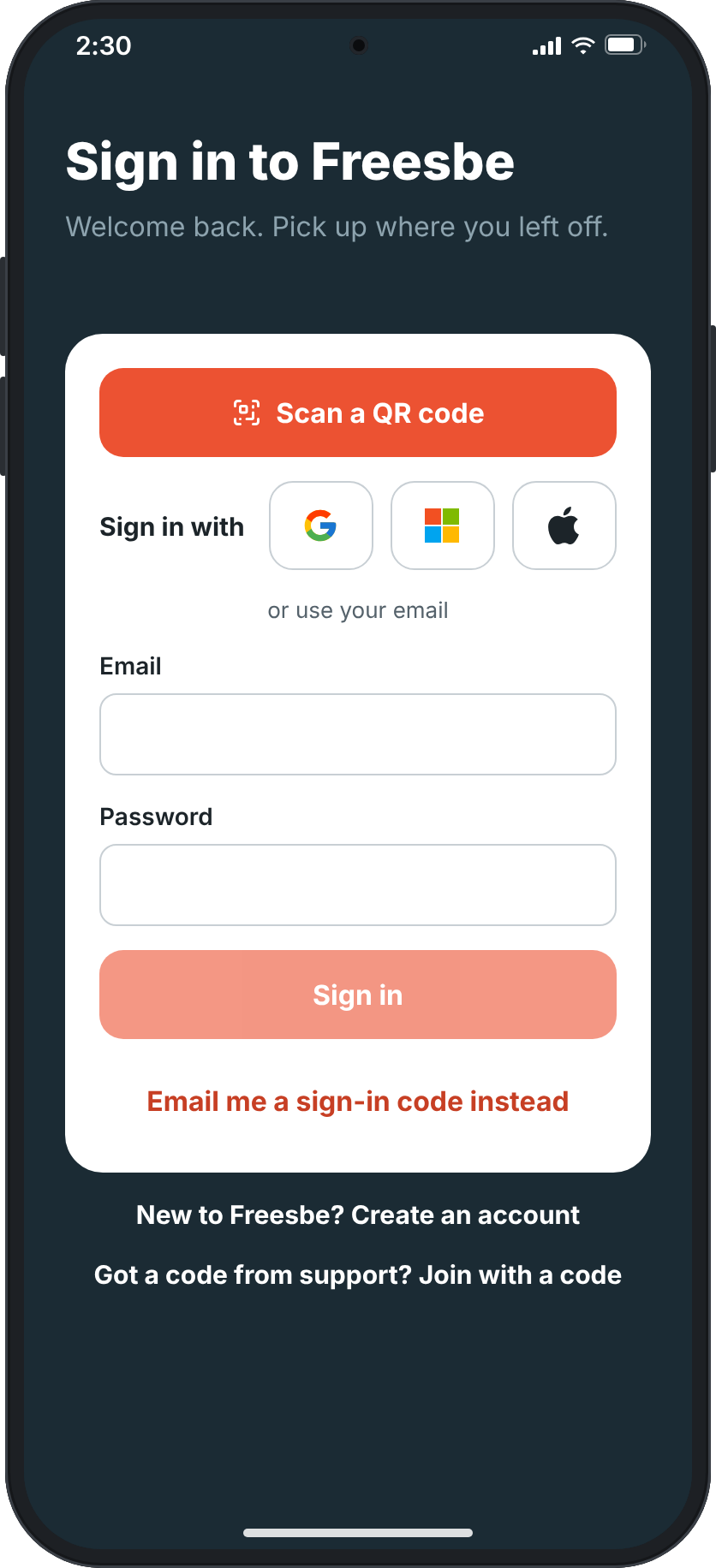
Signed in on your computer? Choose Sign in on your phone from your account menu, tap Scan a QR code in the app, and point your phone at the screen. Each code works once, for two minutes. Or sign in with Google, Microsoft or Apple, a passkey with your fingerprint or face, or an emailed code. Your phone can also approve sign-ins on your computer as the second step, and you can start a whole new workspace from the phone.

The mobile sign-in screen with Scan a QR code, Google, Microsoft, Apple, email and password, and an emailed code

Plans and pricing

The phone app is included in every plan, including Free.

  • FreeUp to 10 people
  • BusinessUp to 500 people
  • CorporateUp to 2,500 people
  • EnterpriseOver 2,500 people

Questions

Is the app in the App Store and Google Play?
Not yet. The app is in testing, and the download page lists it as Coming soon. What's new will say when you can download it.
Will my phone buzz while I am at my computer?
No. Your phone gets a notification only while you are not active in Freesbe anywhere else. When you step away from your computer, your phone takes over. Huddle calls ring on every device and stop when you answer on one.
Does it work without signal?
Recent conversations open right away from what the phone keeps, encrypted with a key only your account can get, and catch up a moment later. A message that cannot be sent stays in the conversation with Try again. What is kept is deleted when you sign out.
Can I take phone calls on it?
Yes, with the Phone system add-on: make and take calls on your Freesbe number, with the keypad, recent calls and voicemail in the app, and move a call between your computer and your phone.
Which plan includes this?
Every plan, including Free. Phone calls on your business number need the Phone system add-on on a paid plan.

Try all of it free with up to 10 people.

No card, no time limit. Invite your team and see what sticks.