Freesbe
Business and up

Bring the client into the channel, not the company.

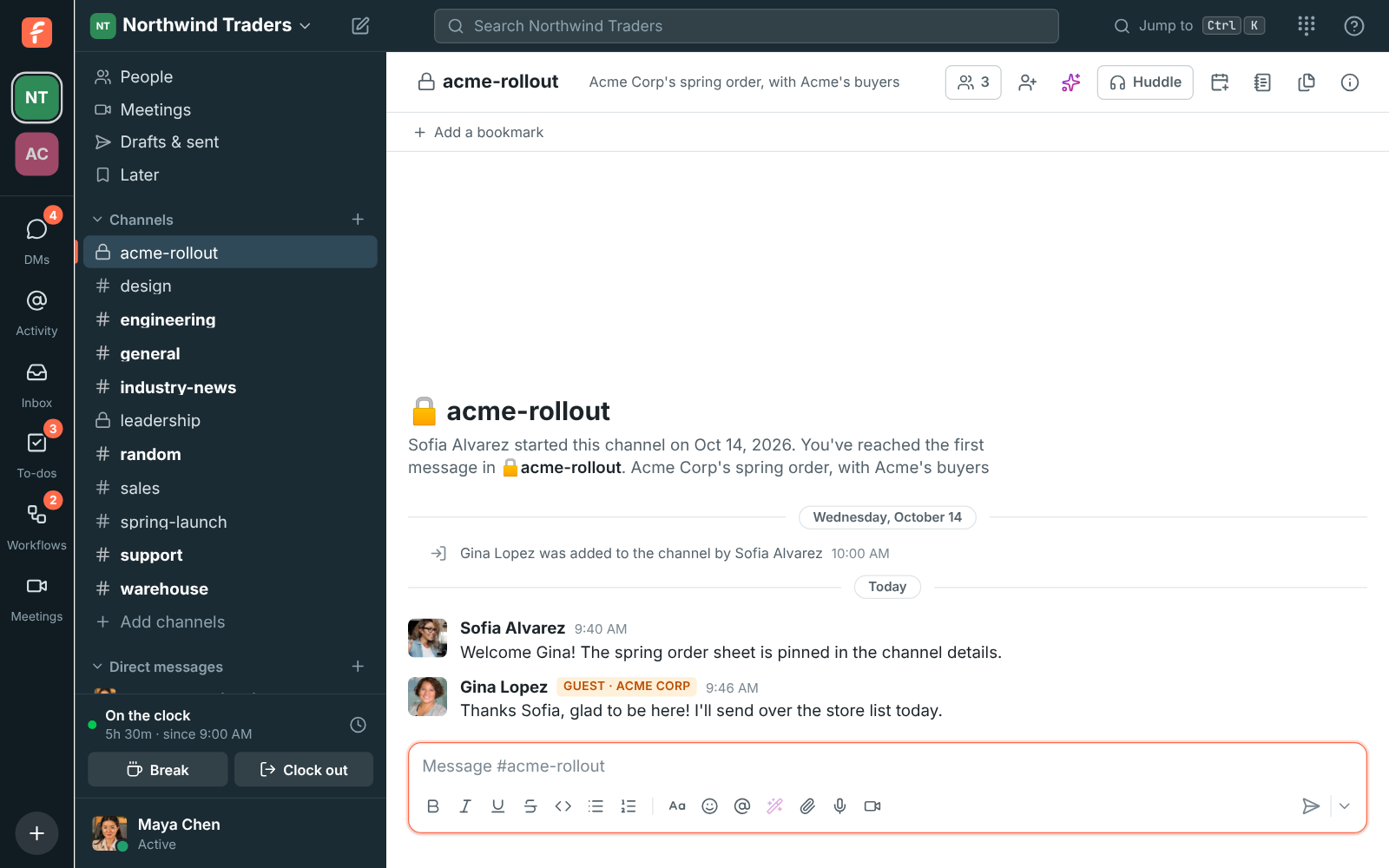
A guest is someone from outside your organization, like a client, contractor or partner, who works with you in specific channels. Guests see only the channels they were invited to and the people in them. They can post, reply, react, share files and join huddles there, and everyone else sees a Guest badge next to their name.

  • Work with a client in one channel while the rest of the workspace stays yours.
  • Approve each guest before they get in, or let the invite do it.
  • Invite by email or with a link, from the channel itself.
  • Promote a guest to a member later, or deactivate them in one click.

For Agencies, consultancies and any team that works with clients or contractors in a shared channel.

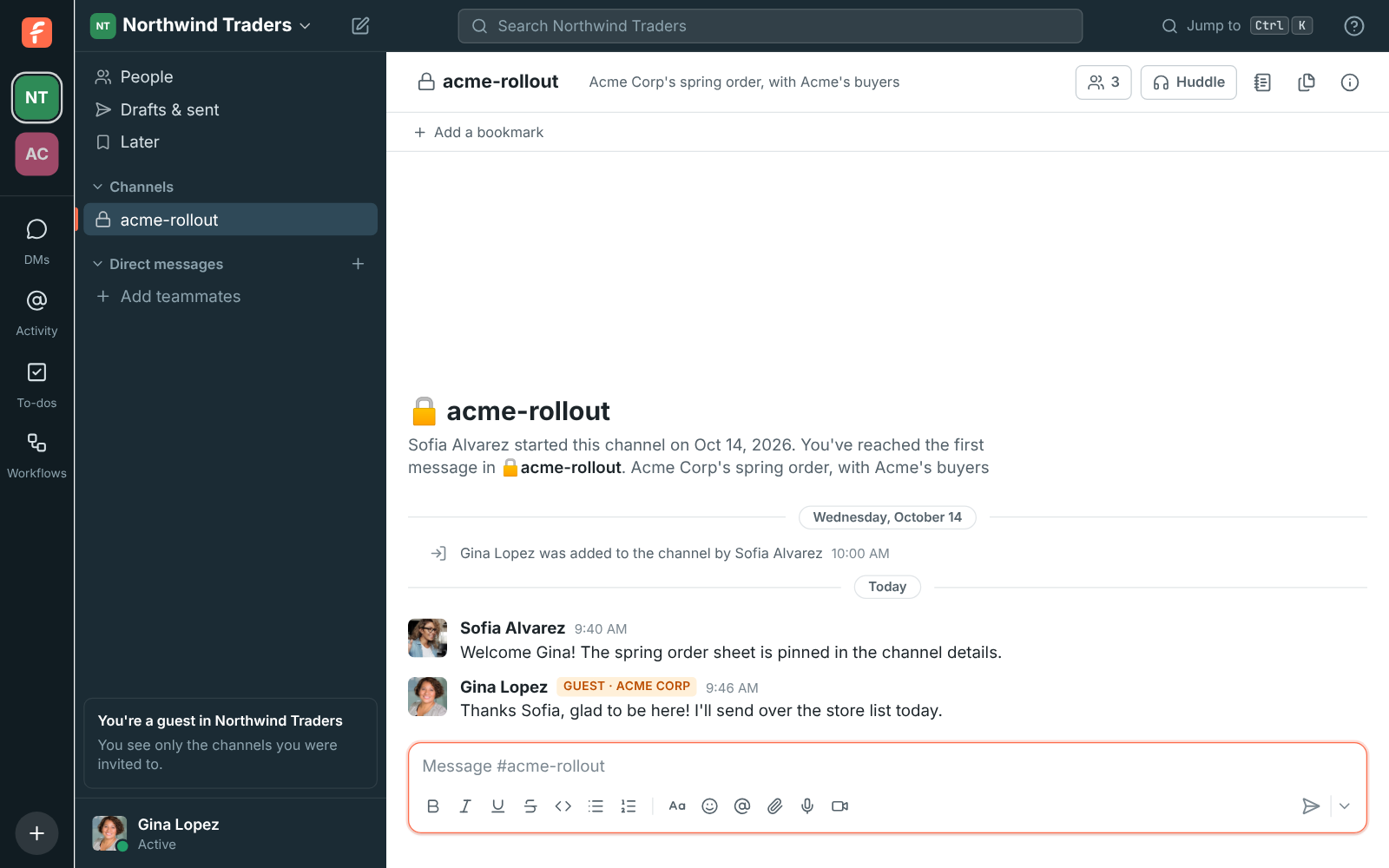
A guest's view: only #acme-rollout in the sidebar, and You're a guest in Northwind Traders

Invite from the channel

Open the channel and click Invite people from outside in its header. Email the invite to a few addresses, or copy a link to share yourself. Emailed guest invites are single-use and last 7 days, and a guest link lasts 7 days too. Anyone in the channel who is not a guest can invite, so the account manager does not need an admin.
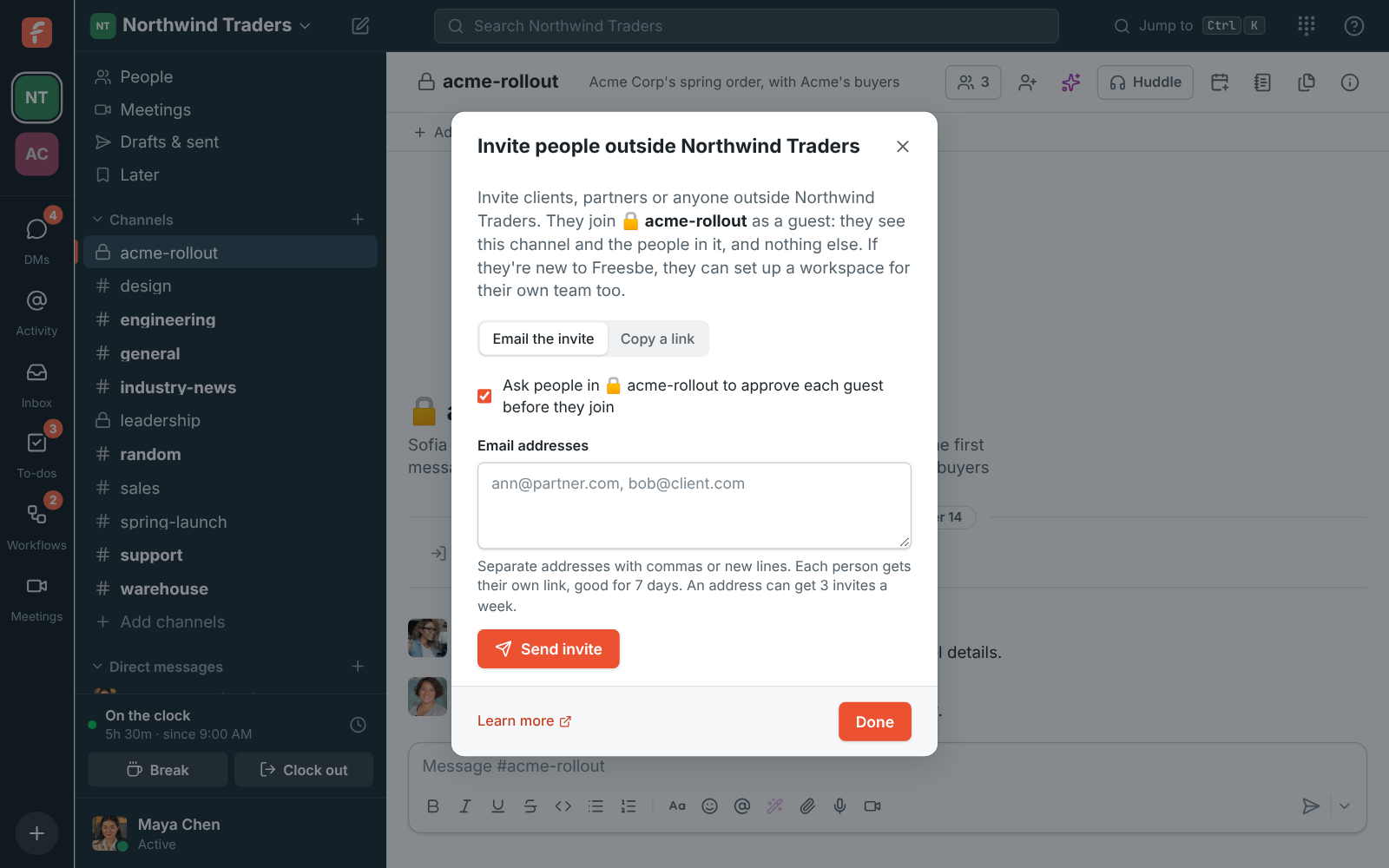
The Invite people outside Northwind dialog, with the approval option turned on

The guest knows exactly what they are joining

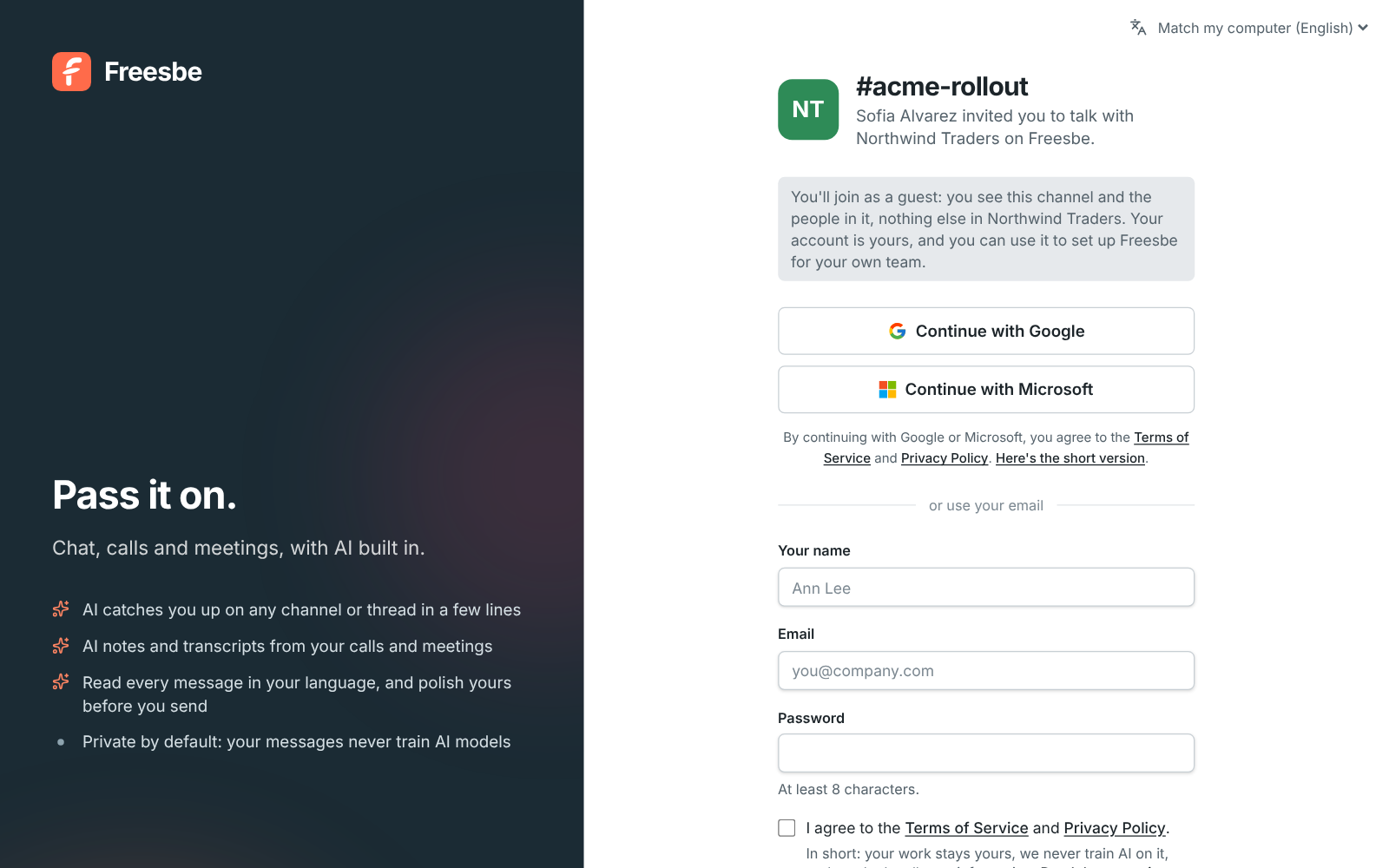
The invite page tells the guest which channel they are joining, who invited them and that they will only see that channel. There is no walkthrough of your whole workspace, because they never see it. Guests can also set up Freesbe for their own company from the sidebar, become the owner of that new workspace, and keep working with you as a guest in yours.

The guest invite page for #acme-rollout: Sofia Alvarez invited you to talk with Northwind Traders on Freesbe

See it on your own team's data.

Start free with up to 10 people and try it today, or book a 20-minute demo with the people who make Freesbe.

Approve each guest before they get in

Leave Ask people in the channel to approve each guest before they join turned on, and a guest who accepts the invite has an account but cannot get in yet. The channel shows who wants to join and who invited them, with Let in and Decline. Anyone in the channel who is not a guest can answer. The guest's page moves on by itself once someone lets them in, and they get an email too.

A guest's sidebar with one channel and the You're a guest callout

Everyone can tell who is a guest

A Guest badge sits next to a guest's name on every message, so nobody shares an internal number by mistake. Guests see your name, title and pronouns but not your department, location, manager or phone unless your admins chose to show a field to them. Out of the box guests cannot share programs and scripts; admins choose in File types. Guests can use custom emoji but not add them.

A message from Gina Lopez with the Guest badge

Plans and pricing

Guests from other companies is included in Business, Corporate and Enterprise.

  • BusinessUp to 500 people
  • CorporateUp to 2,500 people
  • EnterpriseOver 2,500 people

Questions

What can a guest see?
Only the channels they were invited to, and only the people in those channels. They can send DMs to the people they share a channel with, but cannot browse or join other channels, see the rest of the workspace's people, or invite anyone.
Do guests cost anything?
No. Guests come with the paid plans and are free.
Can a guest become a full member?
Yes. In Workspace settings, change a guest's role to Member or Admin to give them the full workspace, or Deactivate them to remove their access.
Can guests use Ask Freesbe?
Guests can search the channels they are in, but Ask Freesbe is for members only.
Which plan includes this?
Business, Corporate and Enterprise. The Free plan does not include guests.

Try all of it free with up to 10 people.

No card, no time limit. Invite your team and see what sticks.