Freesbe
All plans

Files, pictures and pages, right in the message.

Attach up to 10 files to a Freesbe message, each up to 50 MB. Several pictures show as a gallery, a PDF shows its first page, and PDFs, text, code and CSV files open in Freesbe without downloading. A link gets a preview with the page's title and picture. Every conversation's Files tab lists everything shared in it.

  • Tell the quote from the invoice without opening either: PDFs show their first page.
  • Drop, paste or pick several pictures at once and send them as one gallery.
  • Open PDFs, text and spreadsheets in Freesbe instead of a downloads folder.
  • Find any file shared in a conversation, in threads too, from its Files tab.

For Teams that pass around quotes, photos, spreadsheets and screenshots all day.

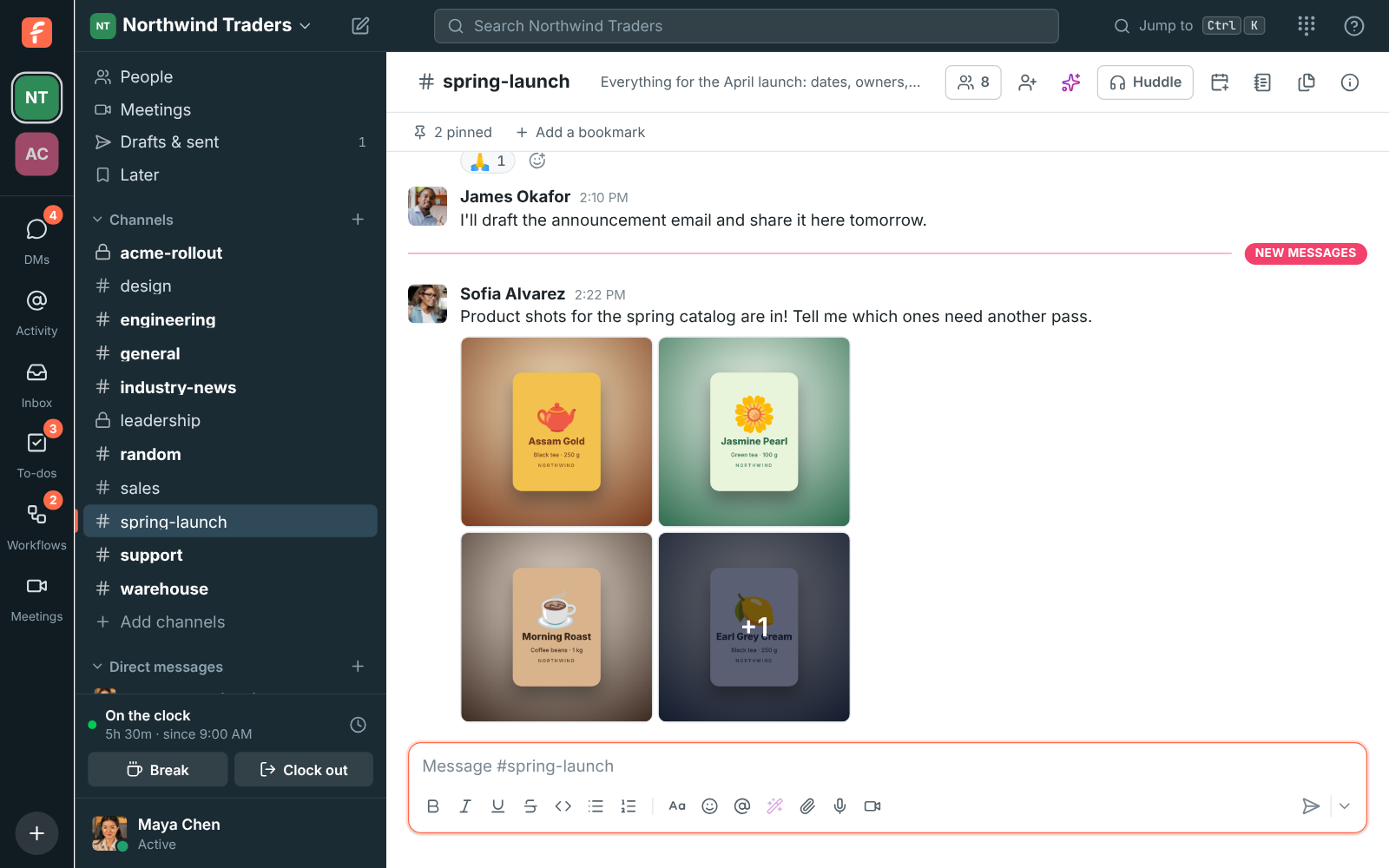
Sofia's message with five product shots as a gallery, the last tile showing +1

Several pictures, one message

Click the paperclip, drag files onto the conversation, or paste them. Pick pictures together, drop them all at once, or paste one after another: each paste adds to what is waiting above the message box. Pasted screenshots get a name with the time, so you can tell them apart. Several pictures in one message show as a gallery of up to four tiles, with +N on the last for the rest.
A message with five product shots as a gallery, the last tile showing +1

Open it without downloading

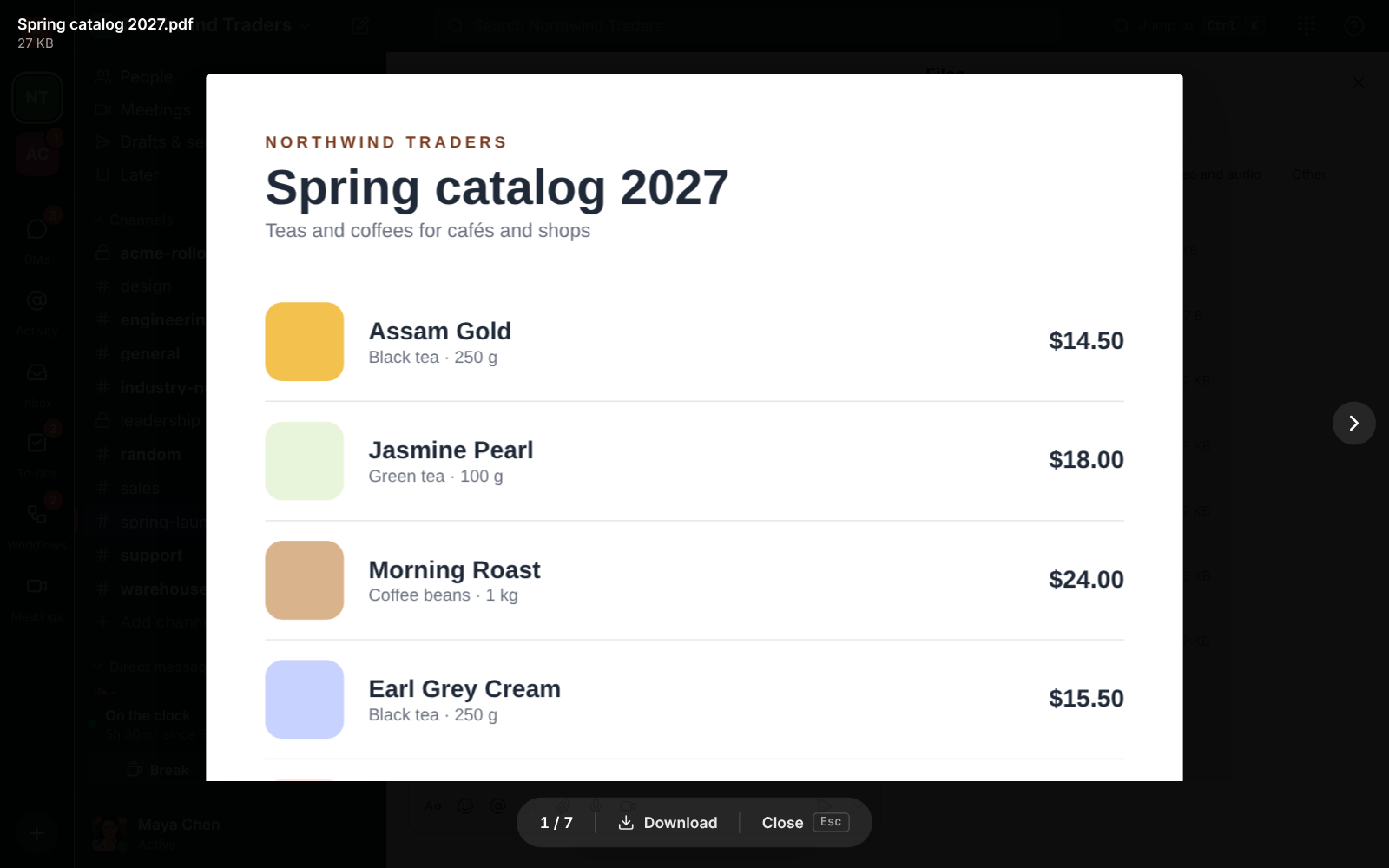
Click the name of a PDF, a text or code file, or a CSV spreadsheet and it opens right in Freesbe, in the same dark viewer as pictures. PDFs show their pages, CSV files show as a table, and text and code show as they are. With other files on the same message, arrows move between them and a counter says where you are. Word, PowerPoint and zip files download when you click them.

A PDF of the Northwind Traders spring catalog open in the file viewer, with Download and Close at the bottom

See it on your own team's data.

Start free with up to 10 people and try it today, or book a 20-minute demo with the people who make Freesbe.

Every file in the conversation, in one list

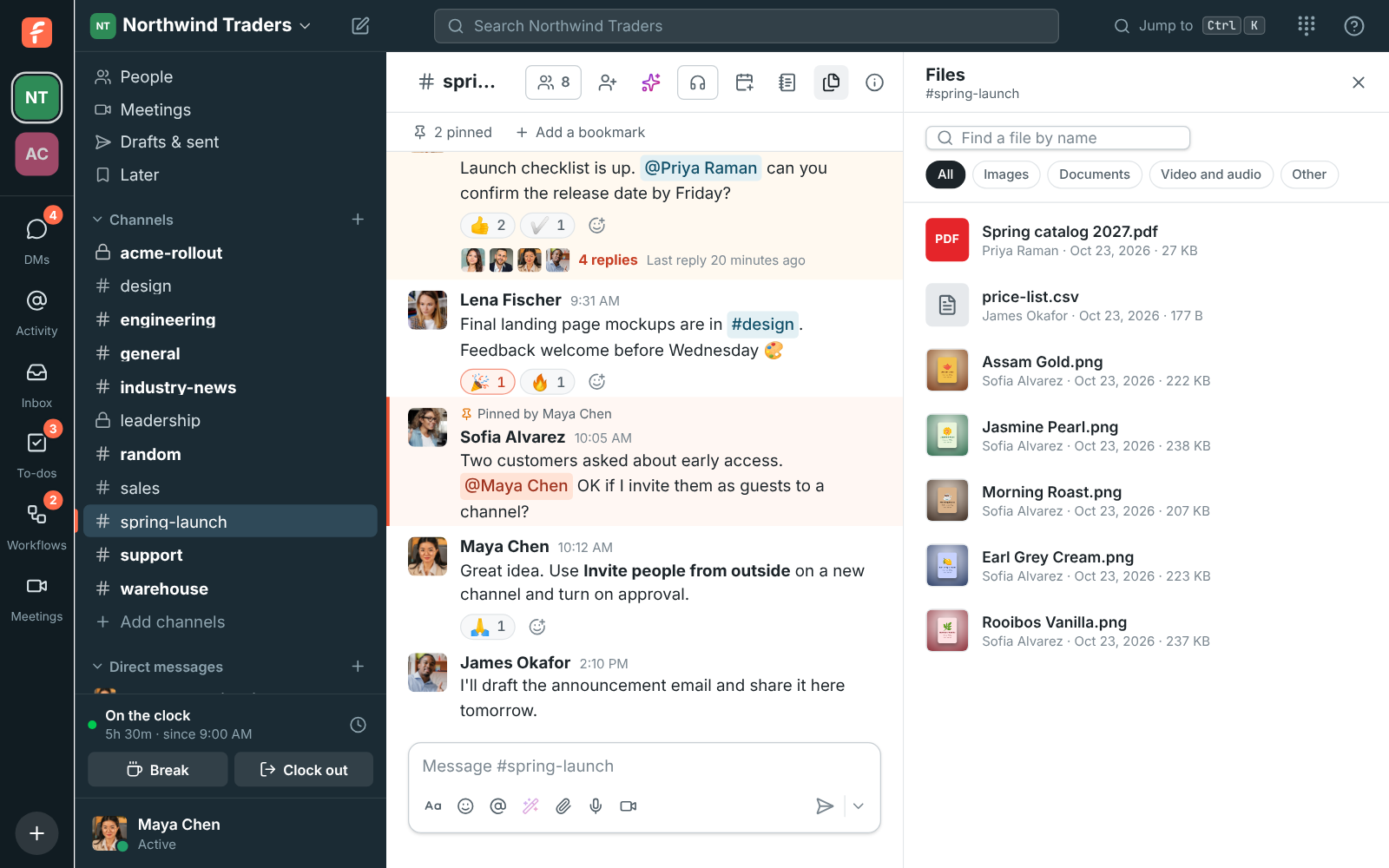
Every channel and DM has a Files button at the top, next to the canvas. It lists everything shared in that conversation, in threads too, newest first, with who shared each file, when and how big it is. Type part of a name to find one, and pick Images, Documents, Video and audio or Other to see just those. Show in conversation jumps to the message the file came with.

The Files tab of #spring-launch: product pictures, a PDF catalog and a CSV price list, with the Images, Documents, Video and audio, and Other filters

A preview under every link

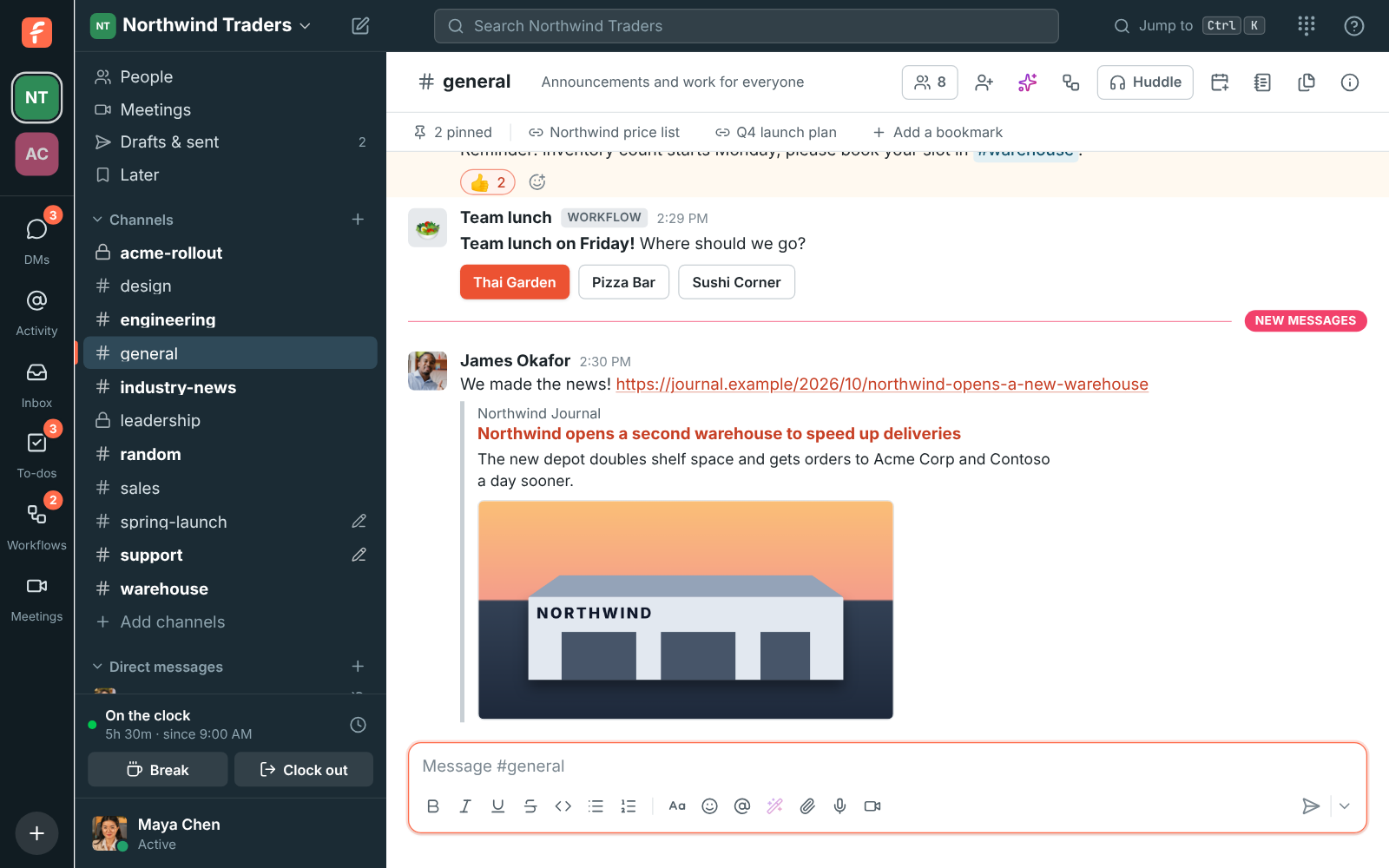
Send a message with a link to a web page and a preview shows under it a moment later: the site, the page's title and description, and its picture. A link straight to a picture shows the picture, and up to three links in a message get a preview. Freesbe fetches the page itself, so the site never learns who in your workspace is reading. Point at a preview on your own message and click the cross to remove it.

A message in #general linking to a Northwind Journal article, with the article's title, description and picture under it

Photos that share well

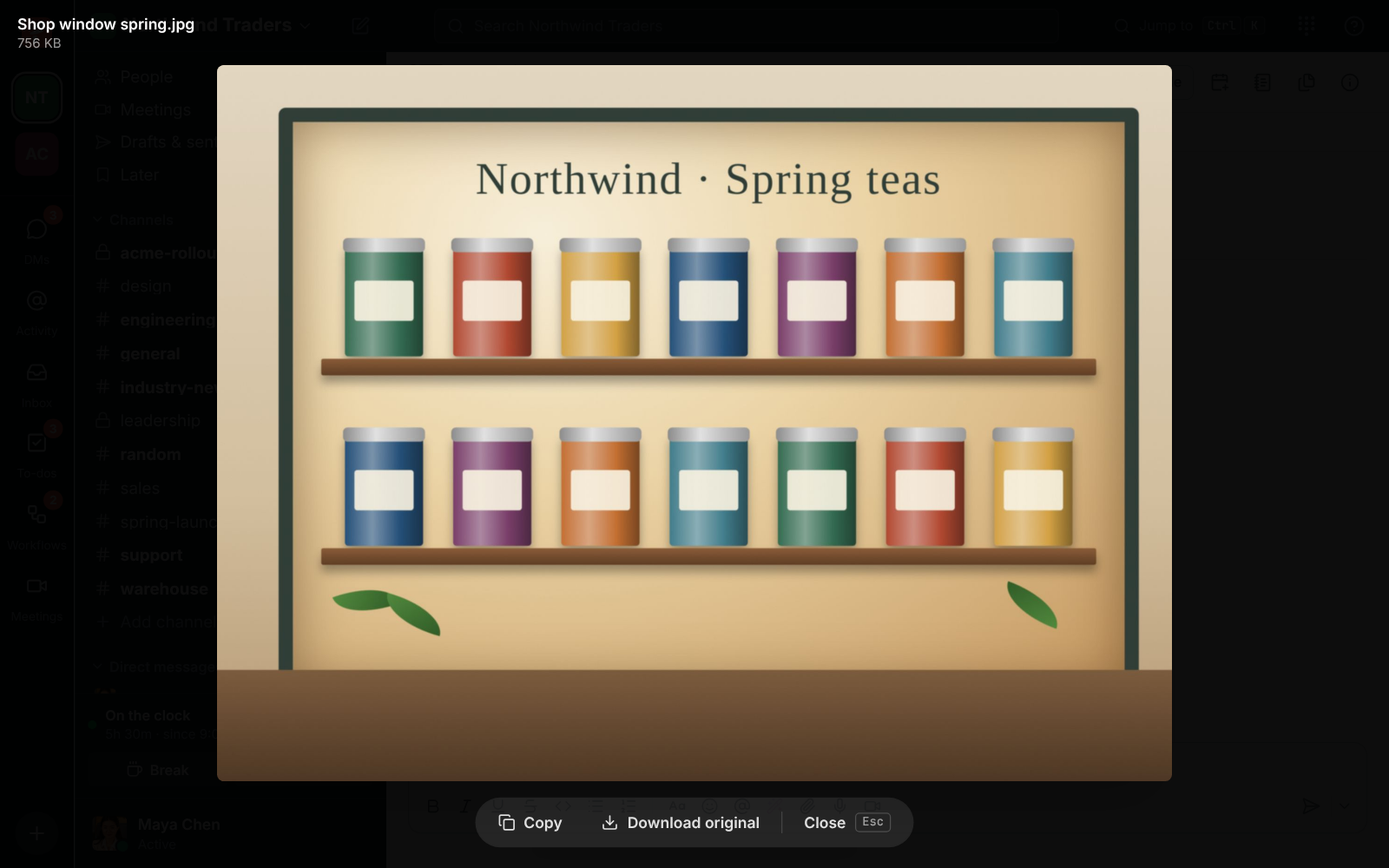
Phone cameras take photos of 10 MB or more. When you send one, Freesbe also makes a copy at most 2048 pixels on its longest side, usually a few hundred KB, and that copy is what everyone sees, so photos load quickly on a phone. The copy is turned the right way up and leaves out the camera's details and the place it was taken. The original is kept too, one click away under Download original.

Lena's shop window photo open full size, with Copy, Download original and Close at the bottom

Plans and pricing

Files, pictures and link previews is included in every plan, including Free.

  • FreeUp to 10 people
  • BusinessUp to 500 people
  • CorporateUp to 2,500 people
  • EnterpriseOver 2,500 people

Questions

How big can a file be?
Each file up to 50 MB, and up to 10 files on one message.
Which files open without downloading?
Pictures, PDFs (the first 30 pages), text and code files, and CSV spreadsheets. Videos and audio files play in the conversation. Word, PowerPoint and zip files download when you click them.
Can admins limit which file types people share?
Yes. File types in the Admin Center decides which kinds of files members and guests can share. Out of the box guests cannot share programs and scripts.
Which plan includes this?
Every plan, including Free. Files count toward the workspace's storage.

Try all of it free with up to 10 people.

No card, no time limit. Invite your team and see what sticks.