Freesbe
Corporate and up

Give each person only the part they run.

On Corporate and Enterprise, an owner or admin can give a member admin roles: Billing admin, Phone admin, People admin or Helpdesk. Each role opens only its own pages in the Admin Center, so your finance lead, phone lead or helpdesk does their part without being an admin. Security settings, integrations and closing the workspace stay with owners and admins.

  • Let finance see invoices and change the plan without touching security.
  • Let whoever runs the phones build call flows and queues, but not buy numbers.
  • Let HR manage members and invites, never admins.
  • Give the helpdesk a lookup and sign-in links, with no power to change anyone.

For Companies where billing, phones and people are run by different teams.

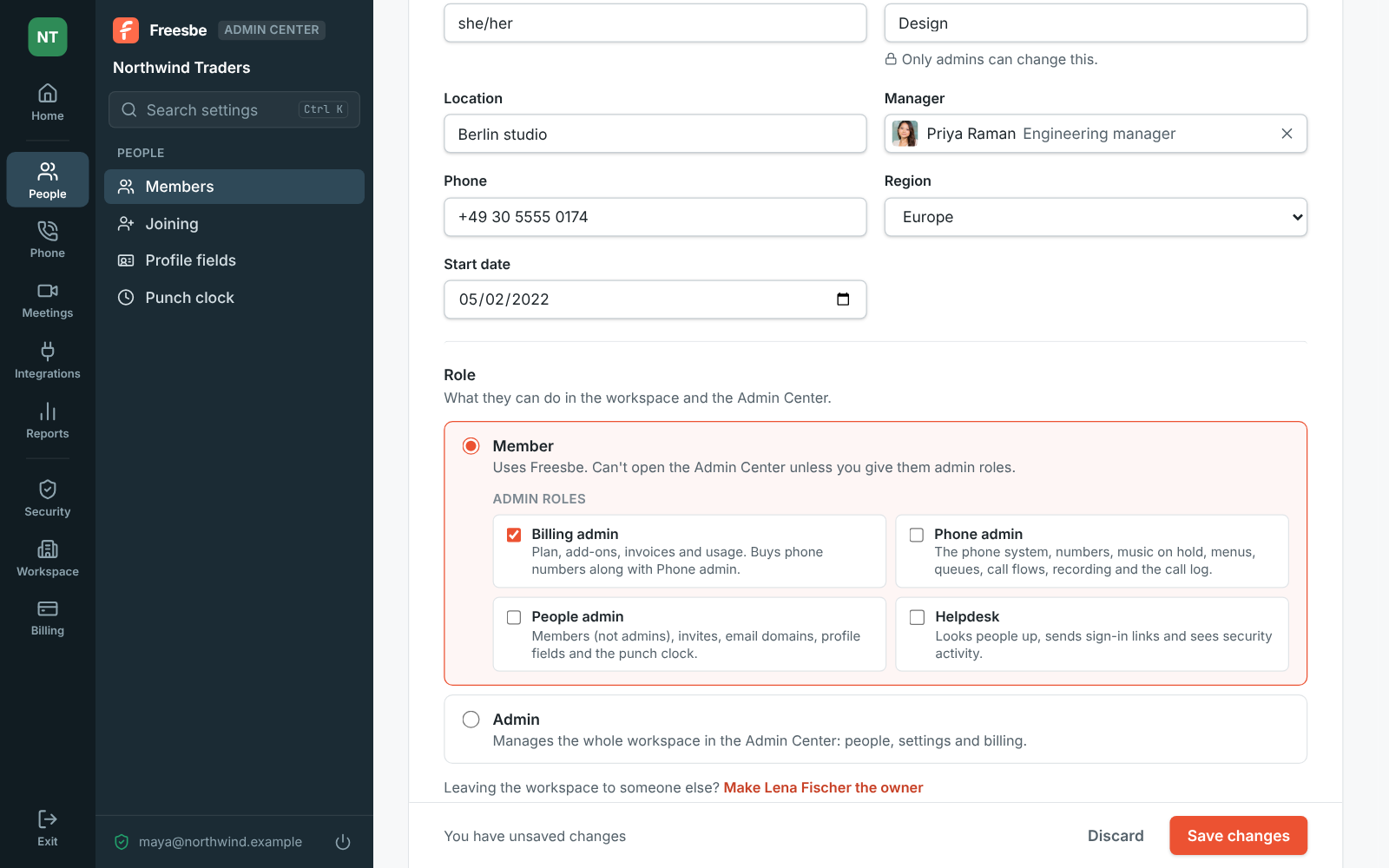
Lena Fischer's page in the Admin Center with Billing admin ticked under Member

Four roles, each with its own pages

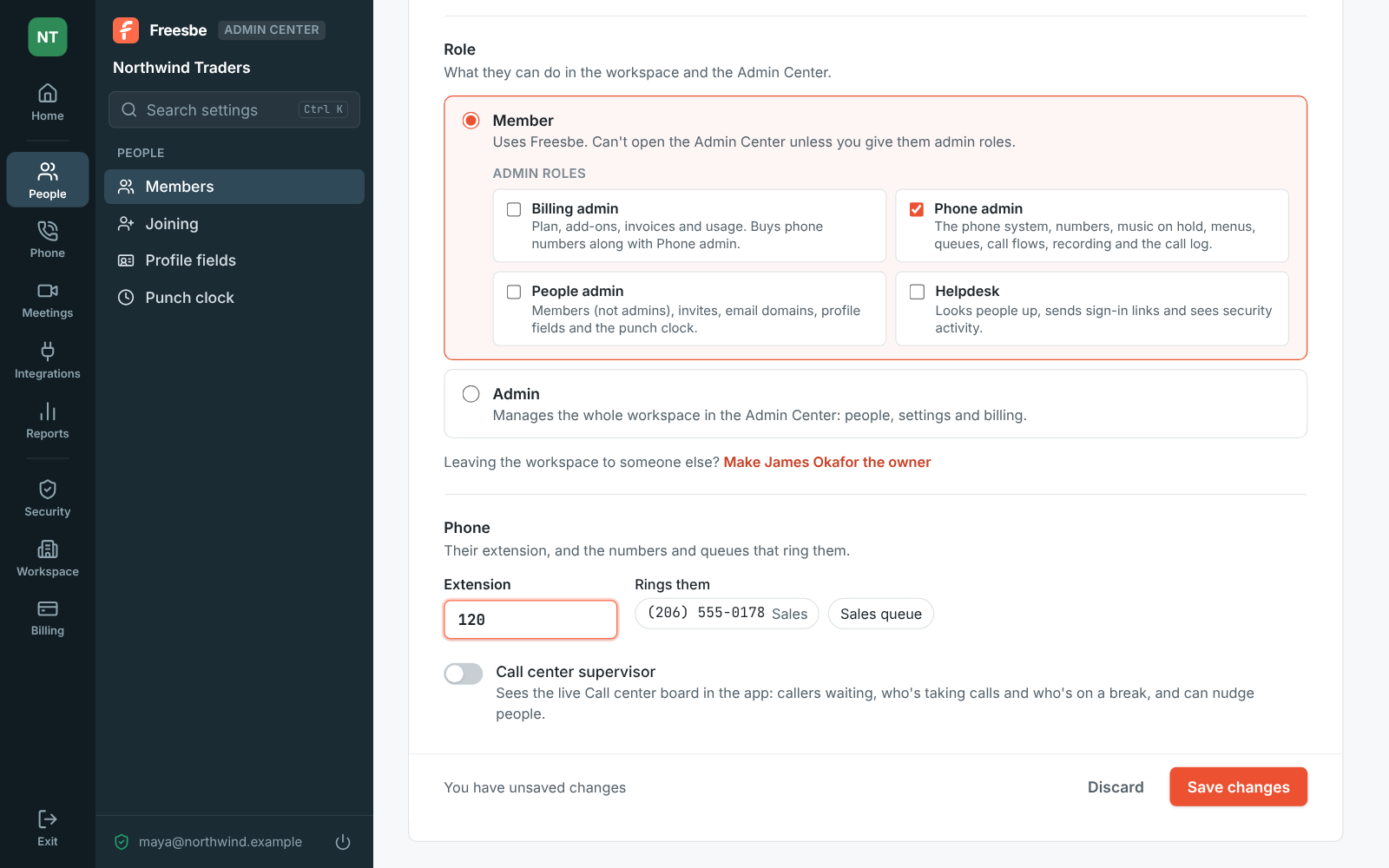
Billing admin opens Billing: the plan, add-ons, invoices and usage, and with Phone admin, buying numbers. Phone admin opens Phone: the phone system, numbers, menus, queues, call flows, recording and the call log, plus the Call center report, but not buying numbers, which costs money. People admin opens People: members, invites, email domains, profile fields and the punch clock, plus the Hours report; they change members and guests, never admins. Helpdesk looks people up, hands out sign-in links and reads security activity.
A member's page in the Admin Center with the Billing admin role ticked

What a limited admin sees

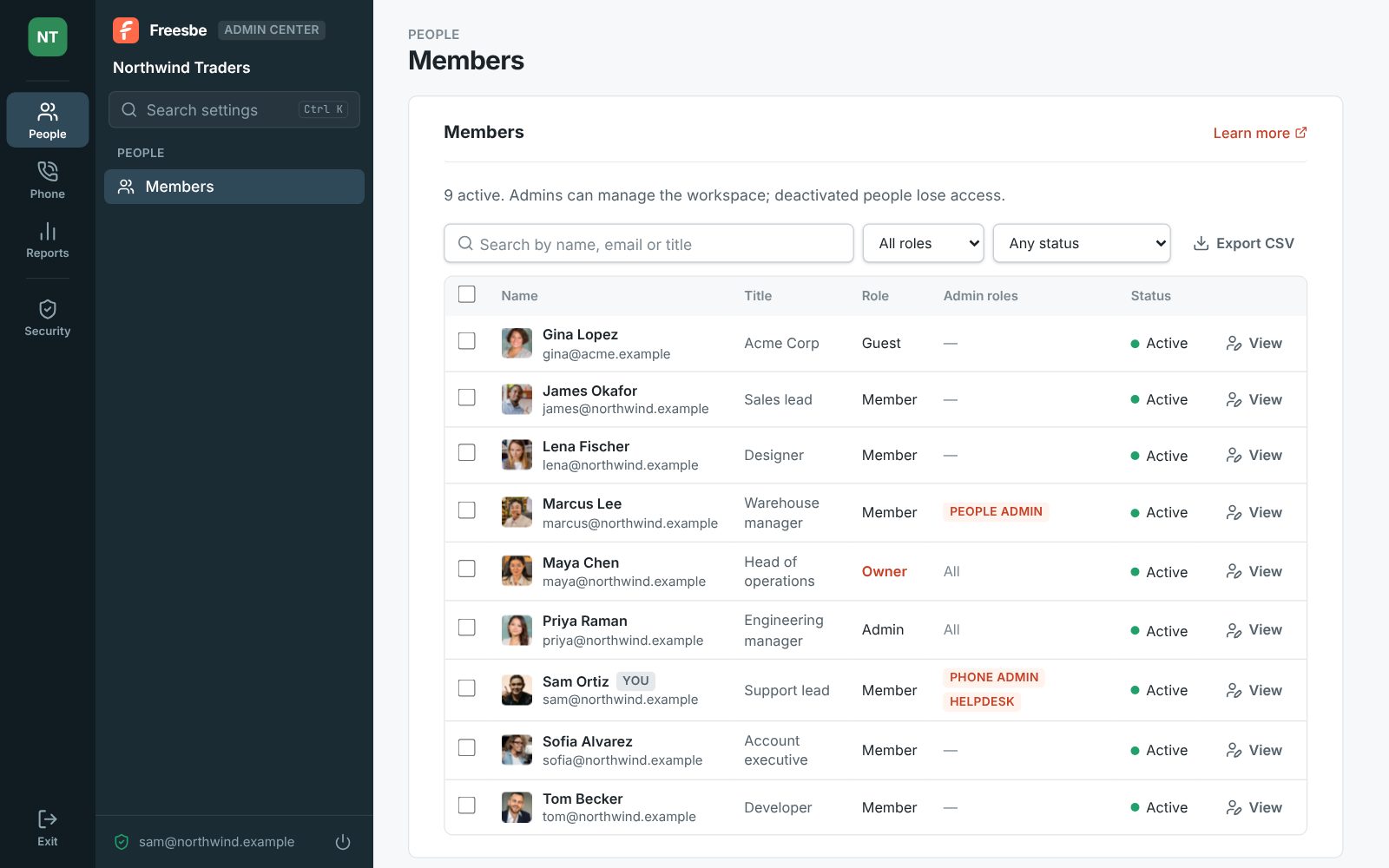
Someone with admin roles opens the Admin Center from the workspace menu like an admin does, signs in with the same strong second step, and sees only their areas on the rail. A Phone admin with Helpdesk sees Members, Call center, Security activity and the Phone pages, nothing else. Everything else, from security settings and integrations to the custom domain, the data region and closing the workspace, stays with owners and admins, who already have every role.

The Admin Center as a Phone admin with Helpdesk sees it: only Members, Call center, Security activity and the Phone pages

See it on your own team's data.

Start free with up to 10 people and try it today, or book a 20-minute demo with the people who make Freesbe.

Set with a second step, kept in the audit log

Open the member's page under People, Members, tick the roles under Member and save. Freesbe asks you to verify it's you first, and the change goes in the audit log with who did it, when and from where. Members, Members shows everyone's roles in an Admin roles column, so you can see at a glance who runs what. Roles stop working if the workspace moves below Corporate and come back with the plan.

Further down a member's page: Member with the Phone admin role ticked, their extension and the lines that ring them

Plans and pricing

Admin roles is included in Corporate and Enterprise.

  • CorporateUp to 2,500 people
  • EnterpriseOver 2,500 people

Questions

Which plan includes this?
Admin roles come with Corporate and Enterprise. Owners and admins on every plan already have all of them. See pricing for the plans.
Can a People admin make someone an admin?
No. People admins change members and guests, never admins, and can't make anyone an admin.
Can a Phone admin spend money?
No. Buying numbers costs money, so it needs Billing admin together with Phone admin. The phone system itself, call flows, menus, queues and the call log are all theirs.
What happens if we move to Business?
The roles stop working and come back if the workspace returns to Corporate. Nobody is removed; they simply see the Admin Center as a member does.

Try all of it free with up to 10 people.

No card, no time limit. Invite your team and see what sticks.