Freesbe
All plans

Who changed what, and who signed in from where.

The audit log records what owners and admins changed: settings, roles, invites, email domains, webhooks and apps, exports and closing the workspace, each with who, when and the address it came from, kept for a year. Security activity records every member's sign-ins, failed attempts and second steps. Both filter, export as CSV and read over the API.

  • Answer an auditor's question in a filter and an export, not a support ticket.
  • Spot a wrong password typed five times from a country your team isn't in.
  • See which admin added a webhook, deactivated a person or started an export.
  • Let each person check their own sign-ins and sessions.

For IT and compliance teams who need to show what happened, and who did it.

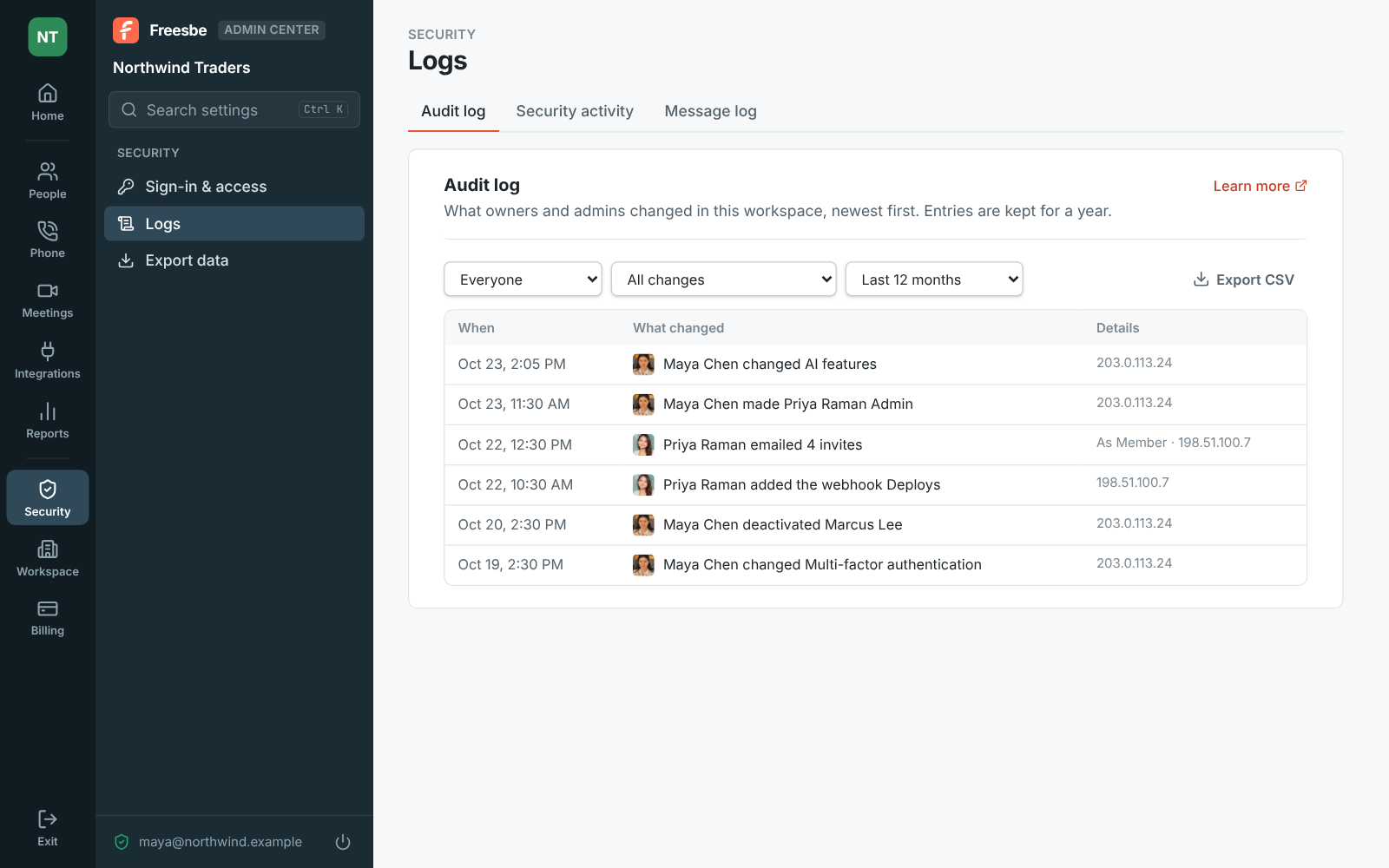
The Admin Center's Audit log, filtered by who, what and month, with Export CSV

Every admin change, newest first

Like the audit logs in Slack and Microsoft 365, each line says who did what and to whom, when, and the internet address it came from. It records settings changes by name, people made admins or members, deactivations and reactivations, the workspace handed to a new owner, invites made, emailed and revoked, email domains added, changed and removed with each join request let in or declined, webhooks and apps added and deleted, exports started and downloaded, and the workspace closed or reopened.
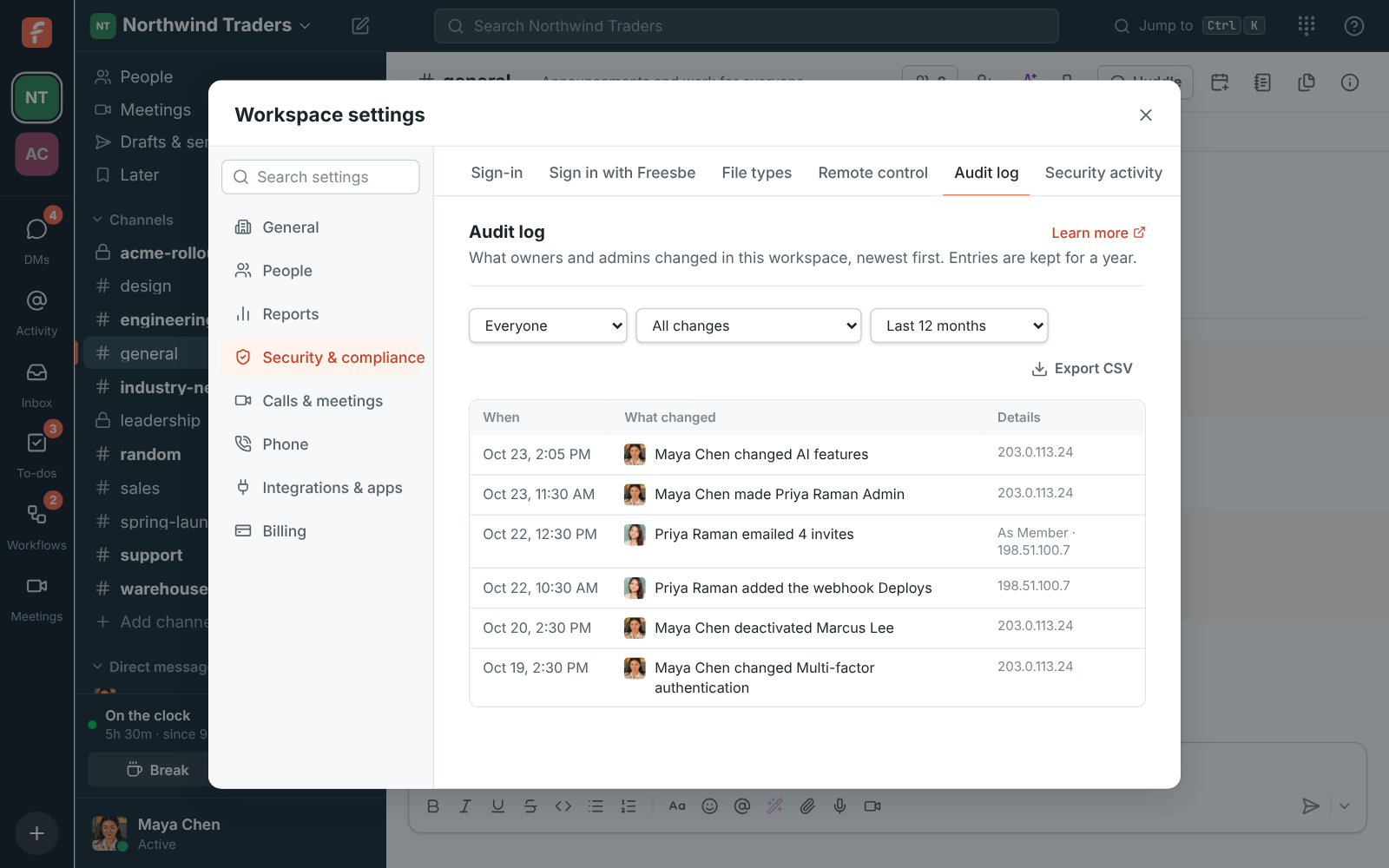
The Audit log in the Admin Center with filters for who, what and month

Filter it, export it, keep it a year

Filter by who made the change, what changed (settings, people and roles, invites and email domains, apps and webhooks, or exports and closing) and month. Export CSV saves what the filters show, up to the newest 5,000 changes, with each person's email and the time in UTC. Entries are kept for a year. The log keeps who did something, not their name: someone who deletes their Freesbe account shows as Former member. Changes made in the Admin Center and in the app land in the same log.

Workspace settings, Audit log: an admin changed AI features, made someone Admin, emailed invites and added a webhook, each with when and from where

See it on your own team's data.

Start free with up to 10 people and try it today, or book a 20-minute demo with the people who make Freesbe.

Your team's sign-ins, in one place

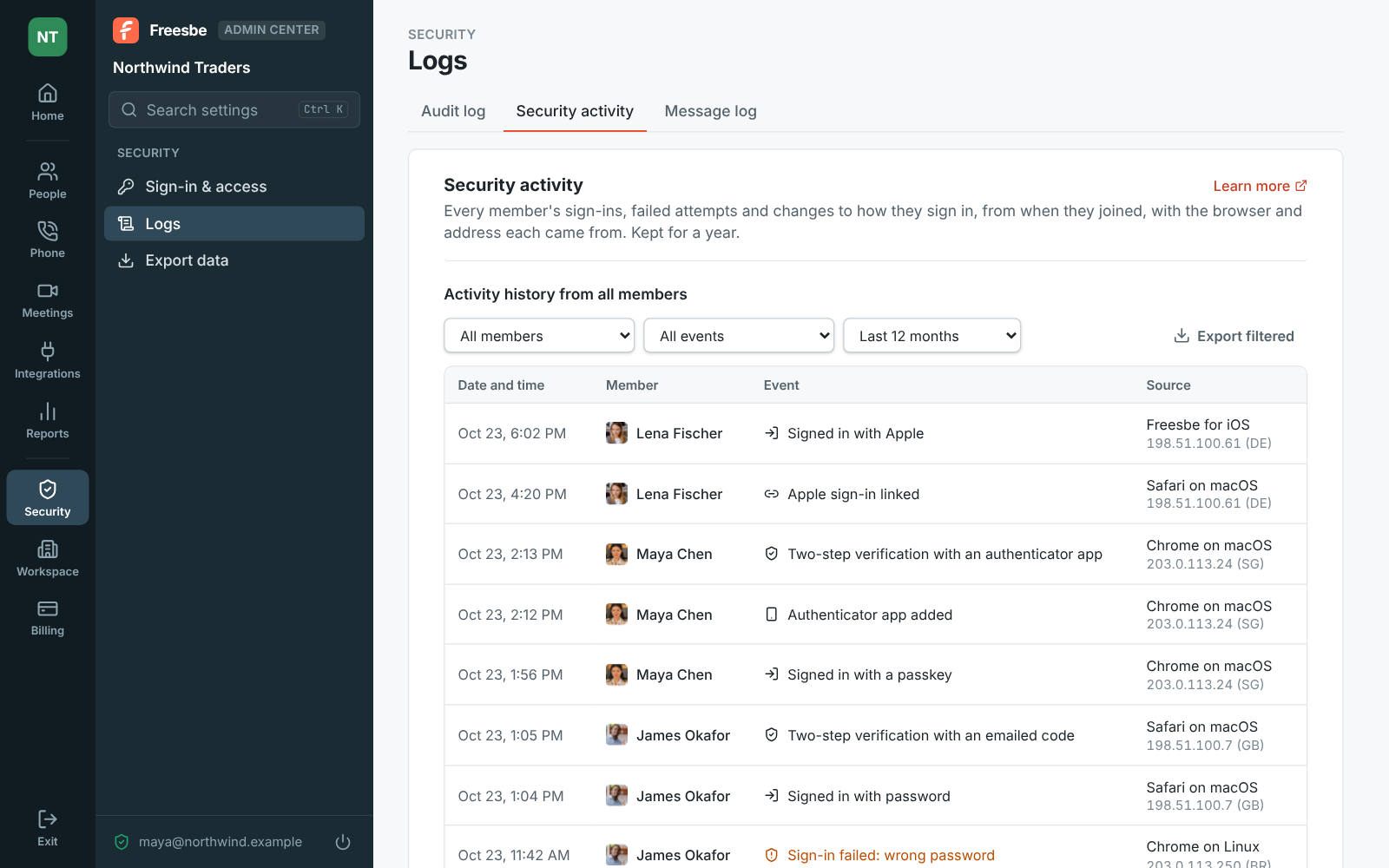
Security activity shows every member's sign-ins, wrong passwords, second steps, sign-outs and changes to how they sign in, from when they joined the workspace, with the browser or app and the address and country each came from. Events worth a second look, like a passkey removed, are in amber. Filter by member, event or month and export what you see. Things to look for: repeated failed sign-ins on one account, a removed passkey the person didn't remove, a sign-in from a new country.

The Admin Center at Security activity, with sign-ins and failed sign-ins by member

Each person sees their own

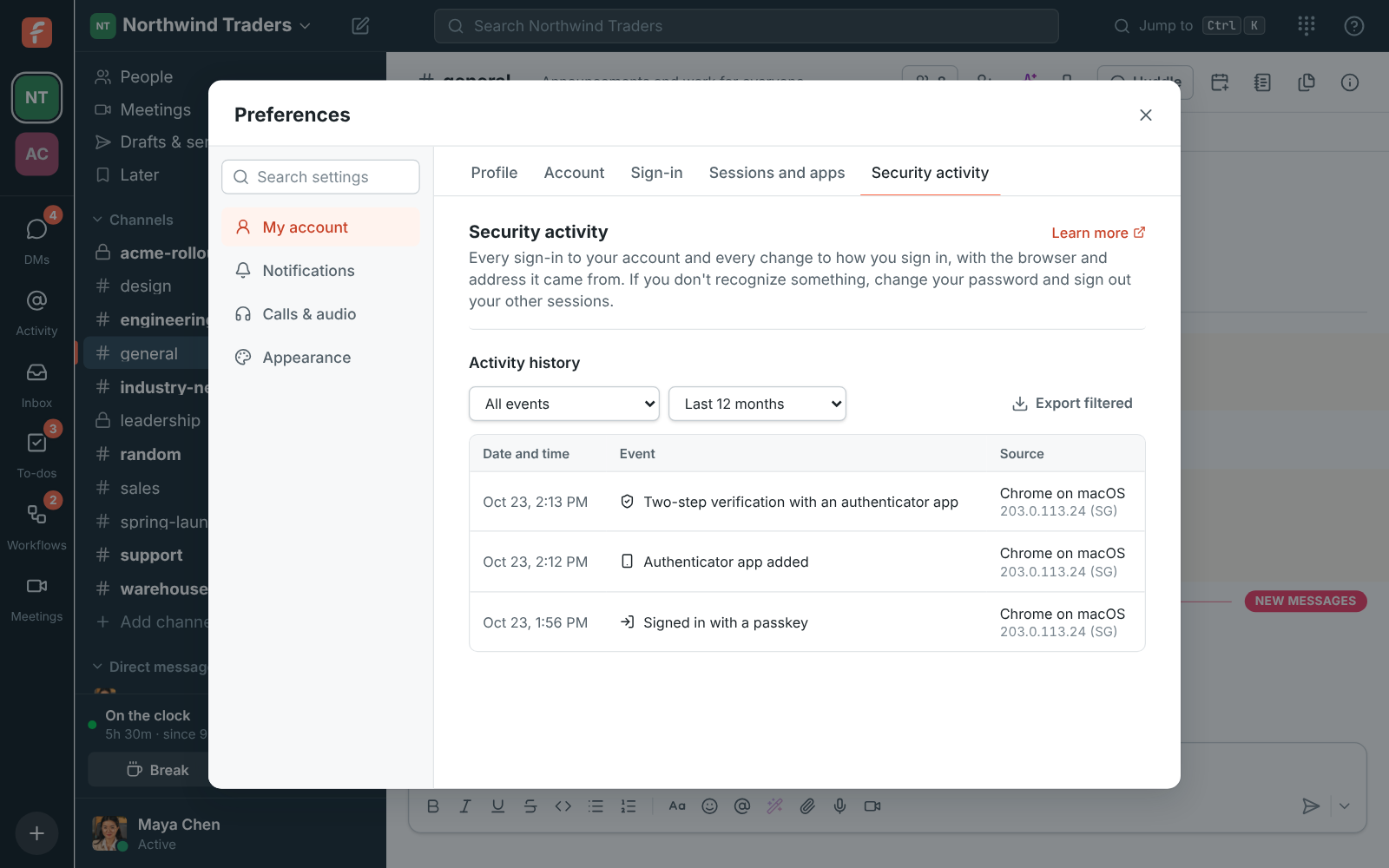
Preferences, My account, Security activity shows a person their own history for the last year: each sign-in with how it was done, each second step, each passkey or authenticator app added. If they see a sign-in they don't recognize, they change their password and sign out their other sessions from the same place. Developers read both logs over the API with the same filters as the pages.

Preferences, Security activity: a sign-in with a passkey, a new authenticator app and a two-step verification, each with the browser and address

Plans and pricing

Audit log and security activity is included in every plan, including Free.

  • FreeUp to 10 people
  • BusinessUp to 500 people
  • CorporateUp to 2,500 people
  • EnterpriseOver 2,500 people

Questions

Which plan includes this?
Every plan, including Free, for both the audit log and security activity.
How long is it kept?
Audit log entries are kept for a year, then deleted. Security activity events are kept for a year too, and deleting an account deletes its events.
What's the difference between the two logs?
The audit log is what admins changed in the workspace: settings, roles, invites, webhooks, exports. Security activity is what happened to each account: sign-ins, failed attempts, second steps and changes to how someone signs in. Messages admins deleted are listed separately under Messages.
Can we pull it into our SIEM?
Export CSV saves up to the newest 5,000 entries of either log, and the API returns security activity for you and, for admins, for every member, with the same filters as the page.

Try all of it free with up to 10 people.

No card, no time limit. Invite your team and see what sticks.