Freesbe
All plans

Your sidebar, your sections, your shortcuts.

Group channels and DMs into sidebar sections of your own, like Customers or Launch, that only you see and that follow you to every device. The rail on the left collects your DMs, mentions and thread replies, with a count on each. Ctrl+K jumps to any conversation or section, and the keyboard shortcuts are the same as Slack's.

  • Put every customer channel in one section and fold the rest away.
  • See all your DMs and mentions in one list, with how many are unread.
  • Open any conversation or section from the keyboard in two keystrokes.
  • Keep the keys you already know: Ctrl+Shift+K for DMs, Ctrl+K to jump.

For People in twenty channels who live on the keyboard.

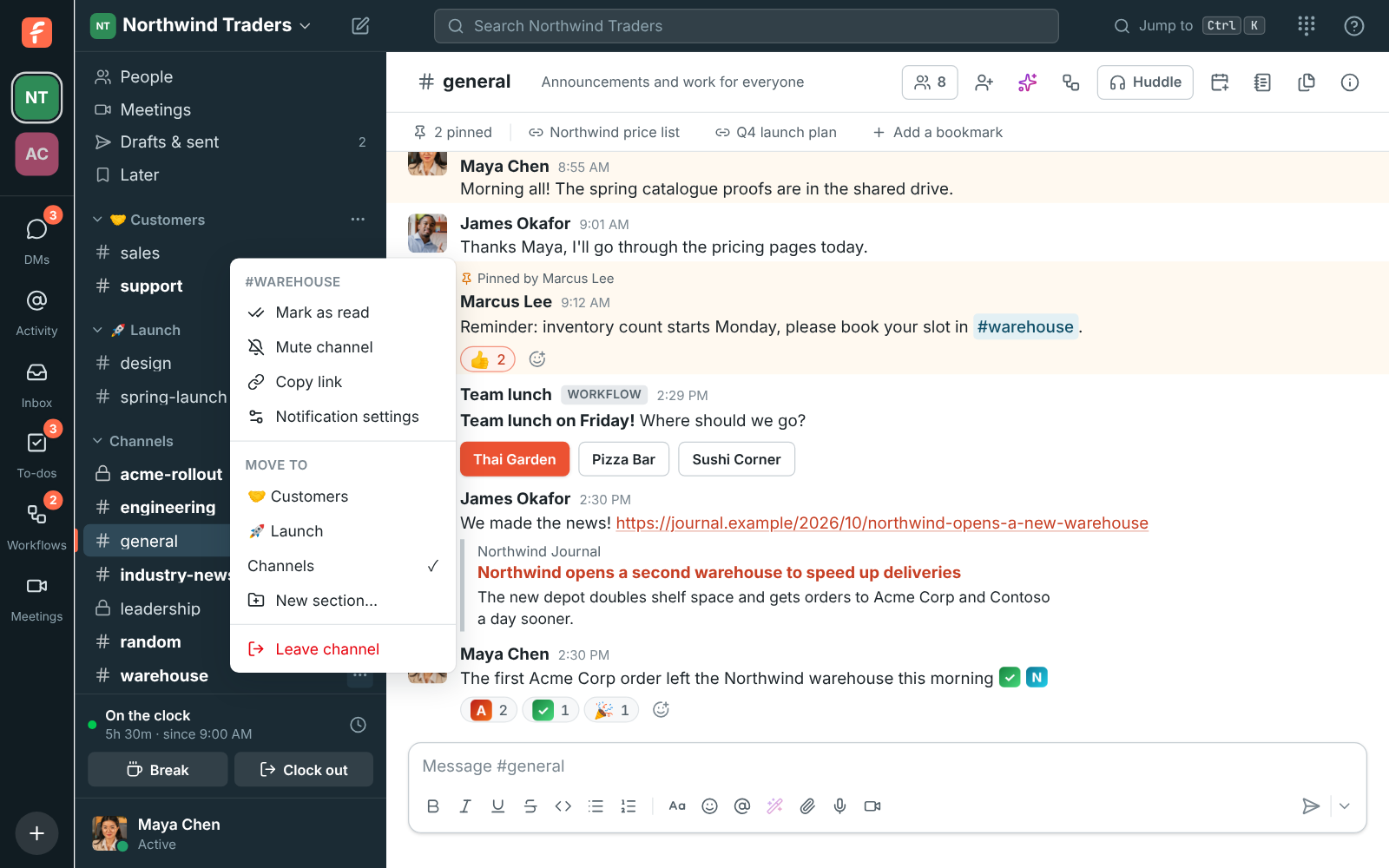
The sidebar with Customers and Launch sections above Channels, and the Move to menu open on #warehouse

Sections only you see

Click the plus next to Channels and choose Create a section. Give it a name and, if you like, an emoji. Right-click a conversation, or use its menu, and pick a section under Move to; New section makes one and moves it there in one go. Click a section's name to fold it, and folded sections still show conversations with something new. Your sections are the same on all your devices, and nobody else sees them.
The sidebar with Customers and Launch sections above Channels

The rail: DMs, Activity and To-dos at a glance

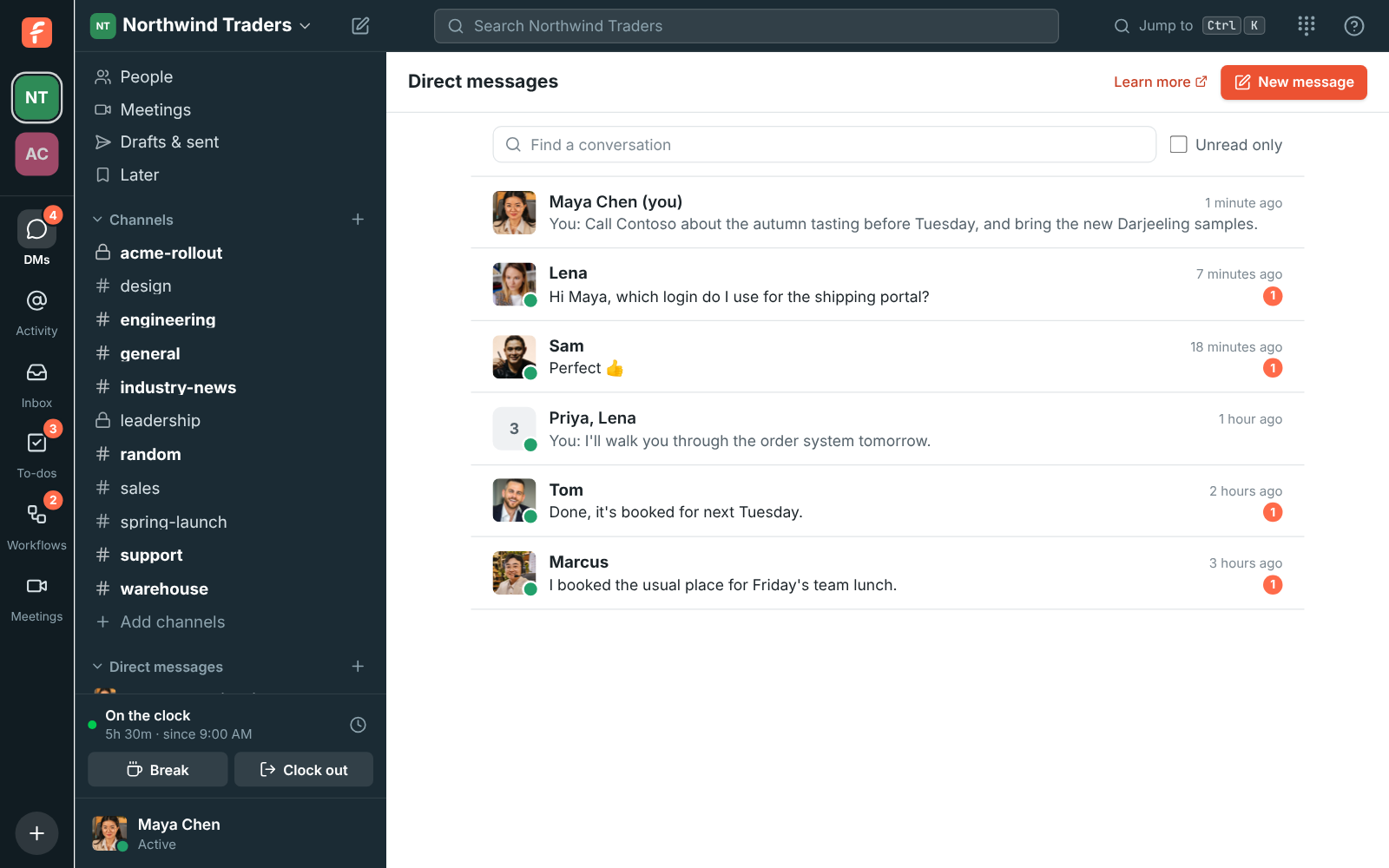
The narrow column on the far left holds your workspaces at the top, each with a number or a dot when something waits there, and under them DMs, Activity, To-dos, Workflows and Meetings, each with a count. DMs lists every direct message newest first with its last message and unread count. Activity gathers mentions, missed huddles and replies in your threads, filtered to All, Mentions or Thread replies.

The DMs page: direct messages with Lena, Sofia, and Lena, Tom, Marcus and Priya, each with the last message, its time and an unread count

See it on your own team's data.

Start free with up to 10 people and try it today, or book a 20-minute demo with the people who make Freesbe.

Jump anywhere with Ctrl+K

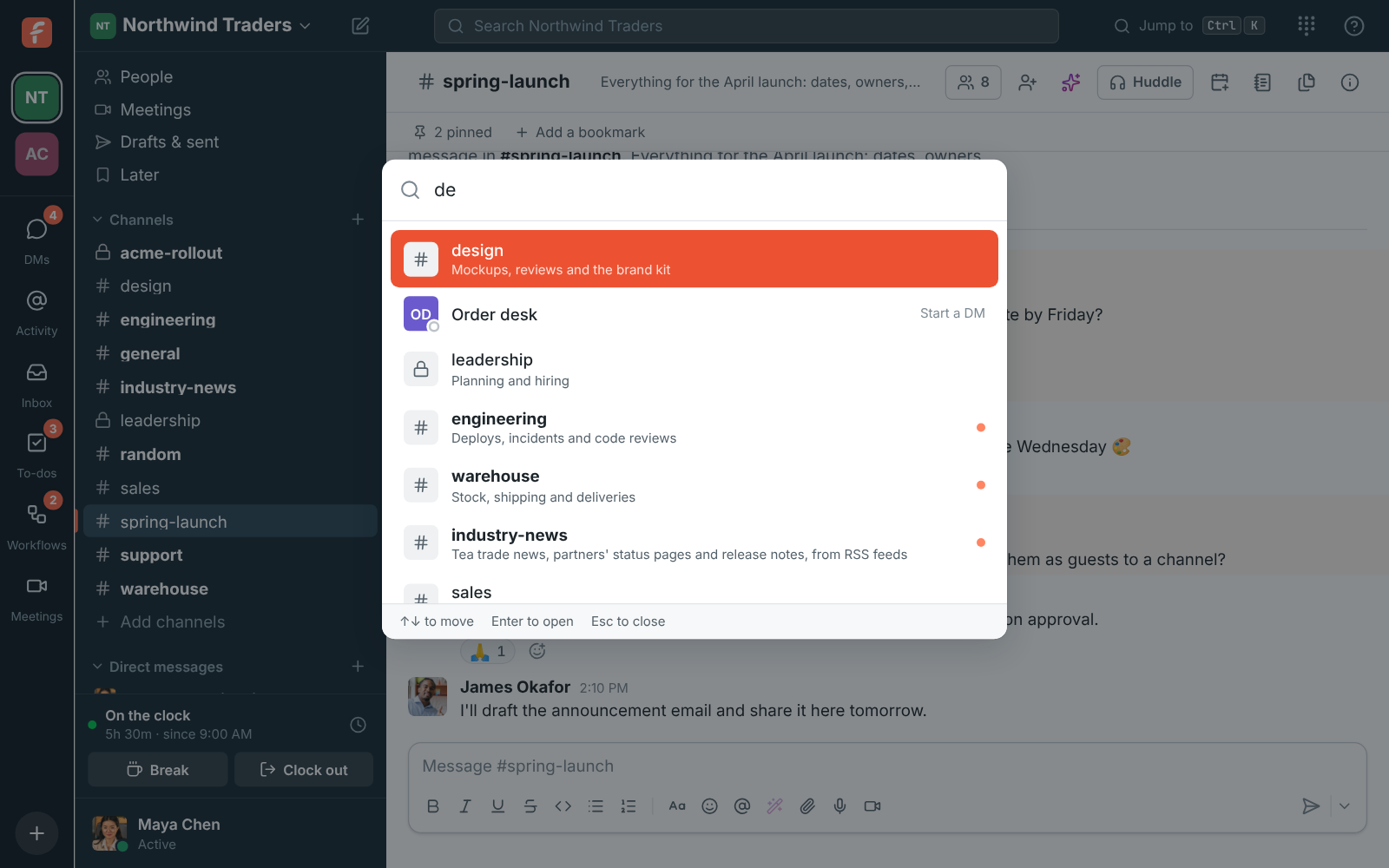
Press Ctrl+K, or Cmd+K on a Mac, start typing a channel or person's name, and press Enter. Unread conversations show a dot. It opens the app's sections too: type DMs, Activity, Meetings, To-dos, Workflows, Inbox, Call center, Phone, People, Drafts & sent or Later, or another word for one like mentions or dialpad, and the section comes first with its own shortcut beside it.

The quick switcher filtering channels and people as you type

The keys you know from Slack

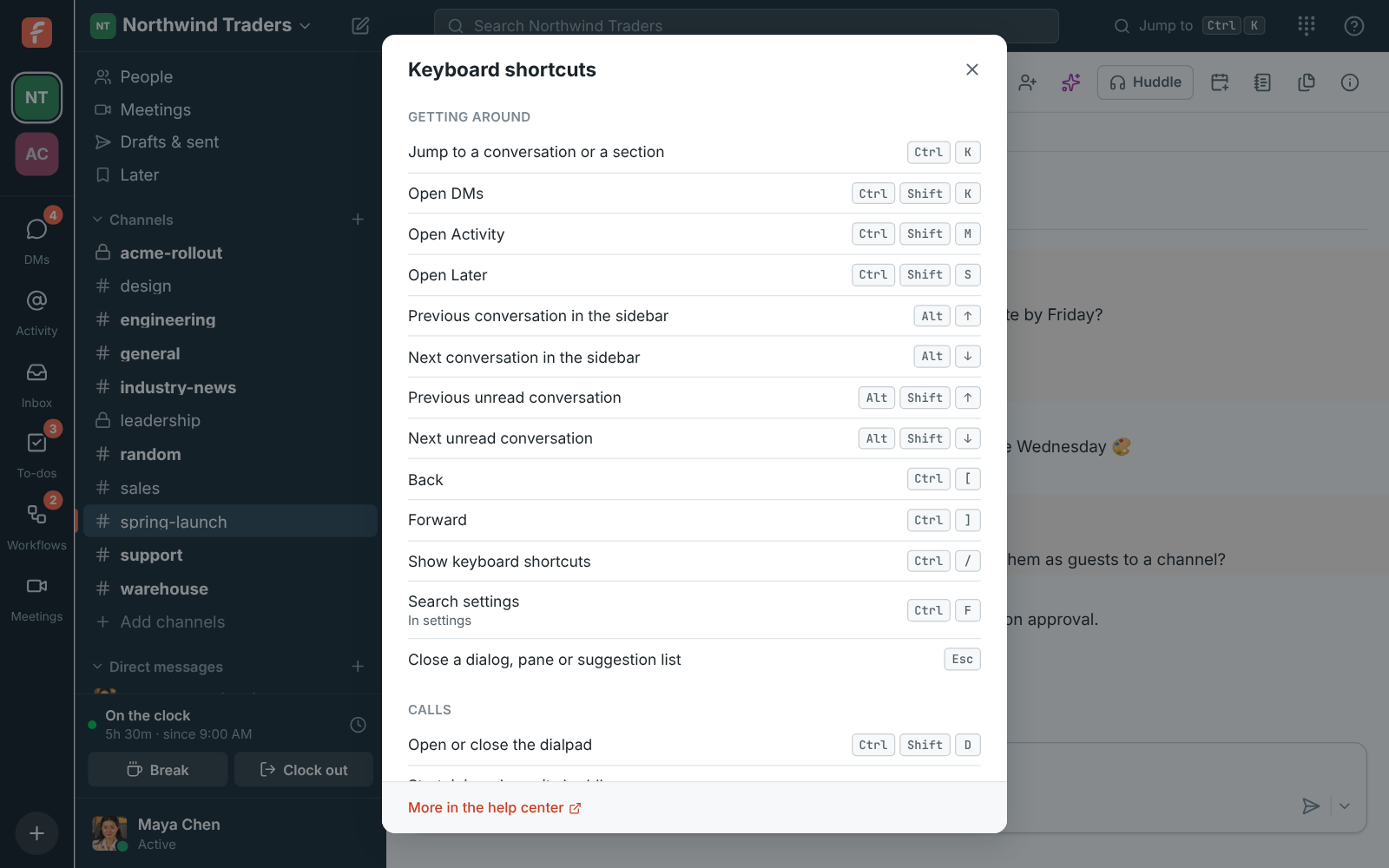
Ctrl+Shift+K opens DMs, Ctrl+Shift+M Activity, Ctrl+Shift+S Later and Ctrl+Shift+D the dialpad. Ctrl+Shift+H starts, joins or leaves the open conversation's huddle, and Ctrl+Shift+Space mutes or unmutes you on any call. Alt with the arrow keys moves through the sidebar, with Shift for the next unread conversation. Press Ctrl+/ for the whole list inside the app. The desktop app gets every key, even the ones a browser keeps for itself.

The Keyboard shortcuts dialog, grouped into getting around, calls, writing messages and formatting

Make it as wide as you like

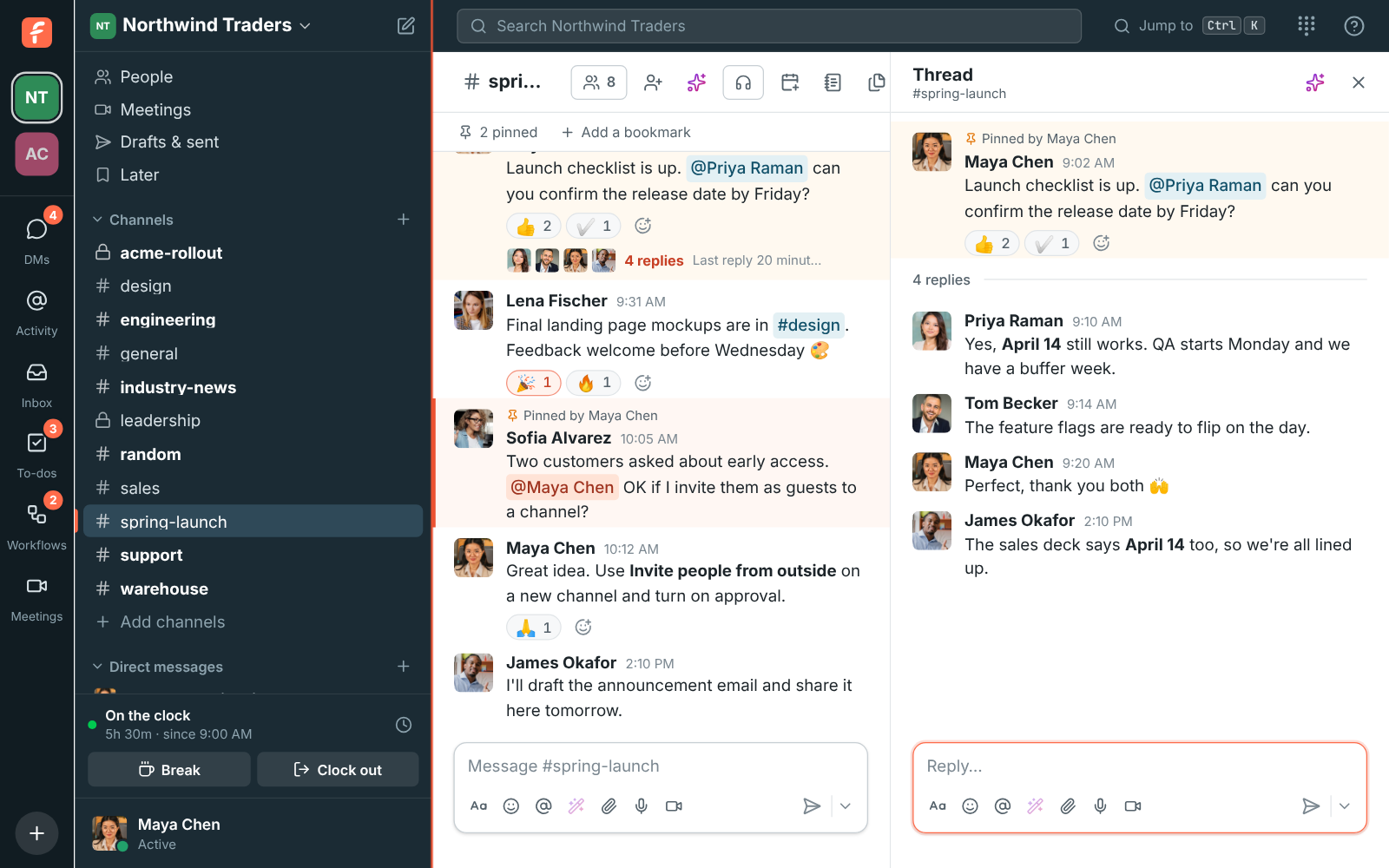
Drag the divider between the sidebar and the conversation to make the sidebar wider or narrower, the way you would in Slack. The side panel's divider works the same, so a thread can have more room, and a canvas keeps its own width. Double-click a divider to go back to the default, and Freesbe remembers the widths on each computer and browser.

The sidebar dragged wider beside #spring-launch, with its divider showing, and a thread open on the right

Plans and pricing

Sidebar sections, the rail and quick switcher is included in every plan, including Free.

  • FreeUp to 10 people
  • BusinessUp to 500 people
  • CorporateUp to 2,500 people
  • EnterpriseOver 2,500 people

Questions

Does my team see my sections?
No. Sections are yours alone, and they are the same on all your devices. Deleting a section puts its conversations back under Channels and Direct messages; you do not leave any of them.
Are the shortcuts the same as in Slack?
Yes, the section keys are: Ctrl or Cmd with Shift and K for DMs, M for Activity, S for Later. Ctrl+K jumps to a conversation or a section, and Ctrl+/ shows the full list.
What if I belong to more than one workspace?
Each workspace's icon at the top of the rail shows a number for mentions and unread DMs there, or a white dot for new channel messages, so you see what is waiting without switching. In the desktop app, Ctrl+1 to 9 switch between them.
Which plan includes this?
Every plan, including Free.

Try all of it free with up to 10 people.

No card, no time limit. Invite your team and see what sticks.