Freesbe
All plans

Know who has seen it, without asking.

When your workspace turns read receipts on, a small picture of each person sits under the last message they have read, and Seen by 2 of 5 appears under your newest message, with names when you hover. It updates live as people read, on every device. Admins decide where receipts apply and whether people can turn theirs off.

  • Stop asking did you see my message: the answer is under it.
  • See how far each person has read in a group, at a glance.
  • Keep big channels calm: a count, not a list of names.
  • Let people opt out when your admins allow it; off works both ways.

For Teams that coordinate in group DMs and need to know a message landed.

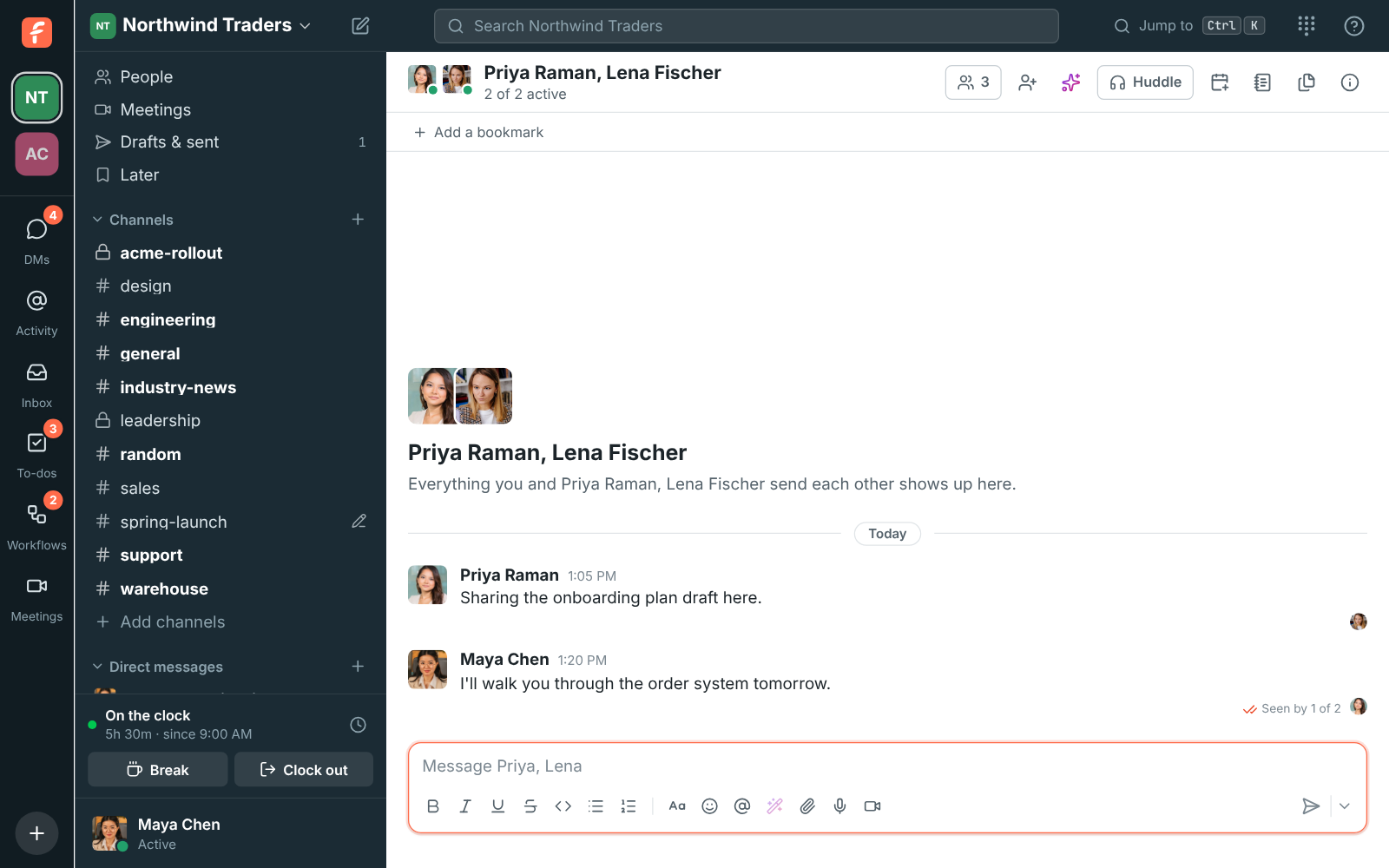
The group DM with Priya and Lena: Lena's picture under Priya's message, and Priya's picture and Seen by 1 of 2 under Maya's

Who has read up to where

A small picture of each person sits under the last message they have read. Under your newest message, Seen, Seen by everyone or Seen by 2 of 5 says how many of the others have seen it. It updates live, as people read, and posting a message counts as having read everything before it. Apps' bots never show up in receipts.
A group DM with each person's picture under the last message they read

Names on hover

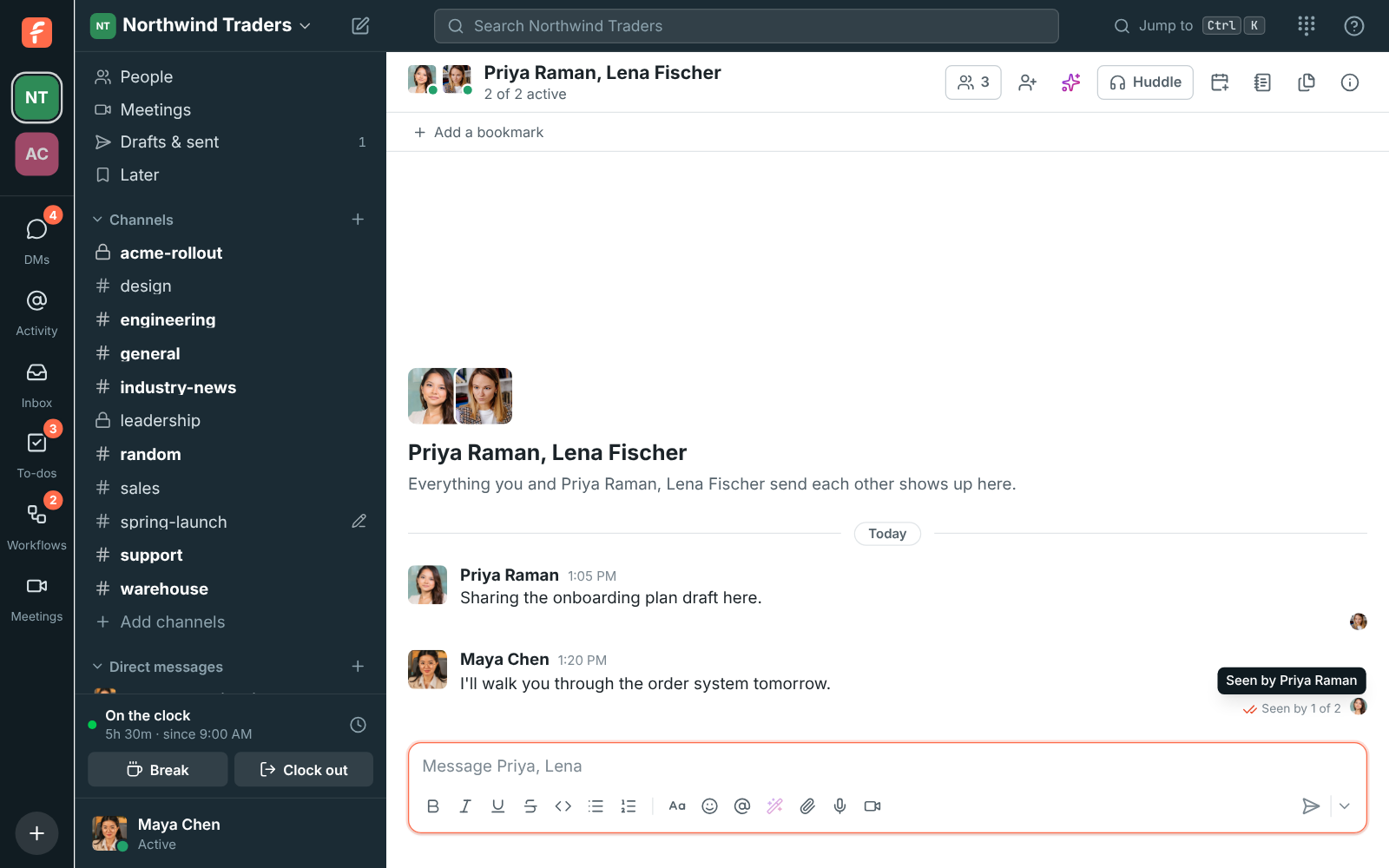
Hover over the pictures to see who they are, or over Seen by 1 of 2 for the names. In a channel of more than 20 people, when receipts are on everywhere, you see how many people saw your message but not who, so a company announcement never becomes a roll call.

Hovering over Seen by 1 of 2 shows Seen by Priya Raman

See it on your own team's data.

Start free with up to 10 people and try it today, or book a 20-minute demo with the people who make Freesbe.

Admins decide where they apply

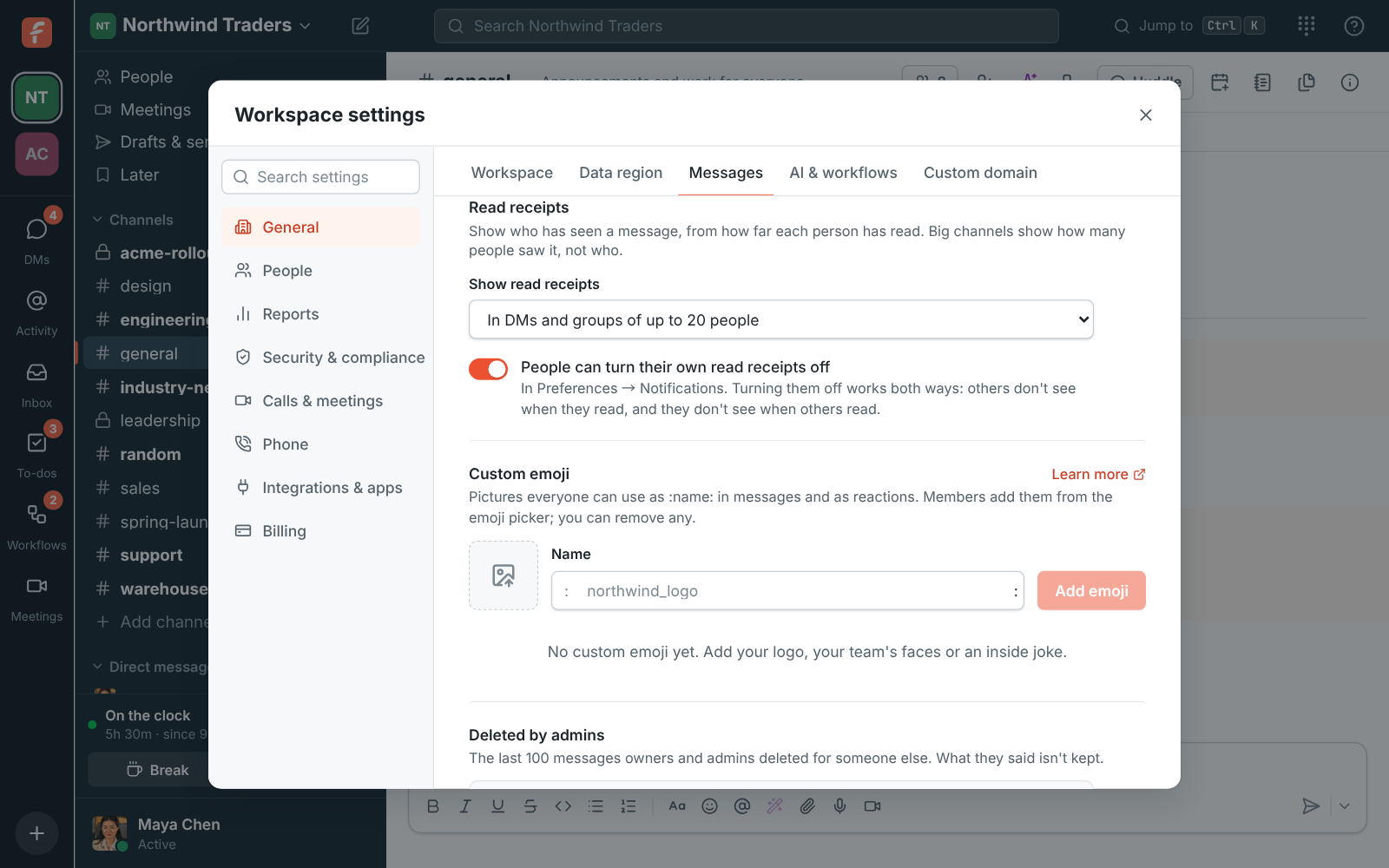
Read receipts are off until an admin turns them on in Workspace settings, Messages. The choice is DMs and groups of up to 20 people, or everywhere. Admins also choose whether people can turn their own receipts off. That keeps the decision with the workspace, not with whoever sent the last message.

Workspace settings, Messages: the read receipts setting with DMs and small groups or everywhere, and whether people can turn theirs off

Turn yours off, if allowed

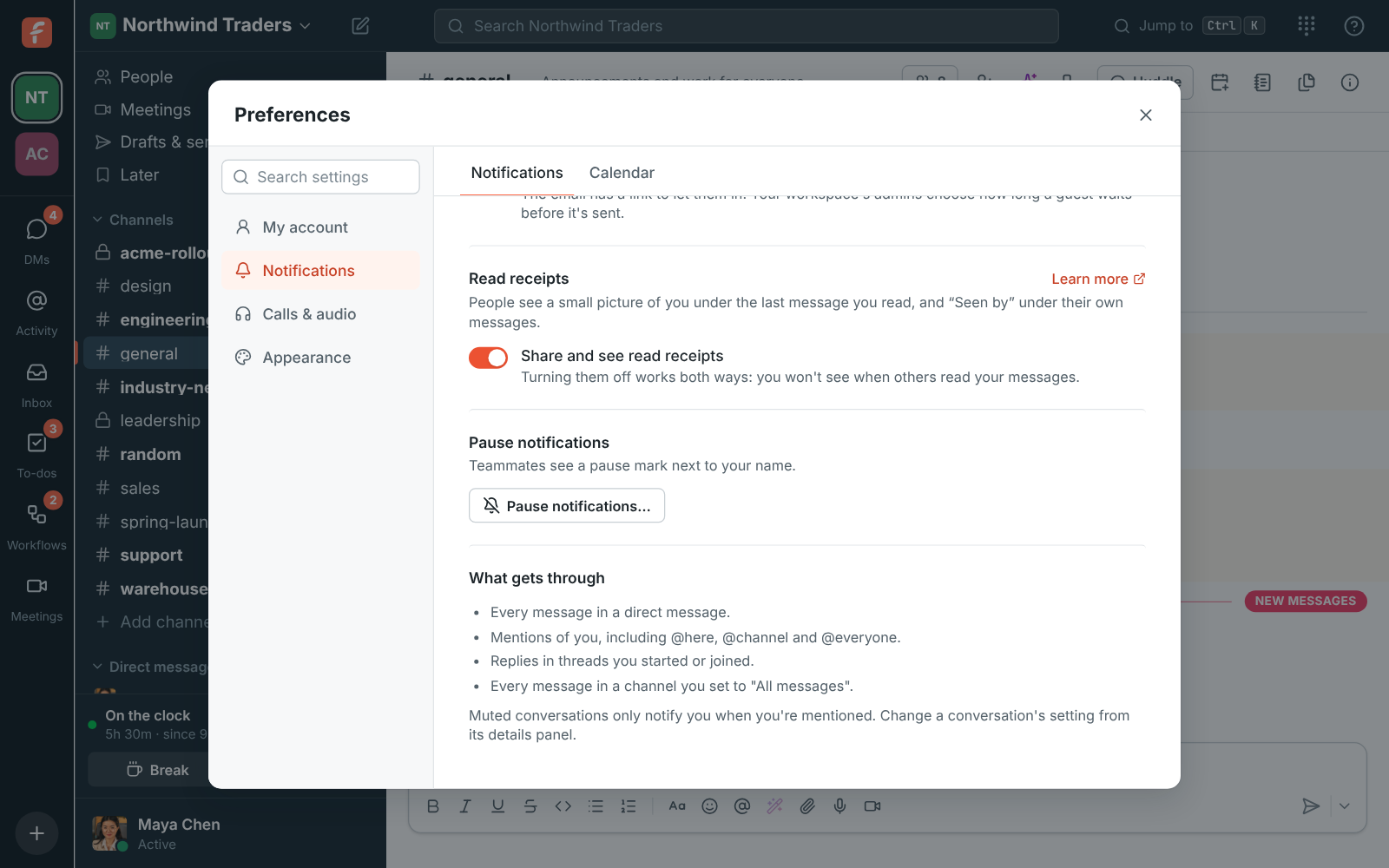
If your admins let you choose, turn Share and see read receipts off in Preferences, Notifications, or Read receipts on the You tab of the phone app. It works both ways: others no longer see how far you have read, and you no longer see who read your messages. Posting a message still counts as having read everything before it.

Preferences, Notifications: the Read receipts group with Share and see read receipts turned on

Plans and pricing

Read receipts is included in every plan, including Free.

  • FreeUp to 10 people
  • BusinessUp to 500 people
  • CorporateUp to 2,500 people
  • EnterpriseOver 2,500 people

Questions

Are read receipts on by default?
No. They are off until an admin turns them on in Workspace settings, Messages, for DMs and groups of up to 20 people or everywhere.
Can I turn mine off?
If your admins allow it, yes, in Preferences, Notifications on the computer or the You tab on the phone. Off works both ways: you stop sharing and stop seeing them.
What shows in a large channel?
In a channel of more than 20 people you see how many people saw your message, not who.
Which plan includes this?
Every plan, including Free.

Try all of it free with up to 10 people.

No card, no time limit. Invite your team and see what sticks.