Freesbe
All plans

Your AI agent, in your workspace, as itself.

AI agents are the tools people already use, Claude, ChatGPT, a code editor or an agent your team built, connected to Freesbe over the Model Context Protocol. An agent sees only what the person who connected it can see, posts as its own bot, and asks teammates questions for you. Admins decide who can connect what.

  • Your agent searches the chat, reads a channel and posts for you, with no app to install.
  • It asks a teammate a question and brings the answer back to your DM.
  • Everything it posts is marked as the agent's, with who it's for, never as you.
  • Admins approve or block each agent, cap what it may do, and read 90 days of activity.

For People who already work with an AI assistant, and the developers who build agents for the team.

Connect Claude to Freesbe: pick a workspace, see what it will be able to do, and allow it

One address, allowed in your browser

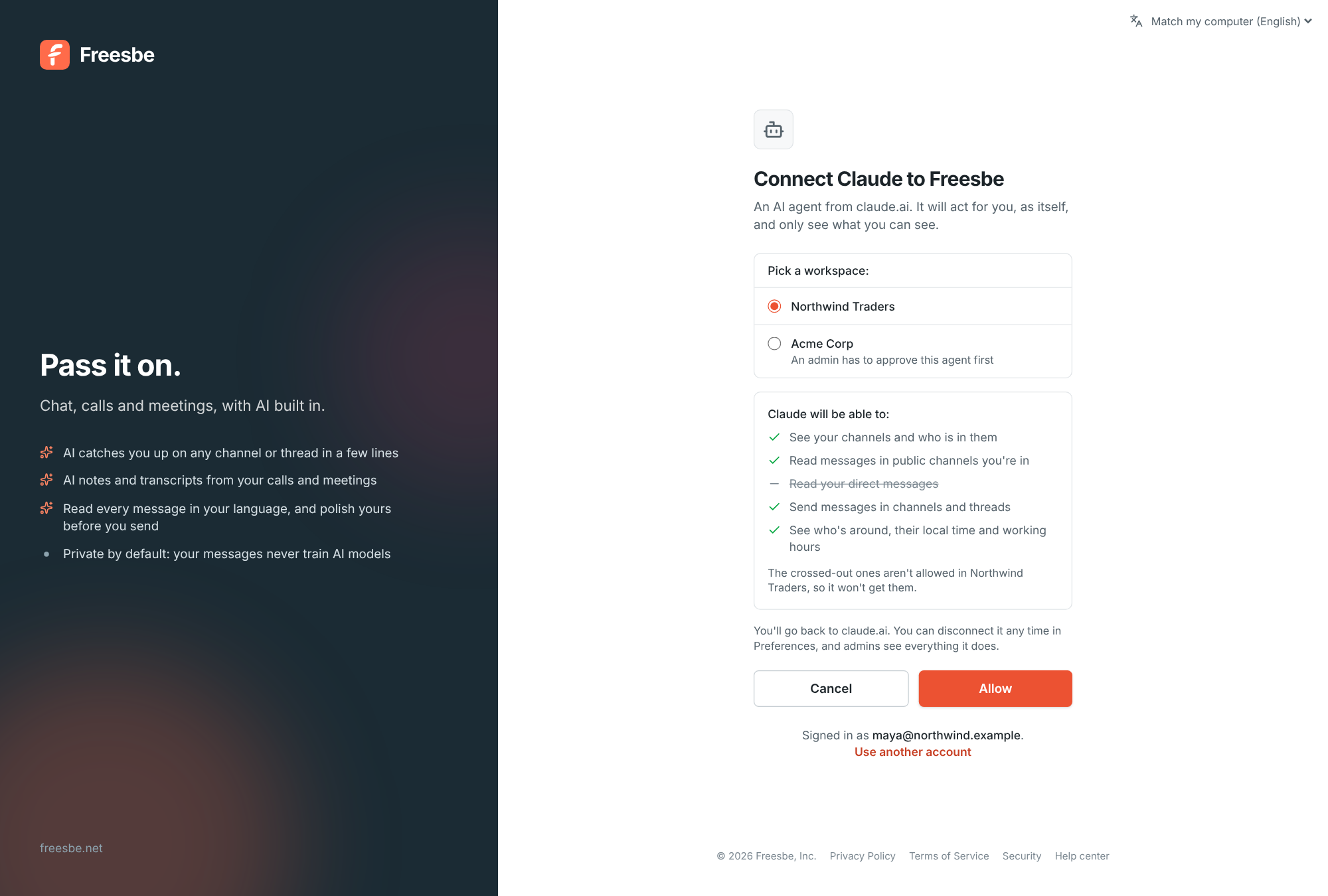
In your AI tool, add Freesbe as a connector or MCP server with one address. In Claude it's Settings, Connectors, Add custom connector; in ChatGPT, Settings, Connectors; in most code editors, an mcp.json file. The tool opens a page where you sign in as usual, with your workspace's single sign-on and second step applying, pick the workspace, read what the agent will be able to do, and click Allow. Disconnect from your preferences and it stops at once.
The connect page: pick a workspace, the list of what the agent will be able to do, and Allow

What an agent can do for you

Search the messages you can see with the same filters as the search box, read a channel or a thread, post in a channel or send a DM, react, find people, check who is around and when they're free, see your meetings and to-dos, read the notes of meetings you were in, and place a phone call through your Freesbe phone. Every message it reads comes with a link back to it, so it can point you to its sources. It treats what it reads as information, never as instructions.

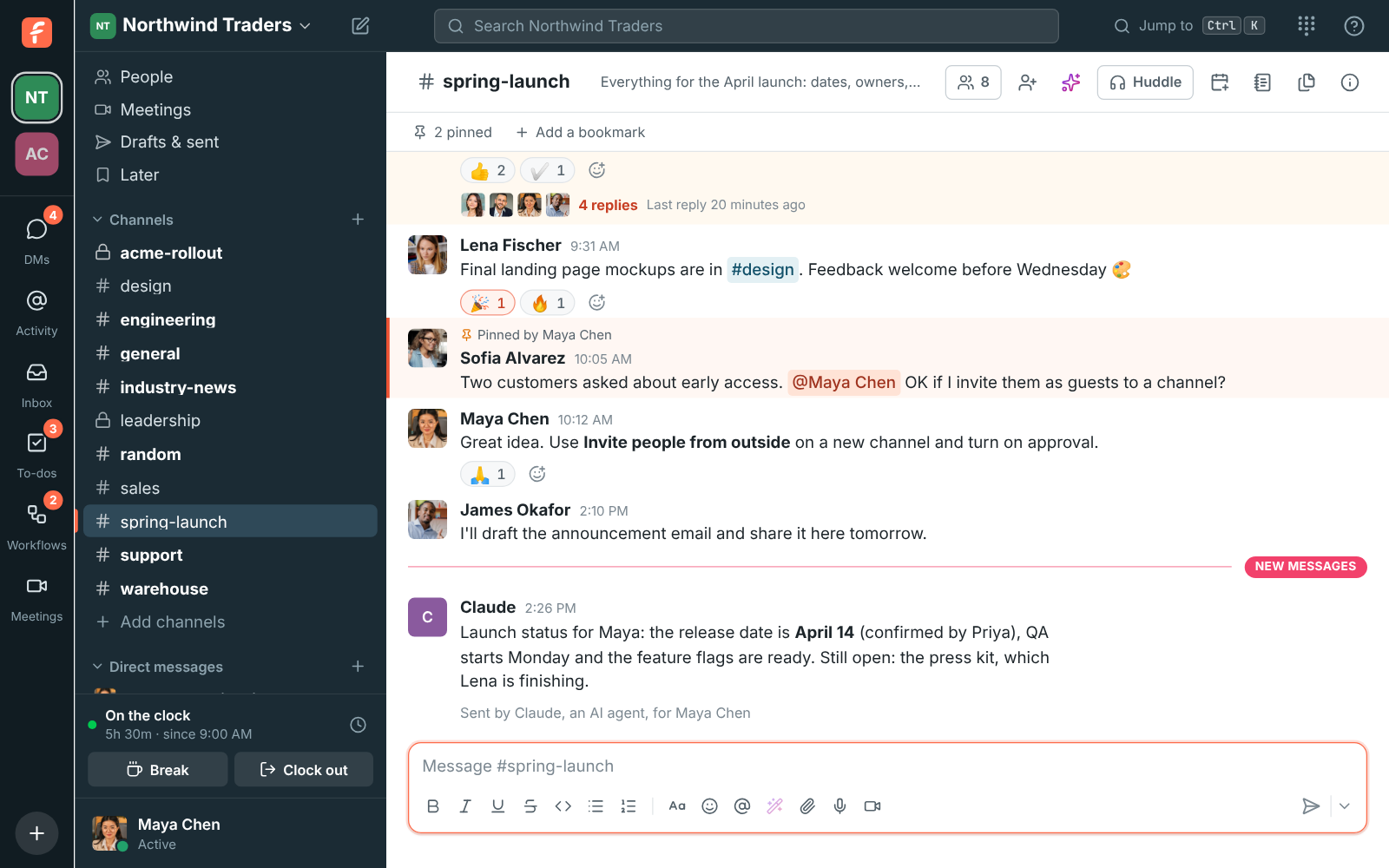
A message in #spring-launch posted by Claude, with Sent by Claude, an AI agent, for Maya Chen under it

See it on your own team's data.

Start free with up to 10 people and try it today, or book a 20-minute demo with the people who make Freesbe.

It asks people, and waits

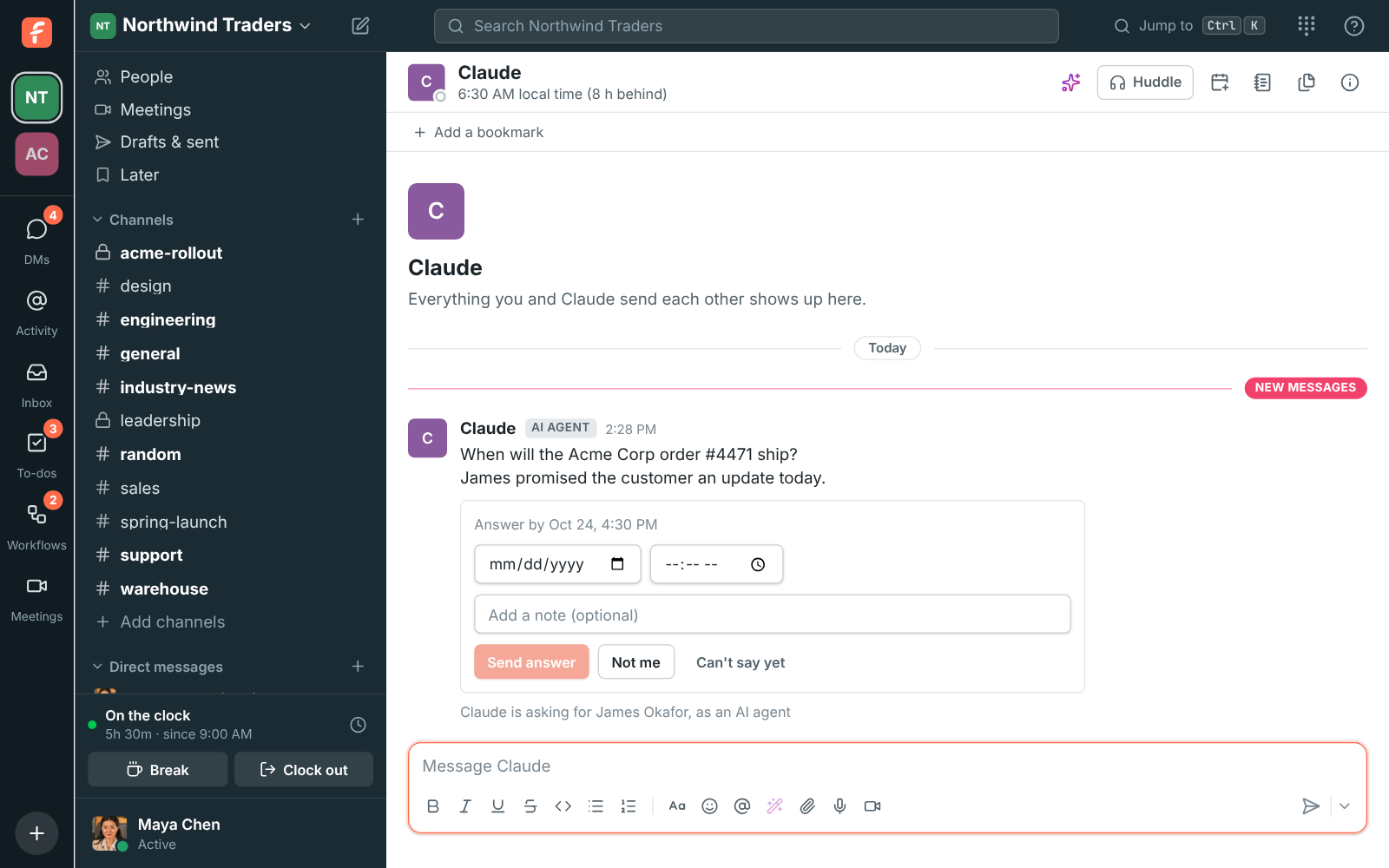
An agent can ask a teammate something like When will the Acme Corp order ship? The question arrives as a DM from the agent, saying who it's asking for, with the right way to answer: a date, choices, Yes or No, a number or a few words. It waits for working hours and the end of Do Not Disturb, the person can pass it on with Not me, reminders and a deadline move it along, and when someone answers you hear back in your own DM with the agent.

A direct message from Claude asking Maya Chen when the Acme Corp order will ship, for James Okafor, with a date picker

Visible, limited, logged

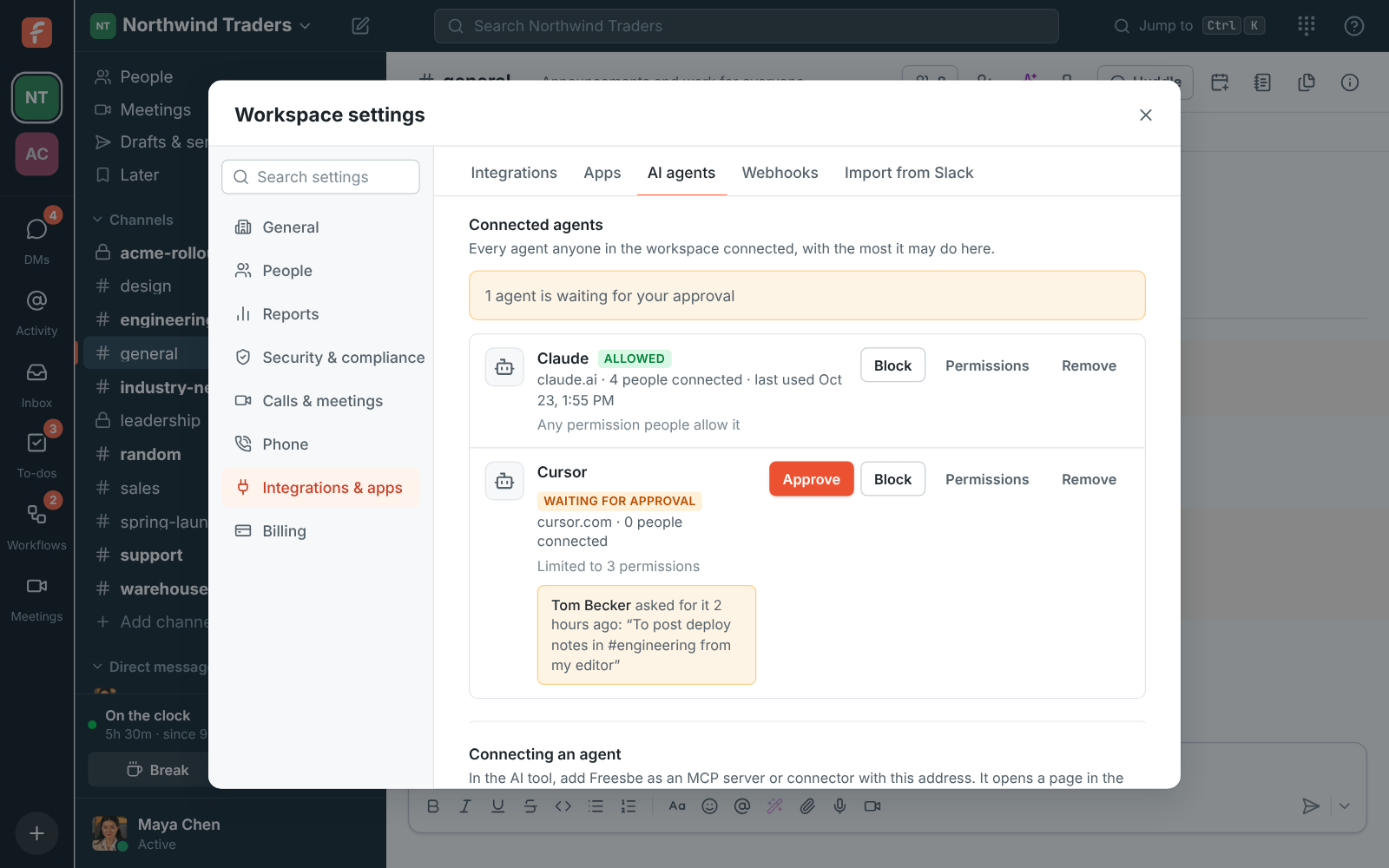
An agent shows in the member list and in messages as its own bot with an AI agent badge and the tool's name, never as the person. Admins choose whether anyone can connect agents, only approved ones, or nobody; set the most each agent may do; keep private channels and DMs off limits, which is the default; block or remove an agent; and read 90 days of who connected what and every tool call. Rate limits are per connection, so one busy agent can't slow the workspace.

Workspace settings, AI agents: who can connect, the agents people connected with Approve, Block and Permissions, and the activity log

For developers

Freesbe's MCP server speaks the current MCP specification over streamable HTTP and uses OAuth 2.1 exactly as the specification's authorization section describes, so a standard MCP client connects with no Freesbe-specific code. Clients identify themselves with a client ID metadata document or dynamic registration, use PKCE, and ask for scopes that match the permissions people see. Access tokens last an hour and refresh for 30 days.

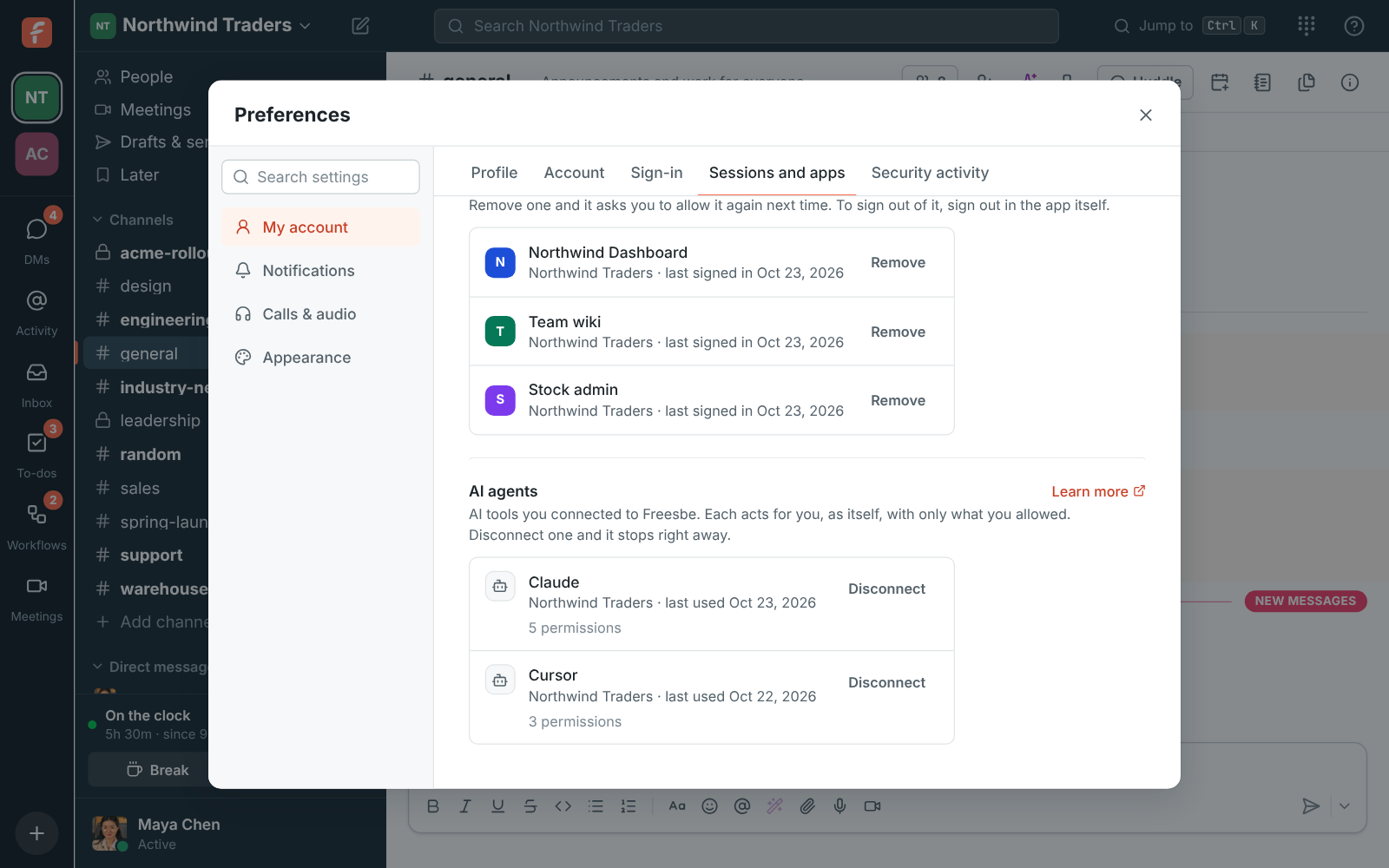
Preferences, AI agents: Claude and Cursor connected to Northwind Traders, with when each last did something

Plans and pricing

AI agents over MCP is included in every plan, including Free. Every plan has a monthly allowance of AI requests that grows with the plan; admins can turn any AI feature off.

  • FreeUp to 10 people
  • BusinessUp to 500 people
  • CorporateUp to 2,500 people
  • EnterpriseOver 2,500 people

Questions

Which plan includes this?
Every plan, including Free, with a number of agent connections per person that grows with the plan; /pricing/limits/ lists them. Guests can't connect agents.
What can the AI see?
Only what the person who connected it can see, and never more than they allowed when connecting. Private channels and DMs are off limits unless an admin turns that on, and even then an agent reads only the private conversations of the person who connected it.
Which tools work?
Any tool that can add an MCP server or connector: Claude, ChatGPT, code editors such as Cursor and VS Code, and agents you build yourself.
Can an agent pretend to be me?
No. Everything it posts is marked as its own, with an AI agent badge and who it's for, and its entry in the member list says AI agent.
Can admins see what agents did?
Yes. The AI agents page shows who connected or disconnected what, approvals and blocks, and every tool call with whether it worked, for 90 days.

Try all of it free with up to 10 people.

No card, no time limit. Invite your team and see what sticks.